
Installation
You must have the Paid Memberships Pro plugin installed and activated to use this Add On.
- Navigate to Memberships > Add Ons in the WordPress admin.
- Locate the Add On and click “Install Now“.
- Or, to install this plugin manually, download the .zip file above.
- Upload the compressed directory (.zip) via the Plugins > Add New > Upload Plugin screen in the WordPress admin.
- Activate the plugin through the Plugins screen in the WordPress admin.
Settings
Navigate to Memberships > PMPro Constant Contact to connect your Constant Contact account and choose your list and tags.
Below is a description of the various settings available in the plugin.
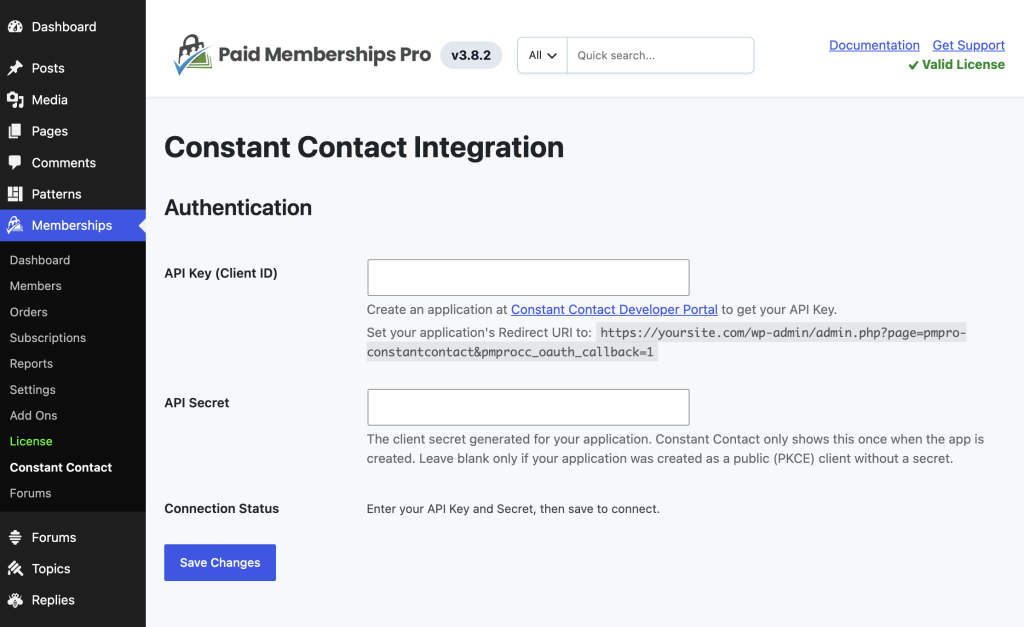
- API Key (Client ID): Used to connect your website to Constant Contact. Create an application at the Constant Contact Developer Portal to get this.
- API Secret: The client secret for your application, generated by Constant Contact when the app is created (shown only once). Leave blank only if your application was created as a public (PKCE) client without a secret.
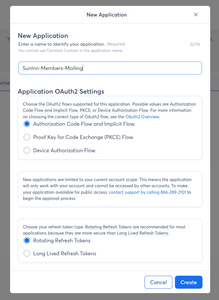
- You will be prompted to “Create your Constant Contact application“.
- When prompted, enter a descriptive application name—for example, Your Site Name Memberships. Keep the default OAuth 2.0 settings selected, including Authorization Code Flow, Implicit Flow, and Rotating Refresh Tokens, then click Create.
- Copy the generated Client ID and Client Secret into the corresponding fields in Memberships > PMPro Constant Contact. Constant Contact shows the Client Secret only once, so save it somewhere secure before leaving the screen.
- Connection Status: Shows a “Connect to Constant Contact” button once your API Key and Secret are saved, and shows connected status with a Disconnect option once authorized.
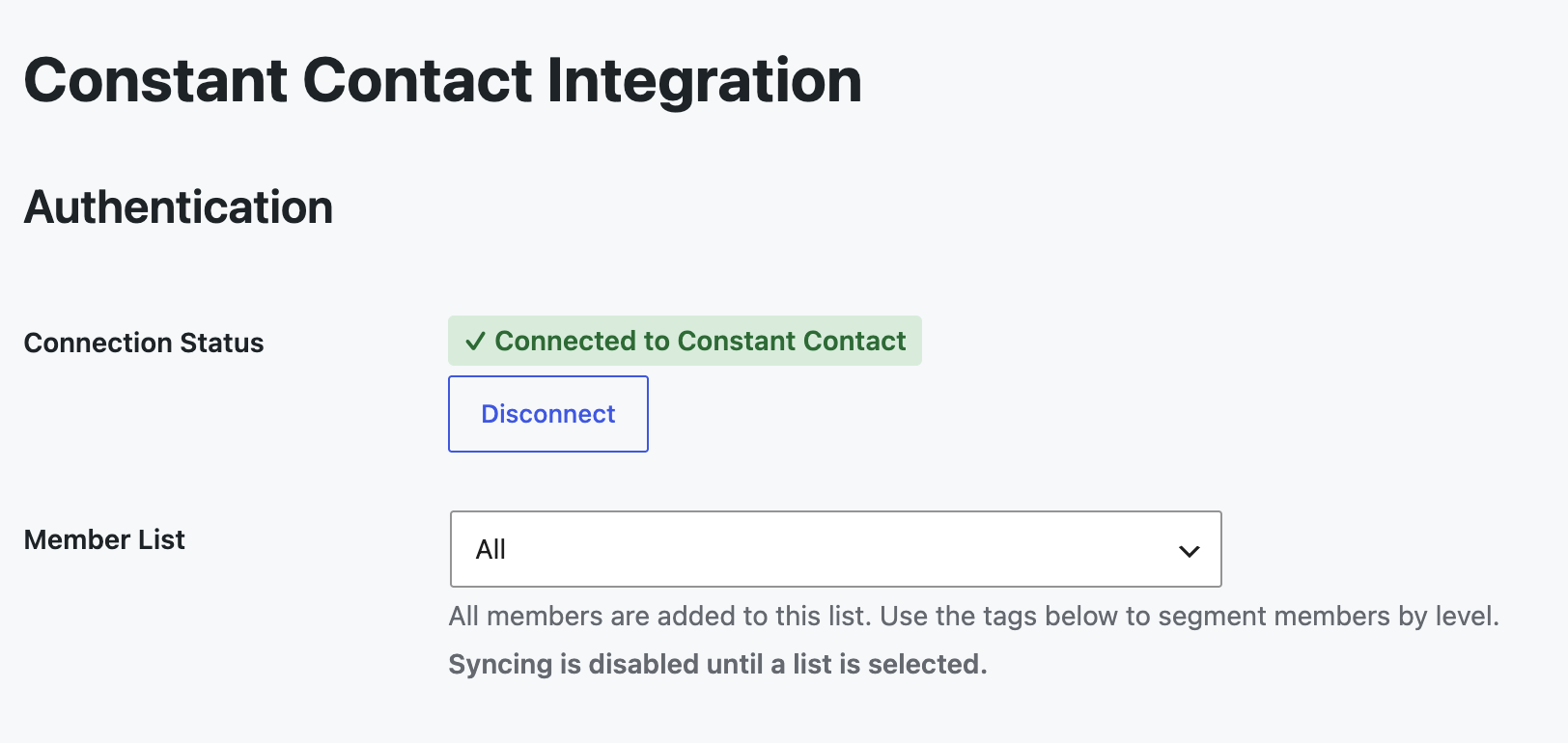
After your API Key and Secret are applied, these will appear:
- Member List: The single Constant Contact list all members are added to, once connected. Syncing is disabled until a list is selected.
- Membership Level Tags: For each membership level, choose which Constant Contact tags should be applied to members at that level.
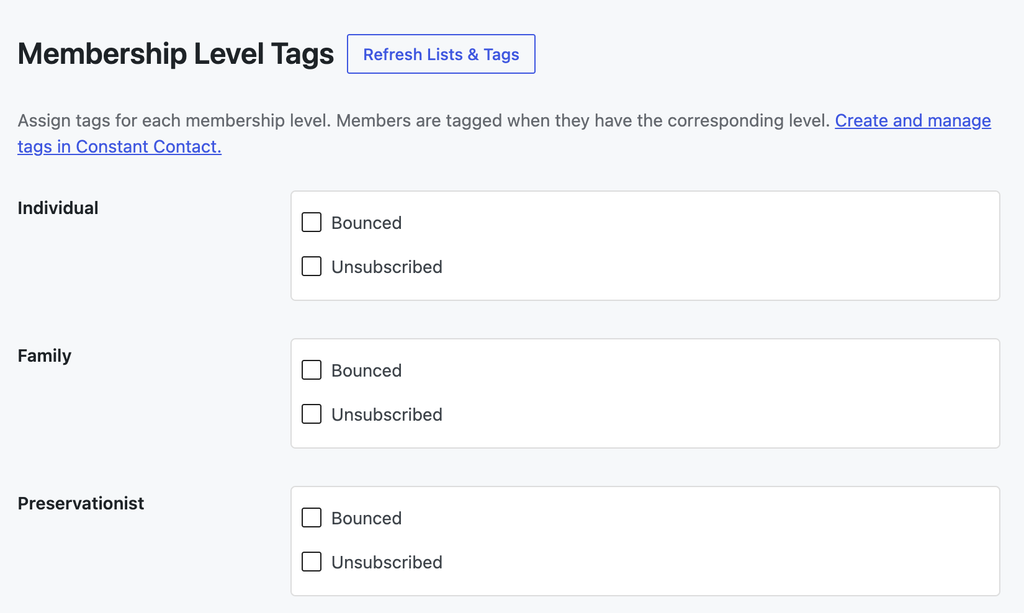
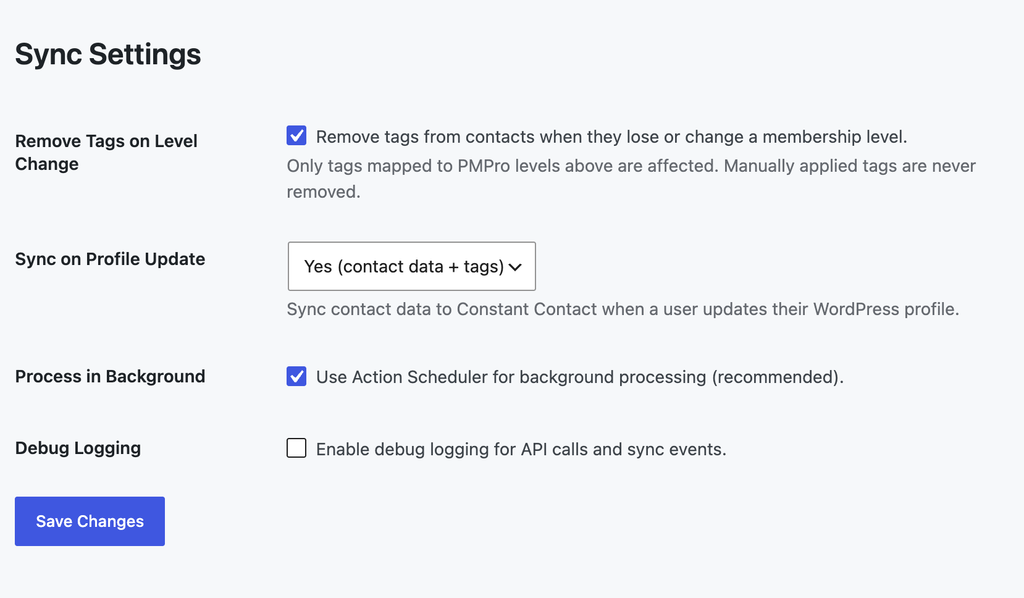
- Remove Tags on Level Change?: If checked (default), tags are removed from a member when they lose or change a membership level. Only tags mapped to levels above are affected — manually applied tags in Constant Contact are never removed, and members are never removed from the Member List on level change.
- Sync on Profile Update: Choose whether contact data, or contact data and tags, are re-synced to Constant Contact when a member updates their WordPress profile. Default is contact data + tags.
- Process in Background: If checked (default), member sync runs via the PMPro Action Scheduler to keep checkout fast.
- Debug Logging: If checked, logs API and sync activity for troubleshooting. Off by default.
Action and Filter Hooks
pmprocc_contact_data
Filters the contact data before it is sent to Constant Contact when upserting a contact. Custom fields can be added here as a custom_fields array of { custom_field_id, value } entries.
apply_filters( 'pmprocc_contact_data', array $contact_data, WP_User $user, array $levels );
Parameters
$contact_data: array; Contact data for the upsert.$user: WP_User; The WordPress user.$levels: array; The user’s membership levels.
pmprocc_contact_tag_ids
Filters the set of tag IDs that should be assigned to a contact based on their membership levels. Tag IDs added here are applied even if they are not part of the level-to-tag mappings (the “controlled” set). This is intentional: a filter that explicitly adds a tag is expected to take effect. Note, however, that tags added this way are not in the controlled set and so will not be removed automatically when they no longer apply.
apply_filters( 'pmprocc_contact_tag_ids', array $required_tags, WP_User $user, array $level_ids );
Parameters
$required_tags: array; Tag IDs to assign based on membership levels.$user: WP_User; The WordPress user.$level_ids: array; Current membership level IDs.
pmprocc_controlled_tag_ids
Filters the set of tag IDs that PMPro controls (and may add or remove). These are the tags mapped to any membership level. Only tags in this set are removed from a contact when they no longer apply.
apply_filters( 'pmprocc_controlled_tag_ids', array $controlled_tags );
Parameters
$controlled_tags: array; Tag IDs mapped to any membership level.
Screenshots
This is a Free Add On.
Create a free account or log in to gain access to downloads and documentation.

