Customizations, Done for You.
The most useful PMPro customizations aren’t complicated. The hard part is knowing what to tweak and where to put it. We know.
Tell us what you want: our team will build it on your live site and walk you through exactly what we did.
No one wants to hear “Hire a Developer.”
For years, most of our sales and support conversations went like this:
Someone asks, “Can PMPro do X?” Support says, “Yes! Here’s a code recipe.” Or, “That’s a custom development request. Here are some developers we recommend.” Then we close the ticket.
What happens next? They figure it out. Or they post in a forum hoping someone helps. Or they hire the developer. Or they just don’t do the thing.
We’ve been rethinking that.
Back in 2019 we offered custom development. It started at $1,500 per request. What we learned then, and have kept learning since, is that the most useful PMPro customizations aren’t that complicated. They’re a snippet, a small filter, a configuration change. The hard part isn’t writing the code. It’s knowing what to tweak and where to put it.
Our support team knows. Our developers know.
So we built Do It For Me services, included in every Max plan.

Jason Coleman
CEO, Paid Memberships Pro
How It Works
Four steps. AI helps you describe the request clearly. A real human on our team builds it.
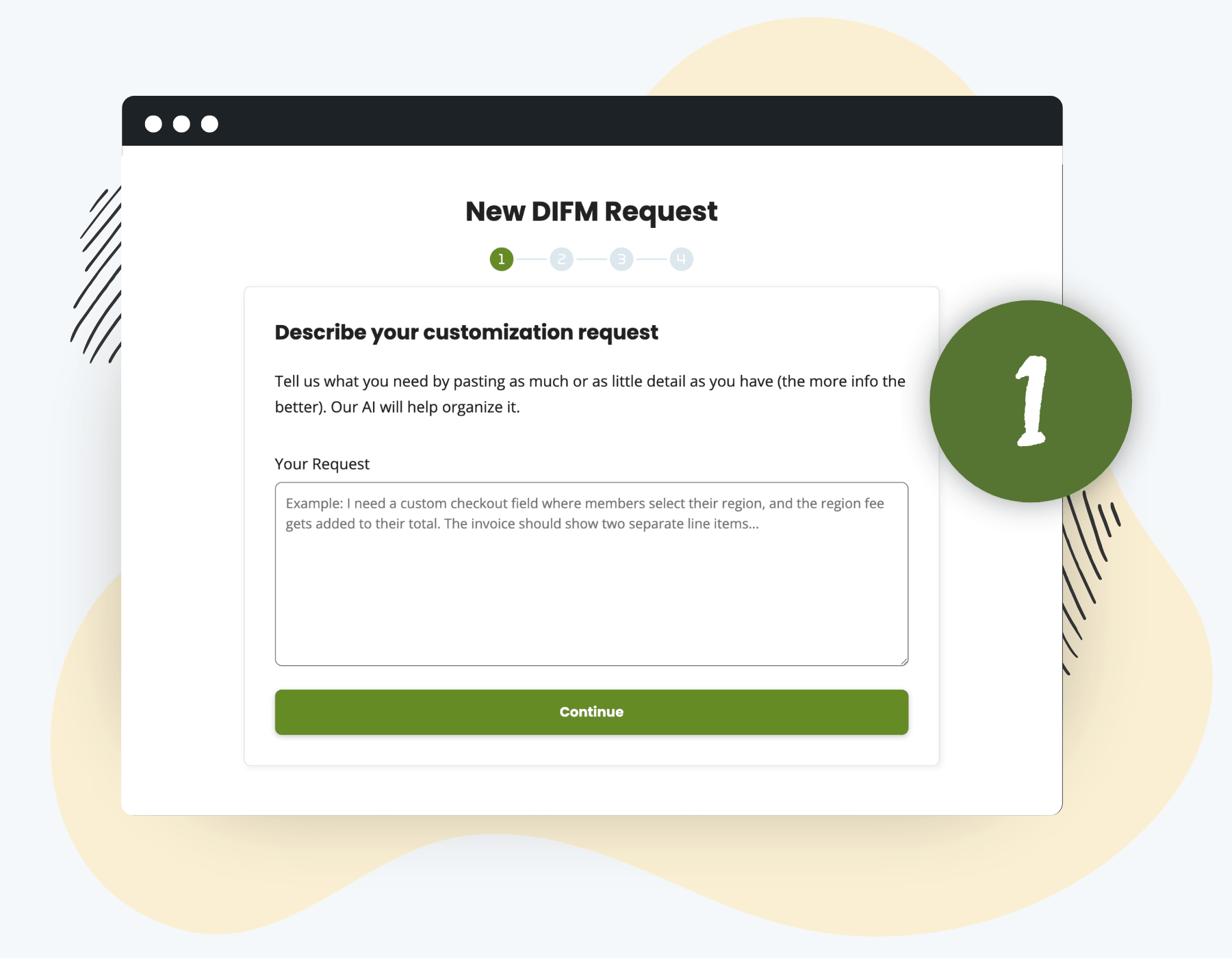
Step 1
Tell Us What You Want, in Your Own Words
You don’t need to write a spec. Dump the request in plain English: what you want, why you want it, what you’ve already tried. The form runs your description through AI to pull out the structured details (feature, expected behavior, where it applies, current setup).
Bullet points, paragraphs, half-formed thoughts? All fine.
Step 2
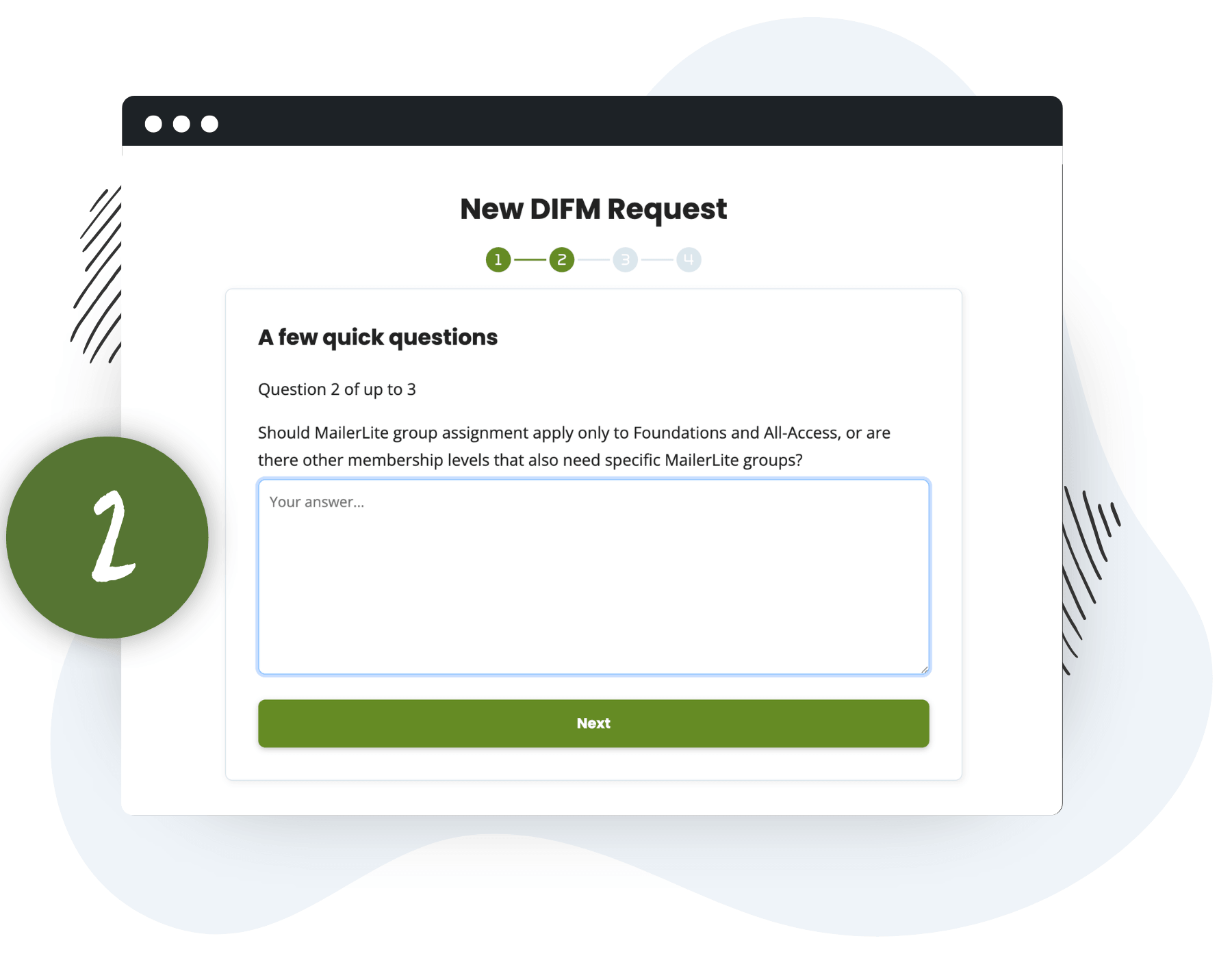
Answer a Few Quick Questions
If anything’s unclear, the AI asks one or two clarifying questions before moving on. Things a real developer would ask anyway: which level does this apply to, do existing members need to be migrated, where in the user flow this should fire.
One question at a time. No giant intake form.
Step 3
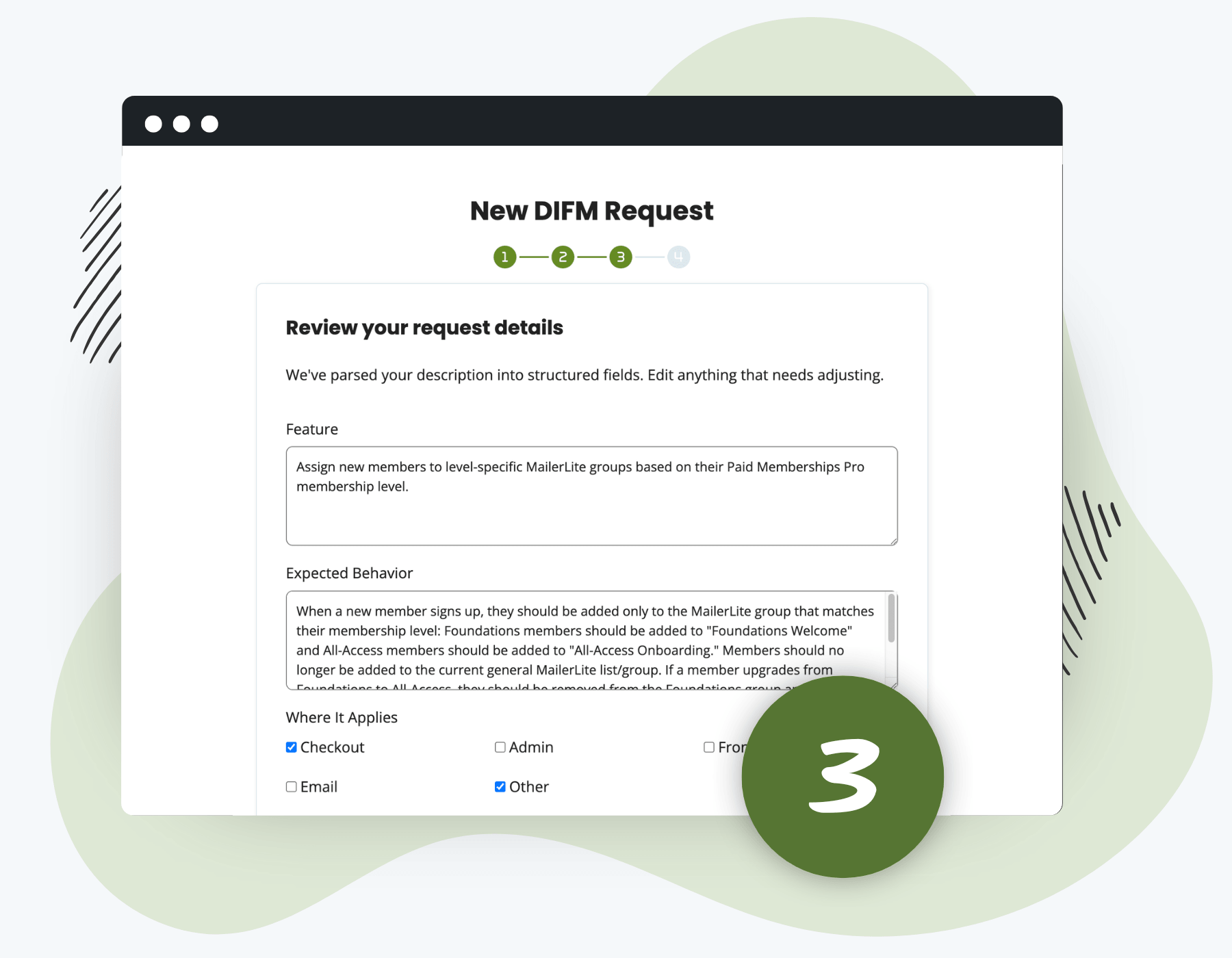
Review the Structured Request
Your raw description is now organized into clean fields you can edit: Feature, Expected Behavior, Where It Applies, Current Setup, and Edge Cases. Tweak anything. Add missing context. This becomes the spec our team works from.
Edit anything. The AI’s first pass is a starting point, not a final answer.
Step 4
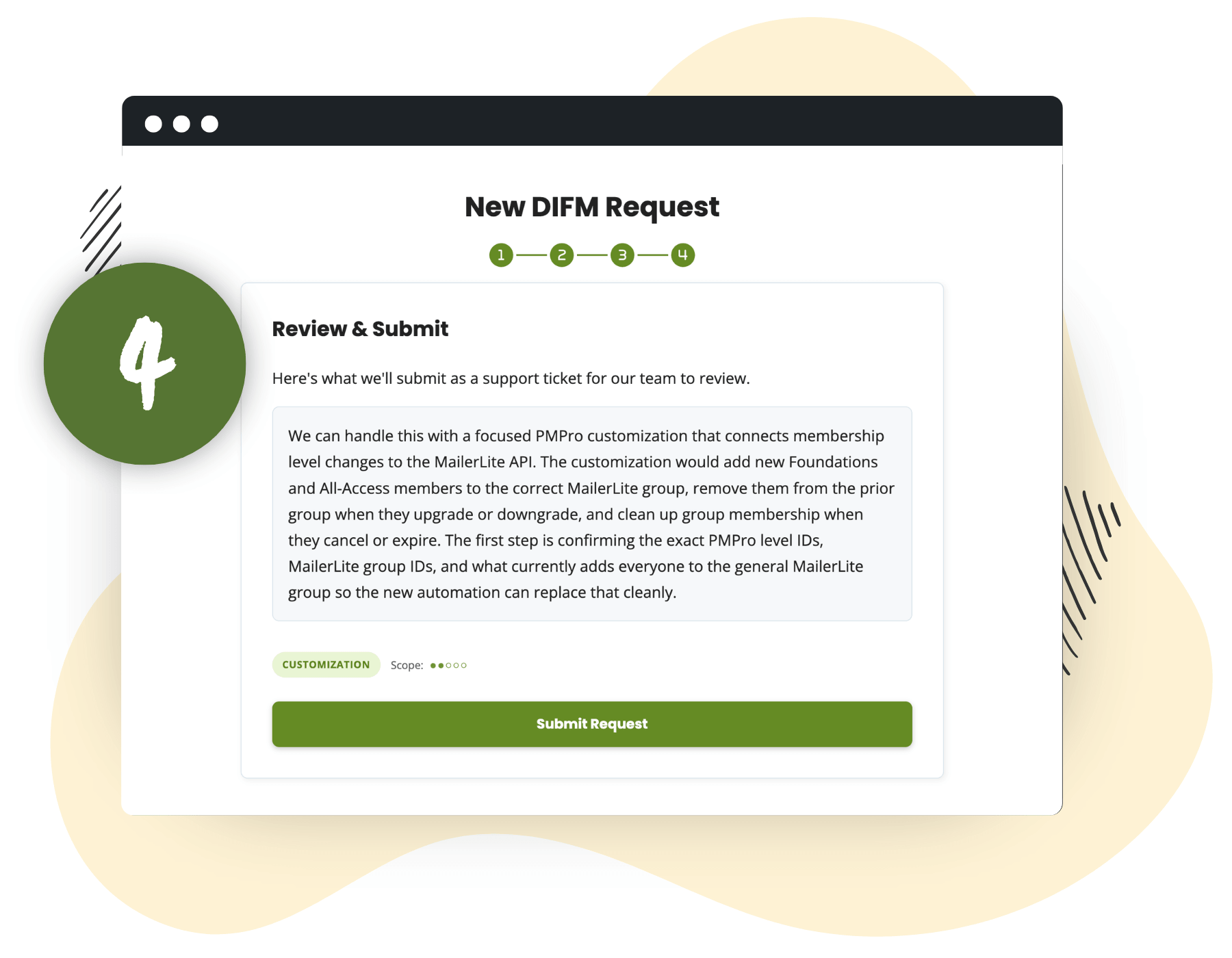
See the Assessment Before You Submit
Before your request becomes a ticket, AI assesses it: complexity, risk, time estimate, and a suggested approach. You see whether it’s in scope for Do It For Me or whether it’s a bigger project that needs a different path. No surprises after submission.
Complexity, risk, and the path forward, before the work starts.
Submit
A Real Human Picks It Up From Here
When you submit, we open a private support ticket with everything we need: your structured request, the AI assessment, your site URL, and any clarifying answers. A real human on our team picks it up from there.
What Counts as a Do It For Me Request?
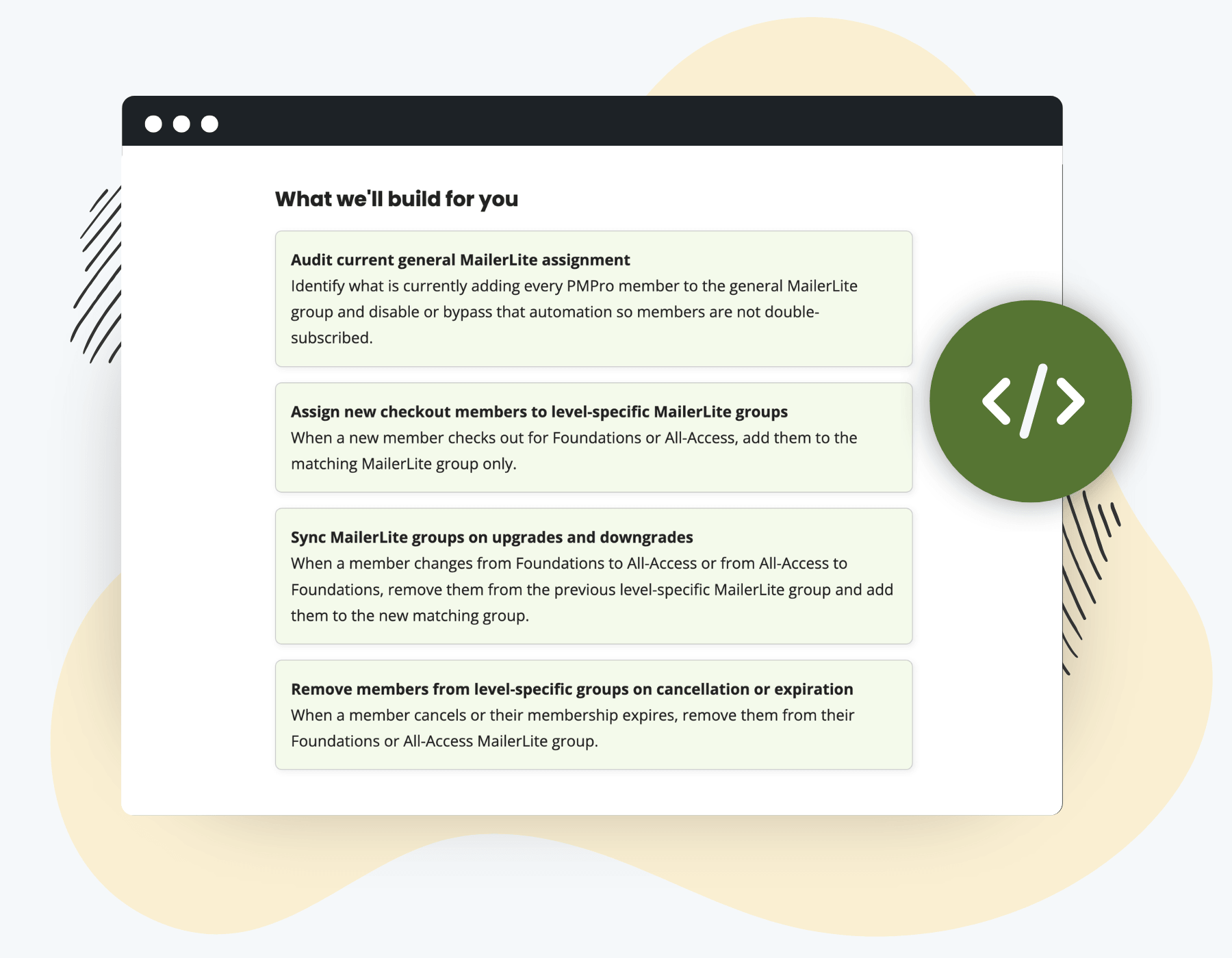
Anything from “make this menu item stand out” to “do you have an integration with MailerLite?” That MailerLite line isn’t hypothetical (we just built one for a customer who asked).
Quick Visual & UX Tweaks
- Make a menu item stand out with a light green background
- Hide the price on a specific membership level
- Show a custom message on the confirmation page
- Reorder fields on the checkout form
Configuration & Logic Changes
- Conditional content based on membership level and role
- Custom welcome email content for a specific level
- Change which user fields appear in the Members List
- Adjust how renewals or expirations behave
Small Integrations & Custom Snippets
- An integration with a tool we don’t officially support yet
- A code recipe installed and adapted to your site
- A custom report combining PMPro and another plugin’s data
- A filter or hook to change PMPro’s default behavior
If you’ve been sitting on a list of things you wished your membership site did differently, bugs you’ve learned to live with, or a big ask that’s been holding you back from launching something new? This is your opening.
The Honest Version of What’s in Scope
It’s not unlimited chaos. We review every request and keep the scope reasonable.
In Scope
- Single, scoped customizations: a snippet, filter, configuration, or small integration
- Anything that fits within a few hours of focused work
- Adjustments to existing PMPro behavior or display
- Code installed via a child theme or customizations plugin reviewed and explained
- A walk-through of what we did and how to adjust it later
Not in Scope
- Full site builds, custom themes, or large redesigns
- Multi-week development engagements
- Ongoing development retainers
- New gateway integrations
- Anything we’d need to bring in a dedicated developer for
If something’s bigger than Do It For Me can handle, we tell you up front, and we’ll point you to a developer who can take it on.
Ready to Fix the Thing You’ve Been Avoiding?
Submit your first Do It For Me request.
We’ll review it, let you know if it’s in scope, and get to work.
Need Something Bigger? Work with D4Hub.
Some projects are bigger than a snippet or a small integration, like full custom builds, multi-week engagements, deep integrations with your stack, or anything you’d want a dedicated developer working alongside you on for the long haul. For those, we recommend Mirco Babini and his team at D4Hub.
D4Hub: Define, Design, Develop, Deliver
D4Hub is a specialized technical hub for web platforms, supporting professionals, agencies and companies running business-critical digital projects on WordPress.
With a focus on ecommerce and subscriptions, the team builds and improves ecommerce and subscription platforms with reliable payment flows, clear access rules and automation.
Best for: custom plugins built around PMPro, multi-week development projects, complex third-party integrations, and long-term development partnerships.

