
By default, Paid Memberships Pro hides the discount code field on the Membership Checkout page behind a “Click here to enter your discount code” toggle link. This recipe shows the field by default instead, with one CSS snippet.
Do You Need This Recipe?
This recipe is useful if a large share of your members check out with a discount code, or if you are using one of the recipes to require a discount code. In either case, the extra click to reveal the field is friction most of your checkouts do not need.
If only a small share of your members use discount codes, the default toggle keeps the checkout page shorter for everyone else, and you likely do not need this recipe.
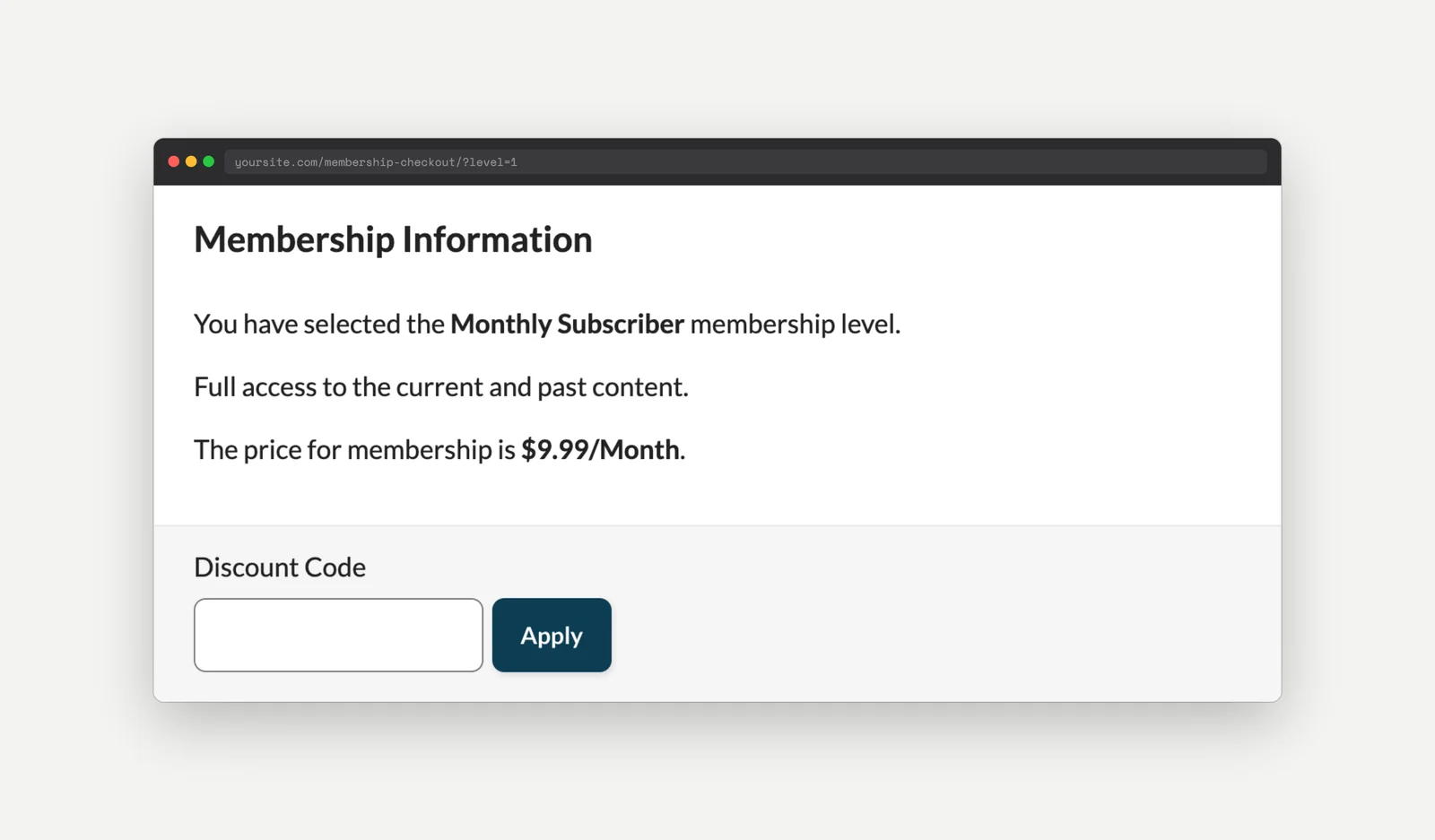
Here is the result, with the Discount Code field visible as soon as the checkout page loads:
About the Code Recipe
Paid Memberships Pro’s checkout page hides the discount code field with an inline display: none style and shows a toggle link in its place. This CSS recipe hides that toggle link and forces the discount code field to display, overriding the inline style with !important.
The Code Recipe (CSS)
#other_discount_code_p {
	display: none;
}

#other_discount_code_fields {
	display: flex !important;
}
Adding the CSS to Your Website
There are a few ways to add custom CSS to your membership site. Check out our guide on how to add CSS, which covers adding CSS to a child theme, the Site Editor or Customizer, or a stylesheet for PMPro Customizations.
How to Customize This Code Recipe
- Apply this only to specific membership levels: Wrap the CSS in a small PHP snippet that checks the level at checkout with
pmpro_getLevelAtCheckout(), and output the<style>block conditionally on the checkout page for just that level ID, instead of adding the CSS site-wide.

Get Support From Our Team of Experts
Have a question about how to use this feature? Our Support Page outlines three ways to get support.
Our Max plans include hands-on help customizing your membership site and implementing new features. Upgrade to PMPro Max now »


