
How It Works
Community and membership sites on WordPress use the Basic User Avatars plugin as a lightweight solution for custom user avatars.
Administrators can upload a user’s avatar on the Edit User admin screen.
Basic User Avatars also supports front-end avatar management for sites that want to keep users out of the dashboard. To use this feature, add the shortcode:
[ basic-user-avatars ]
…to any page on your WordPress site.
Note: Users must have the correct permissions to see the upload field on the frontend. If a member can’t see the upload option, you likely need to adjust the settings in the “Discussion” menu.
Installation
- Navigate to Plugins > Add New in the WordPress admin.
- Search for the “Basic User Avatars” plugin by name.
- Click Install Now, then click Activate.
Set Up
To ensure your members can successfully upload their own images, follow these steps to configure the permissions:
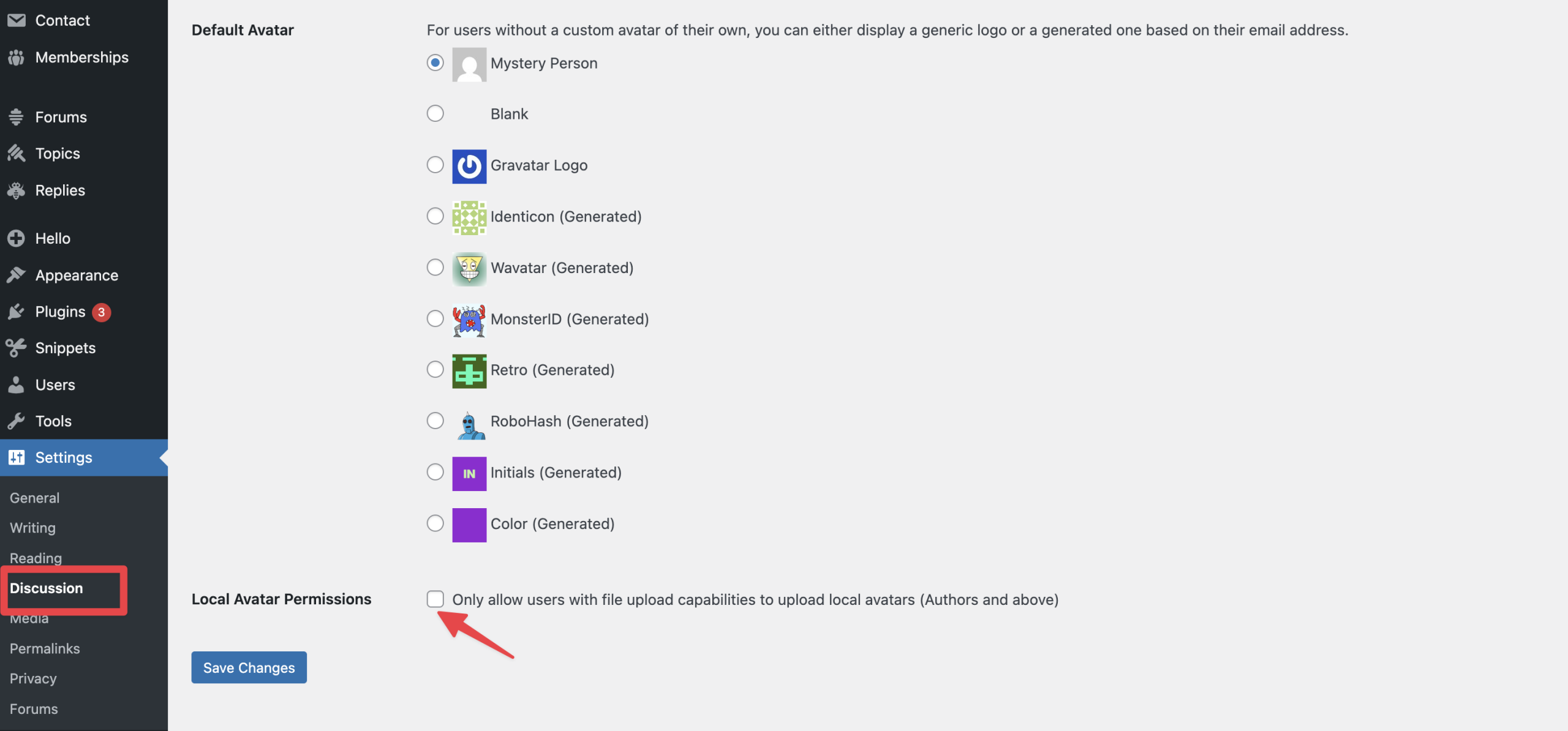
- Navigate to Settings > Discussion in the WordPress admin.
- Scroll down to the “Local Avatar Permissions” section.
- Look for the setting “Only allow users with the ‘Edit Posts’ capability to upload avatars”. If you want standard members to upload their own photos, ensure this box is unchecked. Most WordPress membership sites use the Subscriber role for members, and Subscribers do not have the “Edit Posts” capability.
- Add the
[ basic-user-avatars ]shortcode to a page on your site to allow front-end avatar uploads for your users.
Note: The plugin adds BBPress support automatically if you have the BBPress plugin activated.
Video: Allow Members to Set Up a Custom Avatar
The video below walks you through how to allow members to set up a custom avatar on your PMPro site using the Basic User Avatars WordPress plugin:
Migrate From WP User Avatar Plugin
Version 1.0.5 includes a feature that automatically converts avatars previously uploaded via the WP User Avatar plugin.
This means that you can disable WP User Avatar, activate Basic User Avatars, and have a seamless transition for existing avatars on your site. Be sure to update any avatar upload form that uses the [ avatar_upload ] shortcode to use the new shortcode:
[ basic-user-avatars ].

