WELCOME TO THE
Associations Hub
Here you’ll find all of the best resources we have to help you build and manage an association with WordPress and Paid Memberships Pro.
Association Learning Materials
Get started by reading our association website pro tips and best practices. This guide gives you all of the latest information about building and managing a successful association online, and it links to all of our association-related content and downloads.
It’s roughly a 20-minute read, but it’s worth it… especially if you’re just getting started and you need an introductory education on building an association.
Download Now: Association Planning Workbook
Whether you’re starting a brand new association or you want to move your existing association online, these resources will help to simplify the process and guide you through all of the fundamental steps you need to take.
Launch a Demo Site
You can create a temporary site on InstaWP that gives you instant access to demo a complete membership site with levels, protected content, a directory, pre-built courses, and more. Your site will be a clone of the demo at the base demo here.
1. Choose Your Tools
While many associations are successfully managed offline, online is even better. Direct mail and word-of-mouth marketing is extremely time-consuming, slow, and cumbersome for both the people managing an association and those joining it.
Choosing the right set of online tools will help you bring your association website to life, and help you manage it down the line, no matter how much it grows.
In our Association Website 101 post, we talk about three primary options for building an association website:
- Association Management Software (AMS)
- Customer Relationship Management (CRM)
- WordPress + Membership Software
Software Recommendations
At Paid Memberships Pro, we stress the importance of owning the land your business is built on. So, we think that using WordPress with PMPro is the best choice of the three
However, there may be cases where using an AMS or CRM will suit your specific goals. If you’re not sure whether or not to use an AMS or CRM, check out our post about association management software and how it differs from CRM tools.
The core Paid Memberships Pro plugin has everything you need to set up membership levels, restrict posts and pages, and integrate your payment gateway so you can charge for access to your association membership.
In fact, with Paid Memberships Pro you can get your association website up and running 100% free. Plus, we offer a variety of free and paid Add Ons that are perfectly suited to associations.
For example, the User Fields feature of PMPro can be used to create additional custom profile fields to be collected at checkout, on the user’s profile, or for administrative view only. Plus, the User Fields admin page allows you to set up user profile fields for members or admins only, with loads of customization settings. Read more in our documentation on how to add user fields.
Our Approvals Add On allows you to set up a unique approval or application process for your association members, giving site administrators the ability to approve or deny members.
The Member Directory Add On can be used to create public or members-only searchable directories and customizable member profile pages.
And don’t forget email marketing, something that’s crucial for associations. PMPro integrates seamlessly with major email marketing services like ConvertKit and Mailchimp.
Looking for a specific Add On? You can now filter Add Ons on the Memberships > Add Ons Screen in the WordPress Admin by Use Case. Start typing the term, like “Associations”, and the corresponding Add Ons will populate for you.
Finally, what about events for members-only? Offer members-only events for your association using popular events plugins like Events Manager, The Events Calendar, Sugar Calendar, and All-in-One Event Calendar.
Community
Associations are all based around one thing: bringing people together. So, community elements are particularly important when it comes to crafting a high-performing association website.
Community encourages interaction, automatically boosting engagement as your association members converse with each other and spend more time on your site. Plus, members can learn from and help each other, which enriches the whole community and lightens your support load at the same time.
Highly-engaged members are also more likely to:
Be great examples and success stories for your association
Keep paying for your association over time
Rave about your association to others, which equals free word-of-mouth marketing
3rd Party Integrations for Communities
We offer a wide range of Add Ons and integrations to help you increase the value of your association membership with community features. This includes BuddyPress, BuddyBoss and Discord, for example.Want to support manual communities like Slack and Facebook groups on your association website? Our native app for Zapier allows you to connect with and automate these and other community tools. Check out all of the ways that Zapier integrates with Paid Memberships Pro.
Check out the Communities Hub if you want to explore PMPro’s communities features more deeply.
2. Create and Publish Your Content
Once you’ve decided which tools you’re going to use to build your association website, it’s time to figure out the content you’re going to create.
Protecting Your Association Content and Charging for Access
In order to actually generate revenue for your association, you’ll need a way to restrict your content and charge people for access to it. Our initial setup guide will walk you through all essential steps to setting up things like content restrictions and recurring payments with PMPro.
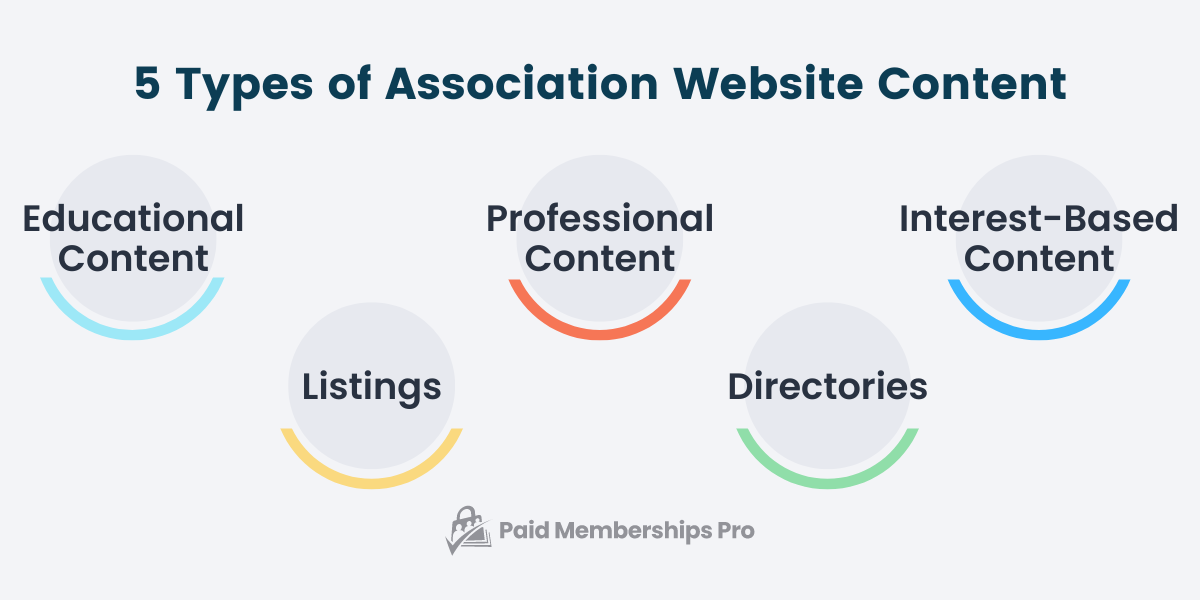
We know that associations publish a huge range of content types, check out this guide to learn the 28 most popular content types you can create and protect with PMPro and WordPress.
3. Price Your Association Membership
If you’re going to sell memberships to your association website, you’ll need to have a membership pricing structure in place. But figuring out what to charge can be challenging.
Start with our post about how to price your membership site to get some ideas. Want to have various pricing options for your association? Check out our post on tiered pricing.
If you are an existing association and considering a price change, here are some do’s and dont’s when it comes to raising prices.
4. Attract Association Members
So, you’ve set up your association online using Paid Memberships Pro. Now what? To build a foundation for your niche community, you’ll need to attract new members.
We put together a whole guide on how to attract new members to an association, which covers some ways you can prepare your association for growth, strategies for attracting members, and some tips that will help you magnetize the right people.
You can also read more about marketing your association website in our Association Website 101 post. We’ll cover five key marketing strategies, including:
- Using Social Media
- Hosting Exclusive Events
- Leveraging Partnerships
- Strategies for Email Marketing
- Combining Different Marketing Channels
Case Studies
Looking for some inspiration? Check out some of our case studies featuring associations that run successful membership sites using Paid Memberships Pro:
- How a 140-Year-Old Beekeepers’ Association Brought Its Membership Into the Modern Age with Paid Memberships Pro
- Trade Association Websites: How the BeautyCouncil Team Connects With Their Industry
- How to Build an Association Membership Site – IAWP
Other Resources
- How to Build a Condo Association Website Using Paid Memberships Pro: This tutorial will guide you step-by-step through building a compliant condo association website.
- Legal Requirements for Starting an Association: In this post, we’ll cover all of the fundamental legal requirements for starting an association, so you have some guidance as you embark on your membership journey.
- Are You Looking for Association Management Software?: This article will explore the benefits of AMS, how AMS differs from CRM tools, and the key features of a powerful AMS.
- Best Practices for Collecting Association Dues: In this post, we talk about how to create a a plan to collect association dues that kept your members engaged and paying on time.
- A Step-by-Step Giving Tuesday Plan for Your Membership Site: In this guide, we share the exact steps you can take to set up a goal-based fundraising campaign using Paid Memberships Pro and our nonprofit-focused Add Ons.
- Trade Association Websites: How the BeautyCouncil Team Connects With Their Industry: Learn how BeautyCouncil, an association that supports professionals across the beauty industry, uses a trade association website to connect members with new business opportunities.
- How to Build an Association Membership Site – IAWP: In this showcase, we look at how IAWP used Paid Membership Pro to build an association membership site. More specifically, how they run memberships, protect content, and manage recurring online payments and subscriptions.
- Add Name to Checkout Add On: Adds “First Name” and “Last Name” fields to the “Account Information” section of the Membership Checkout page when using Paid Memberships Pro.
- Approval Process for Membership Add On: Set up a unique approval or application process for your membership site. This plugin gives membership site administrators the ability to approve or deny members.
- Profile Pictures: Members can upload a custom profile picture from your site, built into Paid Memberships Pro.
- Donations Add On: Allow customers to set an additional donation amount at checkout.
- Events for Members Only Add On: Offer members-only events using popular events plugins and Paid Memberships Pro.
- Import Members From CSV Add On: Bring existing members over from another platform or an offline list by importing a CSV file, with their membership levels assigned on import.
- Member Directory and Profile Pages Add On: Give users the “Membership Manager” role to allow them to manage your Paid Memberships Pro settings, without complete administrator access.
- Pay by Check Add On: A collection of customizations useful when allowing users to pay by check for Paid Memberships Pro levels.
- Sponsored/Group Members Add On: Sell group memberships to corporate organizations, families, teams, or any group of people where one member pays for a collection of people to access your content individually.
- How to Offer Members Discounts on Event Tickets with Modern Events Calendar: A no-code workaround for offering tiered ticket pricing to members at every level.
- Add Gamification to Your Membership Site: This post shows how to use badges and points to reward member participation in events, continuing education, and the activities that keep your association strong.
- How to Manage Association Chapters in Paid Memberships Pro: A practical guide to modeling chapters in Paid Memberships Pro, walking through membership levels, a custom user taxonomy, and separate sites, so you can match your setup to how your chapters actually work rather than just how many you have.
Click here to read our blog posts tagged with “association”.

