The Memberships > Settings > Email Settings admin page allows you to control various settings related to emails sent by your Paid Memberships Pro site.
From the dashboard, go to Memberships > Settings and select Email. There are several sections on this page. Continue reading for an explanation of settings in each section.
Video Demo
Note: Some of the information in this video may not be accurate. Please review the documentation for the correct information. We are actively working on updating our videos.
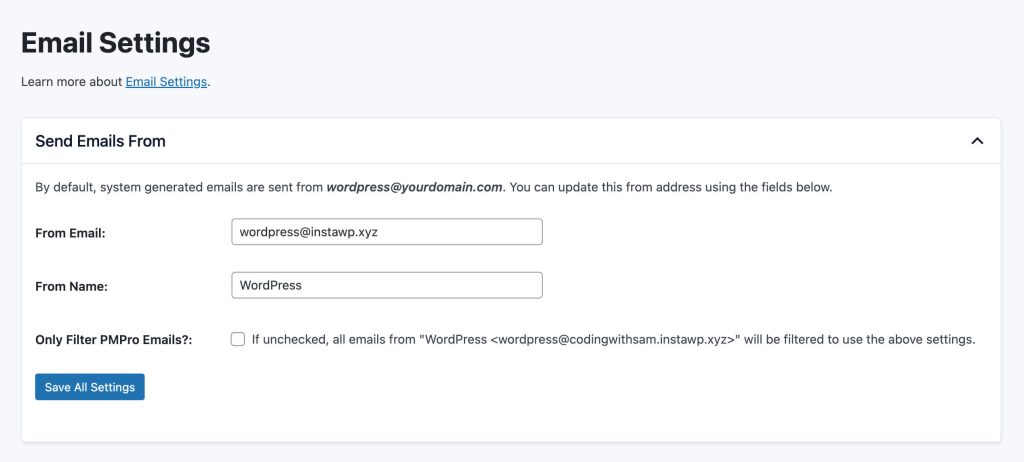
Send Emails From
In this section, you can adjust the name and email address all system generated emails are sent from in your WordPress site.
- From Email: Update the email address for emails sent from your site.
- From Name: Update the name of the sender for emails sent from your site.
- Only Filter PMPro Emails?: Check this setting to update the Email and Name for all emails send from your site.
- Save Settings
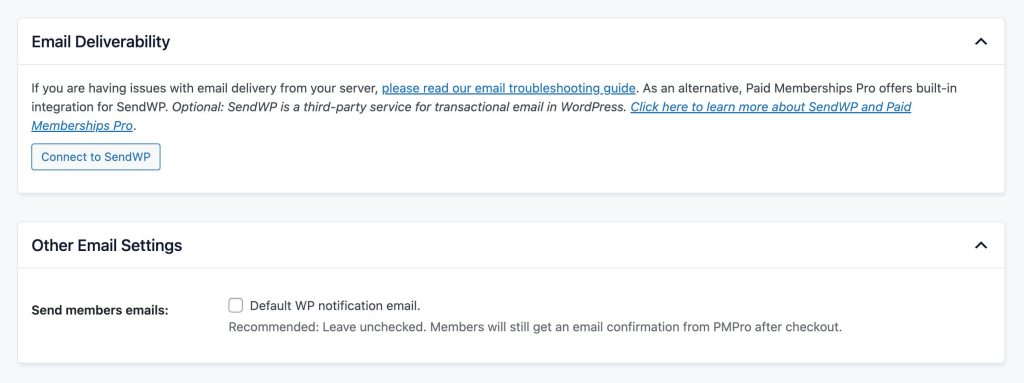
Email Deliverability
There are several third-party services that provide improved delivery rates, tracking, and reporting for websites hosted on WordPress.
Paid Memberships Pro offers built-in integration for SendWP, an optional third-party service for transactional email in your WordPress site.
Other Email Settings
- Send members emails: This setting allows you to optionally send the default WordPress notification email sent when a user joins your site. We recommend leaving this option unchecked. Members will still get an email confirmation from Paid Memberships Pro after checkout. If you enable this setting, the member will receive two emails confirming their signup.
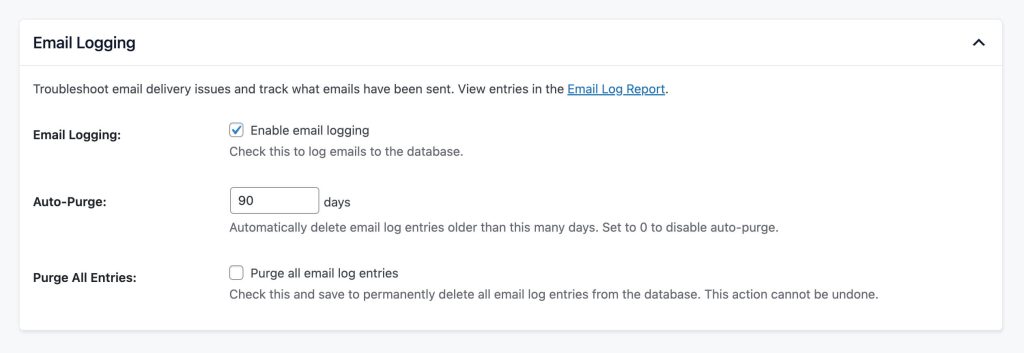
Email Logging
- Email Logging: Check to log emails to the database. By default, Email Logging is enabled.
- Auto-Purge: Automatically delete email log entries older than this many days. Set to 0 to disable auto-purge. The default value is 90.
- Purge All Entries: Check this and save the settings to permanently delete all email log entries from the database. This action cannot be undone.
Get Support From Our Team of Experts
For more help with this PMPro feature, check out our Support Page with three ways to get support as a free or premium member.
Last updated on March 25, 2026

