
Some people start checkout, get sent to Stripe or PayPal to pay, and never come back. Maybe they got distracted, had a question about the membership, or wanted to think it over. You can follow up with every one of them automatically. The Abandoned Cart Recovery Add On sends up to three reminder emails over the following week, each with a link back to checkout for the level they picked.
Choose which membership levels to include, write reminders that sound like your site, and use the built-in reports to see how many carts were recovered and how much revenue they brought in. Abandoned Cart Recovery is included with the Standard and Max plans.
Key Features
- Choose Which Levels to Recover: Turn cart recovery on for the paid membership levels you want to follow up on.
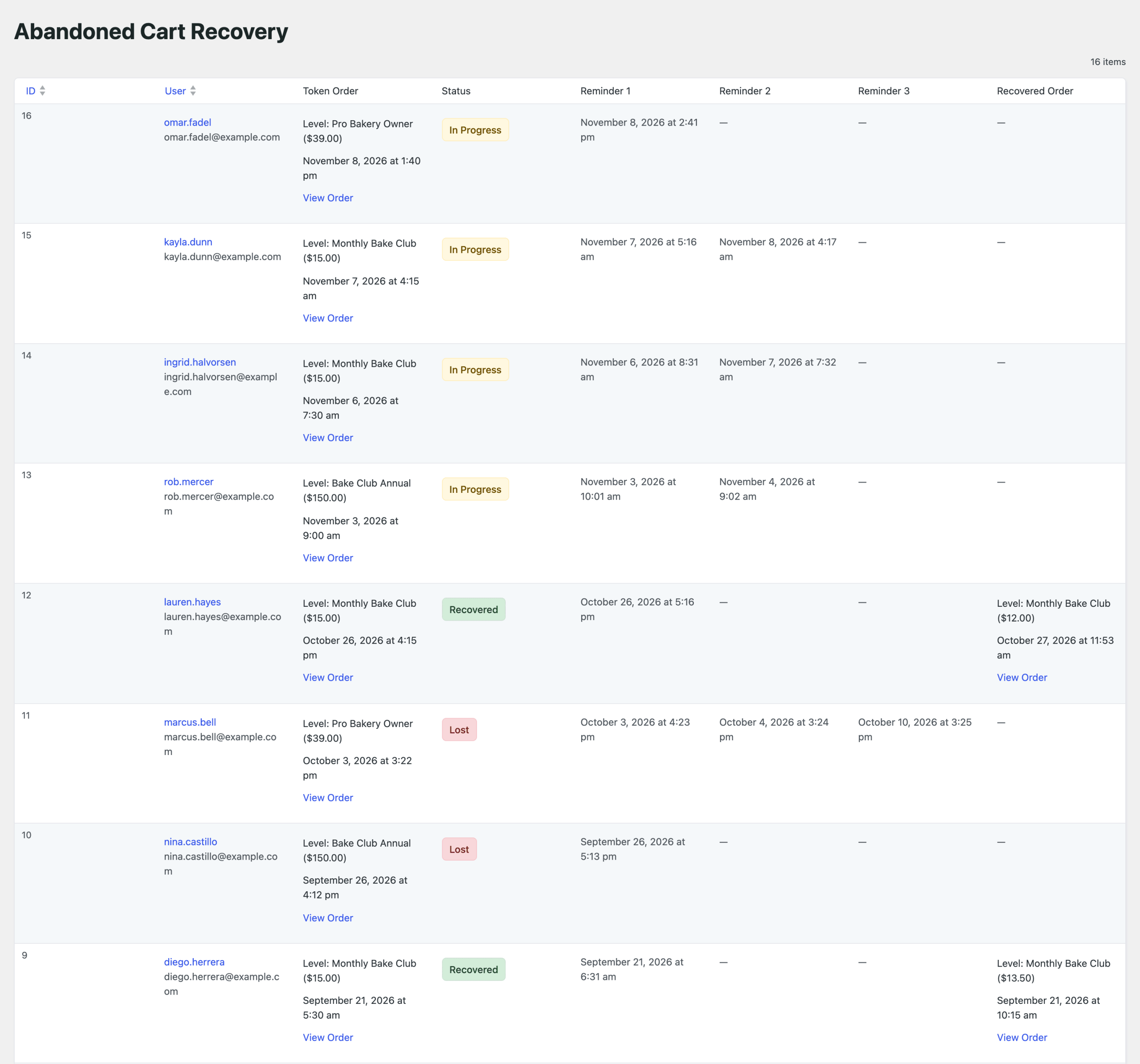
- Three Timed Reminders: Emails go out about 1 hour, 1 day, and 1 week after the cart is abandoned.
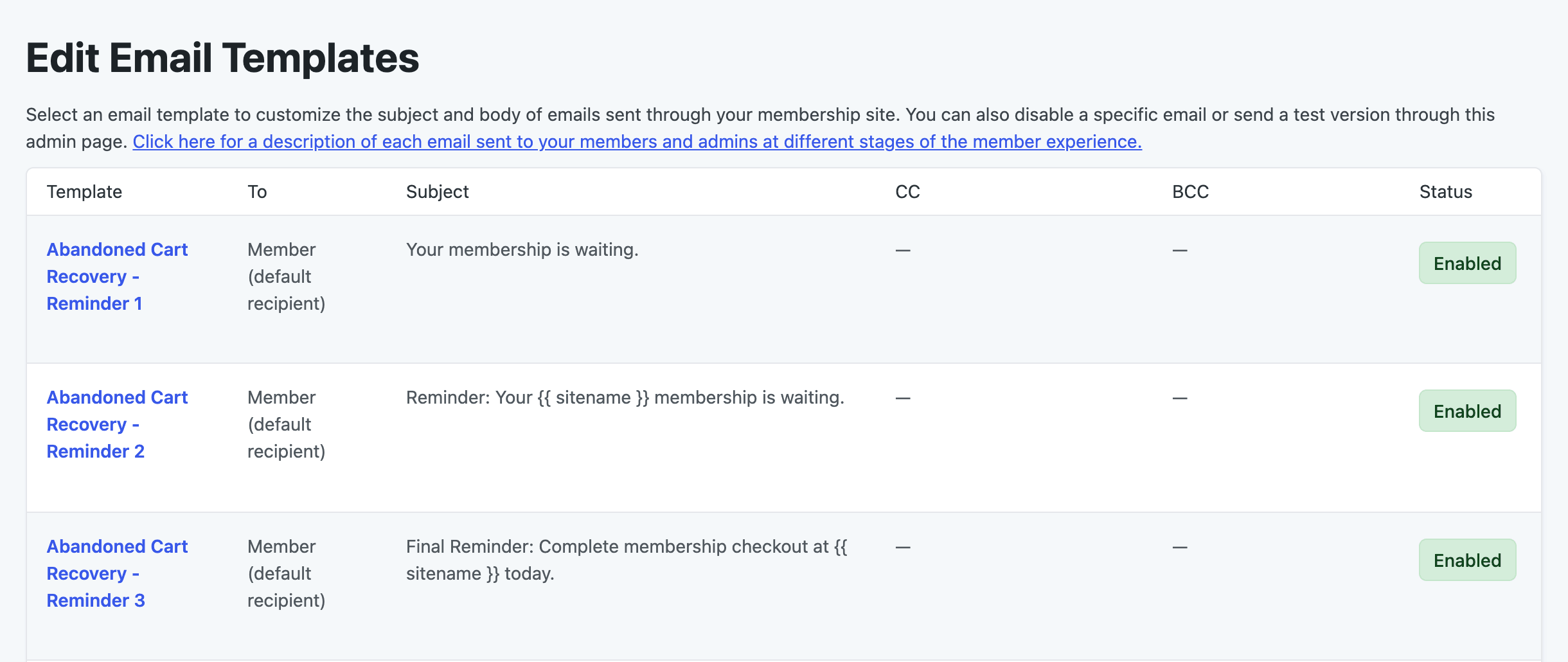
- Editable Email Templates: Change the subject and content of each reminder, add the level name and a checkout link with template variables, send a test, or turn off a reminder you don’t need.
- Opt-Out Link: People can stop the reminders with one click, and they won’t be emailed about abandoned carts again.
- Automatic Recovery Tracking: A cart counts as recovered as soon as the person completes any paid checkout, whether they clicked the email link or came back on their own.
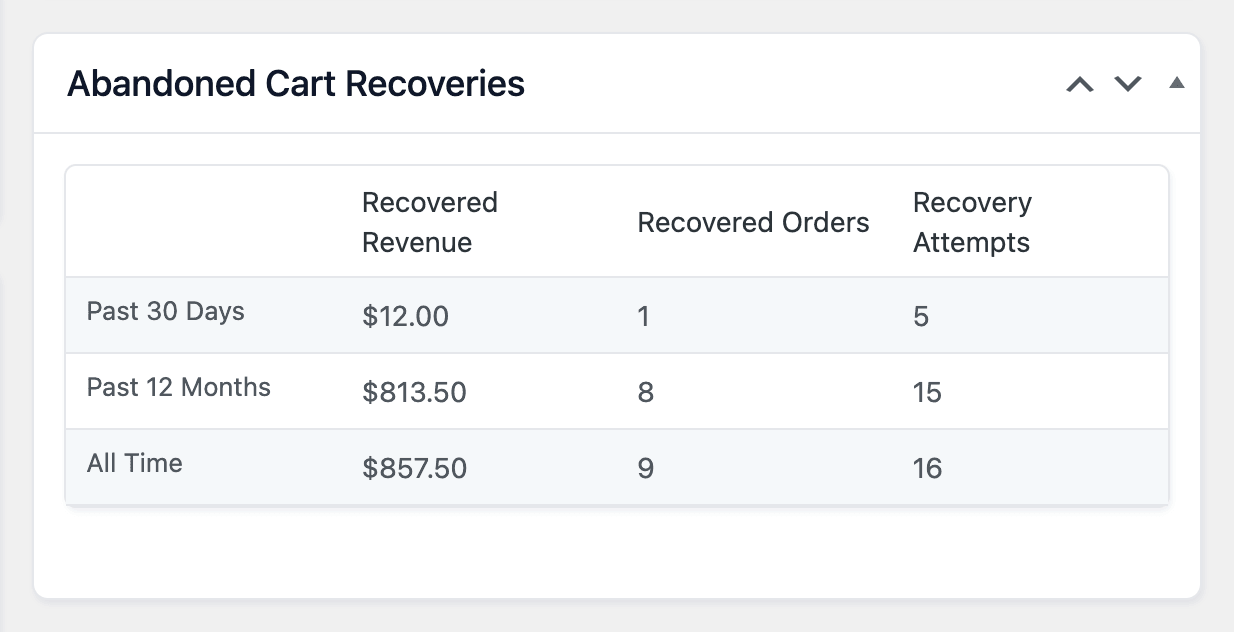
- Recovery Reports: See recovered revenue, recovered orders, and recovery attempts for the past 30 days, 12 months, and all time, plus a log of every cart with its status and reminder history.
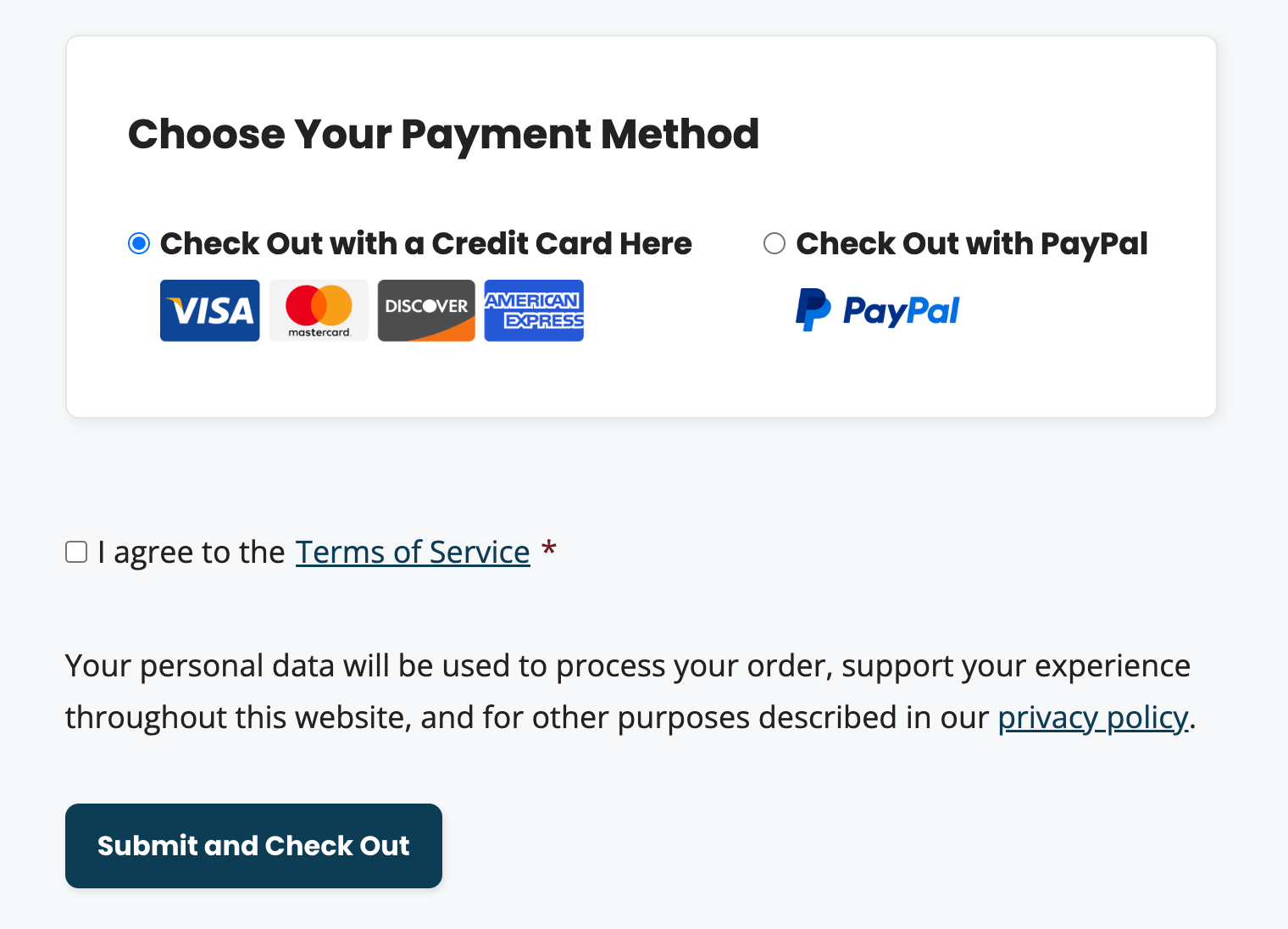
- Privacy Policy Support: Adds suggested text to the WordPress privacy policy guide and a privacy notice at checkout for levels with recovery turned on.
- Works With Offsite Checkout: Supports Stripe (using Stripe Checkout) and PayPal Express.
Abandoned Cart Recovery Add On Documentation
Frequently Asked Questions
No. Each hourly check only looks at token orders created in the last 4 hours (by default), so older carts are not included. The same applies if your site’s scheduled tasks stop running for longer than that.
No. Any paid checkout by that user while the recovery attempt is in progress marks it as recovered, even if they came back on their own or chose a different level.
Not from a setting in the WordPress admin. Developers can change the delay before each reminder, and before a cart is marked as lost, using the timing filters.
Yes. Check Disable this email? on any reminder template you don’t want to send. See Edit a Reminder Email.
Screenshots

Every premium Add On comes with your Standard or Max plan. Standard includes expert support for a site you host yourself. Max adds managed hosting, transactional email, security, backups, free migration, and monthly credits for development and design.