Every member on a payment plan holds the same membership level, so the Add On records the plan they chose at checkout and shows it on your Orders, Subscriptions, and Edit Member screens.
How the Plan Is Recorded
When a member completes checkout with a payment plan, the Add On saves a copy of that plan with the checkout order and with the member’s subscription. Because the admin screens read this saved copy, they keep showing the plan’s name even if you later rename, deactivate, or delete the plan on the level.
Members who checked out with the level’s own pricing have no plan, so their rows show a dash in the Payment Plan column.
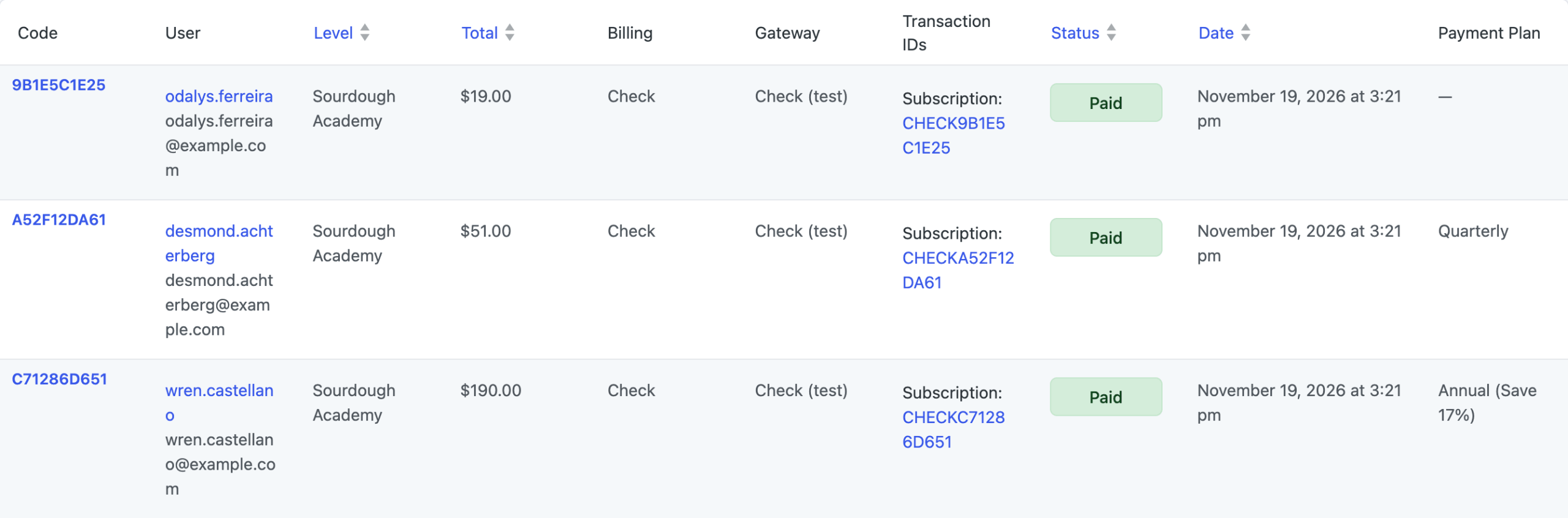
Payment Plan Column on the Orders List
Navigate to Memberships > Orders to see the Payment Plan column. Recurring orders show the plan from their subscription, so renewal payments are labeled with the plan too. Learn more about the Orders screen.
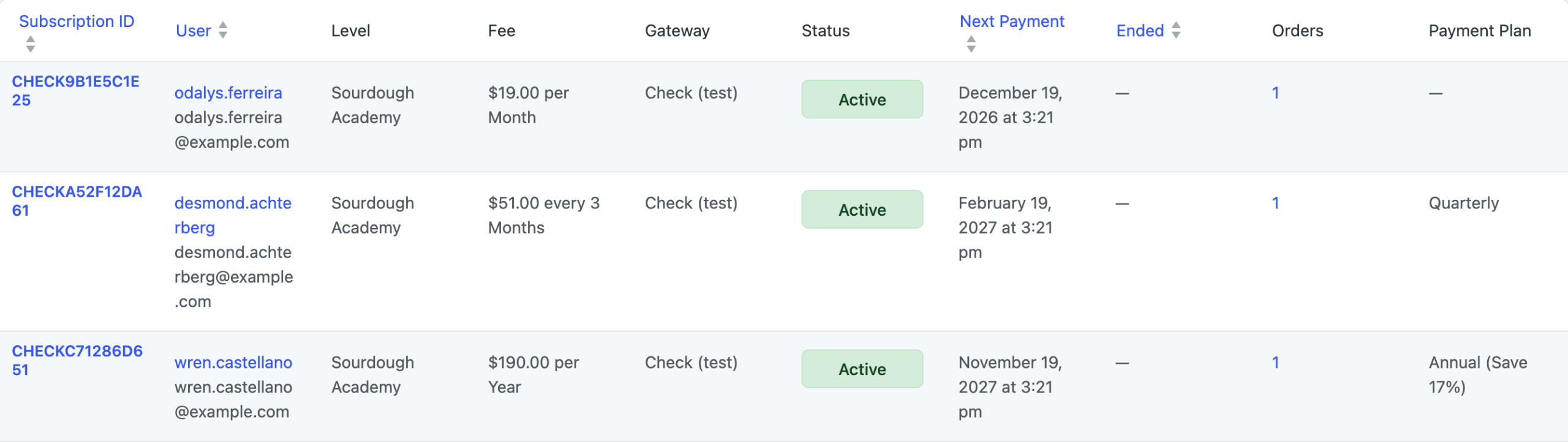
Payment Plan Column on the Subscriptions List
Navigate to Memberships > Subscriptions to see the Payment Plan column next to each subscription’s fee and next payment date. Learn more about the Subscriptions screen.
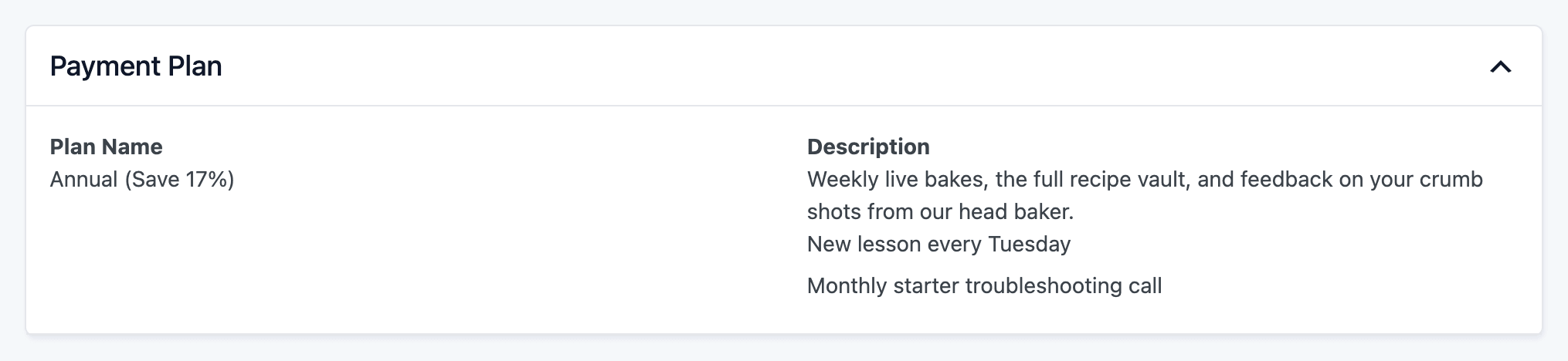
Click a subscription ID to view a single subscription. When the subscription has a plan, a Payment Plan section shows the plan name and the level description saved with the plan.
Payment Plan on the Edit Member Screen
Navigate to Memberships > Members and select a member. The Subscriptions and Orders panels both include a Payment Plan column.


Reporting by Plan
The Add On adds columns, not filters. The Members list and Reports work by membership level, so you can’t filter or total them by plan. If you need separate reporting for each pricing option, separate levels may be a better fit than payment plans.
For troubleshooting, the active plans for each level are also listed in Tools > Site Health > Info, under Paid Memberships Pro > Membership Levels.
Get Support From Our Team of Experts
Have a question about how to use this feature? Our Support Page outlines three ways to get support.
Our Max plans include hands-on help customizing your membership site and implementing new features. Upgrade to PMPro Max now »
Last updated on November 19, 2026