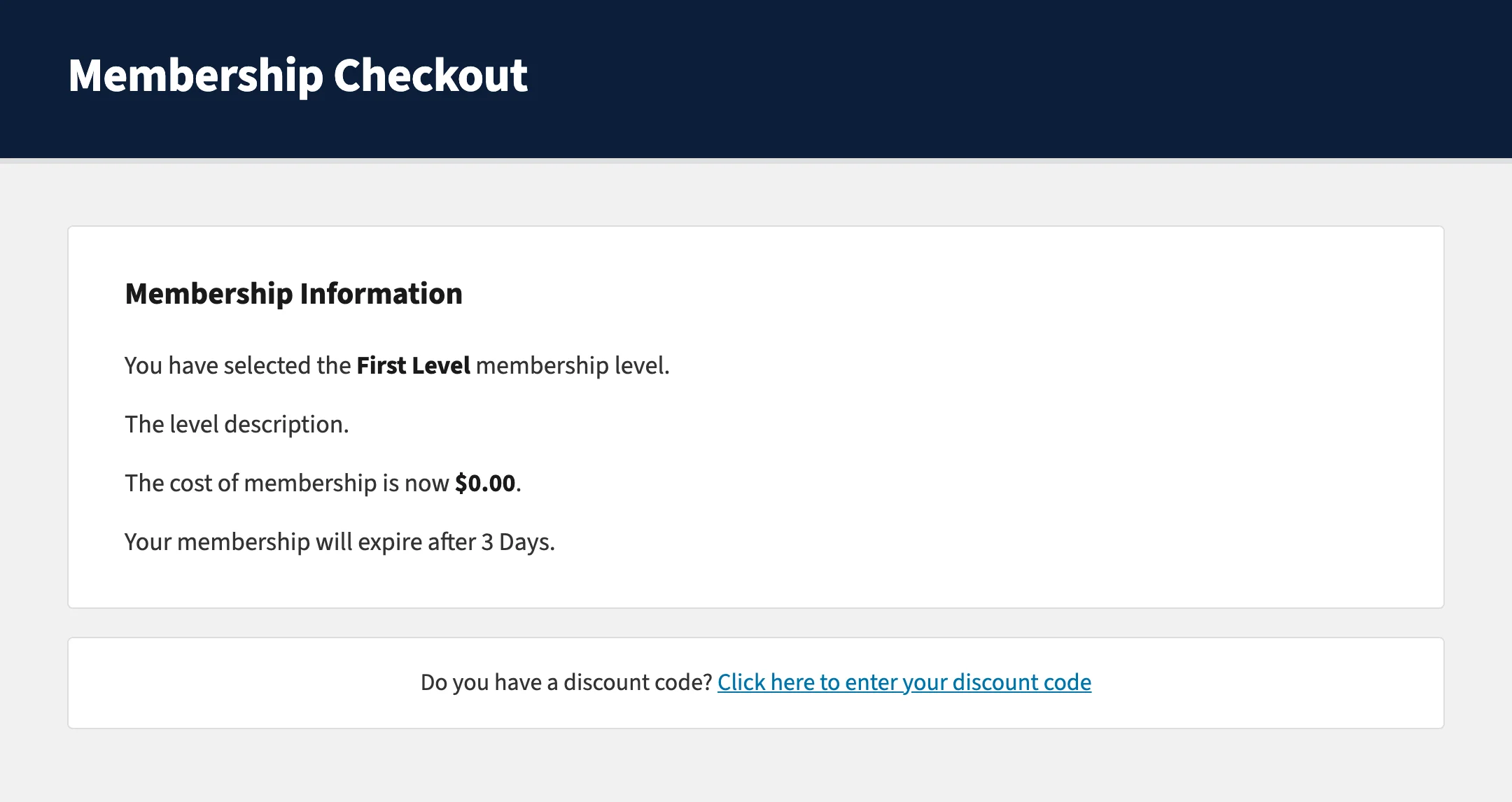
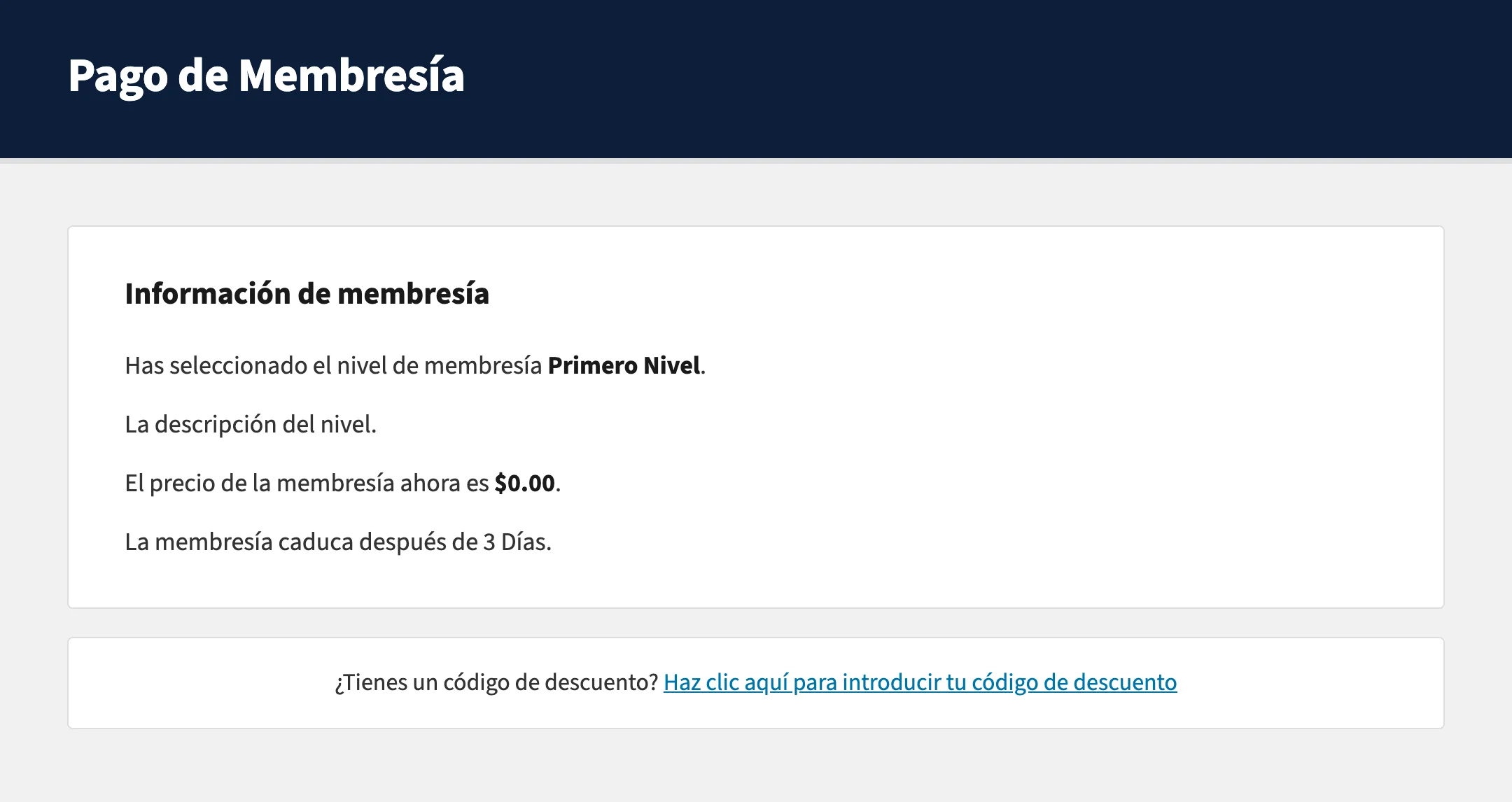
Paid Memberships Pro supports full translation of its frontend pages and admin screens into any language, but membership level details, the name, description, and confirmation message, are stored in your site’s database. That means standard translation plugins cannot handle them automatically.
This code recipe gives you a straightforward way to manually translate membership level details for each language your site supports. It works well alongside WPML and other multilingual plugins for WordPress.
Understanding the get_locale() Function
The get_locale() function is a built-in WordPress function that returns the locale code for the language currently active on your site, for example, en_US for English or es_ES for Spanish.
This recipe uses that value to detect which language a visitor is viewing. When the active locale matches a translation you have defined, the recipe replaces the default level name, description, and confirmation message stored in the database with the translated versions you supply.
About the Code Recipe
This recipe uses the pmpro_level filter hook to intercept the membership level object before it is displayed on the frontend.
For each locale you want to support, you define a translation array that maps membership level IDs to their translated name, description, and confirmation message.
If the current locale matches one of your defined translations, the hook replaces the relevant fields on the level object.
Compatibility Notes
- This recipe applies translations on the frontend only. The original level data stored in your database is not modified.
- This approach works with any multilingual plugin that changes the WordPress locale per page view, including WPML and Polylang.
- If you are also looking to translate other default PMPro text strings, see the main PMPro translation guide.
Step-by-Step Implementation Guide
- Identify your locale codes. Each language has a locale code WordPress uses to identify it. Common examples:
en_US(English),es_ESfor Spanish,fr_FRfor French,de_DEfor German. Your multilingual plugin (such as WPML) will tell you which locales are active on your site. - Note your membership level IDs. In your WordPress admin, go to Memberships > Membership Levels. Each level has a numeric ID visible in the URL when you click to edit it.
- Add the code to your site. See the “Adding the Recipe to Your Website” section below for the two recommended methods.
- Update the translation arrays in the code with your locale codes, level IDs, and translated text. Each locale gets its own
ifblock. Each level gets its own entry within that block. - Test by switching your site to the translated language using your multilingual plugin’s language switcher and visiting a page that displays membership level information, such as the Membership Levels page or a checkout page.
The Code Recipe
Key Variables and Hooks
get_locale(): Returns the locale code for the currently active language. This is what drives the conditional logic.$pmpro_translated_levels: An array you populate with your translations, keyed by membership level ID.pmpro_level: The PMPro filter hook that passes the membership level object before it is displayed. Returning a modified$levelobject replaces what the visitor sees.$level->name,$level->description,$level->confirmation: The three fields on the level object this recipe targets.
The Code Recipe
Adding the Recipe to Your Website
You can add this recipe to your site by creating a custom plugin or using the Code Snippets plugin available for free in the WordPress repository. Read this companion article for step-by-step directions on either method.
How to Customize This Code Recipe
To add a language: Duplicate one of the elseif blocks, update the locale code (e.g., de_DE for German), and fill in your translations.
To add a membership level: Within an existing locale block, add a new array entry using the level’s numeric ID as the key. For example:
3 => array(
    'name'         => 'Nombre del tercer nivel',
    'description'  => 'Descripción del tercer nivel.',
    'confirmation' => 'Confirmación del tercer nivel.',
),
To translate only some fields: Each field (name, description, confirmation) is applied only if it is non-empty in your translation array. You can safely omit any field you do not need to translate.
To find your locale code: In WPML, go to WPML > Languages to see the locales active on your site. In Polylang, check Languages > Languages in the admin.

Free Course: Membership Site Development—The Basics
Develop a deeper understanding of membership site development in this beginner-level course. Learn how to make your site work better, save yourself time and money, and improve your site's performance.


