Refer to the plugin information page for more details on the Paid Memberships Pro integration for WP Fusion.
Integration-specific features include:
- Keep your customers’ information in sync
- Capture new leads
- Record ecommerce transactions
- Add customers to your CRM when they purchase a membership
- Apply tags based on the level of membership purchased
Video Demo
Setting up WP Fusion + PMPro
To use this integration, you must install, activate, and configure Paid Memberships Pro and WP Fusion Lite. WP Fusion Pro allows you to connect your PMPro site with a variety of CMS options for extended functionality.
- Navigate to Settings > WP Fusion. Connect to your CRM.
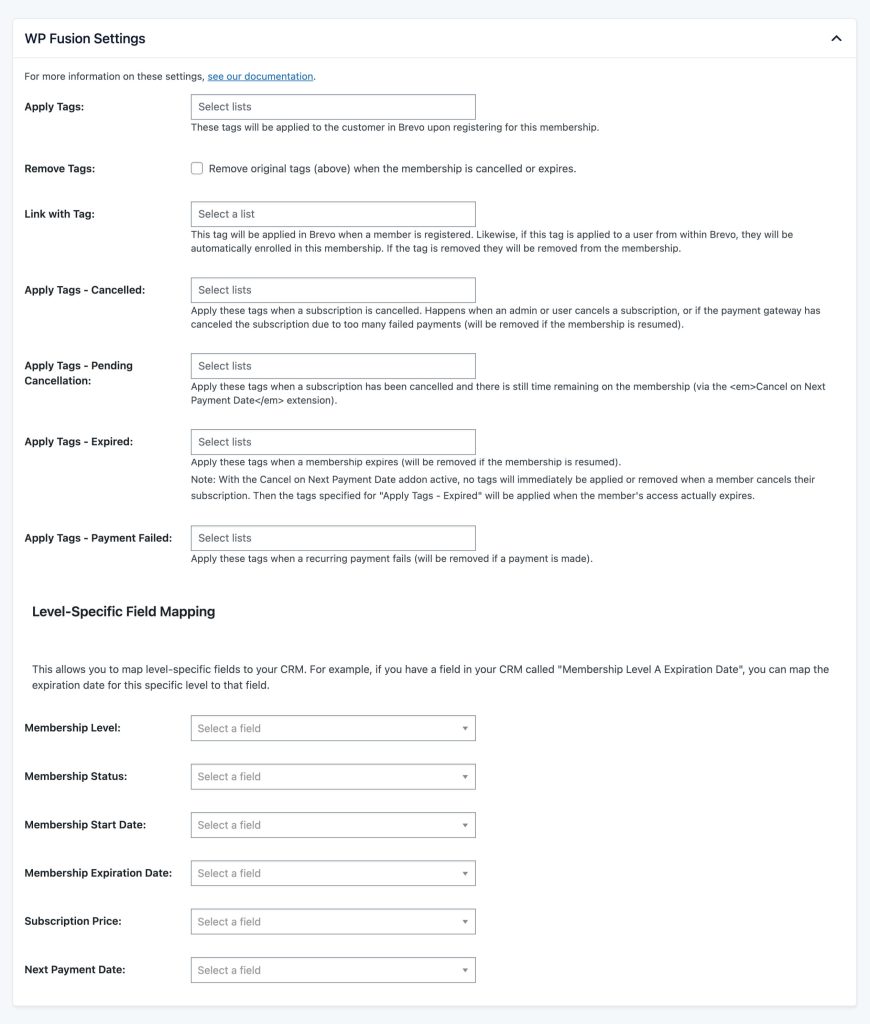
- Configure WP Fusion Settings. View their documentation for specific setup guidance.
- Navigate to Memberships > Settings > Levels and select a membership level you want to configure with WP Fusion.