The Paid Memberships Pro Series Add On drips content over time, with automatic emails sent to members when new posts in the series are published. As a membership site owner, you may want to give your members the option to stop receiving these email notifications.
This code snippet allows your members to unsubscribe from future series post notification emails when they check a custom user field, offering a more personalized and respectful content experience.
Understanding the pmpro_email_recipient Filter
Paid Memberships Pro has a number of email templates that are triggered based on member actions. For example, when a member checks out, the new member will receive an email regarding checkout.
Within the code recipe, there is a filter called “pmpro_email_recipient”. This confirms whether or not a member should receive a specific email based on the action taken. In this case, if the member has opted out of the automated series content email.
About the Code Recipe
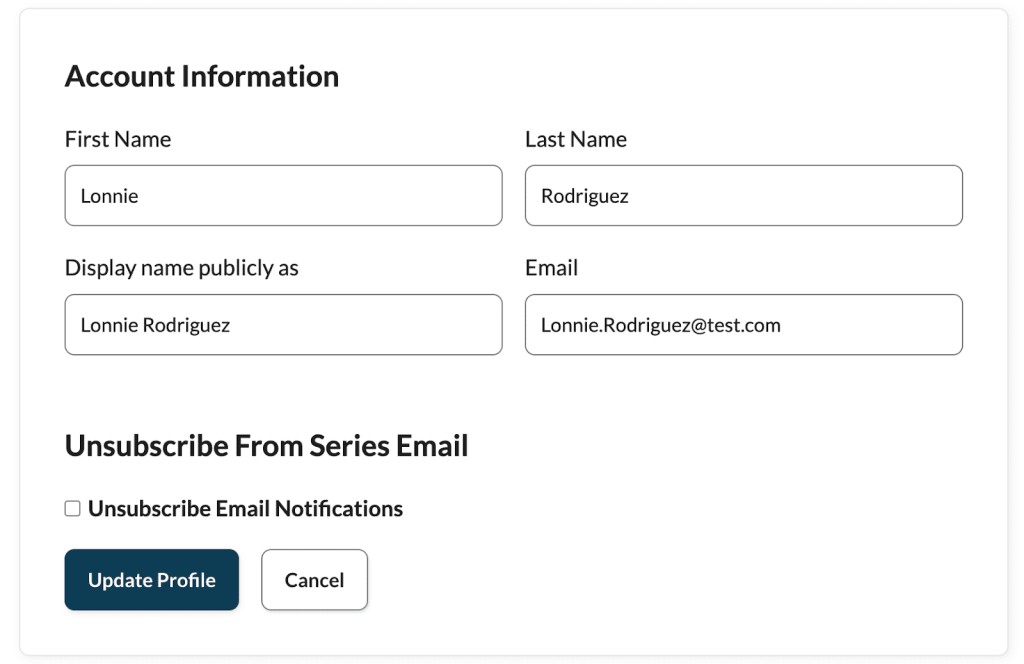
This code confirms the member is either opt-in or out for the PMPro Series email. To check this, it uses a custom user field.
Step 1: Create the User Field
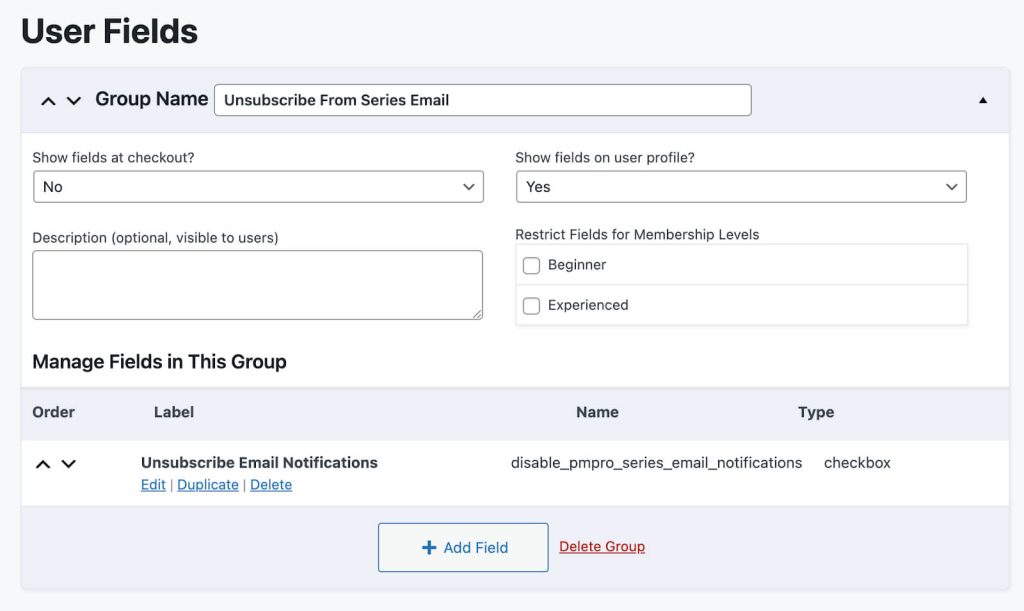
- Navigate to Memberships > Settings > User Fields within your WordPress admin.
- Create a “checkbox” type custom user field with this exact “Name”
disable_pmpro_series_email_notifications - Save All Changes.
Step 2: Add the Code to Your Site
Once you have created the User Field, you can now add this code recipe to your website. This recipe works as-is as long as you have created the user field with the exact name as stated in Step 1. For more information on editing the “New Series Content Notification” Email Template, view the Customization section below.
The Code Recipe
Adding the Recipe to Your Website
You can add this recipe to your site by creating a custom plugin or using the Code Snippets plugin available for free in the WordPress repository. Read this companion article for step-by-step directions on either method.
How to Customize This Code Recipe
No further customization is required.
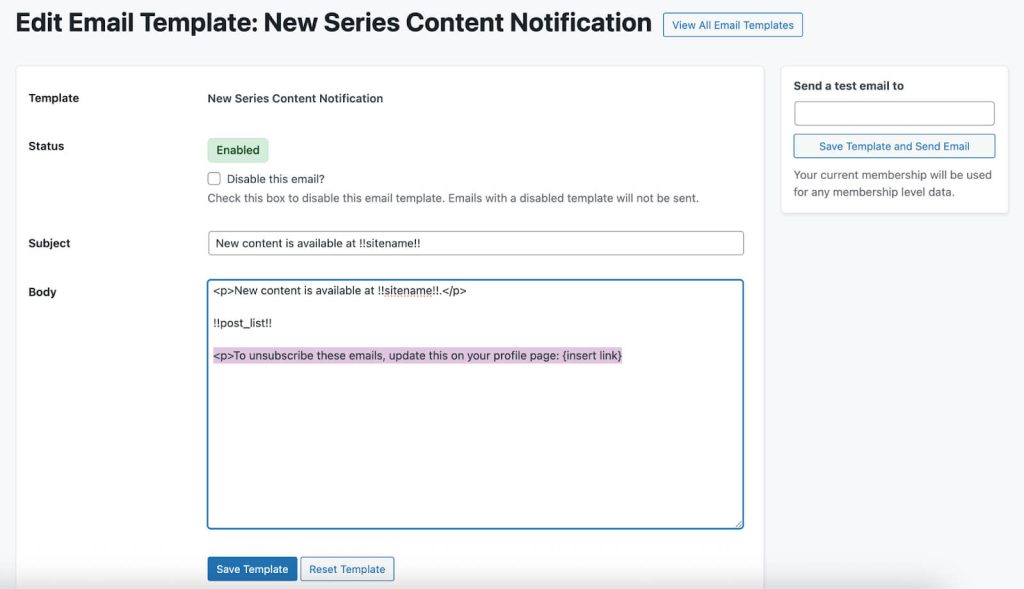
However, you can improve visibility of this functionality by adding information on how members can unsubscribe from the PMPro “New Series Content Notification” Email Template by:
- Navigating to Memberships > Settings > Email Templates > Select the New Series Content Notification Email Template
- Include information on how to unsubscribe.
- For example, “To unsubscribe from these emails, update this on your profile page: {insert link}”
- Save Template.
Video: Coding with Sam Walkthrough

Free Course: Membership Site Development—The Basics
Develop a deeper understanding of membership site development in this beginner-level course. Learn how to make your site work better, save yourself time and money, and improve your site's performance.


