The Series: Drip-Feed Content Add On releases content over time and triggers automatic emails to members whenever new posts in the series are published. As a membership site owner, you may want to give your members the option to opt-out of receiving those emails.
This code recipe, paired with a new custom user field, will give members the option to opt-out.
Do You Need This Recipe?
This recipe is worth adding if:
- You are using Paid Memberships Pro’s Series: Drip-Feed Content Add On.
- You want to give members the option to opt out of emails that trigger whenever new posts in the series are published.
About the Code Recipe
Before using the code recipe, you will need to set up a custom user field. This is necessary because the recipe uses that field to check whether a member has opted out of PMPro Series notification emails.
Step 1: Create the User Field
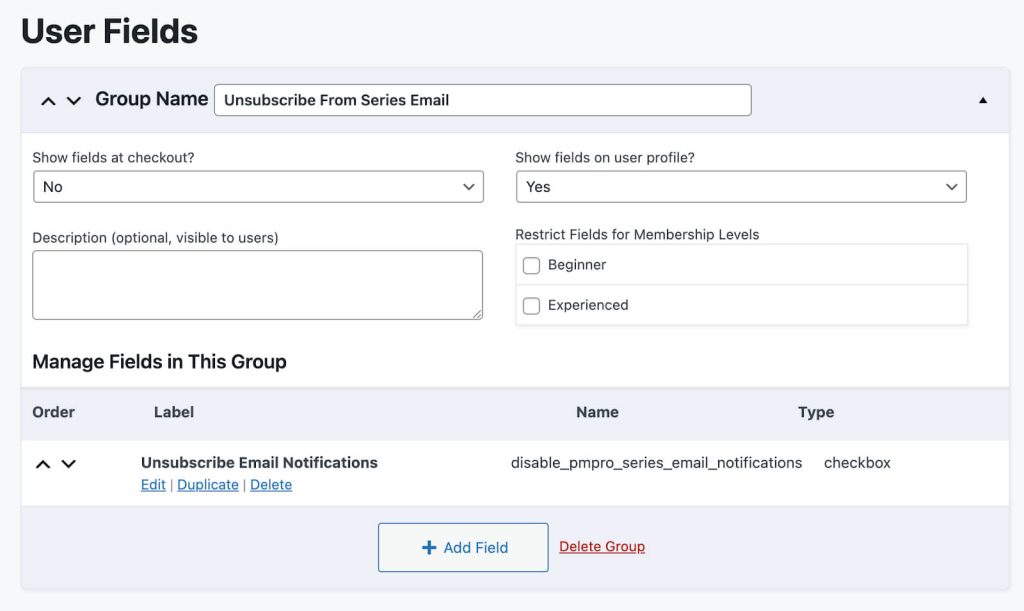
- Navigate to Memberships > Settings > User Fields on your WordPress admin.
- Create a new custom user field with the “Type” set to “Checkbox” and the “Name” set to
disable_pmpro_series_email_notifications. - Click the “Save All Changes” button.
Step 2: Add the Code to Your Site
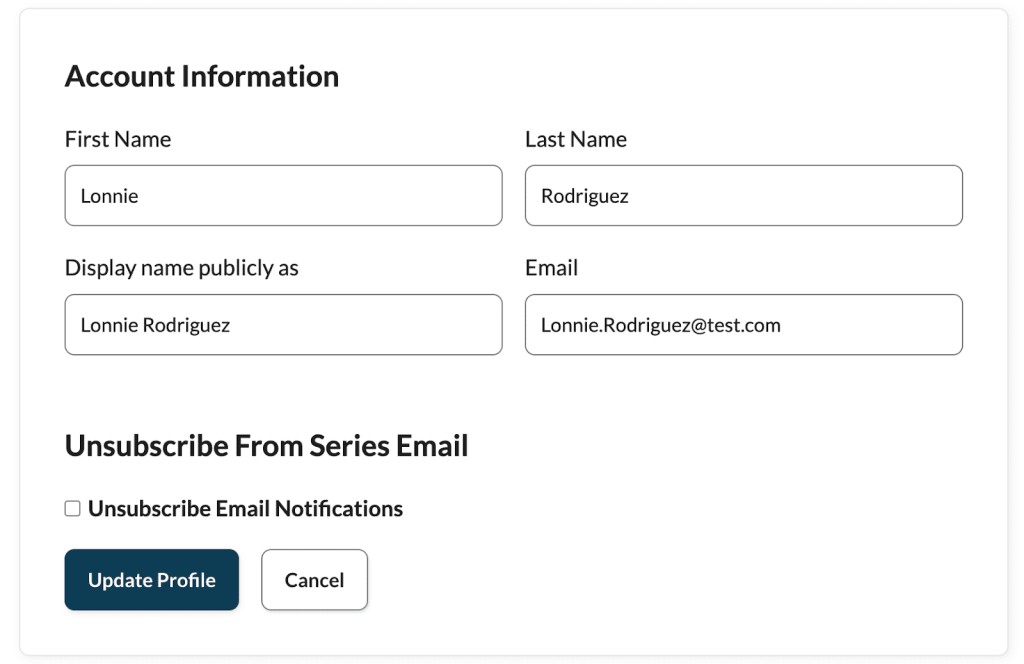
With the custom user field in place, you can then add the code recipe to your website. The new checkbox will show on a member’s user profile page.
Understanding the pmpro_email_recipient Filter
Paid Memberships Pro has a number of emails that trigger based on a member’s actions. For example, when a member checks out, when billing information is updated, or in this case, when a new post is published in a series.
During the email sending process, PMPro uses the pmpro_email_recipient filter to set the recipient of the email before it is sent.
This code recipe uses that same filter to check the email template and the disable_pmpro_series_email_notifications user field. If the member has opted out of PMPro Series notification emails with this field, the $recipient is set to null. The email process stops, and the email doesn’t get sent.
The Code Recipe
Adding the Recipe to Your Website
You can add this recipe to your site by creating a custom plugin or using the Code Snippets plugin available for free in the WordPress repository. Read this companion article for step-by-step directions on either method.
How To Customize This Code Recipe
No further customization to the code is required.
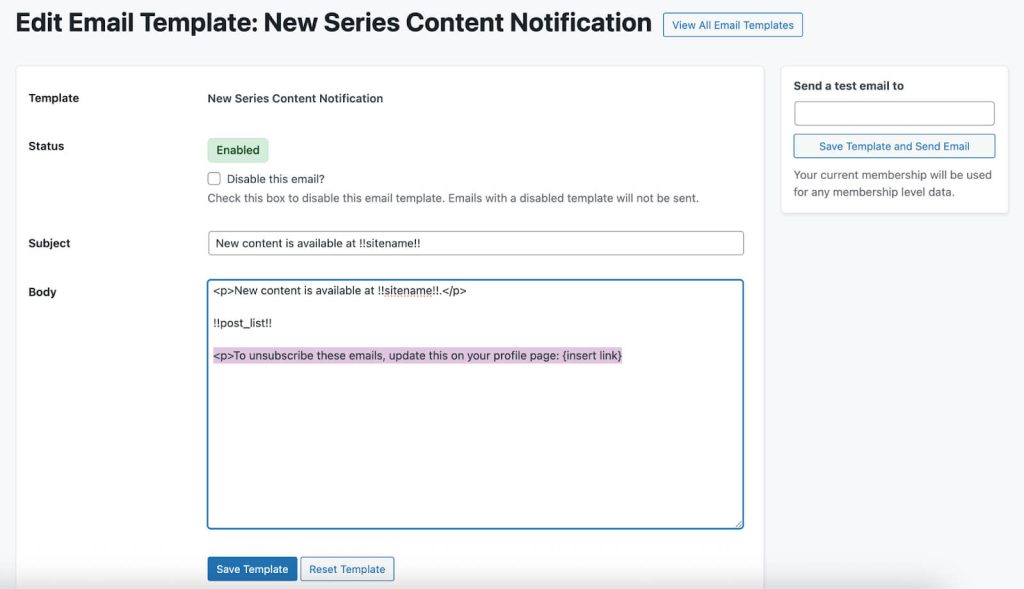
You can, however, update your “New Series Content Notification” email template to include information on how members can opt out.
- Navigate to Memberships > Settings > Email Templates
- Select the “New Series Content Notification” email template.
- Add information on how to unsubscribe. For example, “To unsubscribe from these emails, update this on your profile page: {insert link}”
- Click the “Save Template” button.
Video: Coding with Sam Walkthrough

Get Support From Our Team of Experts
Have a question about how to use this feature? Our Support Page outlines three ways to get support.
Our Max plans include hands-on help customizing your membership site and implementing new features. Upgrade to PMPro Max now »


