Stripe webhooks power much of what Paid Memberships Pro does with payments: recording orders, updating membership levels, handling cancellations, and processing renewals.
By default, PMPro processes these events immediately when Stripe sends them. That works well most of the time, but on sites with heavy renewal traffic, duplicate webhook configurations, or staging environments that share a Stripe account with a live site, synchronous processing can create hard-to-diagnose problems like duplicate orders, erroneously cancelled subscriptions, or webhook events that silently fail under load.
This code recipe shows you how to enable asynchronous (background) processing for Stripe webhooks using Action Scheduler. With a single filter, eligible webhook events are queued and processed in the background instead of immediately.
Do You Need This Recipe?
This recipe is most useful if any of the following apply to your site:
- You have a large number of members with subscriptions that renew on the same date, such as annual memberships tied to a fixed calendar date.
- You are experiencing or expecting a spike in traffic or renewal volume that could strain your server during peak processing windows.
- You have reviewed your Stripe webhook event logs and can see a pattern of failed or undelivered events.
If none of these apply to your site, your current synchronous webhook processing is likely working fine and this recipe may not be necessary.
Understanding the pmpro_stripe_webhook_enable_async_processing Filter
The pmpro_stripe_webhook_enable_async_processing filter controls whether Paid Memberships Pro processes certain Stripe webhook events immediately or in the background.
By default, this filter is set to false, which means webhook events are handled right away when Stripe sends them.
If you decide to enable asynchronous webhook processing, only select events will be processed asynchronously. Time-sensitive events remain synchronous. Here’s a list of each webhook event PMPro processed and how they are handled:
Events Processed Asynchronously
When this filter is enabled, the following Stripe webhook events are queued and processed in the background:
charge.failedinvoice.payment_succeededinvoice.payment_action_requiredcharge.refundedcheckout.session.async_payment_succeededcheckout.session.async_payment_failed
Events That Remain Synchronous
The following events continue to be processed immediately, regardless of this filter:
checkout.session.completed: Members should receive access right away after completing checkout.customer.subscription.deleted: PMPro needs to process this beforecharge.failedto ensure correct membership state.invoice.created: Stripe waits for PMPro’s response before proceeding with invoice collection.invoice.upcoming: Processed alongsideinvoice.createdfor consistency.
About the Code Recipe
This code recipe sets the pmpro_stripe_webhook_enable_async_processing filter to true, enabling asynchronous processing of select Stripe webhook events in Paid Memberships Pro. Eligible events are queued via Action Scheduler and processed in the background instead of immediately.
The Code Recipe
Adding the Recipe to Your Website
You can add this recipe to your site by creating a custom plugin or using the Code Snippets plugin available for free in the WordPress repository. Read this companion article for step-by-step directions on either method.
How to Customize This Code Recipe
By default, this recipe works immediately after adding the snippet to your site: no additional configuration is needed. All eligible Stripe webhook events will be processed asynchronously via Action Scheduler.
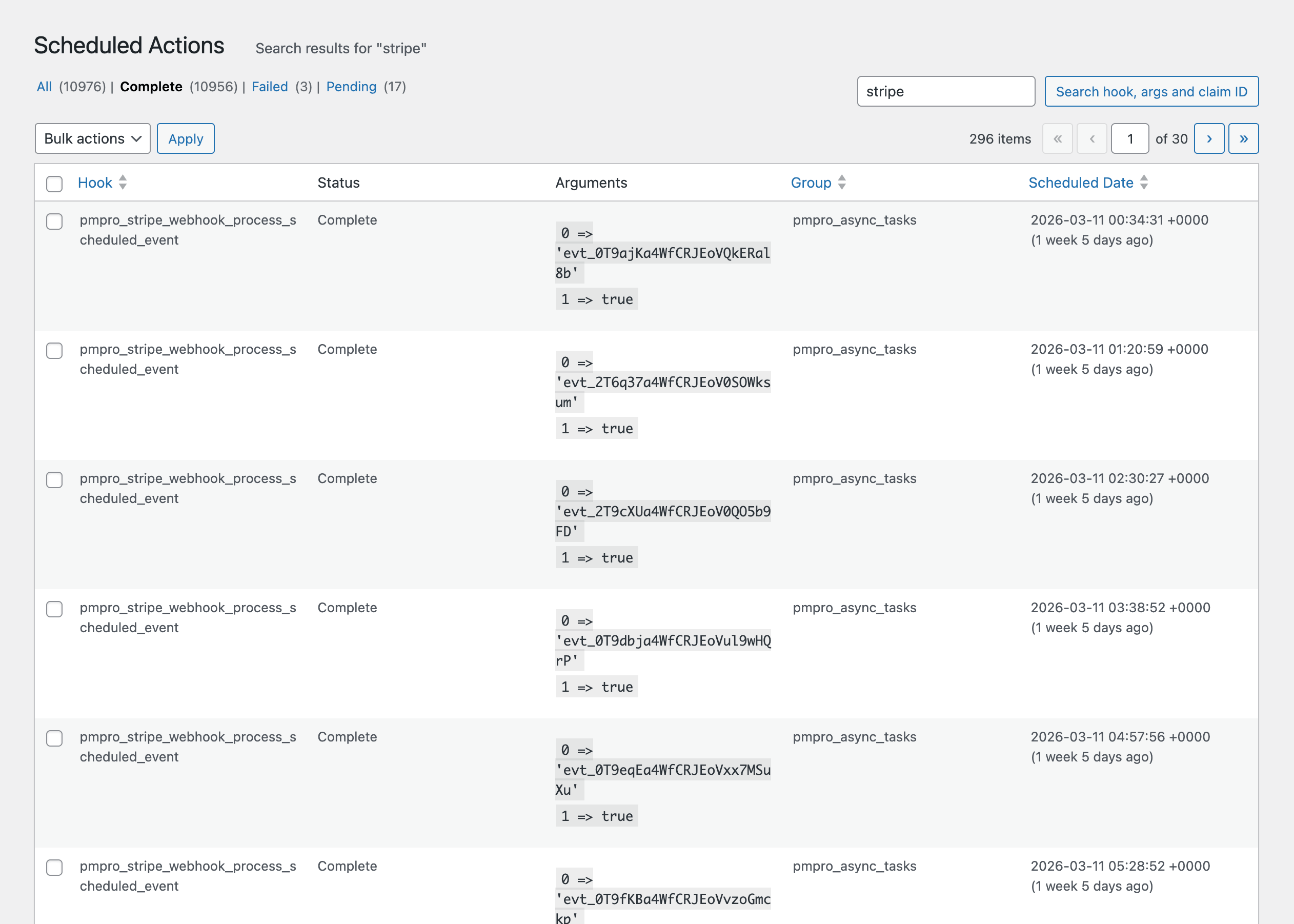
After events are queued, monitor their processing in your WordPress admin under Tools > Scheduled Actions. Actions will show as Pending until processed, then marked Complete. If processing fails, Action Scheduler provides a Failed status with an error log for review.
You can also customize this recipe to enable asynchronous processing only in specific environments, for example, on production but not staging, by replacing __return_true with a custom callback:
Related Resources

Free Course: Membership Site Development—The Basics
Develop a deeper understanding of membership site development in this beginner-level course. Learn how to make your site work better, save yourself time and money, and improve your site's performance.


