If you run events with The Events Calendar, you probably group them into event categories, like Workshops, Live Classes, or Members Only. This code recipe adds Paid Memberships Pro’s “Require Membership” checkboxes to those event categories.
Check a level on a category, and every event in that category requires that membership level. Events you add to the category later are restricted as soon as you publish them, so you do not have to set levels on each event one at a time.
Do You Need This Recipe?
This recipe is useful if:
- You use The Events Calendar and want some events to be members-only.
- Your members-only events already share an event category, or they easily could.
- You add events often and want new events restricted without extra steps.
If you only have a few members-only events, you may not need this recipe. The Events for Members-Only Add On adds a Require Membership box to each event, so you can restrict events one at a time with no code.
Best Practices and Considerations
- Requires PMPro 3.8.1 or higher: The recipe uses a filter added in that version.
- Use it with the Events for Members-Only Add On: The recipe alone restricts each event’s page: visitors without the right level see the membership required message. Events in the category still appear in your calendar and in search results. To hide them there, activate the Events for Members-Only Add On and set Filter searches and archives? to “Yes” on Memberships > Settings > Advanced.
- Calendar navigation can show category-restricted events: With the Add On and that setting on, restricted events are hidden when a calendar view first loads. When a visitor moves to another month or day with the calendar’s navigation, The Events Calendar loads the new view in the background, and events restricted only by their category can appear there. Clicking one still shows the membership required message. Events restricted with their own Require Membership box stay hidden. If an event must never appear in the calendar for non-members, also check its levels on the event itself.
- Access rules add up: An event can get its required levels from its own Require Membership box and from its event categories. A member of any one of those levels can view the event.
About the Code Recipe
PMPro keeps a list of the taxonomies whose terms can be restricted. Out of the box, that list has post categories and tags. The pmpro_restrictable_taxonomies filter lets you add more.
The Events Calendar stores event categories in a taxonomy named tribe_events_cat. The recipe adds that name to the list. PMPro then:
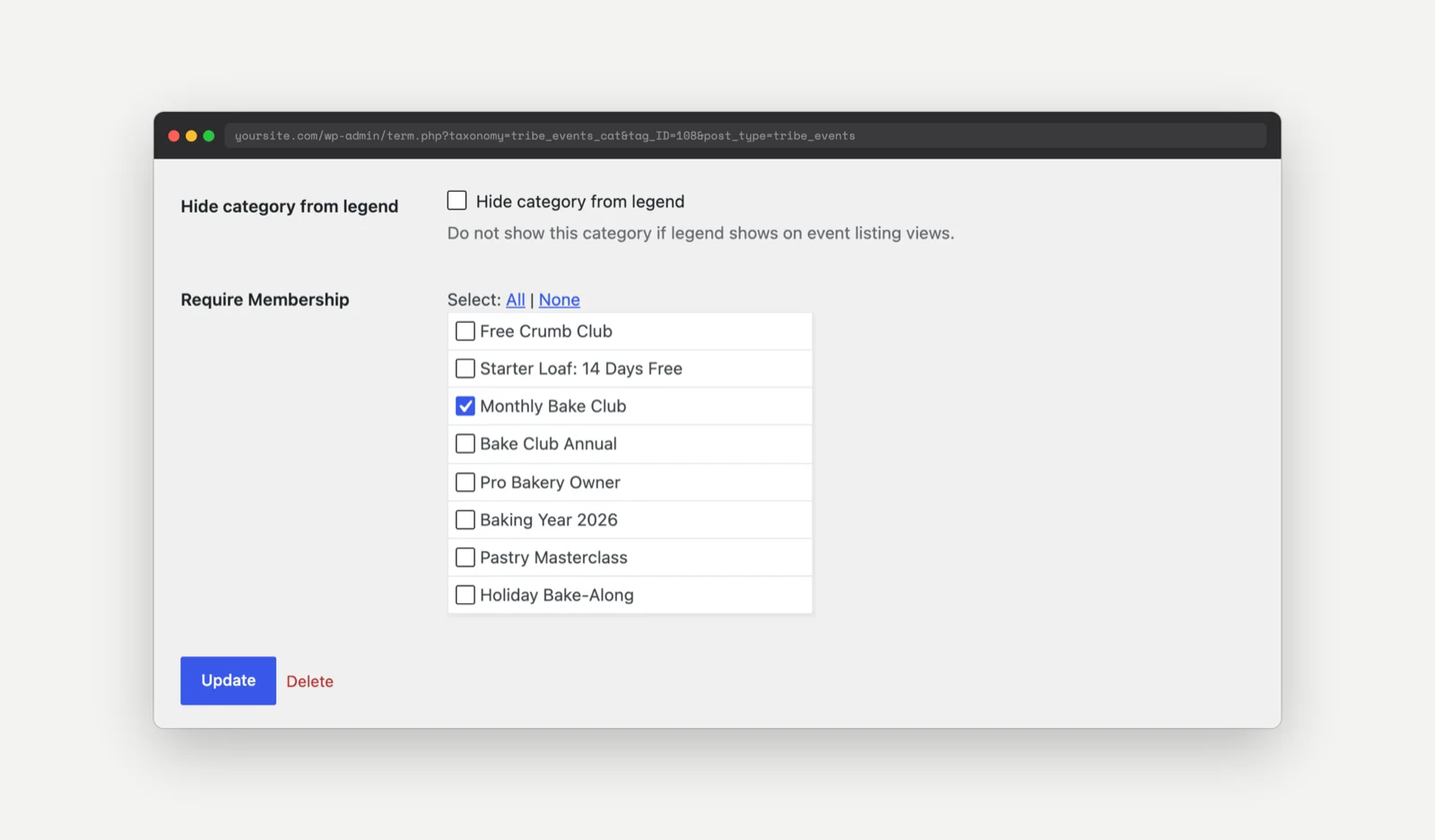
- Adds the Require Membership level checkboxes to the add and edit screens under Events > Event Categories.
- Checks the category’s levels whenever someone views an event in that category.
- Includes those events when it filters searches and archives (with the Events for Members-Only Add On and the setting described above).
Step-by-Step Implementation Guide
- Install and activate the Events for Members-Only Add On if you want restricted events hidden from your calendar and searches.
- Go to Memberships > Settings > Advanced and set Filter searches and archives? to “Yes.” Save the settings.
- Add the recipe to your site.
- Go to Events > Event Categories and click the category you want to restrict. To create a new category, use the form on the same screen.
- In the Require Membership section, check each level that should have access to events in this category.
- Click Update.
- Assign your members-only events to that category.
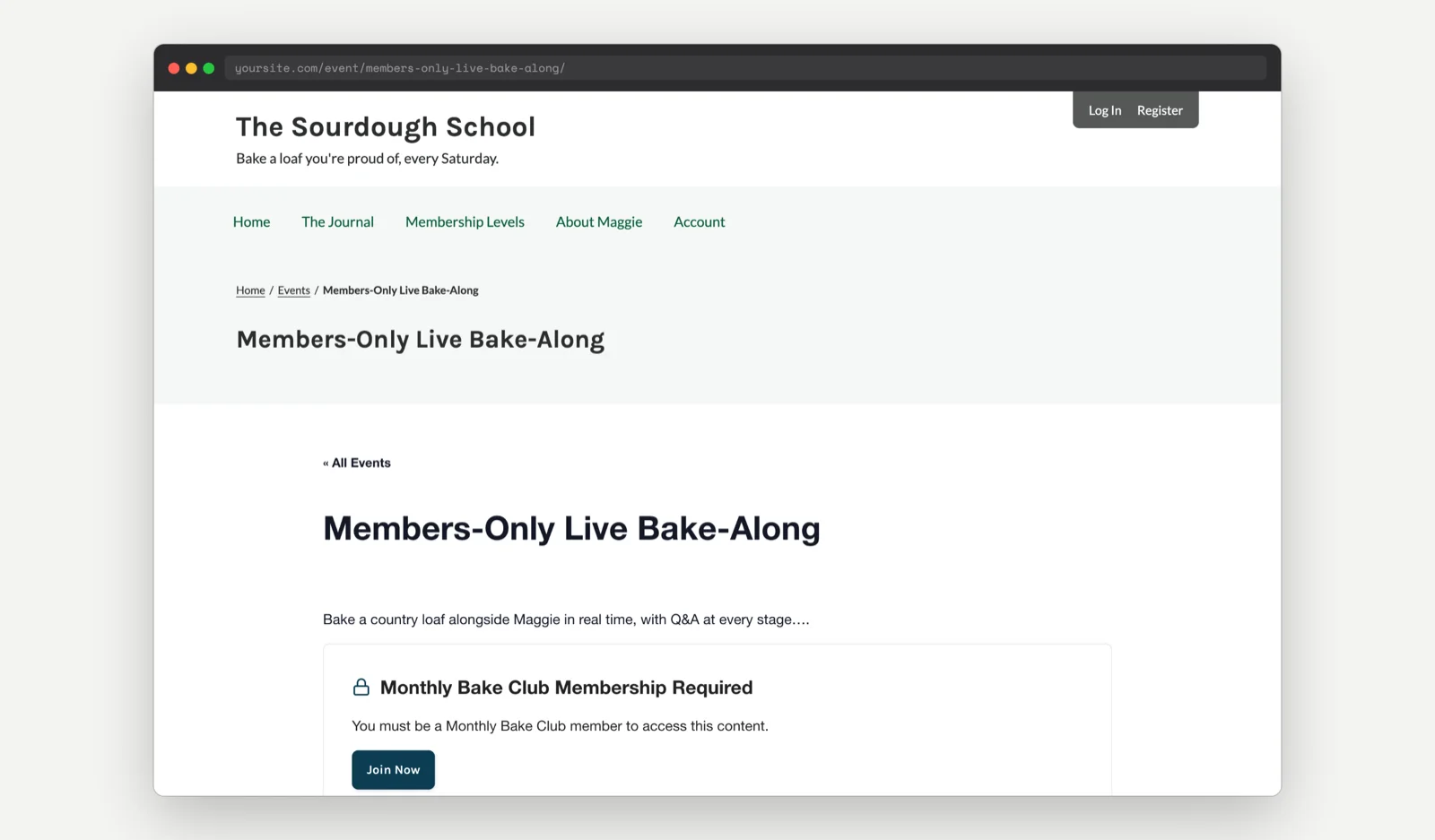
- Log out, or open a private browser window, and visit one of those events. You should see the membership required message.
The Code Recipe
Adding the Recipe to Your Website
You can add this recipe to your site by creating a custom plugin or using the Code Snippets plugin available for free in the WordPress repository. Read this companion article for step-by-step directions on either method.
No customizations are needed for this code recipe.

Get Support From Our Team of Experts
Have a question about how to use this feature? Our Support Page outlines three ways to get support.
Our Max plans include hands-on help customizing your membership site and implementing new features. Upgrade to PMPro Max now »


