The Add On includes a summary report widget and a detailed log of every recovery attempt. Use them to see how much revenue your reminder emails bring back and to look up the status of a specific cart.
Table of contents
Abandoned Cart Recoveries Report
The Abandoned Cart Recoveries widget appears on the Memberships > Reports screen. It shows three totals for the past 30 days, the past 12 months, and all time:
- Recovered Revenue: The total of all orders that recovered an abandoned cart.
- Recovered Orders: The number of recovery attempts that ended in a paid checkout.
- Recovery Attempts: The number of abandoned carts the Add On started following up on.
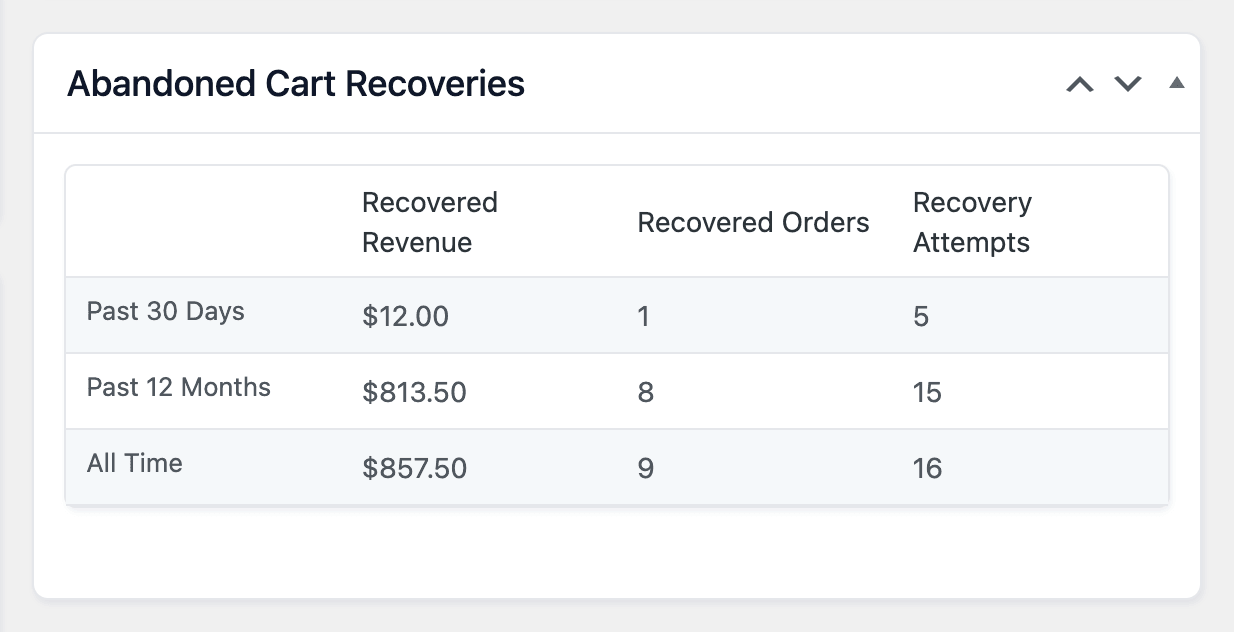
Each row is based on the date the cart was abandoned. For example, a cart abandoned 35 days ago and recovered 25 days ago is counted in Past 12 Months, not Past 30 Days.
Recovery Attempts Log
Navigate to Memberships > Abandoned Cart Recovery to see every recovery attempt, newest first. This screen is available to administrators.
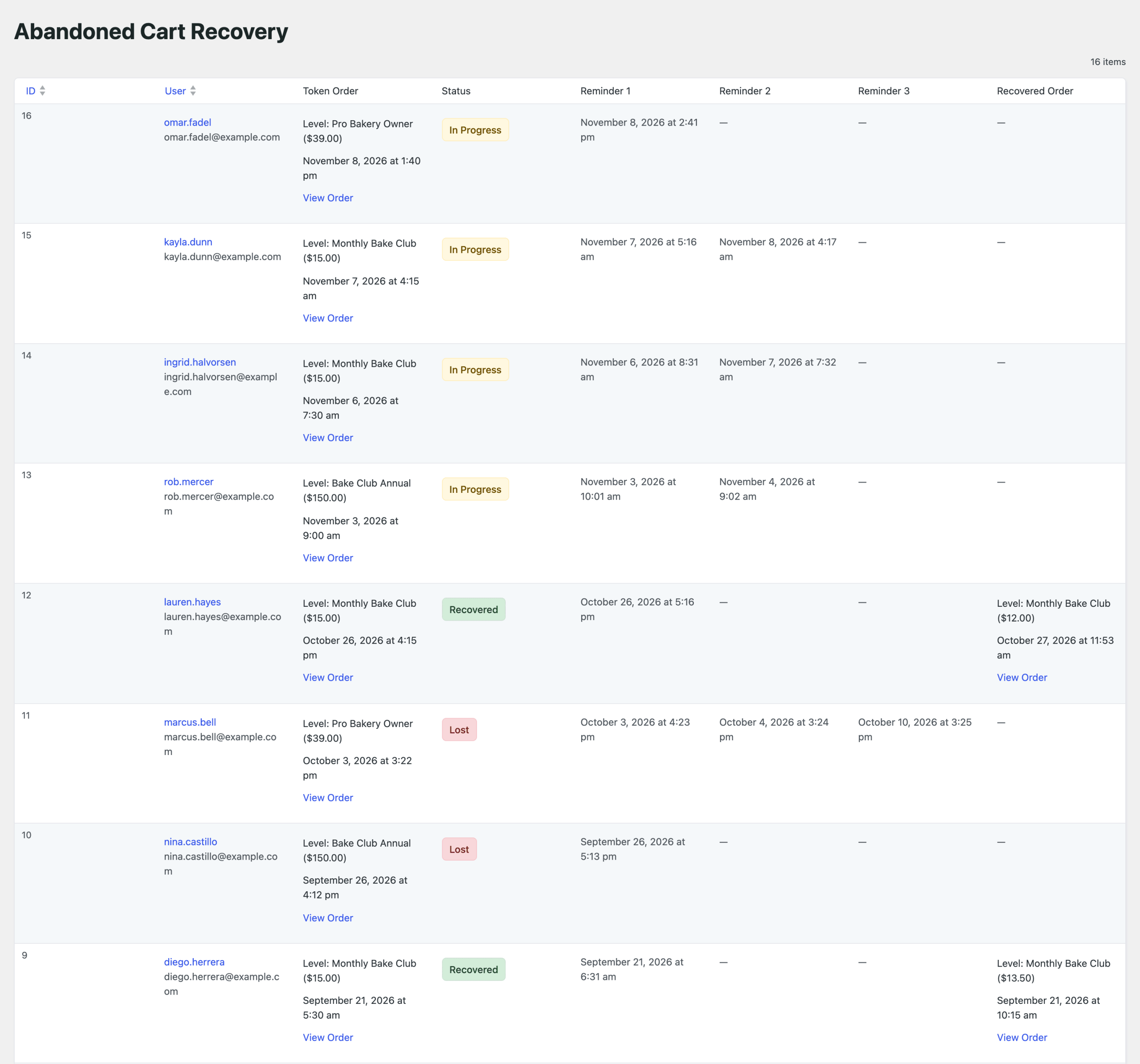
The table includes these columns:
- ID: The recovery attempt ID.
- User: The username, linked to the member’s profile, and their email address.
- Token Order: The level and total of the abandoned cart, the date it was abandoned, and a link to view the order.
- Status: In Progress, Recovered, or Lost.
- Reminder 1, Reminder 2, Reminder 3: The date and time each reminder was sent. A dash means the reminder hasn’t been sent.
- Recovered Order: For recovered carts, the level and total of the completed order, the date, and a link to view the order.
Sort the table by ID or User. To change how many attempts are shown on each page (20 by default), open Screen Options at the top of the screen. Learn what each status means in How Abandoned Cart Recovery Works.
Get Support From Our Team of Experts
Have a question about how to use this feature? Our Support Page outlines three ways to get support.
Our Max plans include hands-on help customizing your membership site and implementing new features. Upgrade to PMPro Max now »
Last updated on November 9, 2026