Once a day, the Add On checks for series content that has unlocked for each member and sends them one email listing everything new. Here’s when that email goes out, who gets it, and how to customize or turn off the New Series Content Notification template.
How the Daily Check Works
When you activate the Add On, it schedules a daily WordPress cron event named pmpros_check_for_new_content. Each time it runs, the Add On:
- Looks at every member with an active membership and every published series.
- Finds the series content each member can now view that they haven’t been emailed about before.
- Sends each of those members one email listing all of their new content, even when it comes from more than one series.
- Remembers which posts each member was told about, so nobody gets the same post twice.
Content unlocks for the member as soon as they reach the delay. The email follows on the next daily run, so it can arrive up to a day later. WordPress cron events run when your site gets traffic. On a low-traffic site, or one that has disabled the default WordPress cron, make sure a server cron job triggers WordPress cron regularly.
When Members Get the Email
Because the email is based on what each member hasn’t been told about yet, a few situations send more than you might expect:
- New Members: Content with a delay of 0 is available right away. The member still gets an email about it on the next daily run.
- Content Added Later: If you add a post with a 7 day delay to a series, members who are already past day 7 get an email about it on the next run.
- A New Series for Existing Members: When you publish a series for a level that already has members, each of them gets one email on the next run listing everything they can already view.
Plan to publish a series and its content in one sitting, so members get one email instead of several.
Customize the New Series Content Notification Email
Navigate to Memberships > Settings > Email Templates and click New Series Content Notification. You can edit the subject and body, add CC or BCC recipients, and send yourself a test.
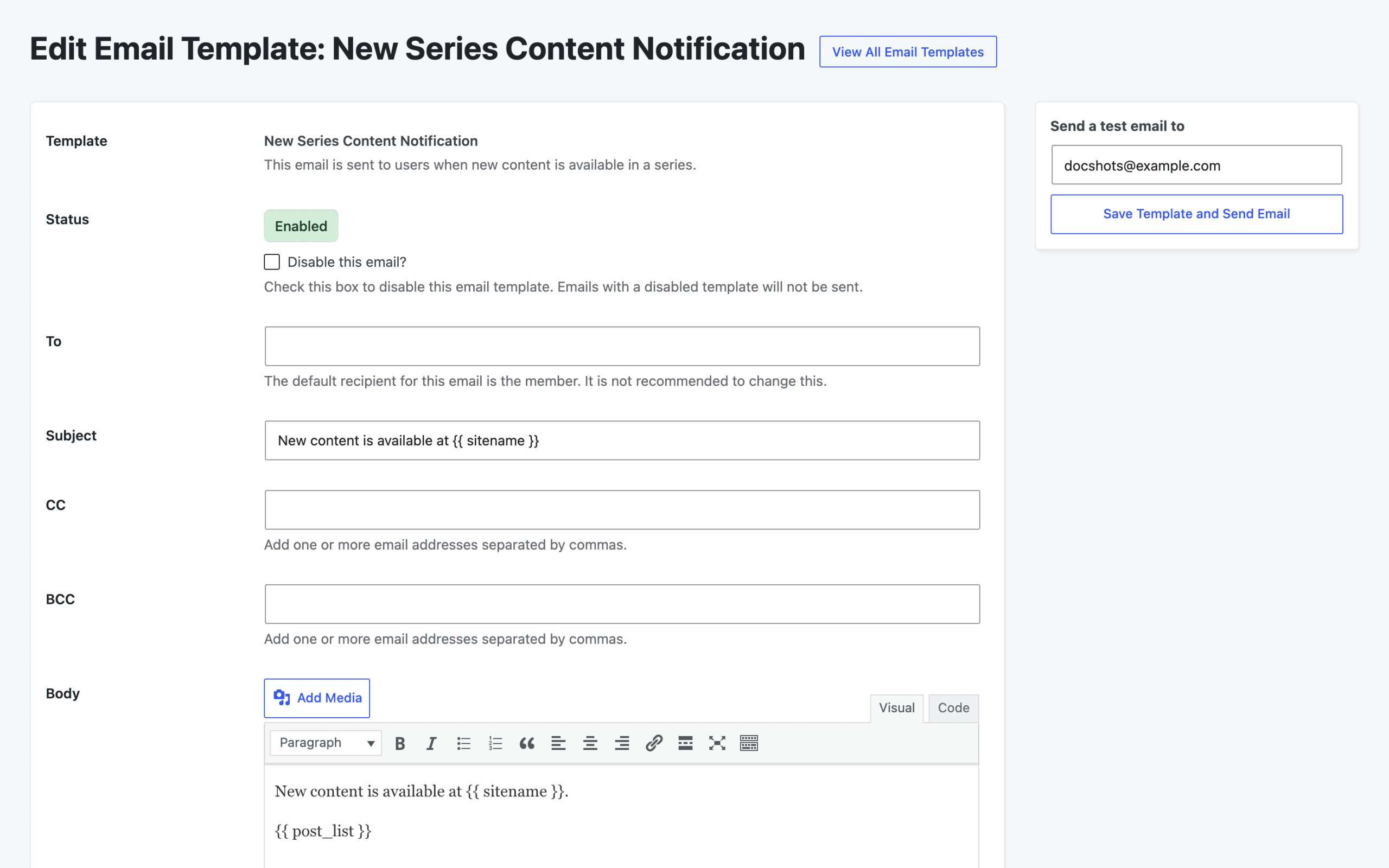
- Default Subject:
New content is available at {{ sitename }} - Default Body: A line reading “New content is available at {{ sitename }}.” followed by
{{ post_list }}.
These variables are available in this template, in addition to the general variables available in every Paid Memberships Pro email, such as {{ sitename }}:
| Variable | Description |
|---|---|
{{ display_name }} | The display name of the member receiving the email. |
{{ user_login }} | The member’s username. |
{{ user_email }} | The member’s email address. |
{{ post_list }} | A bulleted list of the new content, with each title linked to the post. |
Keep {{ post_list }} in the body. It’s the only place the new content appears in the email. On Paid Memberships Pro versions before 3.7, the template uses the older !!variable!! format instead, such as !!post_list!!.
The Send a test email to box fills in {{ post_list }} with the three most recently published items on your site (posts, pages, or other content), not posts from a series. That’s expected; real emails list only the member’s new series content.
Developers can change the HTML of the post list, for example to add each post’s excerpt, with the pmpro_series_new_content_email_post_list filter (Series 1.0.3 and later).
Turn Off New Content Emails
To stop sending these emails, check Disable this email? on the template and save it. The daily check keeps running and still records which posts each member has reached. If you turn the email back on later, members only hear about content that unlocks after that, not the backlog.
For a full list of the emails your site sends, see the list of email templates.
Get Support From Our Team of Experts
Have a question about how to use this feature? Our Support Page outlines three ways to get support.
Our Max plans include hands-on help customizing your membership site and implementing new features. Upgrade to PMPro Max now »
Last updated on November 19, 2026