The import process involves two important steps: prepare your import file (CSV) and process the import. Refer to this section of the docs for help adding the correct CSV headers and data for your import.
1. Prepare Your Import File
Download the template here (import.csv.zip) to use as a basis for your data for import file. This template does not include every field you may need to import and may also include fields you do not need to import.
You can also access a starter import template file within your own site. Navigate to Users > Import Members in your WordPress admin. You’ll see a link to download the example CSV file from this page.
There’s a full list of required and optional import fields in the documentation sections below.
2. Process the CSV Import
Once you’ve got your template set up, you can proceed with importing members.
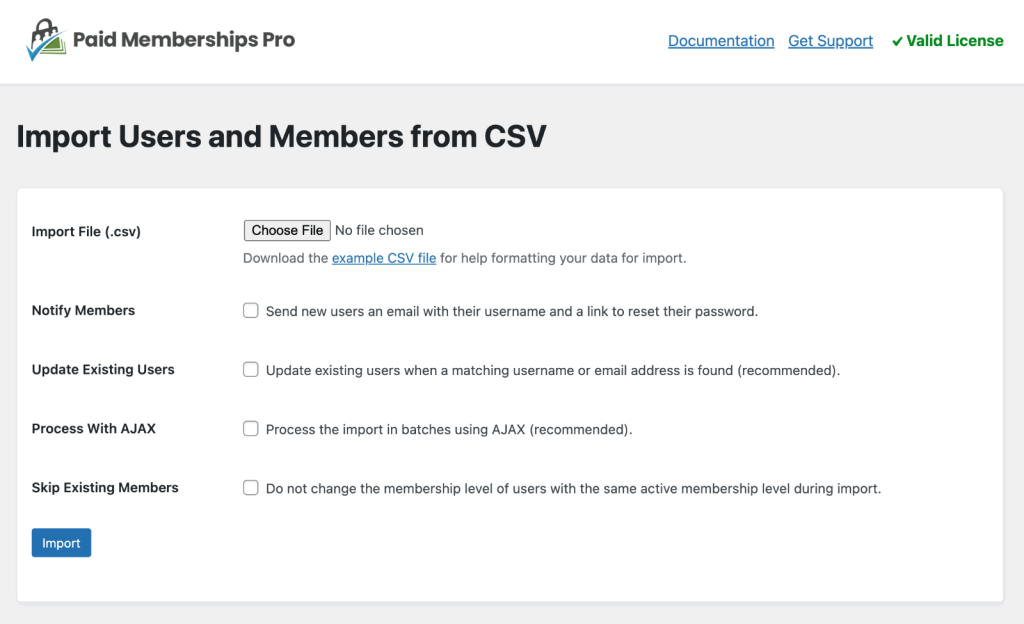
- Navigate to Users > Import Members in the WordPress admin to confirm your import settings
- Select the Import File (.csv).
- Notify Members: Check this box to send new users an email with their username and a link to reset their password.
- Update Existing Users: Check this box to update existing users when a matching username or email address is found (recommended).
- Skip Existing Members: If you suspect your CSV has duplicate records for existing members, check this box. This selection will skip changing the membership level of users with the same active membership level during import.
- Click the Import button.
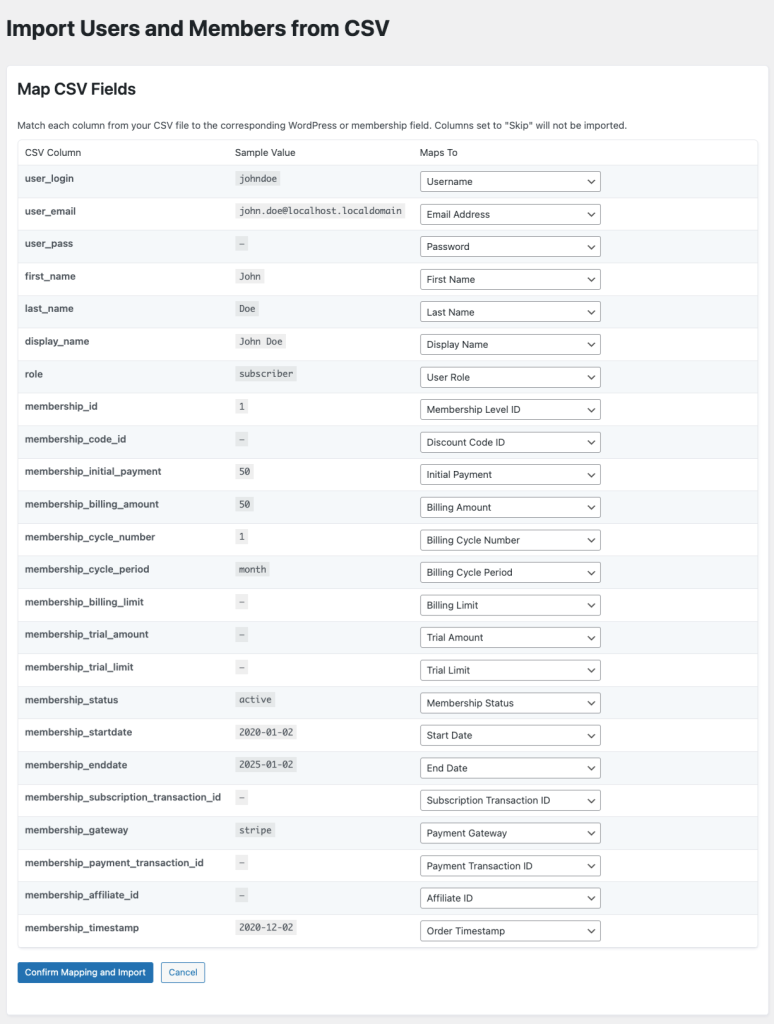
- To map the fields, match each column from your CSV file to the corresponding WordPress or membership field. Columns set to “Skip” will not be imported.
- Click “Confirm Mapping and Import“.
Safety Tips for Importing
We recommend testing the import with a portion of your data or with testing data until you can confirm your CSV is properly formatted.
Once you can trust your spreadsheet format and confirm that the correct and complete data is imported, try a smaller segment of your actual data.
Get Support From Our Team of Experts
Have a question about how to use this feature? Our Support Page outlines three ways to get support.
Our Max plans include hands-on help customizing your membership site and implementing new features. Upgrade to PMPro Max now »
Last updated on August 21, 2026

