When it’s time to mail something out, you can see every member’s mailing address in the Members list, correct an address from the Edit Member screen, or export all addresses to a CSV file for your fulfillment service or mail merge.
Mailing Address Column in the Members List
The Add On adds a Mailing Address column to the Members list at Memberships > Members. Each row shows the member’s name, street address, city, state, postal code, country, and phone number. Filter the list by level to see the addresses for one level at a time.
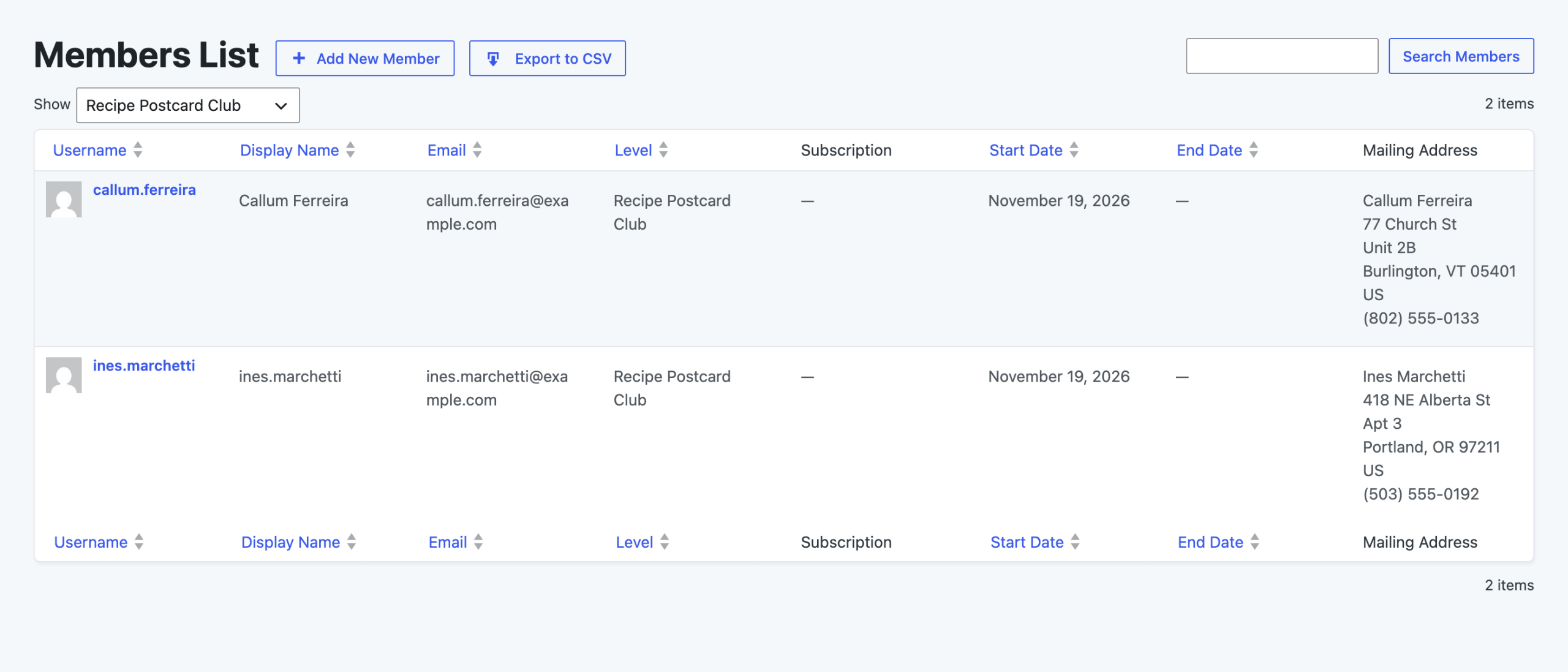
Edit a Member’s Mailing Address
To view or change one member’s address:
- Navigate to Memberships > Members and click the member’s username to open the Edit Member screen.
- Select the Mailing Address panel.
- Update the fields and click Update Member.
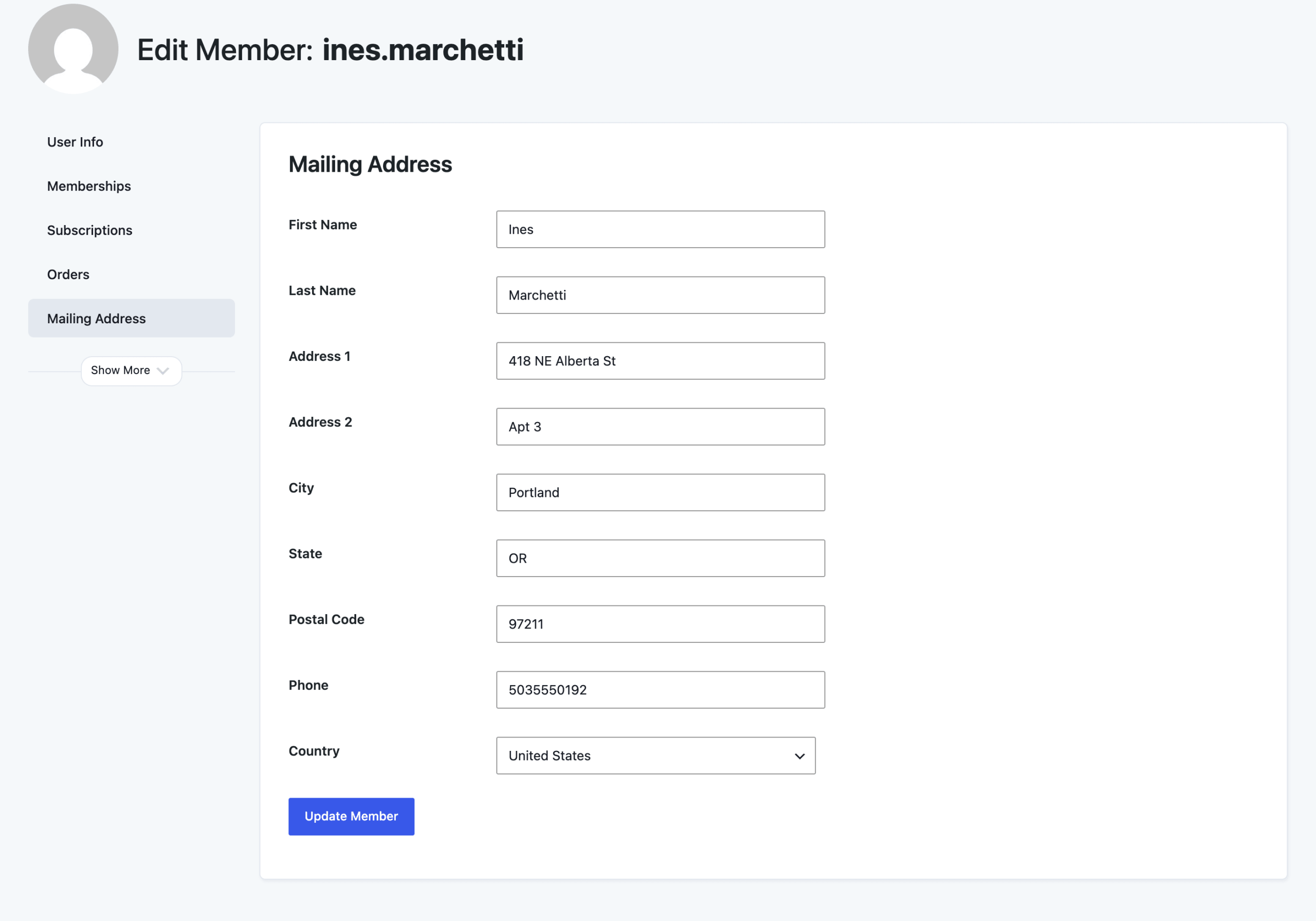
The Mailing Address panel only appears for members who hold a level that collects a mailing address. The same fields also show in a Mailing Address section on the member’s WordPress user profile (Users > All Users > Edit).
Export Mailing Addresses to CSV
The Members list CSV export includes a column for each mailing address field. Navigate to Memberships > Members, filter by level if you only need one level’s addresses, and click Export to CSV. Learn more in Exporting Members.
Every member in the export gets these columns. Members without a saved mailing address have empty values. The column headings are the field names the Add On saves the address under:
| CSV Column and User Meta Key | Field |
|---|---|
pmpro_sfirstname | First Name |
pmpro_slastname | Last Name |
pmpro_saddress1 | Address 1 |
pmpro_saddress2 | Address 2 |
pmpro_scity | City |
pmpro_sstate | State |
pmpro_szipcode | Postal Code |
pmpro_sphone | Phone |
pmpro_scountry | Country, saved as a two-letter country code such as US |
These are standard WordPress user meta keys, so developers can read them with get_user_meta() to build their own reports or send addresses to a shipping service. The “s” prefix is left over from the Add On’s original name, Shipping Address.
Get Support From Our Team of Experts
Have a question about how to use this feature? Our Support Page outlines three ways to get support.
Our Max plans include hands-on help customizing your membership site and implementing new features. Upgrade to PMPro Max now »
Last updated on November 19, 2026