When a member downgrades, they pay nothing at checkout and keep their current level until their next payment date. The Add On schedules the change and completes it on that date. This page covers what happens at checkout, what the member sees, and how to track scheduled downgrades from the WordPress admin.
What Happens at Checkout
A checkout is a downgrade when the new level costs less per day than the member’s current subscription. Learn how that’s decided in How Proration Works at Checkout. When a member completes a downgrade checkout:
- The amount due at checkout is $0.
- The member’s current subscription is cancelled at the payment gateway, so they aren’t billed for their current level again.
- If the new level is recurring, a new subscription is created at the new level’s price. Its first payment is scheduled for the old subscription’s next payment date.
- If the new level has no recurring payment, the member’s current level is given an end date that matches their old next payment date.
- The member keeps their current level and is taken to the order page for their $0 checkout order.
- The member and the site admin each get a “downgrade scheduled” email. The usual checkout emails are not sent.
What the Member Sees
After checkout, the order page shows the scheduled change, such as “Downgrading to Monthly Bake Club on December 12, 2026.” The date is the earlier of the member’s next payment date or their membership end date.
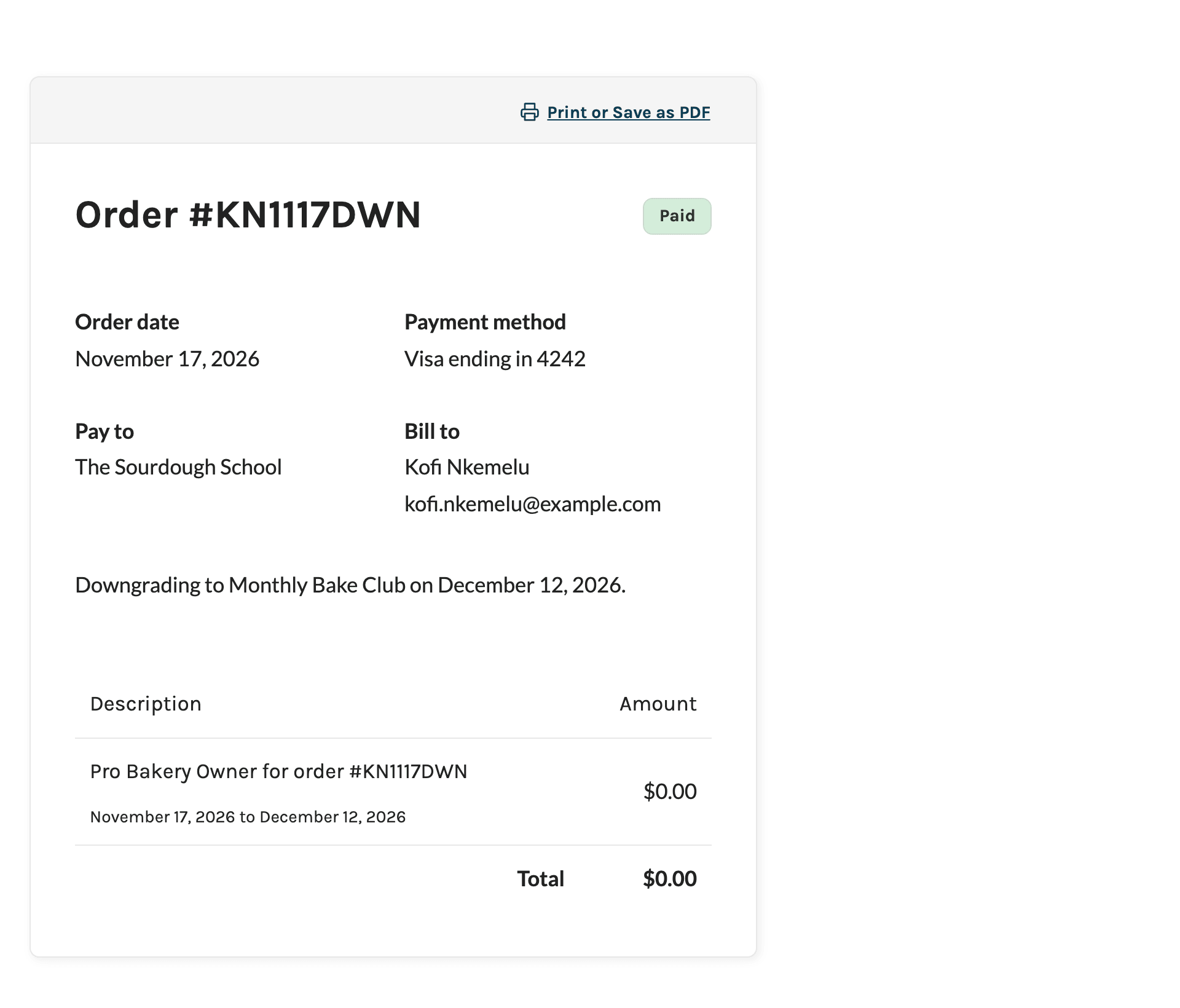
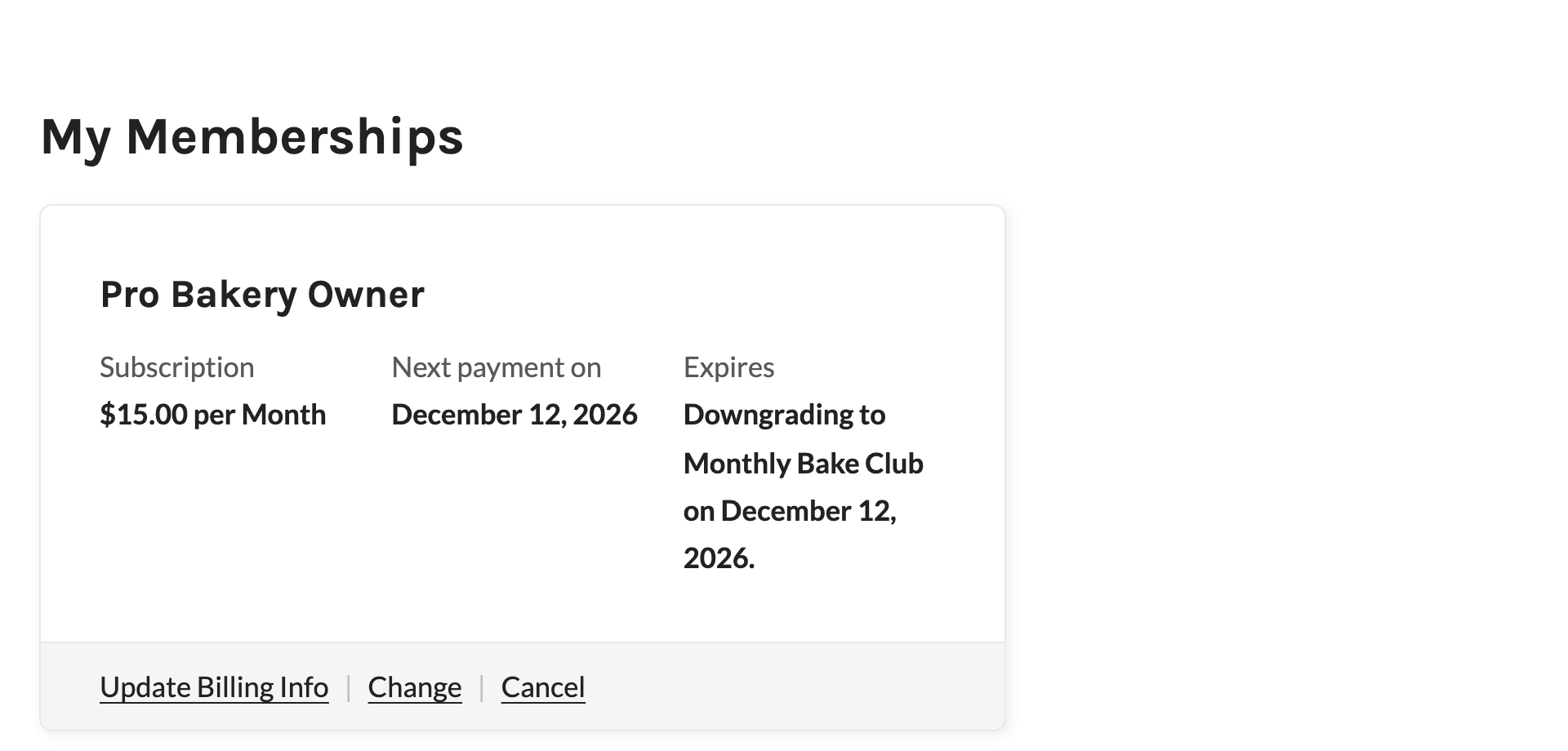
Until the downgrade happens, the same message replaces the membership’s expiration date on the Membership Account page. It also shows on the Membership Billing and Membership Cancel pages.
When the Downgrade Takes Effect
The Add On completes the downgrade at one of two points:
- On Renewal: For a recurring new level, the downgrade happens when the first payment at the new price is collected successfully on the scheduled date. The member’s level changes to the new level, and the subscription and its orders are moved to the new level.
- On Expiration: When the member’s current level reaches its end date, such as a downgrade to a level with no recurring payment, the downgrade happens instead of the expiration. The member gets the new level and doesn’t receive the membership expired email.
When the downgrade is complete, the member and the site admin each get a “downgrade processed” email. The usual checkout emails are not sent.
A failed payment on the scheduled date does not trigger the downgrade. It stays pending until a payment goes through or the membership reaches its end date.
If the member loses their current level before the scheduled date (for example, an admin removes it or changes them to a different level), the scheduled downgrade is cancelled and marked Lost original level.
Track Scheduled Downgrades in the Admin
Delayed Downgrades Panel on the Edit Member Screen
The Add On adds a Delayed Downgrades panel to the Edit Member screen. To view it:
- Navigate to Memberships > Members in the WordPress admin.
- Click the member’s username to open the Edit Member screen.
- Click Delayed Downgrades in the panel menu.
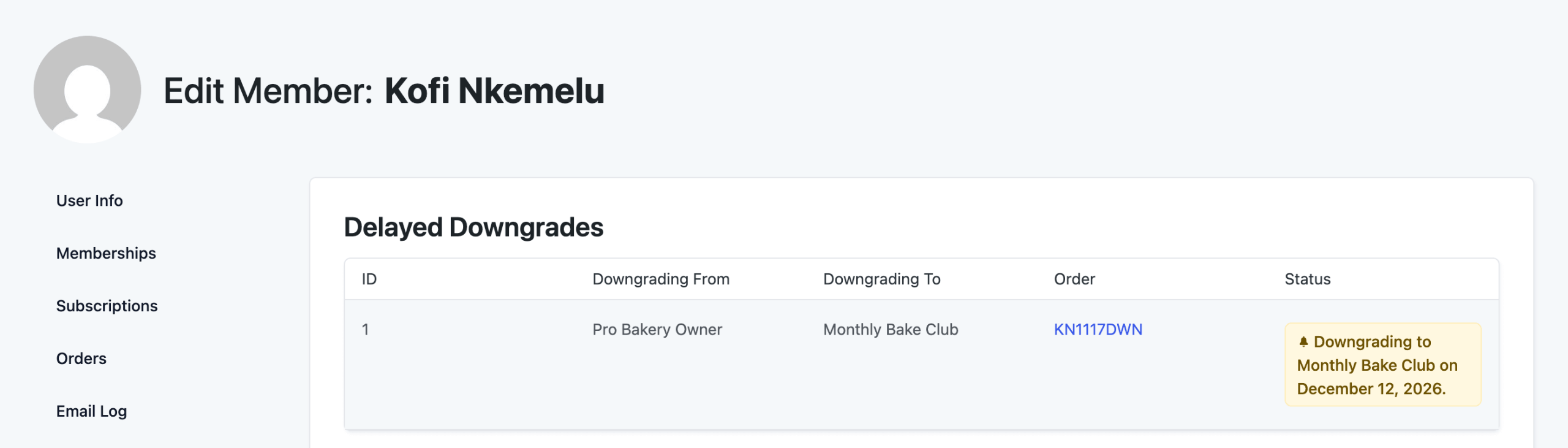
The panel lists every downgrade for the member, newest first, with these columns:
- ID: The downgrade’s ID.
- Downgrading From: The member’s current level.
- Downgrading To: The level they chose at checkout.
- Order: The $0 checkout order, linked to its order screen.
- Status: The current state of the downgrade.
| Status | Meaning |
|---|---|
| Downgrading to [level] on [date]. | Scheduled and waiting for the member’s next payment date or end date. |
| Processed on renewal | Completed when the first payment at the new price was collected. |
| Processed on expiration | Completed when the member’s current level reached its end date. |
| Lost original level | Cancelled because the member lost their current level before the scheduled date. |
| Error | The downgrade couldn’t be completed. The site admin gets an email. Check the member’s levels and subscription and update them by hand. |
Members List
On the Members list, a member with a scheduled downgrade shows the “Downgrading to” message in the End Date column. The same message appears in the Memberships panel on the Edit Member screen.

To change the emails sent when a downgrade is scheduled, completed, or fails, see Delayed Downgrade Email Templates.
Get Support From Our Team of Experts
Have a question about how to use this feature? Our Support Page outlines three ways to get support.
Our Max plans include hands-on help customizing your membership site and implementing new features. Upgrade to PMPro Max now »
Last updated on November 19, 2026