The Add On has no settings. Once it’s active, it checks each checkout by a logged-in member who is switching levels, decides whether the change is an upgrade or a downgrade, and adjusts the price due at checkout. This page explains those rules, with worked examples.
When the Add On Prorates a Checkout
Proration only applies when a member trades one level for another. The Add On adjusts the checkout price when all of these are true:
- The member is logged in.
- The member already has a level in the same level group as the level they’re checking out for, and that group allows only one level per member. This is the classic tiered setup, where buying the new level removes the old one.
- The member’s current level has an active recurring subscription.
- That subscription is paid up: its next payment date is in the future, and it has no failed (pending) recurring payment.
Checkouts for a level in a group that allows multiple levels are never prorated, because the member keeps their other levels.
When the Member Pays Full Price
If any of the conditions above isn’t met, the Add On leaves the checkout alone. The member pays the new level’s regular price, and the new subscription follows the level’s normal billing schedule. Common cases:
- The member’s current level is free, a one-time payment, or was assigned by an admin without a subscription.
- The member’s subscription is past due because a recurring payment failed. Crediting unused time would mean crediting money that was never collected.
- The subscription has no next payment date, or that date has already passed. There’s no paid time left to credit.
- The subscription has no orders on record, so there’s no last payment to base a credit on.
How the Add On Decides Between an Upgrade and a Downgrade
The Add On compares the cost per day of the member’s current subscription with the cost per day of the new level. It counts a day as 1 day, a week as 7 days, a month as 30 days, and a year as 365 days.
- Downgrade: The new level costs less per day than the current subscription. For a new level with no recurring payment, it’s a downgrade when the new level’s initial payment is less than the current subscription’s recurring amount. Downgrades are delayed. See How Downgrades Are Handled.
- Upgrade: Everything else. The member pays a prorated amount at checkout and switches levels right away. Some of these “upgrades” are really a change in billing period for the same access, such as moving from a monthly to an annual plan that costs more per day.
Two kinds of level changes are never treated as a downgrade, even when they cost less: a new level with an expiration date, and a checkout for the same level the member already has. These use the upgrade rules instead, so the member gets credit for unused time and their level changes right away.
How Upgrades Are Prorated
For an upgrade, the Add On works out how much of the member’s current billing period is left. It counts the whole days from the date of their last payment to their next payment date, then how many of those days have already passed. The member gets credit for the unused part of their last payment. The Add On uses the subtotal of that payment, before tax.
What happens next depends on whether the new level has the same billing period as the current subscription.
Upgrading to a Level With the Same Billing Period
When both levels bill on the same cycle, such as monthly to monthly, the member pays the difference for the rest of the current period:
Amount due = (new level’s recurring price × portion of the period left) − (last payment × portion of the period left)
- The member moves to the new level right away.
- Their next payment date stays the same. On that date, the subscription bills at the new level’s recurring price.
- The amount due is never more than the new level’s regular initial payment, and never less than $0.
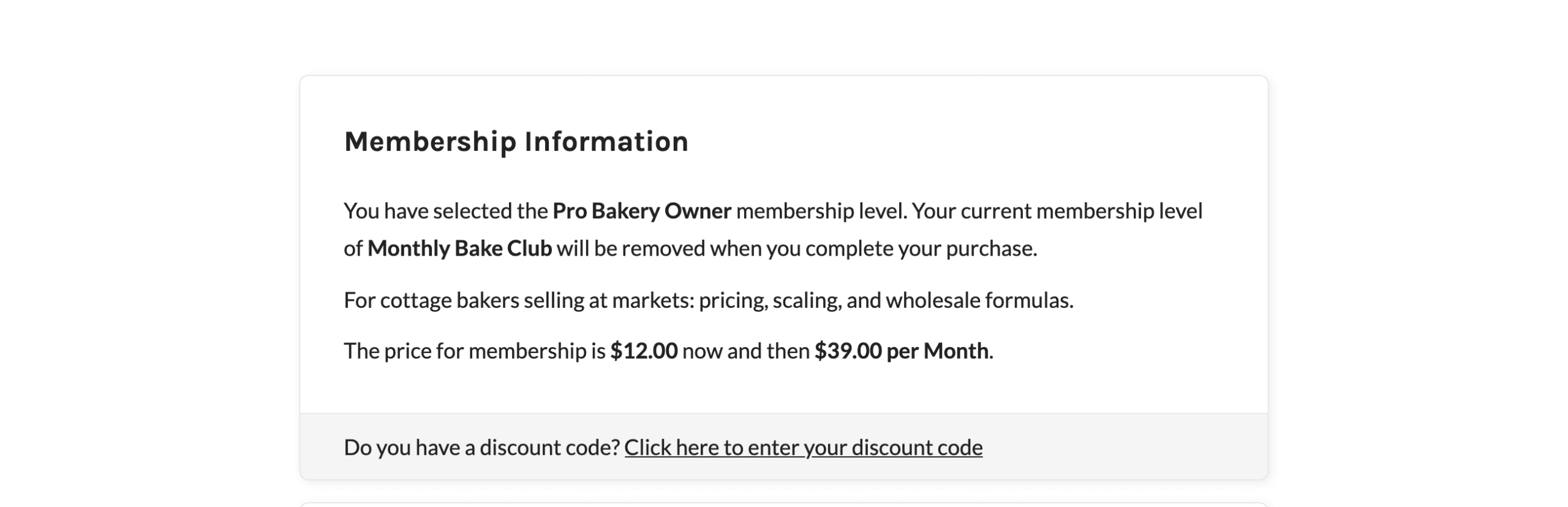
For example, a member who pays $15 per month is halfway through their month and upgrades to a $39 per month level. They pay ($39 × 0.5) − ($15 × 0.5) = $12.00 now, then $39 per month starting on their original next payment date.
Upgrading to a Level With a Different Billing Period
When the billing cycles differ, such as monthly to annual, the member gets a credit toward the new level’s initial payment:
Amount due = new level’s initial payment − (last payment × portion of the period left)
- The member moves to the new level right away.
- Their next payment date is not kept. The new subscription follows the new level’s billing schedule from the date of checkout. For an annual level, the next payment is one year after checkout.
- The amount due is never less than $0.
The same credit applies when the new level is a one-time payment, including a level with an expiration date. For example, a member halfway through a $15 per month subscription who buys a $29 level that lasts three months pays $29 − ($15 × 0.5) = $21.50.
How Downgrades Are Handled
The Add On can’t refund or credit a member for paying more than the new level costs. Instead, a downgrade is delayed:
- The member pays $0 at checkout.
- They keep their current level until their next payment date, so they get the full time they already paid for.
- On that date, their membership changes to the new level and billing at the new level’s price begins.
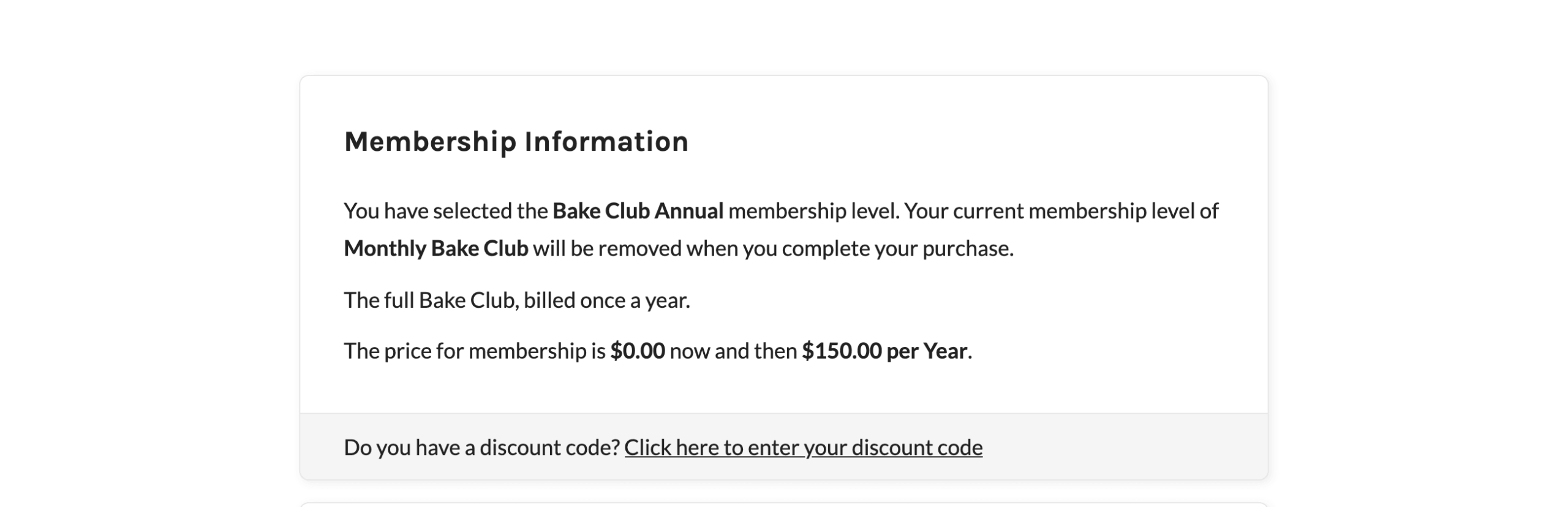
Learn what the member sees and how to track a scheduled downgrade in How Delayed Downgrades Work.
Sample Proration Calculations
These examples assume the member’s last payment was the full recurring price of their current level and that each level’s initial payment matches its recurring price.
| Level Change | Point in Current Period | Amount Due at Checkout | What Happens |
|---|---|---|---|
| $5 per month to $10 per month | Day 15 of 30 (halfway) | $2.50 | Upgraded now. Billing at $10 per month starts on the original next payment date. |
| $250 per year to $500 per year | One quarter of the way through the year | $187.50 | Upgraded now. Billing at $500 per year starts on the original next payment date. |
| $10 per month to $200 per year | Day of the last payment (no days used) | $190.00 | Upgraded now. Next payment is one year after checkout. |
| $10 per month to $200 per year | Day 15 of 30 (halfway) | $195.00 | Upgraded now. Next payment is one year after checkout. |
| $10 per month to $5 per month | Day 15 of 30 (halfway) | $0.00 | Delayed downgrade. Changes to the $5 level on the next payment date. |
| $500 per year to $250 per year | One quarter of the way through the year | $0.00 | Delayed downgrade. Changes to the $250 level on the next payment date. |
| $10 per month to $100 per year | Any day | $0.00 | Delayed downgrade, because $100 per year costs less per day. The $100 payment is charged on the next payment date. |
In the downgrade examples, the math alone would give the member a credit ($2.50 in the monthly example and $187.50 in the yearly example). The Add On has no way to pay out a credit, which is why it delays the downgrade instead.
Discount Codes, Start Dates, and Delayed First Payments
- Discount Codes: A discount code is applied to the level’s price first, then the Add On prorates the discounted price. When a member applies a code on the checkout page, the price shown is the prorated price.
- Membership Start Date: When a checkout removes a level the member already has, the new level keeps the start date of the old one. This applies to any level change within a one-level-per-member group, not only a renewal of the same level.
- First Recurring Payment Setting: For same-period upgrades and delayed downgrades, the Add On sets the first recurring payment to the member’s current next payment date. This replaces any delay set in the level’s or discount code’s First Recurring Payment setting. Upgrades to a level with a different billing period keep that setting.
Known Limitations
- Proration is based on the member’s current recurring subscription. Members moving off a free, one-time, or fixed-term level always pay full price.
- The Add On can’t issue a credit or refund. When the calculation comes out negative, the amount due is $0.
- If a member changes levels more than once in the same billing period, only their most recent payment is used to work out the credit, so the amount may not match what you’d expect. Adding up every order in the period could pull in unrelated purchases, such as posts bought with Addon Packages.
- This Add On is not currently compatible with Gift Membership or Donations.
Every site handles edge cases a little differently. Developers can change which changes count as downgrades or replace the proration rules entirely with the Add On’s filter hooks.
Get Support From Our Team of Experts
Have a question about how to use this feature? Our Support Page outlines three ways to get support.
Our Max plans include hands-on help customizing your membership site and implementing new features. Upgrade to PMPro Max now »
Last updated on November 19, 2026