The Add On sends its own emails when a downgrade is scheduled, when it’s completed, and when it fails. You can edit the subject and body of each one, add CC or BCC recipients, send a test, or turn an email off.
Delayed Downgrade Emails
The Add On adds five templates to Memberships > Settings > Email Templates. Emails marked “admin” go to the email address in your WordPress Settings > General screen. [site name] is your site title.
| Template | Recipient | Sent When | Default Subject |
|---|---|---|---|
| Proration Downgrade Scheduled | Member | A member completes a downgrade checkout. | Your downgrade has been scheduled at [site name] |
| Proration Downgrade Scheduled (Admin) | Admin | A member completes a downgrade checkout. | A downgrade has been scheduled at [site name] |
| Proration Downgrade Processed | Member | The member’s level changes to the new level. | Your downgrade has been processed at [site name] |
| Proration Downgrade Processed (Admin) | Admin | The member’s level changes to the new level. | A membership downgrade has been processed |
| Proration Downgrade Error (Admin) | Admin | A scheduled downgrade can’t be completed. | There was an error processing a downgrade at [site name] |
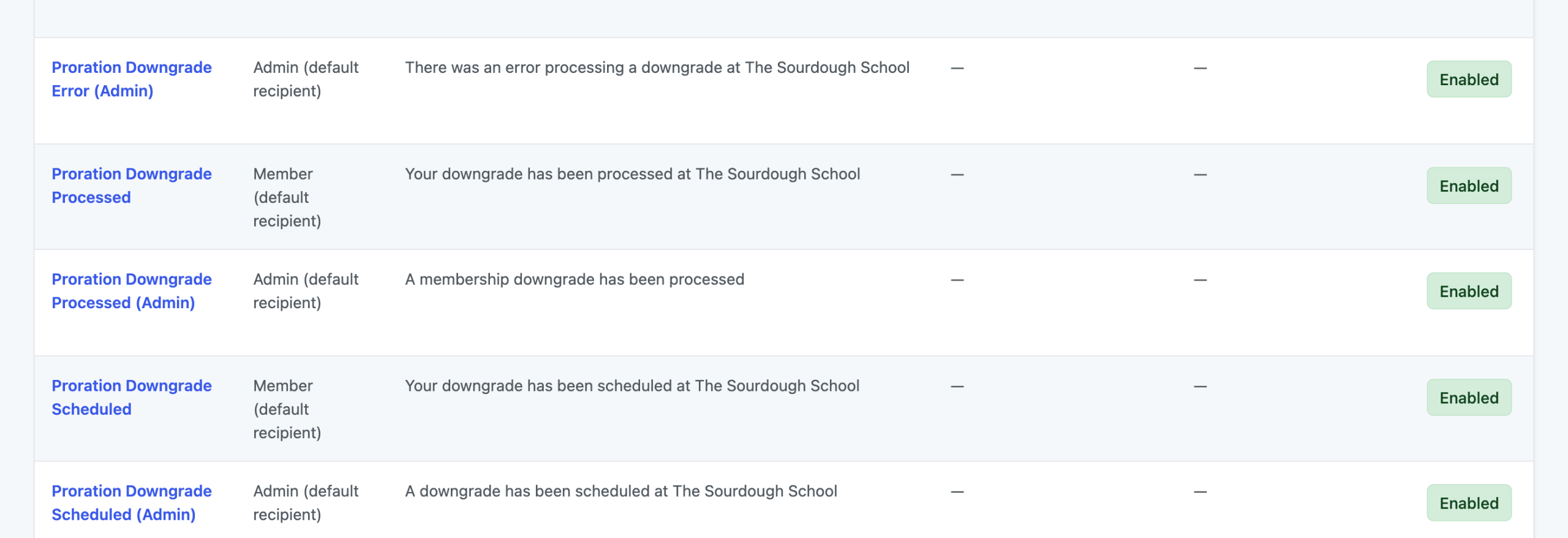
The scheduled email tells the member when their level will change. The other emails are short notices with a link to log in or, for admin emails, a link to the member’s Delayed Downgrades panel. Use the error email as your cue to check the member’s levels and subscription.
Edit a Downgrade Email
- Navigate to Memberships > Settings > Email Templates in the WordPress admin.
- Click the name of the Proration Downgrade template you want to change.
- Edit the Subject and Body. Use the variables listed below the editor to add member and downgrade details.
- To stop sending an email, check Disable this email?.
- Click Save Template. To preview it in your inbox, enter an address under Send a test email to and click Save Template and Send Email.
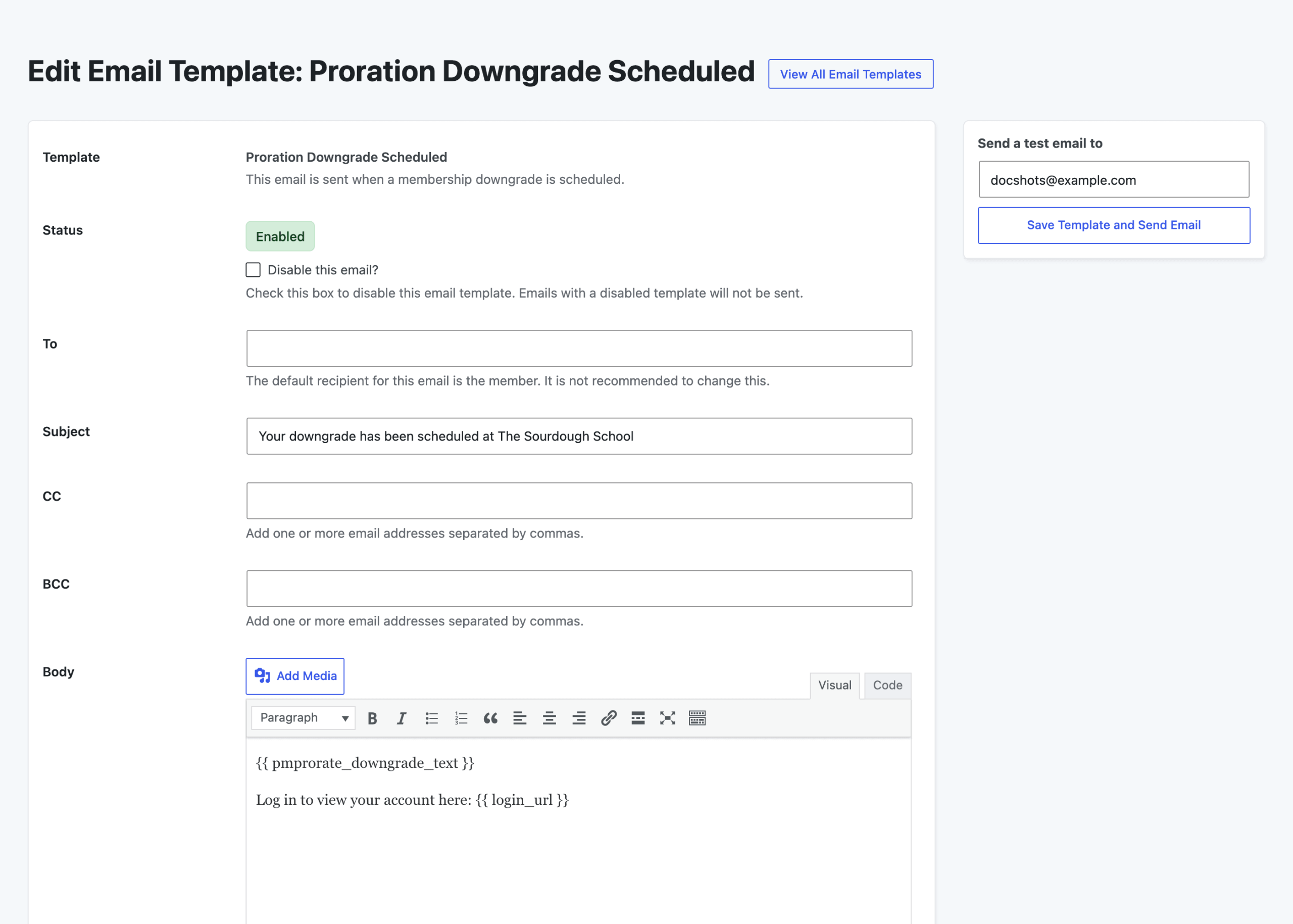
Learn more about the template editor in our guide to email templates.
Email Template Variables
Besides the standard variables available in every email, such as {{ sitename }} and {{ login_url }}, the downgrade emails support these:
| Variable | Available In | Value |
|---|---|---|
{{ display_name }} | All five templates | The member’s display name. |
{{ edit_member_downgrade_url }} | All five templates | A link to the Delayed Downgrades panel on the member’s Edit Member screen. |
{{ pmprorate_downgrade_text }} | Proration Downgrade Scheduled and Proration Downgrade Scheduled (Admin) | The downgrade details, such as “Downgrading to Monthly Bake Club on December 12, 2026.” |
Get Support From Our Team of Experts
Have a question about how to use this feature? Our Support Page outlines three ways to get support.
Our Max plans include hands-on help customizing your membership site and implementing new features. Upgrade to PMPro Max now »
Last updated on November 19, 2026