We are excited to announce the release candidate (RC) for Paid Memberships Pro v3.9. The biggest updates in this release are flexible payment and expiration dates (Subscription Delays and Set Expiration Dates are now built into core), percentage and fixed amount discount codes, captcha on login and password reset forms, and new tools for developers, automation, and AI agents including WP-CLI commands, the WordPress Abilities API, and structured data for membership levels.
The 3.9 release makes meaningful changes to how you set up pricing, promotions, and security on your membership site. For this reason, we are offering the release candidate to developers and site owners with a developer on their team as a way to get live site feedback before the public release.
The rest of this post covers each major feature in more detail, and highlights other enhancements, bug fixes, and developer notes. Keep reading to learn how to download and test the v3.9 release candidate.
Table of contents
- Using the Release Candidate on Our Main Site
- Release Candidate Timeline
- Overview of Key Features in v3.9
- Flexible Payment and Expiration Dates
- Percentage and Fixed Amount Discount Codes
- Captcha on Login and Password Reset Forms
- Move Subscriptions Off a Deprecated Payment Gateway
- Built for Developers, Automation, and AI Agents
- Elementor v4 Support
- Clearer Pending Payments on the Membership Account Page
- Automatic Cleanup of Abandoned Checkout Users
- Other Enhancements and Changes
- Bug Fixes in v3.9
- Notes for Developers
- How to Download PMPro v3.9 RC 1
- Providing Feedback on PMPro v3.9 RC 1
- Working Changelog for v3.9
Using the Release Candidate on Our Main Site
To show our confidence in the stability and reliability of v3.9, the main website you are browsing right now is already running Paid Memberships Pro v3.9 RC 1. We invite other sites, particularly those with a developer on the team, to join us in this crucial phase by testing the 3.9 version on their production websites.
Release Candidate Timeline
The RC phase runs until the full Paid Memberships Pro v3.9 release on Tuesday, October 27, 2026. Join us for the v3.9 launch party that day at 1:00 PM ET. Details will follow.
- Download: The RC is available as a .zip file, downloadable directly from this post.
- Eligibility: We recommend the RC for production sites where a developer is available to address any potential issues with customizations or integrations.
- Feedback: Your insights and reports are invaluable. We encourage you to share your experiences, bugs, and suggestions to help us refine the final release.
Overview of Key Features in v3.9
Alongside numerous bug fixes and behind-the-scenes improvements, here is an overview of the key features included in Paid Memberships Pro v3.9.
Flexible Payment and Expiration Dates
The Subscription Delays and Set Expiration Dates Add Ons are now part of core. If you have either one active, it will deactivate itself on update and prompt you to delete the Add On. Any customizations you have written against the Add On filters and functions keep working.
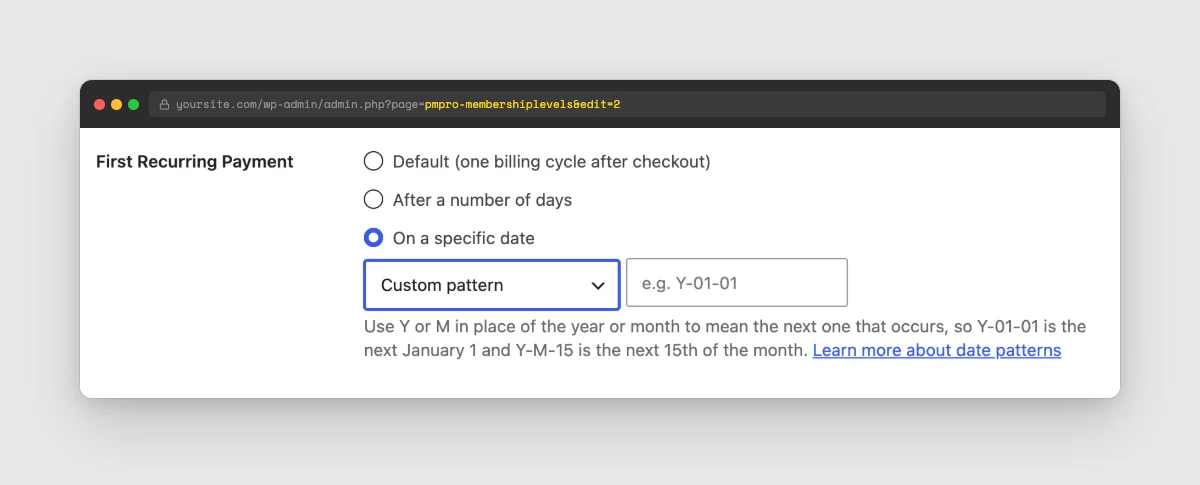
The Edit Level screen gets a new First Recurring Payment setting with three options:
- One billing cycle after checkout (the default, and the current behavior).
- A number of days after checkout. A short delay here works like a free trial without using a trial price.
- A specific date set with the new date pattern builder: the same day each month, the same date each year, or a custom pattern.
Edit Level also gets a new Expiration Type setting. Choose the existing duration-based expiration (for example, one year from the signup date), or a fixed date set with the same date pattern builder. Both settings also appear per level on the Edit Discount Code screen, so a promo code can carry its own first payment date or expiration date.
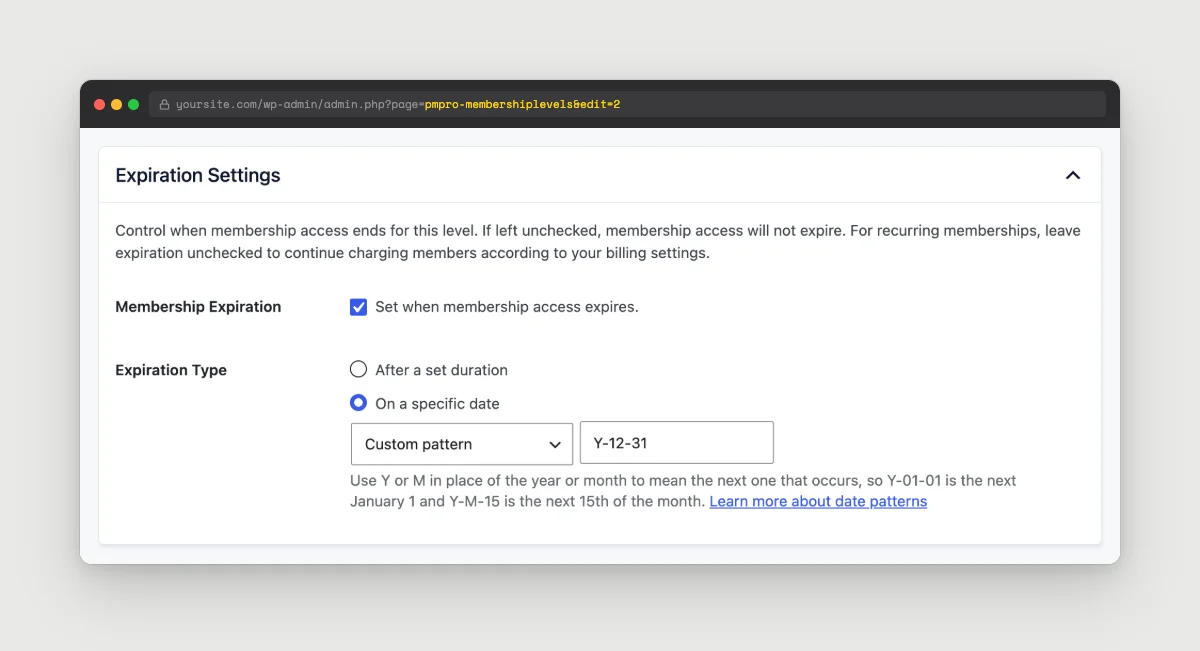
Y-12-31 expires every membership on the next December 31.A couple of examples of what this looks like on a real site:
- “Bill everyone on the 1st of the month” for a monthly plan with aligned billing.
- “Every annual membership expires on December 31” for a season or school-year plan.
Existing level settings carry over with no changes. For the full options and syntax, see the Date Patterns documentation.
Percentage and Fixed Amount Discount Codes
Discount codes now have a Discount Type setting with three options:
- Set the price per level (the default, and the current behavior). Existing codes are unchanged.
- Percentage off the level’s regular price.
- Fixed amount off the level’s regular price.
Percentage and fixed codes use one rule for every level on the code and apply it to the level’s current pricing. A new Applies To setting controls whether the discount hits the initial payment, the recurring payment, or both. Billing cycle, trial, and expiration still come from the level itself, so you set the code up once and it follows along as you adjust level prices over time.
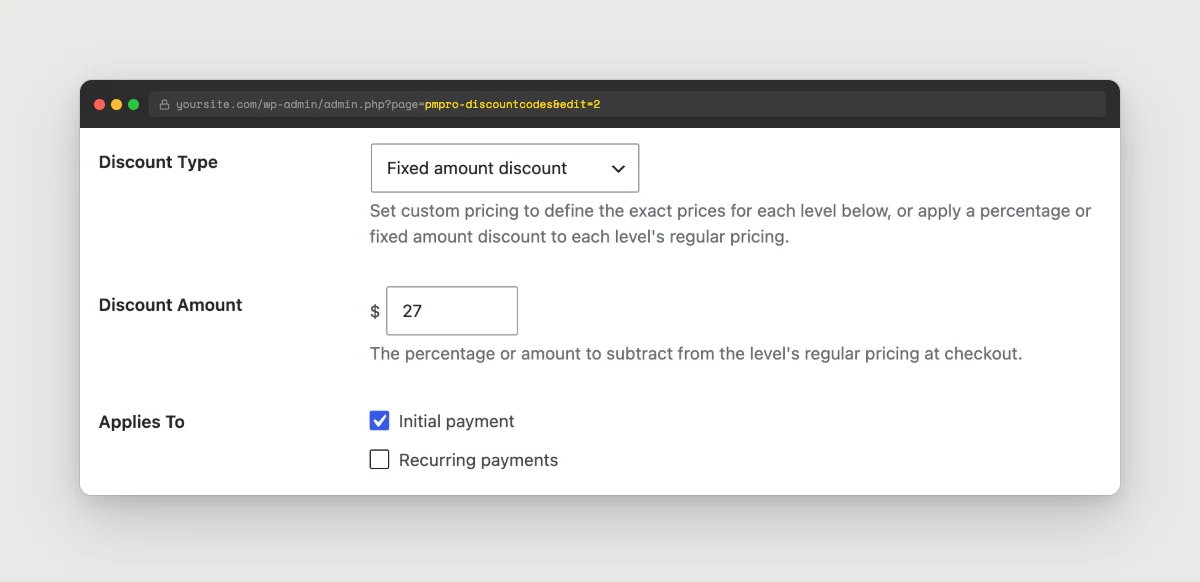
The Edit Discount Code screen also picks up new Select All and Deselect All buttons for the levels list, which saves a lot of clicks on sites with many levels.
If you have ever wanted to run “20% off everything” or “$10 off any plan” without editing the price on every level by hand, that is now a two-field change.
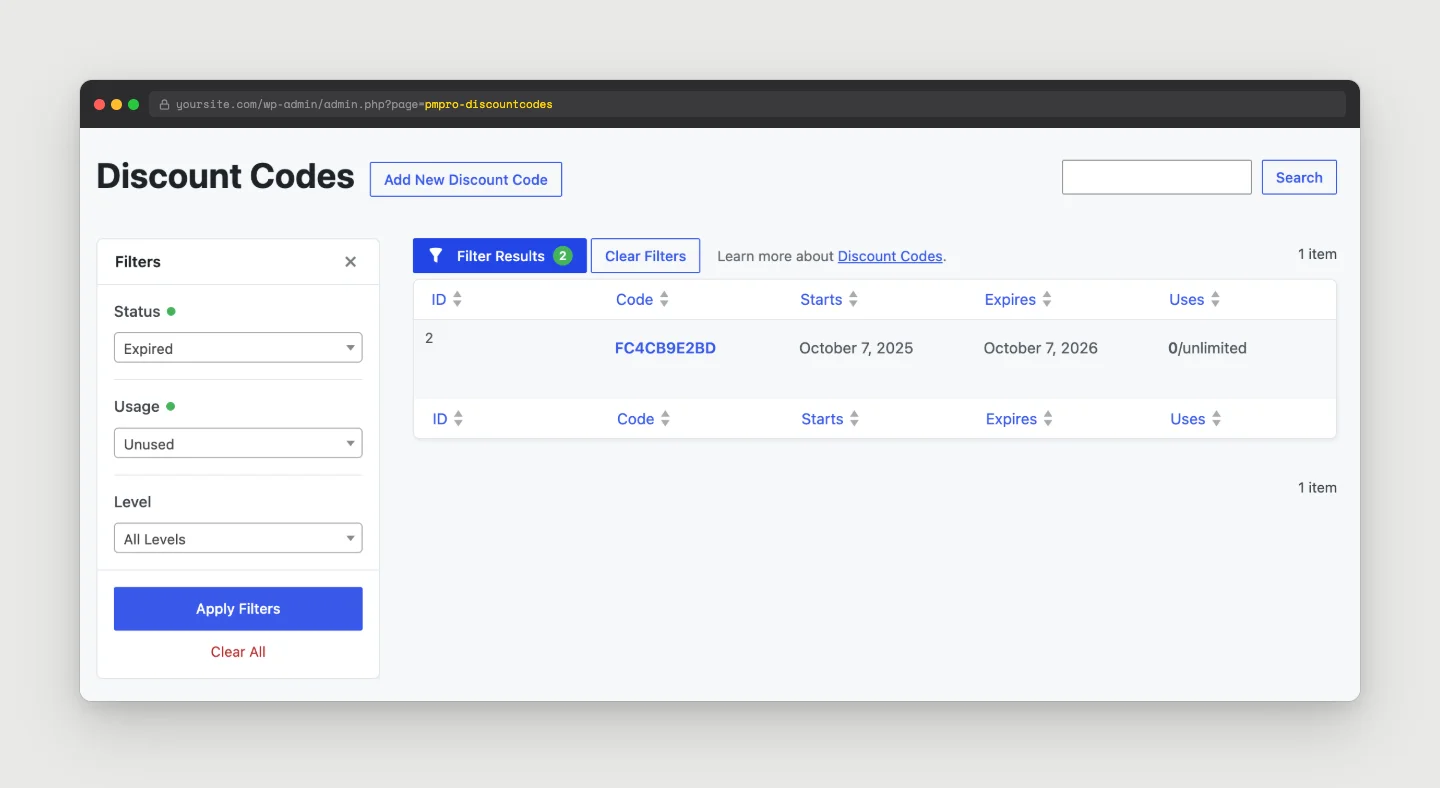
The Discount Codes list also gets the same filter panel you already use on Orders and Subscriptions. Filter by Status (Current, Upcoming, or Expired), by Usage (Unused, Used, or Used Up), and by level. Hiding a few years of expired promo codes makes the list much easier to work with.
For setup details, see the Discount Codes documentation.
Captcha on Login and Password Reset Forms
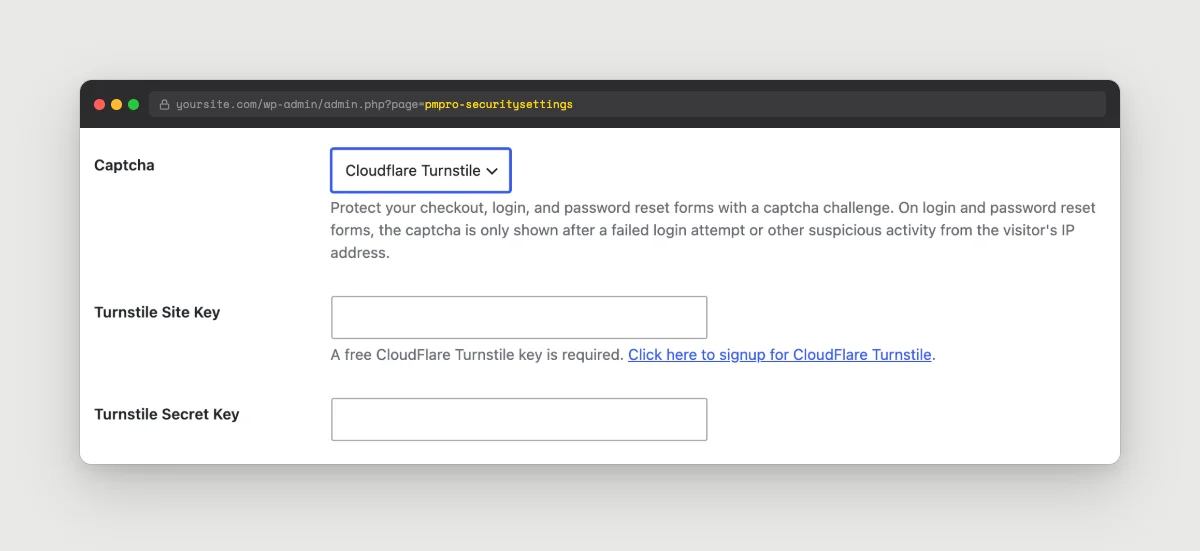
The captcha settings on Memberships > Settings > Security have been consolidated. In place of two separate on/off settings for reCAPTCHA and Turnstile, there is now a single Captcha dropdown with three choices: No, Google reCAPTCHA, or Cloudflare Turnstile. Only one captcha runs at a time. Your existing reCAPTCHA or Turnstile settings carry over on update.
The captcha now protects the Paid Memberships Pro login and password reset forms, not only the checkout. On those two forms, the captcha appears after a failed login or other suspicious activity from the visitor’s IP, so legitimate members rarely see it.
Checkout is also harder to abuse for card testing. After a failed payment, the visitor has to pass the captcha again before the next attempt. Before this change, one solved captcha covered every retry in the same session. Thank you to Freelance Studio for privately reporting this.
For setup details, see the Security Settings documentation.
Move Subscriptions Off a Deprecated Payment Gateway
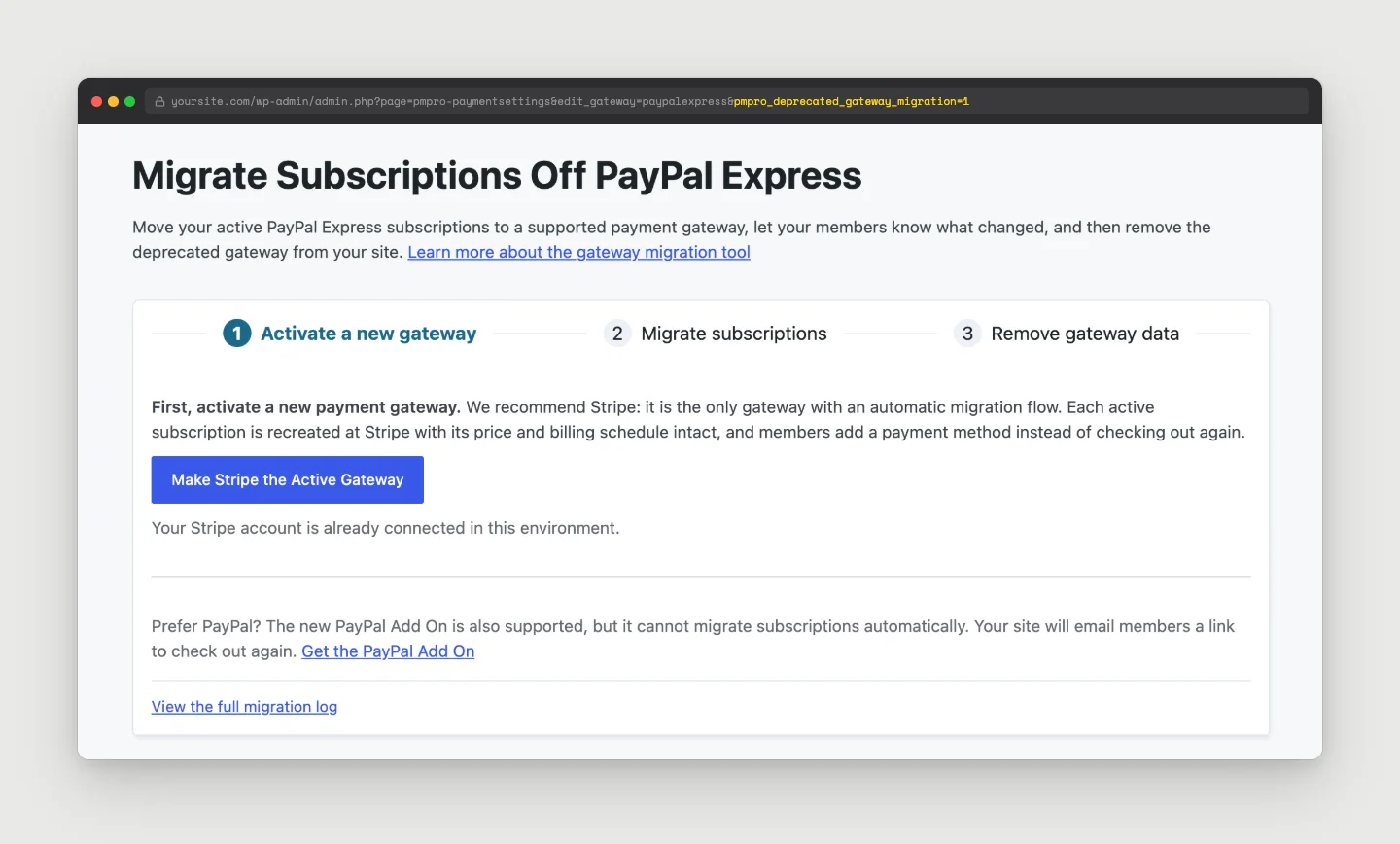
Sites still running a deprecated payment gateway now get a Migrate Subscriptions Off This Gateway tool on the Payment Settings page. Moving members off an old gateway is one of the harder jobs a site owner can face, so the tool walks you through it in three steps:
- Activate a new gateway: We recommend Stripe, the only gateway with an automatic migration. The new PayPal Add On is also supported.
- Migrate subscriptions.
- Remove gateway data once every subscription has moved, so the old gateway’s stored credentials are deleted from your site.
There are two migration types. Migrate to Stripe subscriptions recreates each subscription at Stripe with the same price and billing schedule, starting on its next payment date. Members get an email asking them to add a payment method. They never check out again, and they keep any grandfathered pricing. Cancel subscriptions and set expiration dates cancels each old subscription and sets the membership to expire on its next payment date. Members check out again at your current level pricing.
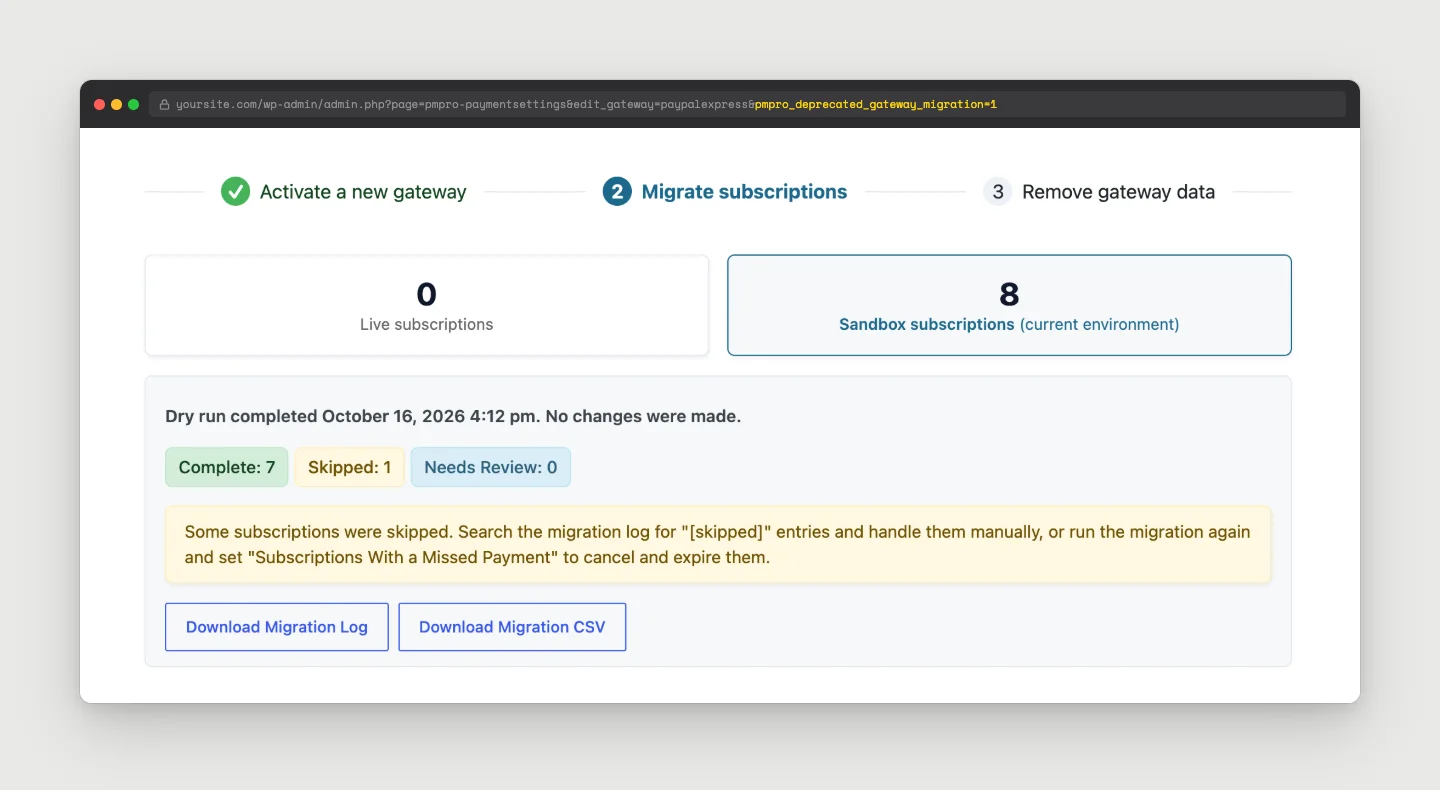
You choose whether members get an email, and how to handle subscriptions with a missed payment: skip them and log them for review, or cancel and expire them.
Dry run is on by default. The tool previews exactly what would happen to each subscription without changing anything or sending email. Every result is logged, and you can download a Migration CSV of the full run.
The goal here is to make this change feel safe. If you have been putting off a gateway migration because of the risk, this is the right release to plan it. See the Payment Gateway Settings documentation and our guide to switching payment gateways.
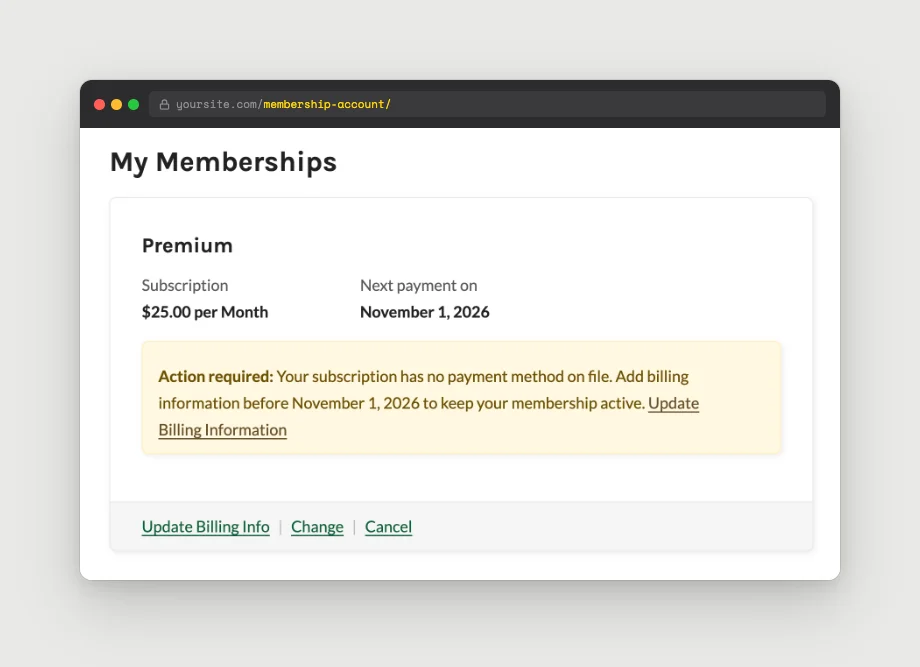
After a migration to Stripe, members without a payment method on file see a notice on their Membership Account page with the date they need to add billing information by.
Built for Developers, Automation, and AI Agents
Three related additions in v3.9 open Paid Memberships Pro up to command-line workflows, AI agents, and structured data for search engines.
WP-CLI commands in core. v3.9 ships list and get commands for levels, orders, and subscriptions, plus wp pmpro membership list and wp pmpro member get for members. Write commands include member add-level, member remove-level, member change-level, member cancel, and subscription sync. Write commands support --dry-run and prompt for confirmation unless you pass --yes. For example, to list every active member of level 2:
wp pmpro membership list --level=2 --status=active
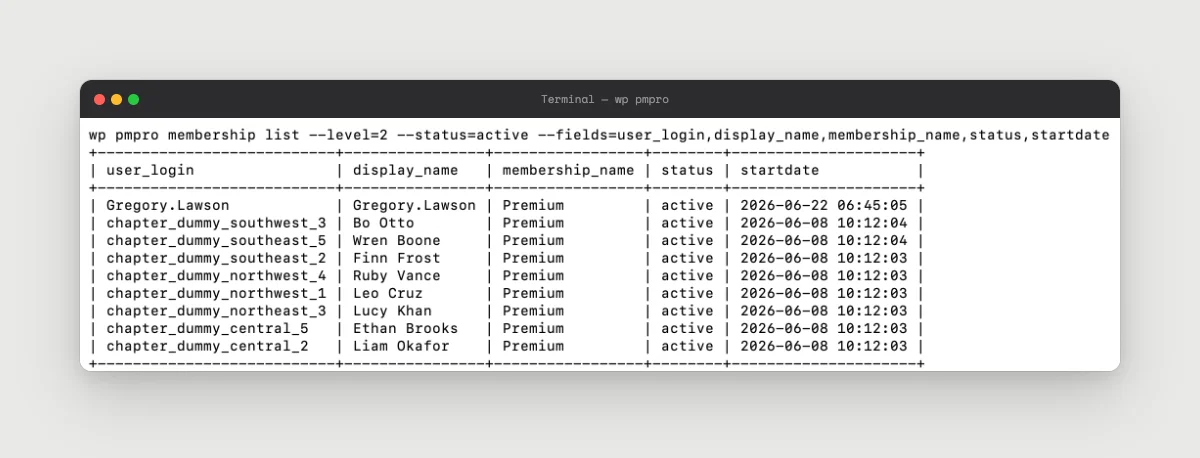
wp pmpro membership list output in the terminal.WordPress Abilities API and MCP. Paid Memberships Pro now registers nine abilities (for levels, memberships, orders, subscriptions, and search) that AI tools can call through the WordPress REST API or over MCP. Every call goes through the same permission checks you already use in the admin. This requires WordPress 6.9 or later, and you can opt out with the pmpro_enable_abilities_api filter.
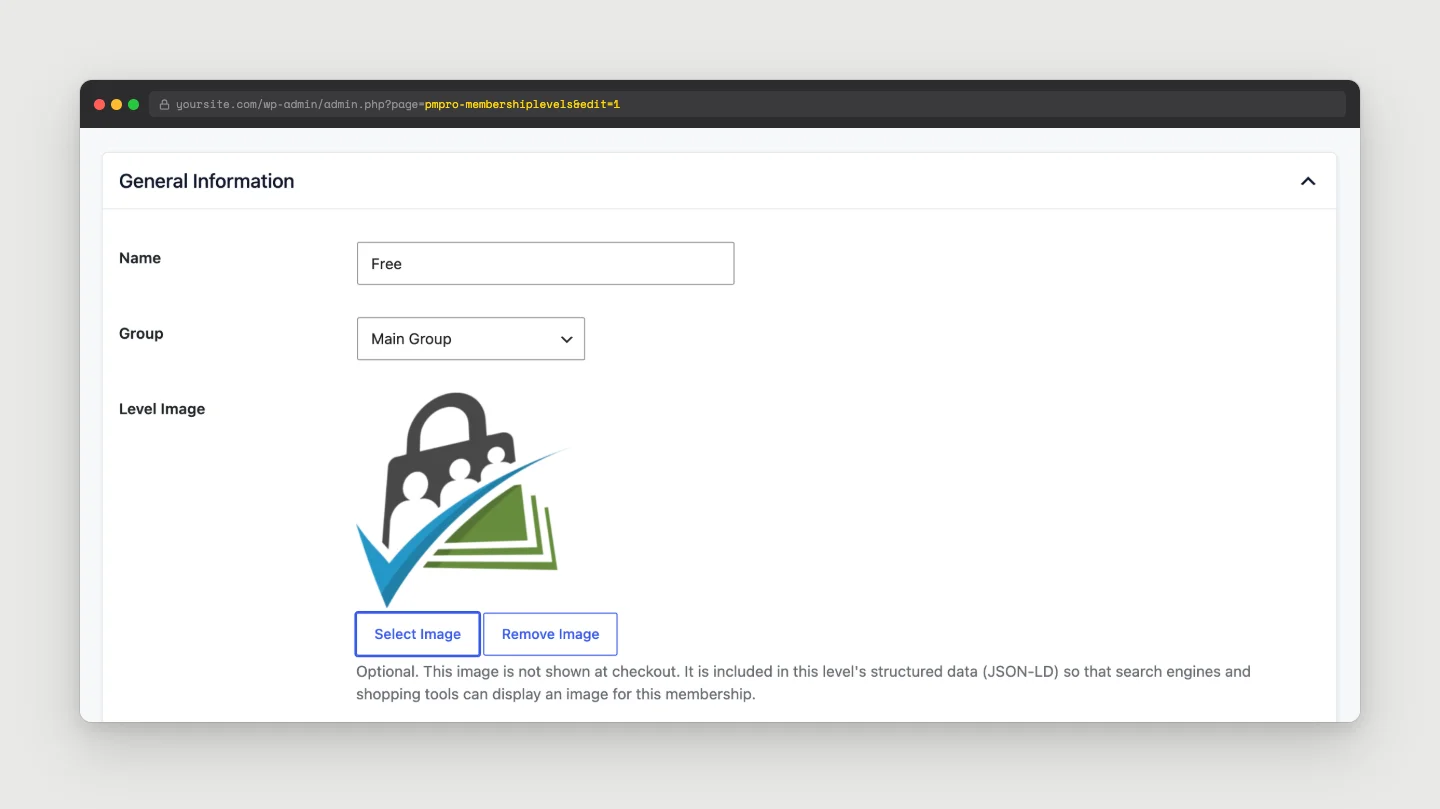
Structured data for membership levels. The Levels page, single-level checkout, and the Single Level block now output Product/Offer JSON-LD, so search engines and AI shopping tools can read your pricing. Edit Level gets an optional Level Image field for the schema. If an SEO plugin on your site is already outputting pricing schema for these pages, you can turn PMPro’s off under Memberships > Settings > Advanced > Structured Data.
Elementor v4 Support
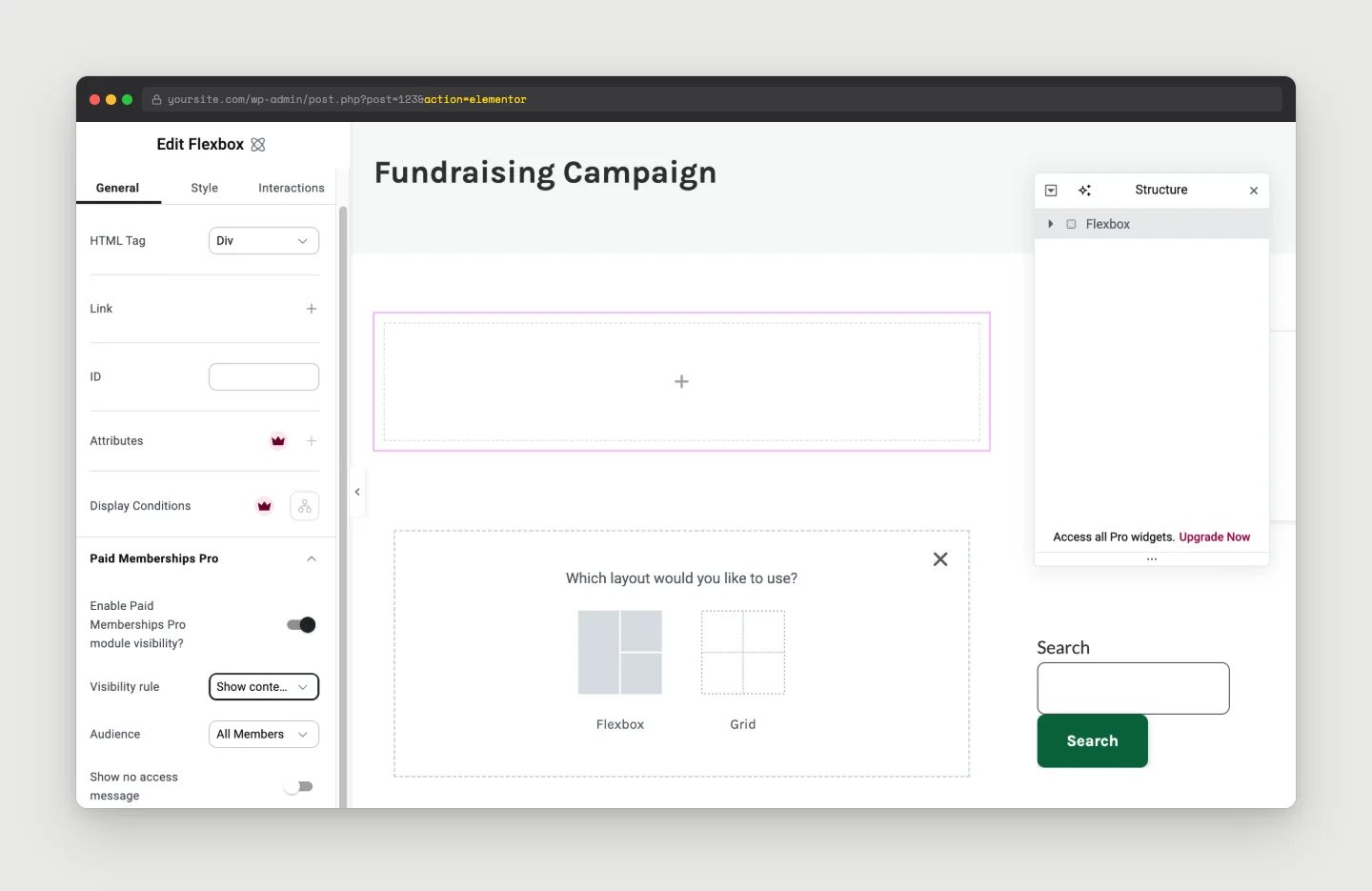
Paid Memberships Pro content restriction controls now work on Elementor v4 “atomic” elements, including the Div Block, Flexbox, Tabs, Form, and the atomic widgets. The classic v3 behavior is unchanged, so sites still on v3 do not need to do anything.
Clearer Pending Payments on the Membership Account Page
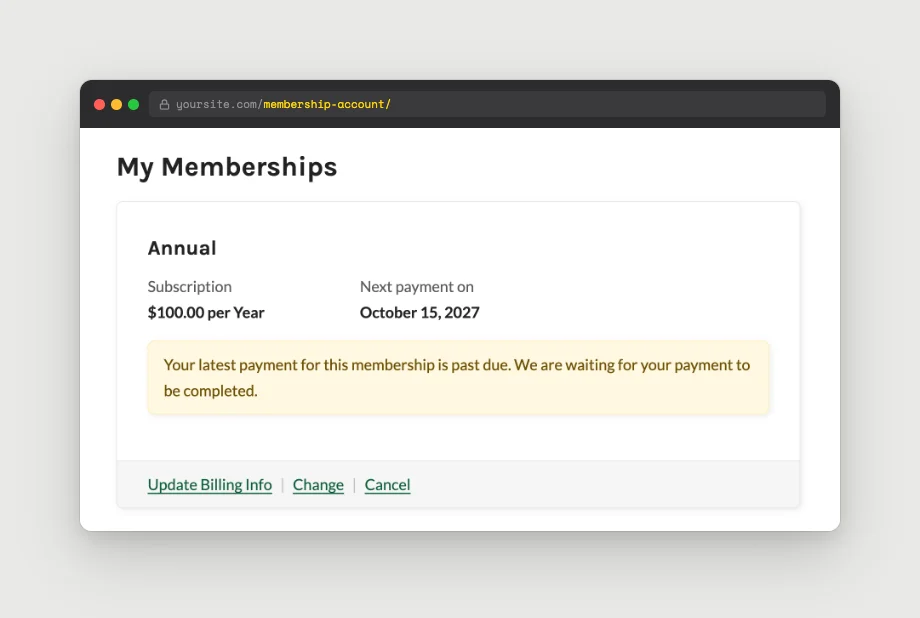
Members with a payment that has not cleared yet (Pay by Check, a failed renewal) now see it on their Account page instead of having to ask you where the charge is. Past-due renewals show a message on the level card, with an Update Billing Info link to finish paying (or a View Order link when billing can’t be updated from the site). A checkout that is still waiting on a payment gets its own “pending” card until the payment is confirmed.
Automatic Cleanup of Abandoned Checkout Users
Checkouts that create a user but never finish leave that user behind. These show up as Potential Spam Checkouts on the Users page. A new opt-in Advanced Setting, Automatically Delete Potential Spam Users, permanently deletes them after 30 days. It runs in small daily batches so it does not spike your database. On multisite, users are removed from the current site only. Developers can change the 30 days with the pmpro_abandoned_signup_deletion_days filter.
Other Enhancements and Changes
- Faster Members List: the default and single-level Members List views load much faster on large sites. On paidmembershipspro.com, the page-one query went from about 900ms to under 1ms.
- Sort members by first and last name, plus a new filter so developers can make additional columns sortable.
- Attachments in the email log: log entries now record attachment filenames, which show up in the log details view and in the personal data export.
- Date filter on the Email Log report: choose All Time, Last 7 Days, Last 30 Days, Last 12 Months, or a custom range.
- Admin Activity Email now reports active members and active memberships separately, matching the Members per Level report.
- Payment Failure email links to the Billing page through a new
{{ billing_update_url }}variable. Sites with a customized Payment Failure email need to add it to their template. - New
pmpro_view_ascapability so non-admin roles can use the View As toolbar without full settings access. Note: a user with this capability can view all restricted content. - Clearer checkbox labels on Edit Level and Edit Discount Code (for example, “This level has a recurring subscription payment” instead of “Check if this level has…”).
- Screen reader announcements for Liquid autocomplete in the email editor.
- Security hardening: WordPress Plugin Check now reports zero security findings for Paid Memberships Pro core (outside bundled third-party libraries). This pass covered escaping, SQL, nonces, and input handling, and closed a few CSRF gaps along the way.
Bug Fixes in v3.9
- The frontend Change Password form no longer breaks on passwords containing characters like
<,%41, or double spaces. Before this fix, those members could get locked out. - The frontend Edit Profile form no longer strips backslashes from saved names.
Notes for Developers
The v3.9 RC is aimed at sites with a developer on the team, so a short list of things worth knowing before you update:
- The admin settings screens have been rebuilt on shared field helpers. Input names and saved options are unchanged, but some DOM hooks changed (for example,
#pmpro-hideadsis now#hideads, and Edit Level checkbox values went fromyesto1). Any custom admin JS or CSS that targets these screens should be tested. - Code that reads
pmpro_discount_codes_levelsdirectly: percentage and fixed codes store a snapshot of calculated prices there. Usepmpro_get_discounted_level_for_code()for real pricing. - New
pmpro_is_page()helper that will not accidentally match every page when a PMPro page setting is empty. - New hooks worth knowing about:
pmpro_members_list_group_rows,pmpro_memberslist_sortable_columns,pmpro_membership_account_after_pending_level_card_content,pmpro_cli_init,pmpro_login_form_before_submit_button, andpmpro_authenticate_login_checks. - Deprecations: the Subscription Delays Add On and the Set Expiration Dates Add On are now in core and auto-deactivate on update.
How to Download PMPro v3.9 RC 1
Last updated: October 16, 2026
Important: This RC is approved to use in a production environment. We still recommend that you only put Paid Memberships Pro v3.9 RC 1 on your site if you are a developer or have access to one on your team.
Issues may arise if you have heavily customized Paid Memberships Pro or are using third-party plugins that have not been updated for v3.9 compatibility.
Providing Feedback on PMPro v3.9 RC 1
Anyone that chooses to use the release candidate version should share feedback, bugs, warnings, issues, and anything else worth reporting. Here is how to share your feedback.
- Slack Community members can share feedback in the
#devSlack channel. Join the Free Slack Community » - If you do not wish to join the Slack Community, please submit your findings to us via our Contact Us page.
- Developers can open an issue and submit a pull request through our GitHub repository.
Your insights and contributions are invaluable to the improvement of Paid Memberships Pro.
Working Changelog for v3.9
This is the working changelog for the v3.9 release candidate.
Features in PMPro v3.9
- FEATURE: Added First Recurring Payment and Expiration Type settings on Edit Level and Edit Discount Code, with a new date pattern builder. The Subscription Delays and Set Expiration Dates Add Ons are now in core.
- FEATURE: Added Discount Type on discount codes with percentage and fixed amount options and an Applies To setting.
- FEATURE: Added Status, Usage, and level filters to the Discount Codes list.
- FEATURE: Added captcha protection on the login and password reset forms, with a consolidated Captcha dropdown in Security Settings.
- FEATURE: Added a Migrate Subscriptions Off This Gateway tool for sites on a deprecated payment gateway, with a dry run on by default.
- FEATURE: Added WP-CLI commands for members, levels, orders, and subscriptions.
- FEATURE: Registered nine Paid Memberships Pro abilities with the WordPress Abilities API for REST and MCP access (WordPress 6.9+).
- FEATURE: Added Product/Offer JSON-LD structured data on Levels pages, single-level checkout, and the Single Level block, plus a new Level Image field.
- FEATURE: Added support for Paid Memberships Pro content restriction on Elementor v4 atomic elements.
- FEATURE: Added an opt-in Advanced Setting to delete abandoned signup users after 30 days.
Enhancements in PMPro v3.9
- ENHANCEMENT: Rewrote the default and single-level Members List queries for a large performance improvement on big sites.
- ENHANCEMENT: Members List is now sortable by first and last name, with a new filter for making additional columns sortable.
- ENHANCEMENT: Email log entries now record attachment filenames and surface them in the log details and personal data export.
- ENHANCEMENT: Added a date filter to the Email Log report.
- ENHANCEMENT: reCAPTCHA and Turnstile now require a new check after a failed payment at checkout or on the Update Billing page.
- ENHANCEMENT: Admin Activity Email now reports active members and active memberships separately.
- ENHANCEMENT: Payment Failure email supports a new
{{ billing_update_url }}variable. - ENHANCEMENT: Added the
pmpro_view_ascapability for non-admin roles. - ENHANCEMENT: Clearer checkbox labels on Edit Level and Edit Discount Code.
- ENHANCEMENT: Added screen reader announcements for Liquid autocomplete in the email editor.
- ENHANCEMENT: Clearer pending payment information on the Membership Account page, including a pending card for not-yet-paid checkouts.
Bug Fixes, Refactors, and Deprecations in PMPro v3.9
- BUG FIX: Fixed the frontend Change Password form breaking on passwords with characters like
<,%41, or double spaces. - BUG FIX: Fixed the frontend Edit Profile form stripping backslashes from saved names.
- REFACTOR: Rebuilt admin settings screens on shared field helpers. Input names and saved options are unchanged; some DOM hooks changed.
- REFACTOR: Closed outstanding items from the WordPress Plugin Check security review (escaping, SQL, nonces, input handling, a few CSRF gaps).
- DEPRECATED: The Subscription Delays Add On and the Set Expiration Dates Add On are now in core and auto-deactivate on update.


