Use the pmpro_addon_packages shortcode to build a shop page that lists your Addon Packages, each with a button to buy it or view it.
Add the Shortcode to a Page
Add a Shortcode block to any page and enter the pmpro_addon_packages shortcode with the attributes you want. With no attributes, it lists every published post and page that has a package price, in a table, ordered by menu order.
[pmpro_addon_packages]
Shortcode Attributes
| Attribute | Accepted Values | Default | Description |
|---|---|---|---|
checkout_button | Any text | Buy Now | Text for the button that links to checkout. The package price is added after the text. |
exclude | Comma-separated post IDs | None | Packages to leave out of the list. |
include | subpages or comma-separated post IDs | All packages | Use subpages to list only packages that are child pages of the page with the shortcode. Use post IDs to list only those packages. |
layout | table, div, 2col, 3col, or 4col | table | How to display the packages. The column layouts use grid classes from the Memberlite theme and other themes built on the Foundation grid. |
levels_button | Any text | Choose a Level | Text for the button shown when there is no level the visitor can check out with. The button links to your Membership Levels page. |
link | true or false | true | Link each package title and image to the package. The values false, 0, and no turn links off. |
order | ASC or DESC | ASC | Sort direction. |
orderby | Any WP_Query orderby value, such as title, date, or menu_order | menu_order | How to sort the packages. |
thumbnail | thumbnail, medium, large, or false | thumbnail | Featured image size to show for each package, or false to hide images. Any other value uses thumbnail. |
view_button | Any text | View Now | Text for the button shown on packages the visitor already has access to. |
Which Button Each Package Shows
Each package in the list shows one button, based on the person viewing the page:
- View Button: The logged-in member already has access to the package. Links to the package.
- Checkout Button: The Add On found a level to check out with, using the same rules as the checkout link on a package. Shows the button text followed by the package price and links to checkout.
- Levels Button: There is no level the visitor can check out with. Links to your Membership Levels page.
Examples
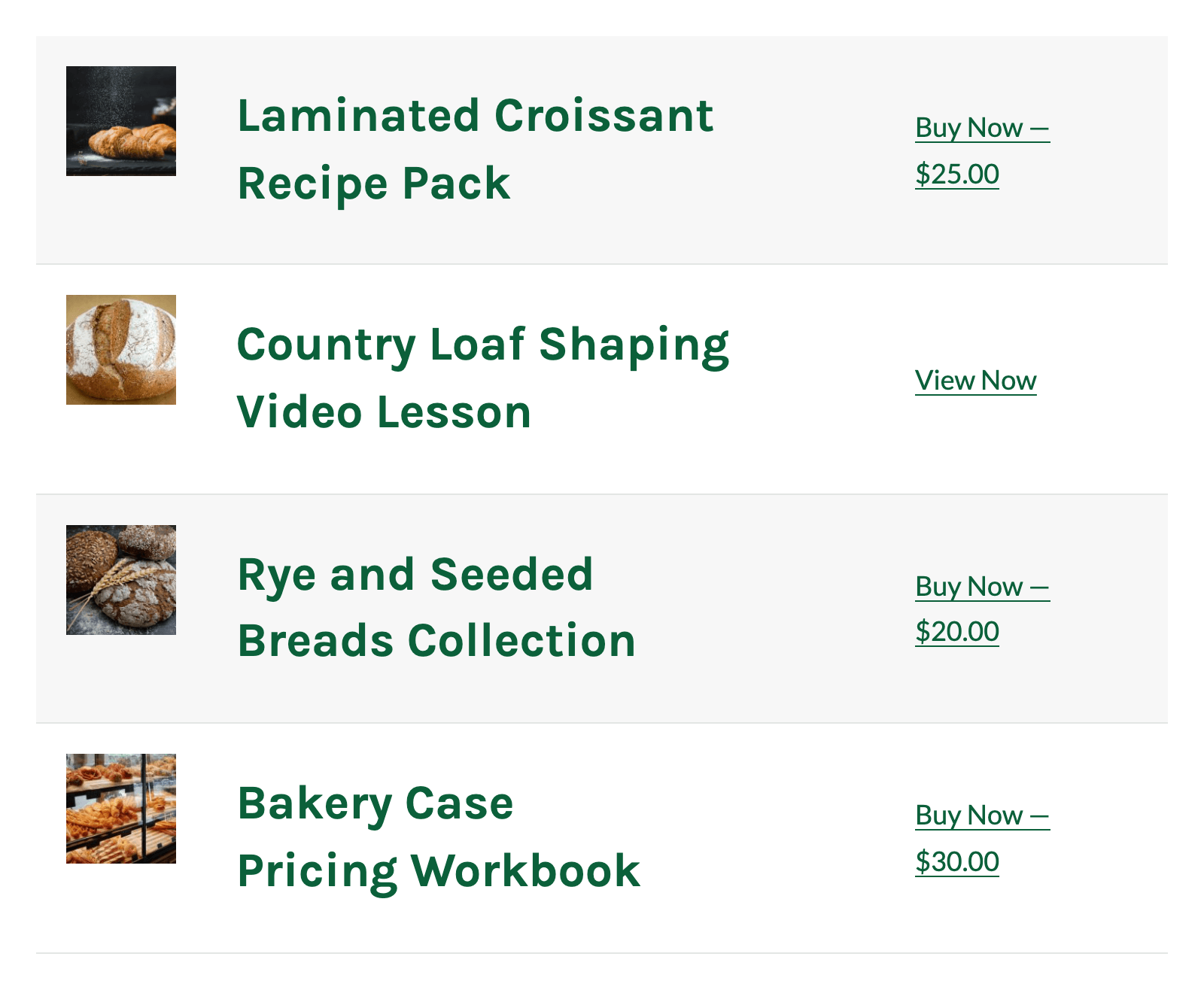
Table Layout
[pmpro_addon_packages layout="table" orderby="menu_order"]
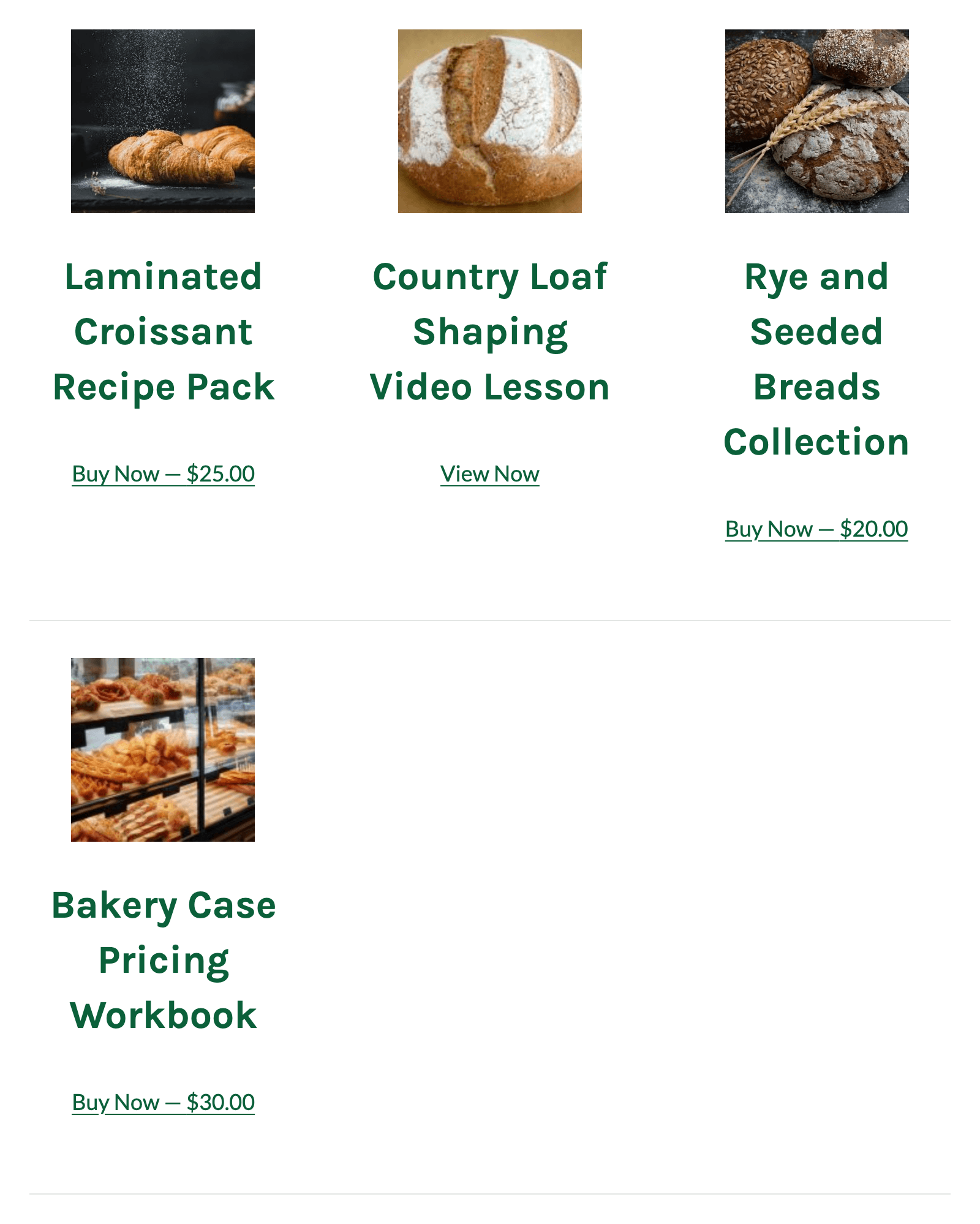
Three Column Layout
[pmpro_addon_packages layout="3col" orderby="menu_order"]
Only Specific Packages, Without Images
[pmpro_addon_packages include="123,456" thumbnail="false" checkout_button="Buy This Lesson"]
Why a Package Is Missing From the List
- Filter Searches and Archives: If Filter searches and archives? is set to “Yes” under Memberships > Settings > Advanced, Paid Memberships Pro hides restricted posts from visitors who don’t have a required level. The shortcode list is filtered too, so logged-out visitors and members of other levels may see “No add on packages found.” Set it to “No” if your shop page should list packages for everyone. Lists that use
include="subpages"are not filtered. - Not Published or No Price: Only published posts and pages with a price greater than 0 are listed.
- Custom Post Types: The shortcode lists posts and pages. Post types added through the Custom Post Type (CPT) Membership Access Add On aren’t included automatically. Developers can add them with the
pmproap_supported_post_typesfilter or change the whole query withpmproap_shortcode_query_args.
Use a Custom Shortcode Template
To change the shortcode’s HTML, copy shortcodes/pmpro-addon-packages-shortcode.php from the Add On’s folder into your active theme (use a child theme) at this path:
your-theme/paid-memberships-pro/pmpro-addon-packages/pmpro-addon-packages-shortcode.php
When this file exists, the Add On loads it instead of its own shortcode file. Your copy replaces the whole file, so it must still register the pmpro_addon_packages shortcode. Check your copy against the Add On’s version after each update.
Get Support From Our Team of Experts
Have a question about how to use this feature? Our Support Page outlines three ways to get support.
Our Max plans include hands-on help customizing your membership site and implementing new features. Upgrade to PMPro Max now »
Last updated on November 19, 2026