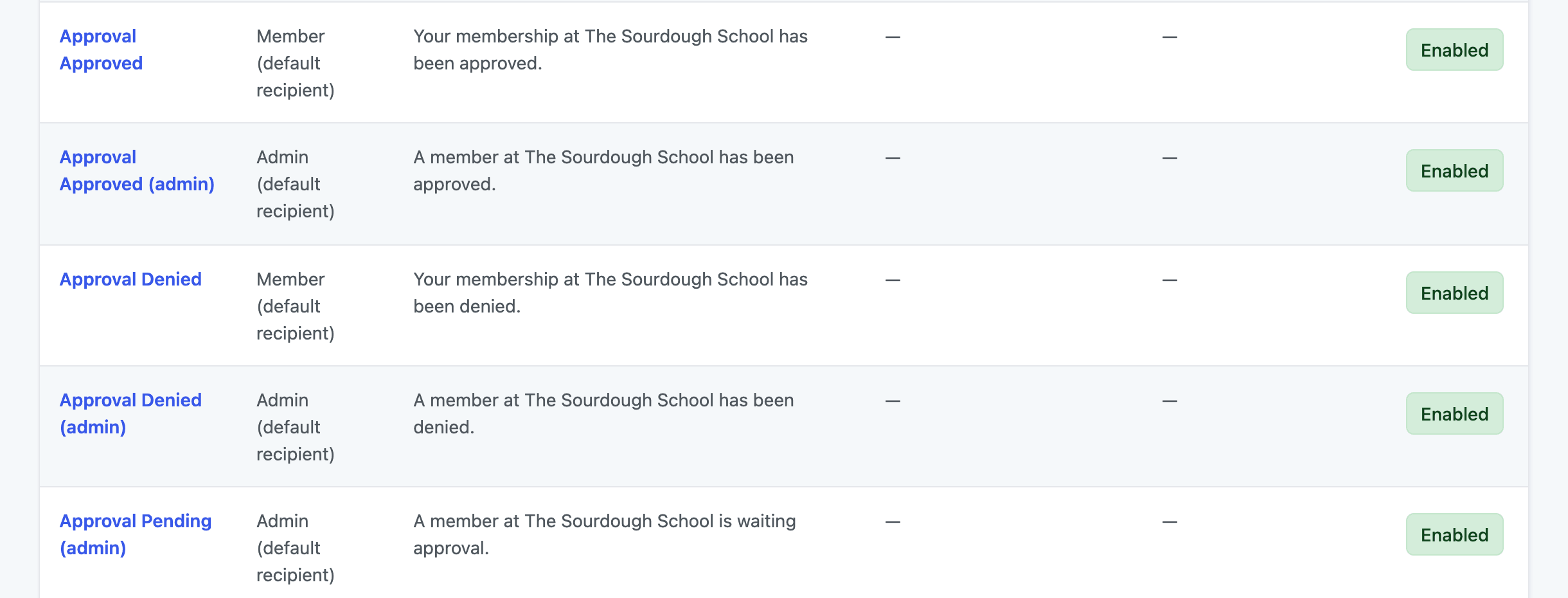
The Add On sends five emails during the approval process: three to the site admin and two to the member. You can edit the subject and body of each one, add CC or BCC recipients, send a test, or turn any of them off.
Edit the Approval Emails
- Navigate to Memberships > Settings > Email Templates in the WordPress admin.
- Click the name of the approval template you want to change. The approval templates all start with “Approval”.
- Update the Subject and Body. The variables you can use for that template are listed in the Variable Reference section below the editor.
- Save the template. To preview it, enter an address in Send a test email to and click Save Template and Send Email.
For more about the template editor, including CC, BCC, and disabling an email, see the Email Templates documentation.
Approval Email Templates Reference
Admin emails go to the Administration Email Address set in Settings > General, unless you enter a different address in the template’s To field. In the default subjects, [Site Name] is your site title.
| Template | Sent To | When It’s Sent | Default Subject |
|---|---|---|---|
| Approval Pending (admin) | Site admin | A member checks out for, or is given, a level that requires approval and is not already approved for it. | A member at [Site Name] is waiting approval. |
| Approval Approved (admin) | Site admin | A member is approved. | A member at [Site Name] has been approved. |
| Approval Denied (admin) | Site admin | A member is denied. | A member at [Site Name] has been denied. |
| Approval Approved | Member | The member’s application is approved. | Your membership at [Site Name] has been approved. |
| Approval Denied | Member | The member’s application is denied. | Your membership at [Site Name] has been denied. |
Resetting an approval back to pending does not send an email.
Email Template Variables
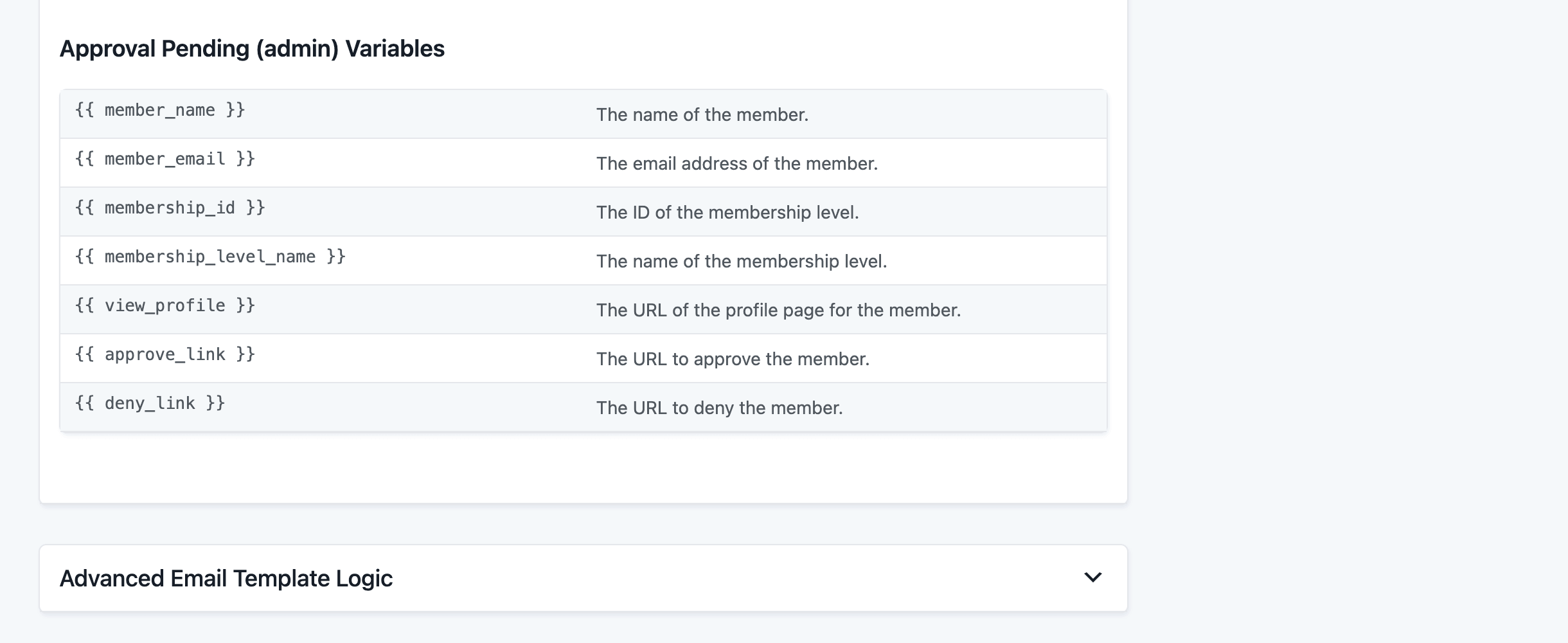
Each approval template adds the variables below. You can also use the general variables available in every Paid Memberships Pro email, such as {{ sitename }}, {{ site_url }}, {{ login_url }}, and {{ levels_url }}.
| Variable | Description | Available In |
|---|---|---|
{{ member_name }} | The member’s display name. | All three admin templates |
{{ member_email }} | The member’s email address. | All five templates |
{{ membership_id }} | The ID of the membership level. | All five templates |
{{ membership_level_name }} | The name of the membership level. | All five templates |
{{ view_profile }} | The URL of the member’s application on the Approvals screen. | All three admin templates |
{{ approve_link }} | The application URL with an approve action added. | Approval Pending (admin) |
{{ deny_link }} | The application URL with a deny action added. | Approval Pending (admin) |
Get Support From Our Team of Experts
Have a question about how to use this feature? Our Support Page outlines three ways to get support.
Our Max plans include hands-on help customizing your membership site and implementing new features. Upgrade to PMPro Max now »
Last updated on November 9, 2026

