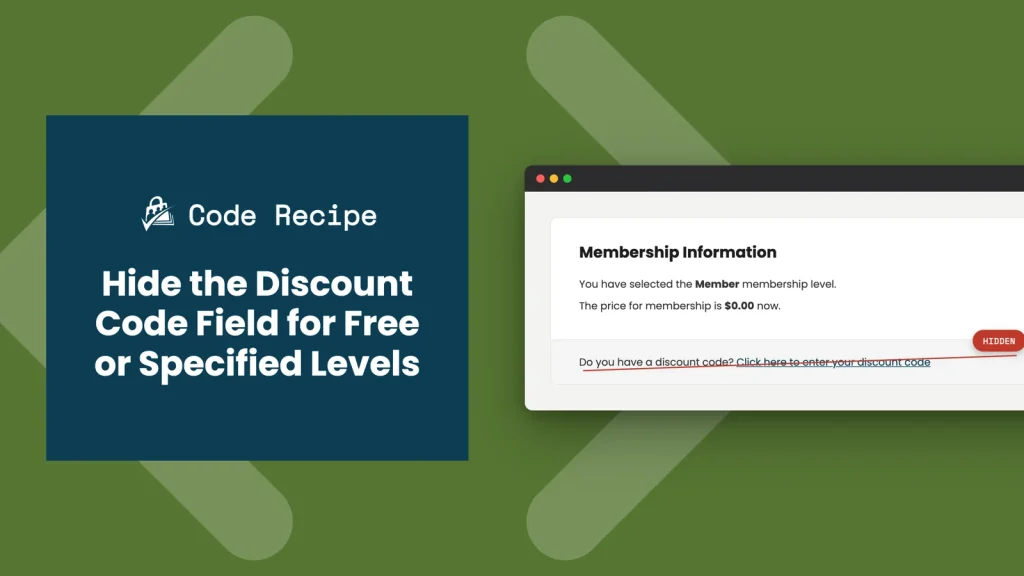
By default, Paid Memberships Pro shows a discount code field on the membership checkout page for every level, even free levels and paid levels that never have a discount code to apply. An empty field like that can leave members wondering if they are missing a deal, or second-guessing whether they typed something wrong.
This code recipe gives you two snippets to clean that up. One hides the discount code field automatically on every free level. The other hides it on specific paid levels you choose. Use whichever matches your site setup, or use both together.
Do You Need This Recipe?
Use one of the snippets below if your site has free levels, or specific paid levels, that should never show a discount code field. If every level on your site can already use discount codes, there is nothing to hide, and you do not need this recipe.
The Code Recipes
Both snippets use the pmpro_show_discount_code filter, which PMPro checks before rendering the discount code field on checkout. Return false from this filter and the field is hidden. Return the original value and it displays as usual.
Recipe 1: Hide the Discount Code Field for All Free Levels
This snippet checks whether the level being checked out is free, using PMPro’s pmpro_isLevelFree() function, and hides the field if so. It applies automatically to every free level on your site, current and future, so there is nothing to update when you add a new free level later.
Recipe 2: Hide the Discount Code Field for Specific Levels
This snippet hides the field on whichever paid level IDs you list, regardless of whether those levels are free or paid. Use this when you only skip discount codes for certain levels, rather than every free level.
How to Customize This Recipe
- Add your level IDs (line 20): Replace
array( 1, 2 )with the IDs of the levels you want to hide the discount code field for. You can find a level’s ID on its edit screen in Memberships > Levels.
Adding the Recipe to Your Website
You can add this recipe to your site by creating a custom plugin or using the Code Snippets plugin, available for free in the WordPress repository. Read this companion article for step-by-step directions on either method.
Want to tweak this recipe? An AI coding assistant can help you adjust the code to fit your exact needs, or even add it to your site for you. Always test changes on a staging site first and keep a backup.
Rather have us handle it? With PMPro Max, you can submit a Do It For Me request, and our team will review it and, when possible, add or customize this recipe directly on your site.

Get Support From Our Team of Experts
Have a question about how to use this feature? Our Support Page outlines three ways to get support.
Our Max plans include hands-on help customizing your membership site and implementing new features. Upgrade to PMPro Max now »