Every download block and shortcode uses one of three templates: link, button, or card. Each template has a version for members who can download the file and a locked version for everyone else.
Link Template
A compact text link with a file-type icon, set with template="link". This is the default template and works well inside post content or a list of resources.
- With access: The download name links straight to the file.
- Locked: A lock icon and the download name, linking to checkout or your Membership Levels page, followed by “Requires [level] membership.”
Button Template
A larger button, set with template="button". Use it to highlight one important file on a landing page or lesson.
- With access: A button with a download icon that reads “Download [download name]” and links to the file.
- Locked: The same button with a lock icon, linking to checkout or your Membership Levels page, with “Requires [level] membership” below it.
Card Template
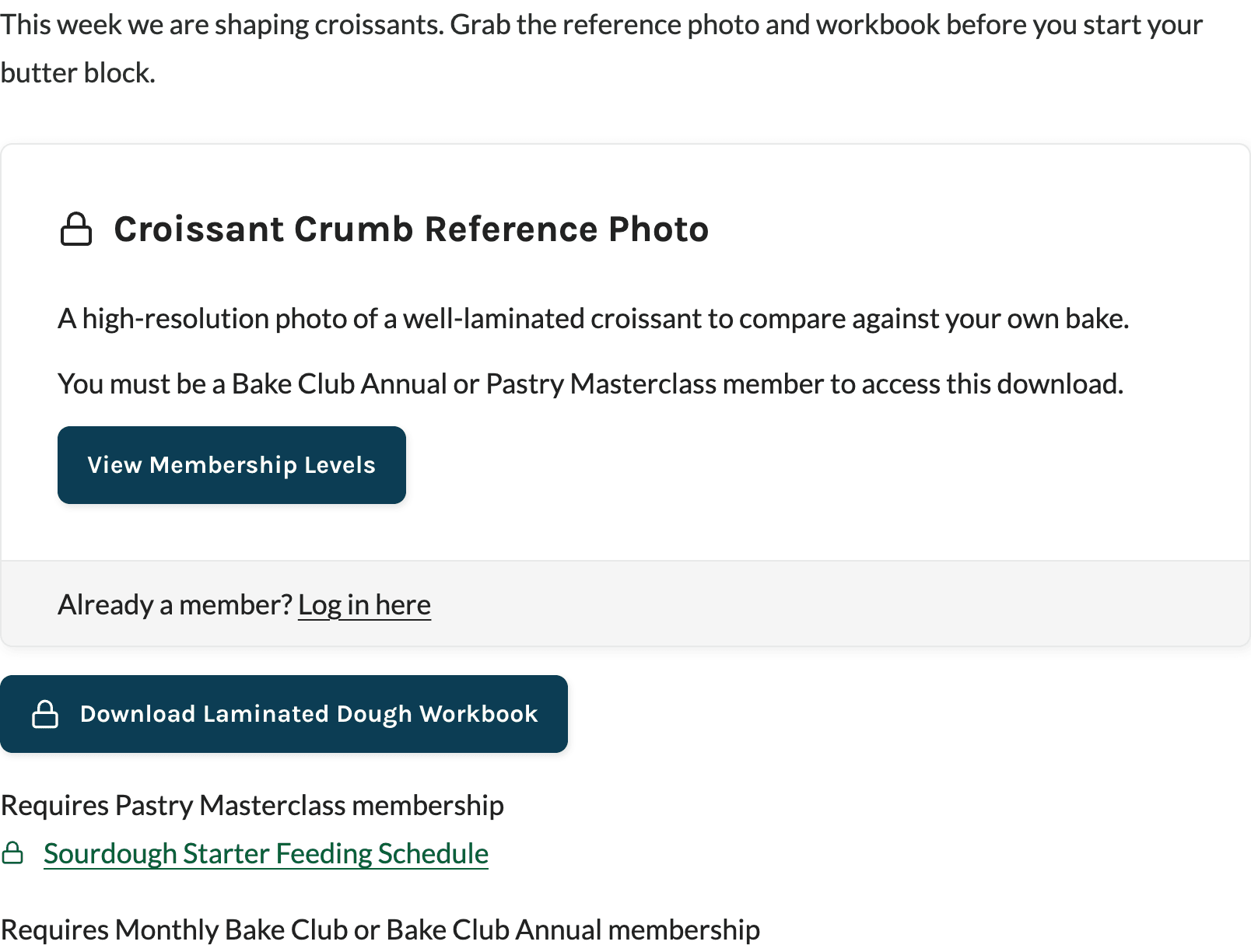
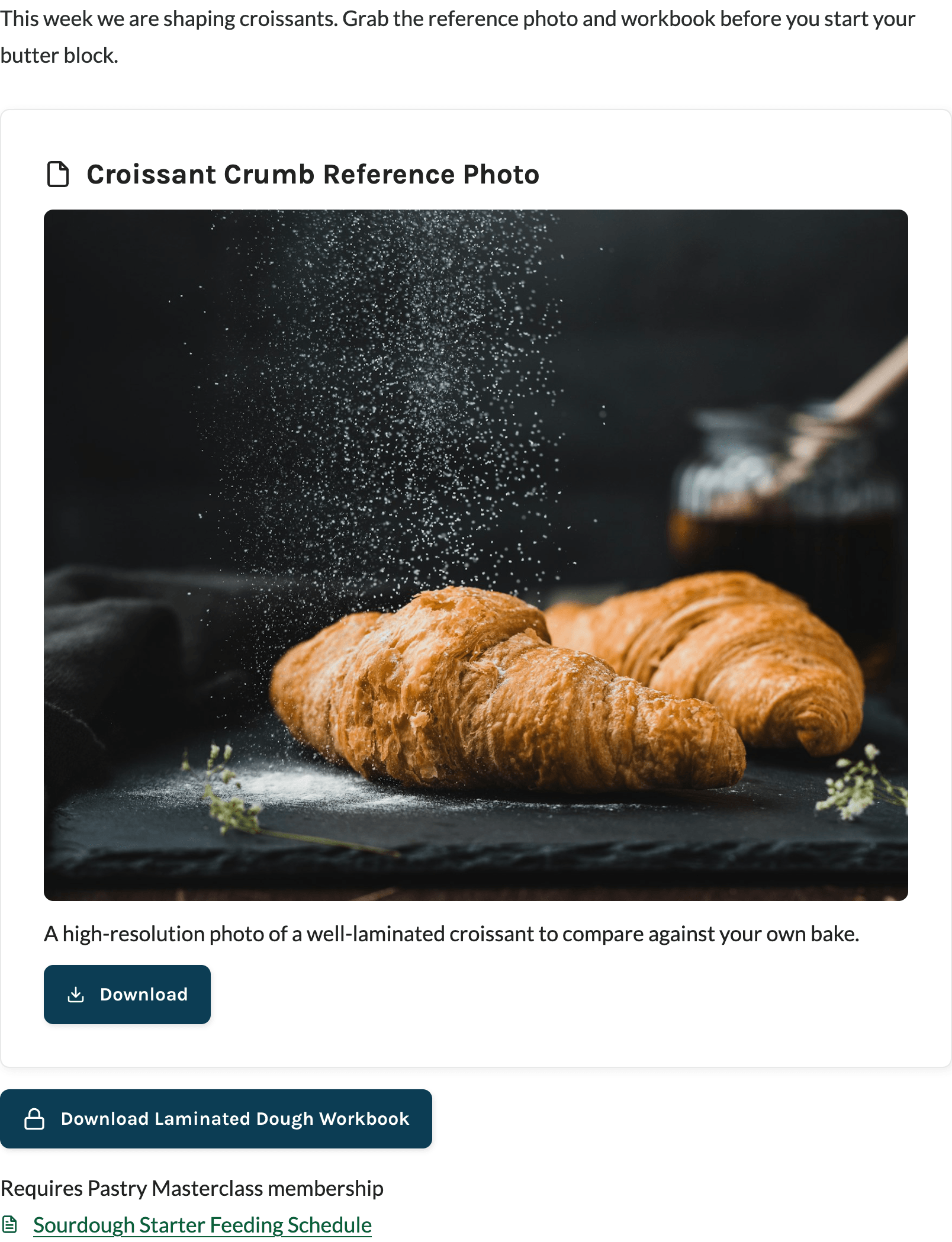
A Paid Memberships Pro card with the download name, description, and a button, set with template="card". Cards work well in a Download Library grid or anywhere the description helps members choose a file.
- With access: A file-type icon and the download name, the description, and a Download button.
- Locked: A lock icon and the download name, the description, “You must be a [level] member to access this download,” and a Join Now button (one level) or View Membership Levels button (more than one level). Visitors who aren’t logged in also see an “Already a member? Log in here” link.
Where Locked Downloads Link
The link or button on a locked download sends visitors to:
- The checkout page for that level, if only one level has access.
- The Membership Levels page, if more than one level has access.
Levels that don’t allow new signups are left out of the locked message and the checkout link, the same way Paid Memberships Pro handles its standard no-access message. If none of the levels allow signups, the download shows “Requires membership” and links to your Membership Levels page.
File Type Icons
The link and card templates show a document icon for PDF, Word, text, RTF, OpenDocument, spreadsheet, CSV, and presentation files, and a plain file icon for everything else. The button template uses a download icon.
Embed Image Downloads
For image downloads, turn on Embed Image in the PMPro Download block, or add embed_image="true" to the shortcode. Members with access see the image on the page, linked to the full file. In the link template the image replaces the text link. In the button and card templates the image appears above the button. Visitors without access see the normal locked template, and the image is never shown to them.
Styling the Templates
Templates use your Paid Memberships Pro design settings, so they match your checkout and account pages. Each template’s wrapper includes CSS classes you can target, such as pmpro_download, pmpro_download-link, pmpro_download-button, pmpro_download-card, and pmpro_download-locked. The library adds pmpro_download_library, pmpro_download_library-list or pmpro_download_library-grid, and pmpro_download_library-columns-2 or -3.
Get Support From Our Team of Experts
Have a question about how to use this feature? Our Support Page outlines three ways to get support.
Our Max plans include hands-on help customizing your membership site and implementing new features. Upgrade to PMPro Max now »
Last updated on November 9, 2026

