Levels with Variable Pricing show their price range and suggested price on your levels page and in other places that display a level’s price, so visitors know what they can pay before they reach checkout.
Where the Price Range Shows
As of version 1.0.3, the Add On replaces a Variable Pricing level’s regular price text with its price range and suggested price in these places:
- Membership Levels Page: The Price column for each level.
- Level Price Block: The Level Price block inside the Single Membership Level block.
- Level Cost Shortcode Field: The
pmpro_membership_levelshortcode withfield="level_cost". - Add Ons That Show the Level Price: Any Add On that uses PMPro’s level price text, such as the pricing tables from the Advanced Levels Page Add On.
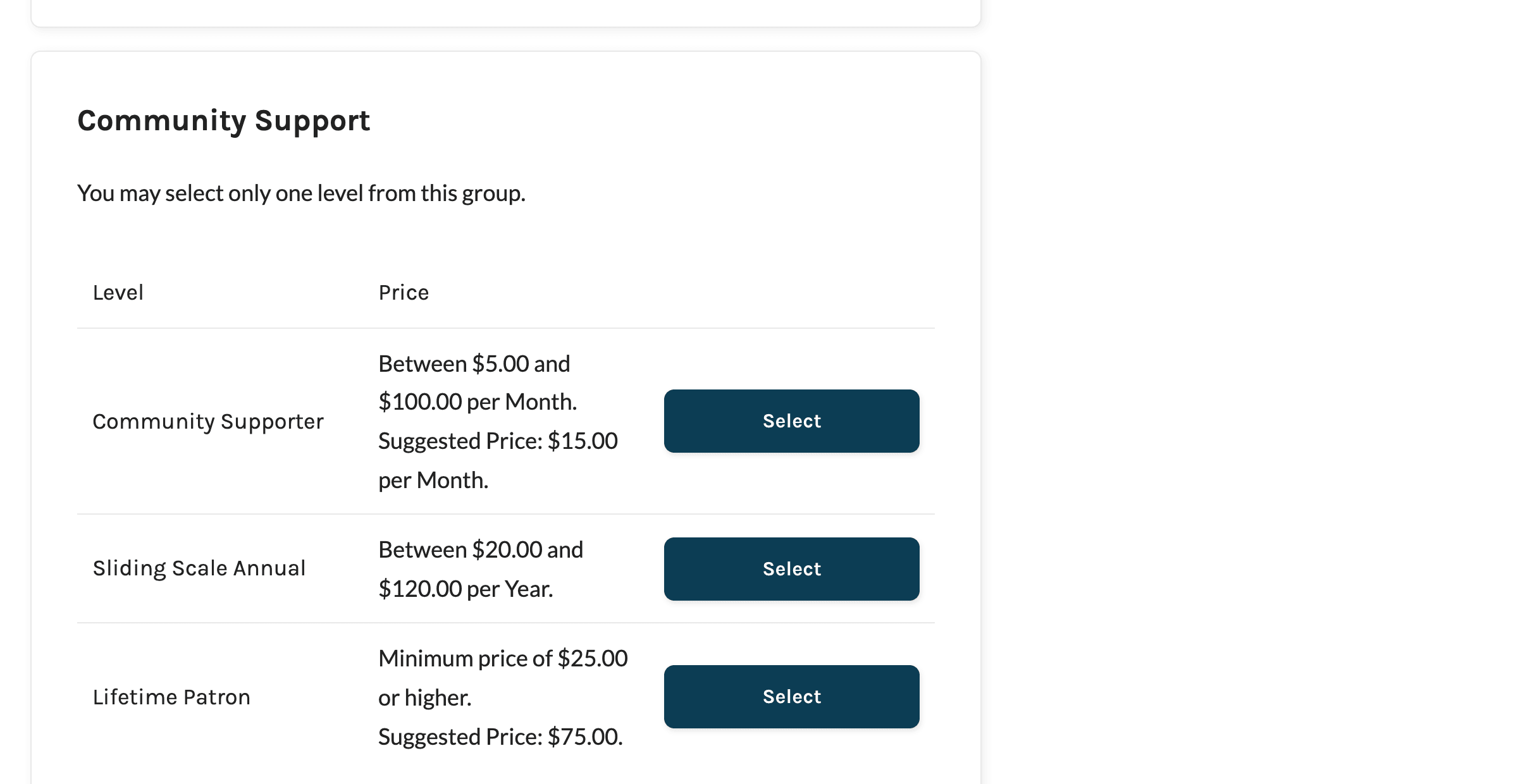
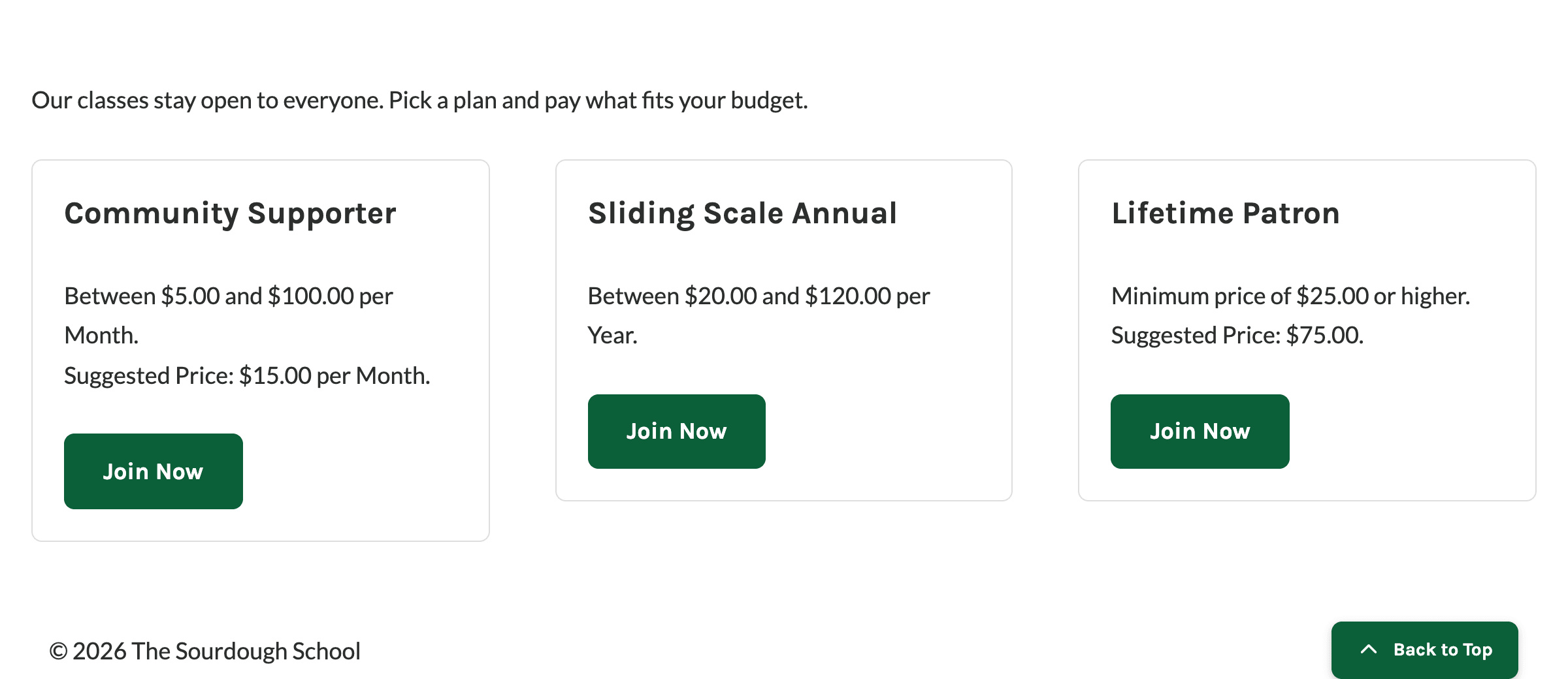
Before version 1.0.3, these places showed the level’s regular price from its billing settings, even though members would choose their own price at checkout.
Price Text Formats
The text depends on which prices you set for the level and whether it has a recurring Billing Amount. Recurring levels include the billing period, such as “per Month” or “every 3 Months”.
| Level Settings | One-Time Level | Recurring Level |
|---|---|---|
| Min Price and Max Price | Between $20.00 and $120.00. | Between $5.00 and $100.00 per Month. |
| Min Price only | Minimum price of $25.00 or higher. | Minimum price of $10.00 per Month. |
| Max Price only | Maximum price of $50.00 or lower. | Maximum price of $50.00 per Month. |
| Neither | Any. | Any price per Month. |
| Suggested Price (added as a second line) | Suggested Price: $75.00. | Suggested Price: $15.00 per Month. |
Where the price is shown as plain text, such as in the pmpro_membership_level shortcode, the range and the suggested price appear on one line.
When the Regular Price Shows Instead
The price range text only describes the amount and billing period. When a level has other pricing terms, the Add On keeps PMPro’s standard price text so those terms aren’t lost. The level’s regular price shows instead of the range when:
- Billing Limit: The level stops billing after a set number of payments.
- Trial: The level has a custom trial.
- Sales Tax: You’ve entered a Tax State and Tax Rate in the Sales Tax setting under Memberships > Settings > Payments. This applies to every Variable Pricing level on your site.
- Subscription Delay: The level, or the discount code being used, delays the first subscription payment.
Members still choose their own price at checkout for these levels. If you use one of these settings, consider mentioning in the level’s description that members set their own price.
The range also isn’t shown for a member’s own membership. Anywhere PMPro shows the level a member already holds, such as their checkout email or their membership history in the WordPress admin, it shows the price they chose. Admin screens show the regular price too, except for the Variable Pricing column on the Membership Levels screen, which lists each level’s range and suggested price.
Get Support From Our Team of Experts
Have a question about how to use this feature? Our Support Page outlines three ways to get support.
Our Max plans include hands-on help customizing your membership site and implementing new features. Upgrade to PMPro Max now »
Last updated on November 19, 2026