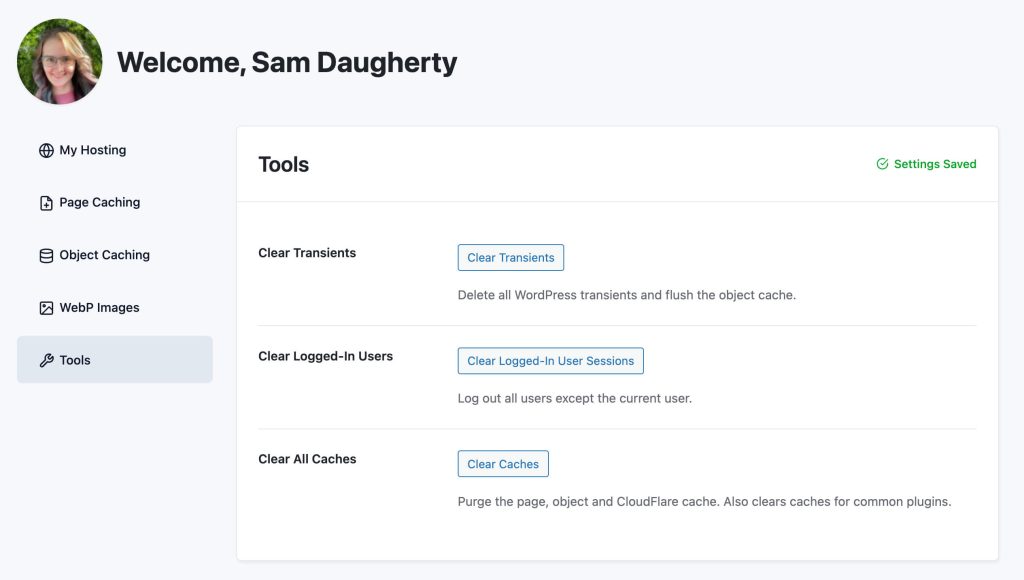
The Tools tab contains utility actions for maintenance and troubleshooting.
Table of contents
Clear Transients
Deletes all WordPress transients (short-lived cached data stored in the database), then flushes the object cache. A confirmation prompt is shown before running. Also available via WP-CLI: wp pmpro-hosting clear-transients.
Use when:
- Debugging unexpected or stale behaviour after a plugin update.
- Clearing out accumulated transient data that may be affecting performance or logic.
Clear Logged-In Users
Destroys the session tokens for all users except the currently logged-in user. Everyone else will be signed out on their next page load. A confirmation prompt is shown before running.
Use when:
- Responding to a suspected security incident.
- Clearing orphaned sessions after a site migration or user database reset.
Clear All Caches
See Clear All Caches in the Page Caching documentation. The button here is identical.
Get Support From Our Team of Experts
For more help with this PMPro feature, check out our Support Page with three ways to get support as a free or premium member.
Last updated on March 26, 2026
Was this article helpful?
YesNo

