
The Tools tab contains utility actions for maintenance and troubleshooting. Use these when you need to reset part of your site’s state, like clearing cached data, forcing users to sign in again, or flushing caches after making changes.
All actions in this tab show a confirmation prompt before running, so you won’t trigger anything by accident.
Table of contents
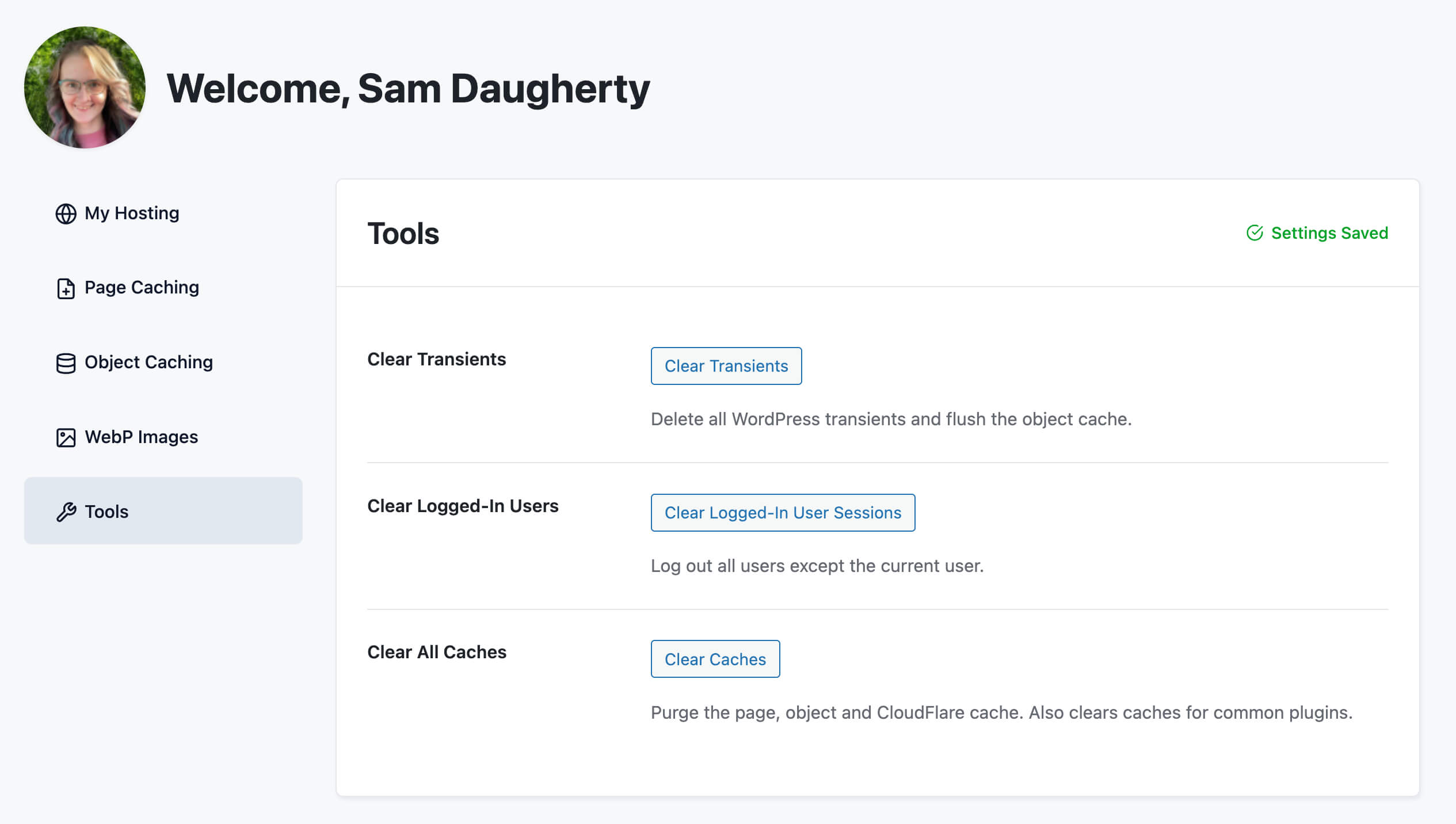
Clear Transients
This tool deletes all WordPress transients short-lived cached data that plugins and WordPress itself store in the database and then flushes the object cache.
What are transients?
Transients are temporary bits of data WordPress and plugins save to avoid recalculating or re-fetching the same information repeatedly. A plugin might cache the results of an external API call, a complex database query, or a feature check. Under normal conditions, transients expire on their own. But occasionally stale transients stick around and cause odd behavior after updates.
Use this when:
- A plugin update isn’t reflecting correctly, or you’re seeing stale data after an update.
- You want to clear out accumulated transient data that may be affecting performance or logic.
- Support asks you to clear transients as a troubleshooting step.
You can also run this from the command line with the following command:
wp pmpro-hosting clear-transients
Our support team can also run this command for you, just reach out.
Clear Logged-In Users
This tool destroys the session tokens for every user on your site except you. Everyone else will be signed out and prompted to log in again on their next page load.
This does not delete, lock, or change any user accounts. It only ends active sessions. Users can sign back in normally with their existing credentials.
Use this when:
- You’re responding to a suspected security incident and want to force a global re-login.
- You’ve just completed a site migration or user database reset and want to clear out any orphaned sessions from the old environment.
- You’ve changed authentication settings (like enabling two-factor auth) and want to make sure everyone re-authenticates under the new rules.
Clear All Caches
This tool flushes every cache PMPro Hosting manages in one action. This includes:
- The page cache (static HTML snapshots)
- The object cache (Redis-backed query cache)
- Any other caches created by PMPro Hosting features
Use this when:
- You’ve published a change that isn’t showing up for logged-out visitors.
- You’re troubleshooting inconsistent or stale content and want to rule out caching as the cause.
- You’ve made a site-wide change (theme update, settings change) and want to ensure visitors see it immediately.
Under normal circumstances, caches clear themselves automatically when content is updated, so you won’t need this button often. It’s most useful as a troubleshooting step when something seems off.
The same action is available in the Page Caching panel. Click the button in either place does the same thing.
Get Support From Our Team of Experts
Have a question about how to use this feature? Our Support Page outlines three ways to get support.
Our Max plans include hands-on help customizing your membership site and implementing new features. Upgrade to PMPro Max now »
Last updated on April 17, 2026

