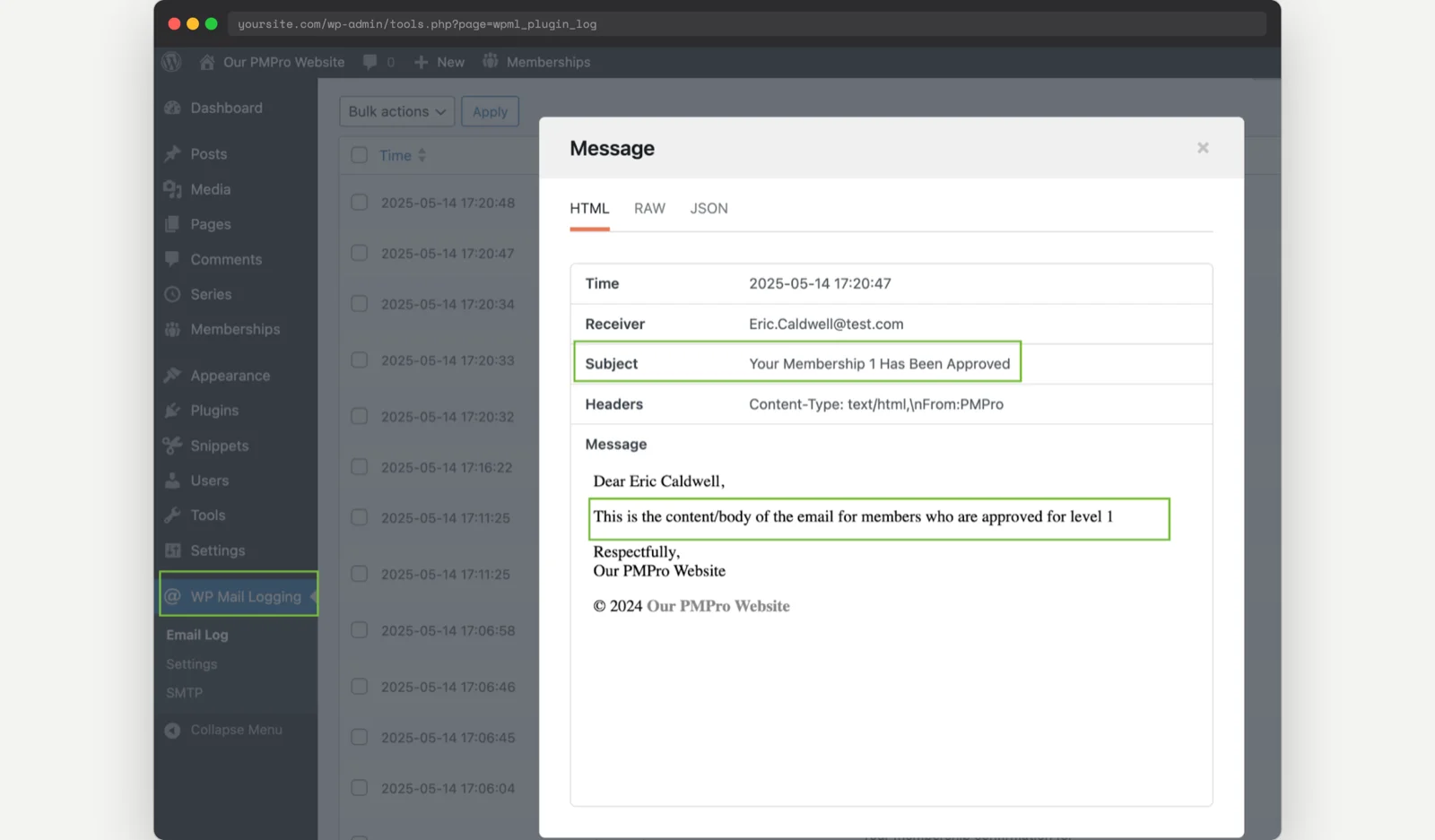
If your site uses the Approval Process for Membership Add On and offers more than one membership level, the default approval email sends the exact same message to every approved member, regardless of which level they applied for. That is a missed opportunity if your levels have different onboarding steps, different benefits, or different next actions you want a new member to take.
This code recipe shows you how to send a completely different subject line and message body for the approval email based on the member’s level, using the pmpro_email_filter hook.
Do You Need This Recipe?
This recipe is useful if:
- Your site has multiple membership levels that require admin approval, and each level should feel like a distinct onboarding path.
- You want to give one level a warm, benefits-focused approval message while another gets logistics, such as login instructions or a required next step like scheduling an intake call.
- The built-in email template editor is not enough, because it lets you customize the Application Approved email only once, for all levels at once, not per level.
If all of your approved members should get the same message regardless of level, you do not need this recipe. Just customize the Application Approved email template once under Memberships > Settings > Email Templates.
Best Practices and Considerations
- This recipe requires the Approval Process for Membership Add On to be installed and active. Without it, your site never sends an
application_approvedemail and this code has nothing to intercept. - Your custom subject and body completely replace whatever is saved in Memberships > Settings > Email Templates for the levels you target. If you edit that template in WP admin later expecting it to change the email, it will not, this code wins.
- Because this filter runs after PMPro has already swapped in any merge tags, you cannot drop
{{ name }}or!!name!!style tags into your hardcoded subject or body and expect them to be replaced. Reference the member’s data directly in your PHP string instead.
About the Code Recipe
The pmpro_email_filter hook fires immediately before PMPro sends any email, not just approval emails. The code checks $email->template to confirm this is the application_approved email, then checks $email->data['membership_id'] to find out which level the member was just approved for. If the level ID matches one you have written a condition for, the code overwrites $email->subject and $email->body with your custom message before PMPro sends it.
Understanding the pmpro_email_filter Hook
The pmpro_email_filter filter passes PMPro’s entire email object to your callback right before sending, so you can inspect or change anything about the email. The properties you will use most in this recipe:
$email->template(string): the email’s template slug. For this recipe, you are checking forapplication_approved.$email->data(array): metadata about the email, includingmembership_id(the level ID the member was approved for),membership_level_name,name, andmember_email.$email->subjectand$email->body(strings): the content that will actually be sent. Overwrite these to replace the email.
This hook fires after PMPro has already resolved the subject and body from your saved settings and substituted any merge tags into them. That is why your replacement text has to be written out in full. If you want the member’s name or level name in your custom message, pull it from $email->data directly, for example $email->data['name'], rather than typing {{ name }} into the string.
The Code Recipe
Adding the Recipe to Your Website
You can add this recipe to your site by creating a custom plugin or using the Code Snippets plugin available for free in the WordPress repository. Read this companion article for step-by-step directions on either method.
How to Customize This Code Recipe
- To add a message for another level, copy one of the
if ( $email->data['membership_id'] == X )blocks and change the level ID to match. Find your level IDs under Memberships > Levels. - To personalize a message with the member’s name or level name, reference
$email->data['name']or$email->data['membership_level_name']directly in your string instead of using merge tags (see Best Practices above for why). - To also customize the denied email per level, use the same approach with the
application_deniedtemplate and the pmpro_email_filter hook.

Get Support From Our Team of Experts
Have a question about how to use this feature? Our Support Page outlines three ways to get support.
Our Max plans include hands-on help customizing your membership site and implementing new features. Upgrade to PMPro Max now »


