From checkout until they click the validation link, a member on a confirmation level holds the membership but can’t view that level’s restricted content. Here’s what they see along the way and what happens when they confirm.
After Checkout
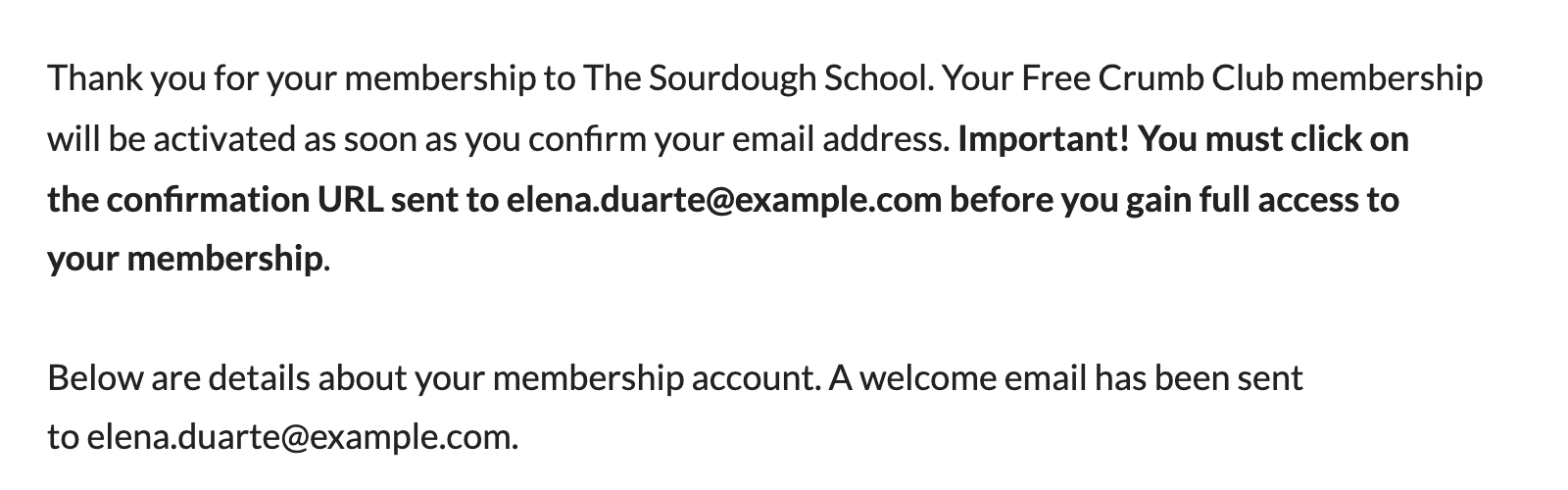
On the Membership Confirmation page, the usual “is now active” wording is replaced with a message that the membership will be activated once they confirm, followed by a bold reminder to click the confirmation URL sent to their email address.
The member’s checkout email includes the validation link. See Confirmation Emails and the Validation Link for how the link is added and how to change where it appears.
Restricted Content
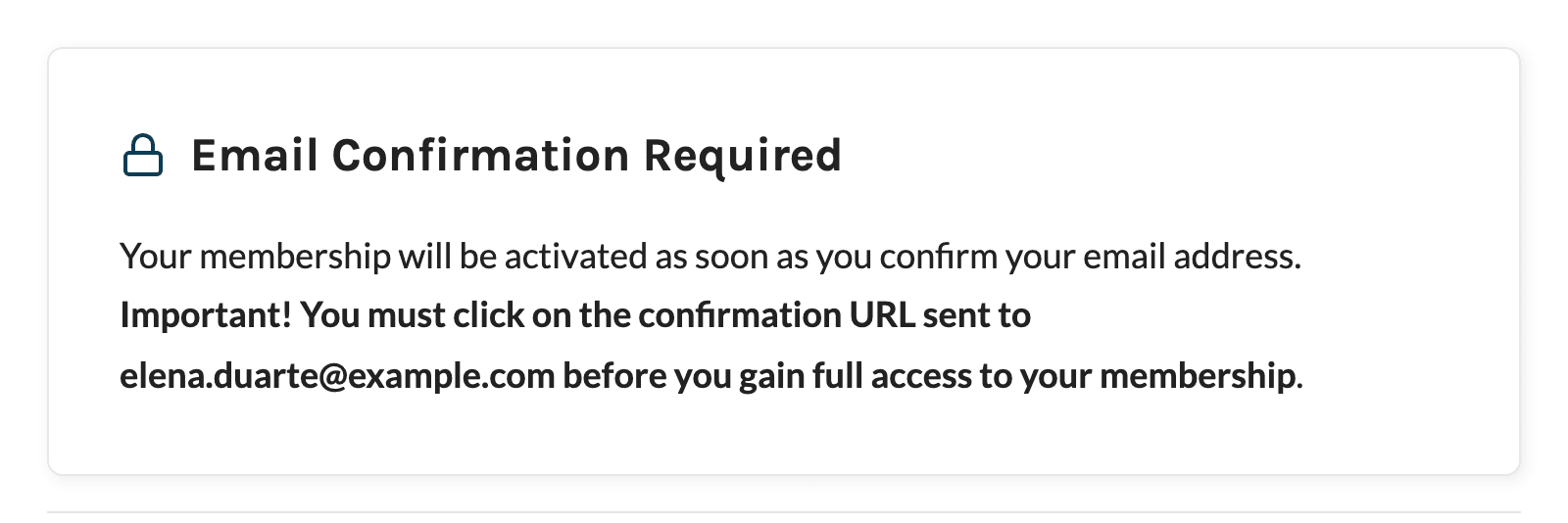
When an unconfirmed member views a post or page restricted to their confirmation level, the no access message has the heading Email Confirmation Required and asks them to click the confirmation URL sent to their email address.
Content you hide with the [membership] shortcode, or with custom code that calls pmpro_hasMembershipLevel() for specific levels, is hidden from unconfirmed members in the same way.
Unconfirmed members can still log in, view their Membership Account page, and cancel their membership from the Membership Cancel page.
Resend the Email From the Membership Account Page
Until they confirm, the Membership Account page shows a Resend Confirmation Email link next to the other action links for each level that requires confirmation. The link only appears while the member is logged in and still pending.
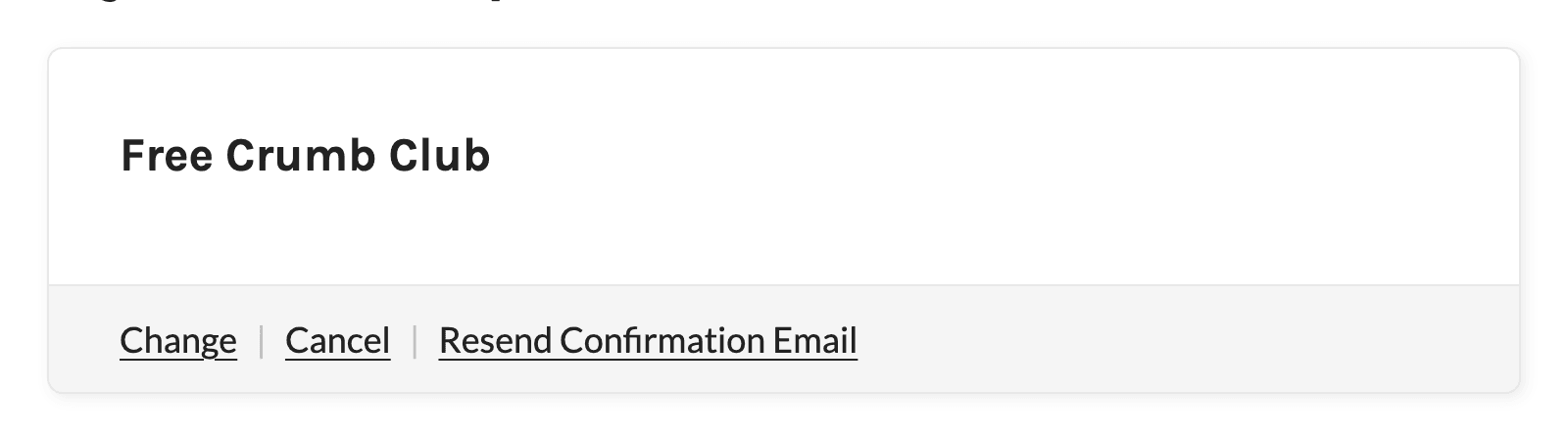
Clicking it sends the Resend Confirmation email again and shows a confirmation message at the top of the page. The email contains the same validation link the member already has, so an older copy of the email still works.

When a Member Clicks the Validation Link
The validation link points to your site’s home page with the member’s user ID and their confirmation key added to the URL. When the key matches:
- The member is marked as confirmed and gets full access to their membership.
- If they’re logged in, they’re redirected to your home page. If they’re logged out, they’re redirected to the login page. Clicking the link doesn’t log them in.
Developers can change both redirects with the pmproec_logged_in_validate_redirect and pmproec_logged_out_validate_redirect filters.
If the key in the link doesn’t match, for example because the member already confirmed or an administrator has since generated a new key, your home page loads as normal with no message, and the member’s status doesn’t change. A link stays valid until the member confirms or a new key replaces it.
Member Directories
If you use the BuddyPress and BuddyBoss Integration and include members of certain levels in the BuddyPress member directory, unconfirmed members are left out of the directory until they confirm. This applies to their whole profile, even if they also hold a level that doesn’t require confirmation.
Get Support From Our Team of Experts
Have a question about how to use this feature? Our Support Page outlines three ways to get support.
Our Max plans include hands-on help customizing your membership site and implementing new features. Upgrade to PMPro Max now »
Last updated on November 12, 2026

