Restrict Events Manager events and bookings by membership level. This page covers what changes for non-members on restricted event pages, in event lists and calendars, in feeds and the REST API, and in the booking form.
Set Up Members-Only Events
The integration loads automatically when the Events Manager plugin is active. There’s nothing to configure in the Add On.
- Navigate to Events in the WordPress admin and edit an event, or add a new one.
- In the Require Membership box, check the membership levels that can access the event.
- Save the event.
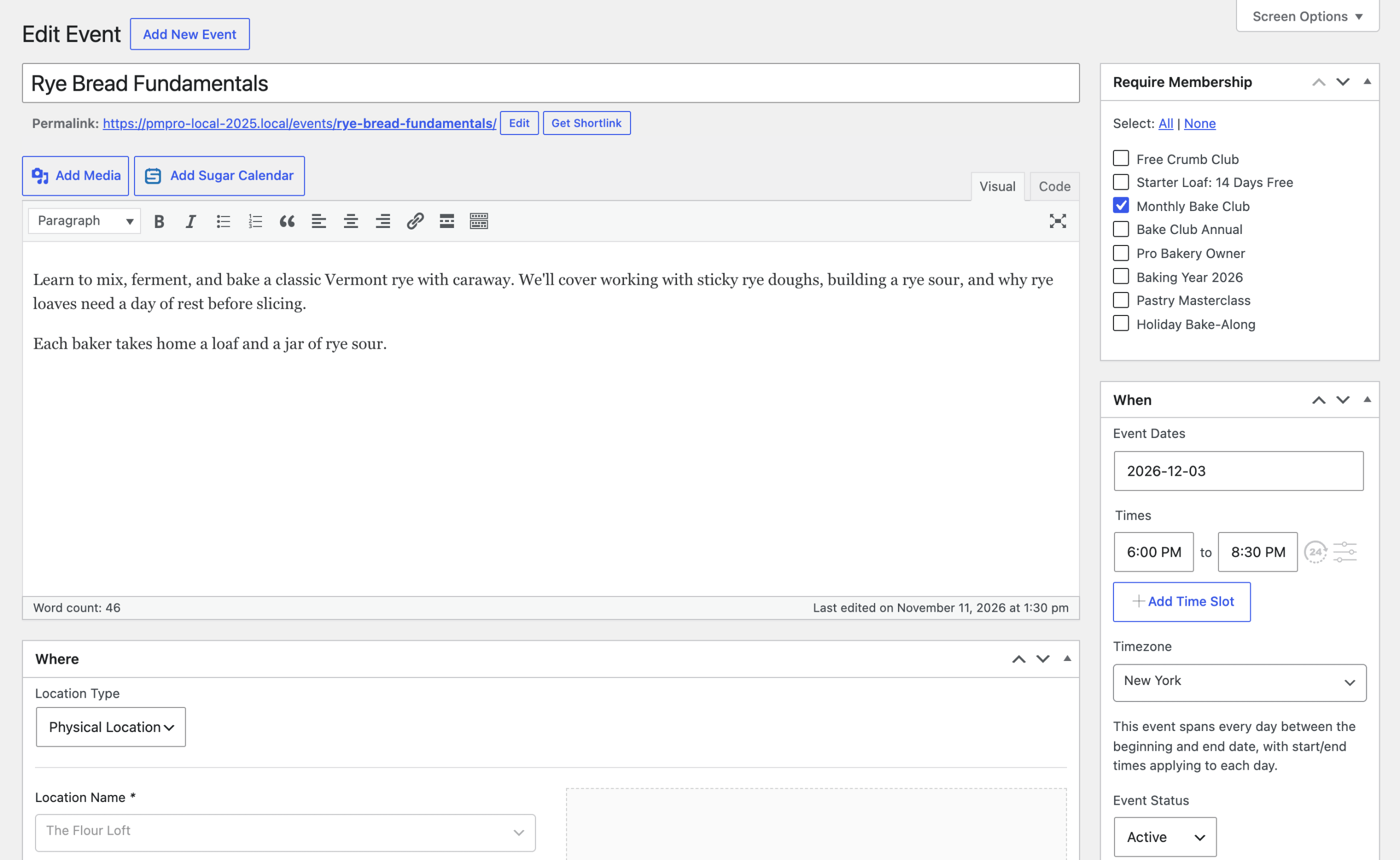
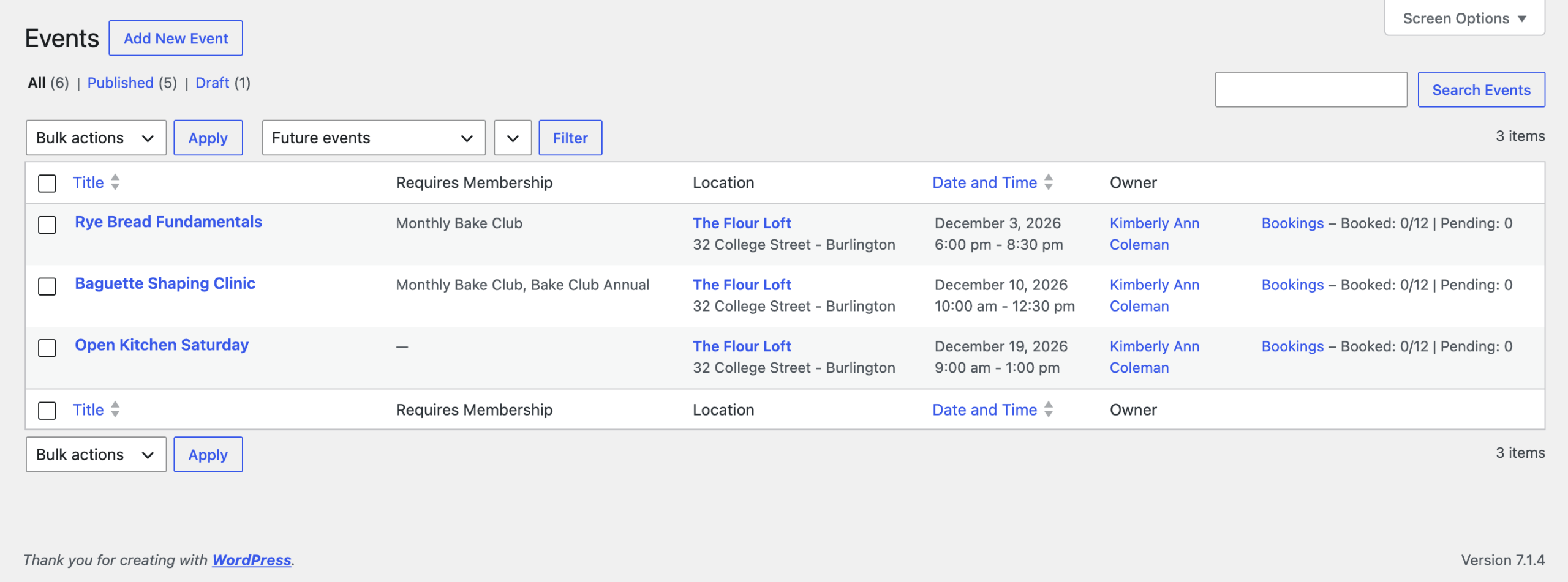
The Require Membership box is also available on recurring events. When you save a recurring event, the Add On copies its levels to every event in the series. The Events admin list includes a Requires Membership column so you can see which events are restricted at a glance.
To decide whether non-members see restricted events in your lists and calendars, and whether they see excerpts, review the Paid Memberships Pro content settings.
The Restricted Event Page
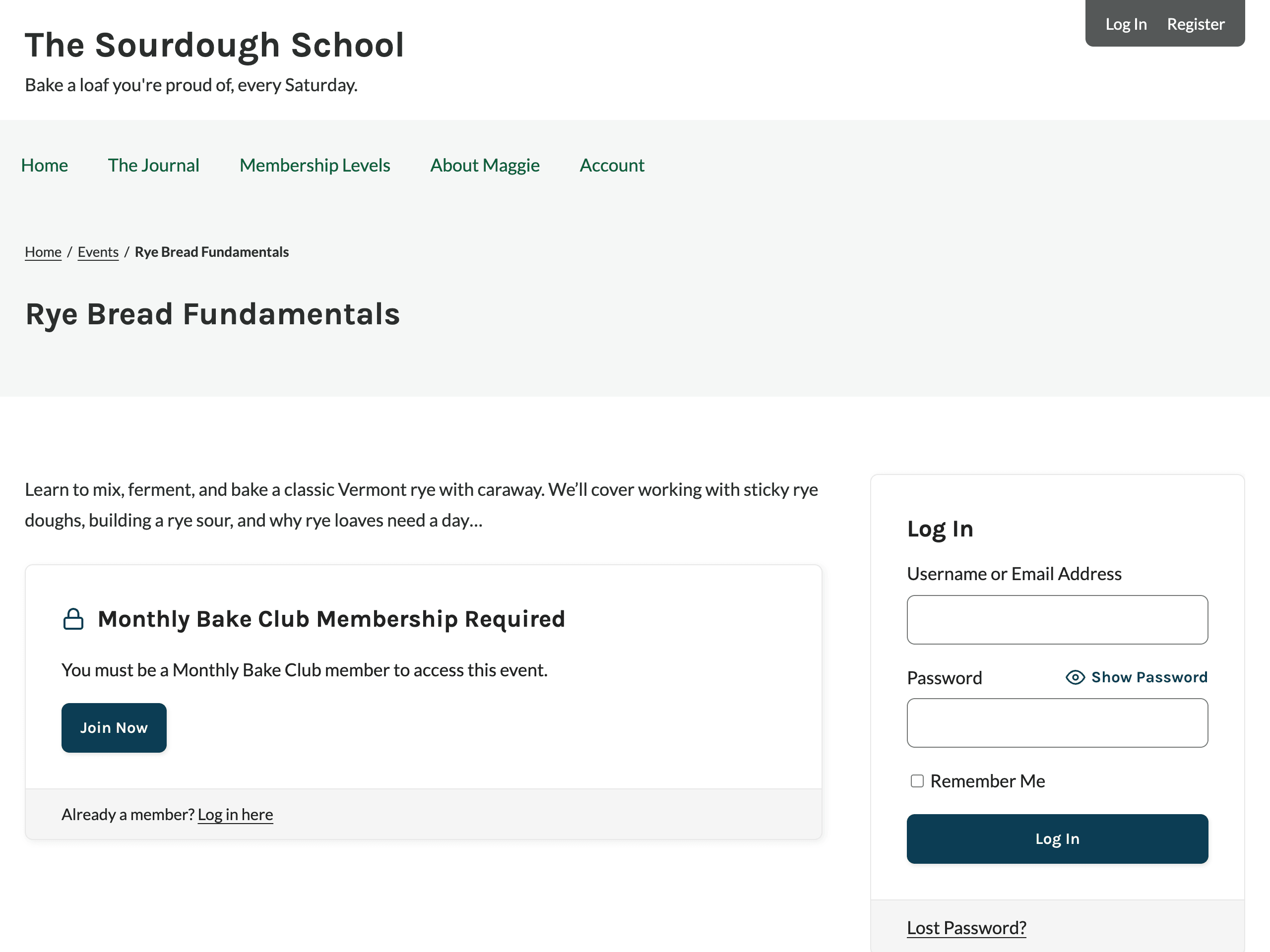
When a non-member opens a restricted event, Events Manager’s event details are replaced with the membership required message. The message refers to the event by name: “You must be a [Level Name] member to access this event.” with a Join Now button when the event requires one level, or “You must be a member to access this event.” with a View Membership Levels button when it allows several.
Anywhere the booking form appears through the #_BOOKINGFORM placeholder, it’s removed for non-members.
What Non-Members Can’t See or Do
Restricted event details are hidden everywhere Events Manager outputs them, not just on the event page. Users who can edit the event, such as administrators, still see everything.
Lists, Calendars, Searches, and Feeds
In event lists, calendars, search results, widgets, the events page, and RSS and iCal feeds, Events Manager placeholders for a restricted event output nothing for non-members. This covers:
- Description: The full event notes (
#_EVENTNOTES,#_NOTES). Excerpt placeholders (#_EVENTEXCERPT,#_EVENTEXCERPTCUT,#_EXCERPT) show a trimmed excerpt only when Show Excerpts to Non-Members? is set to Yes. - Location: Location, address, town, and map placeholders, plus location attributes and the location’s other events.
- Contact and Attributes: The event contact and custom event attributes.
- Bookings and Prices: Booking links and forms, prices, and available, reserved, and pending spaces.
- Add to Calendar Links: Google Calendar, Outlook, Office 365, and add-to-calendar links, which include the event details.
- Conditional Sections: Sections that depend on hidden details, such as
{has_location},{fully_booked},{is_free},{has_bookings}, and{has_att_...}, along with their opposites, aren’t shown.
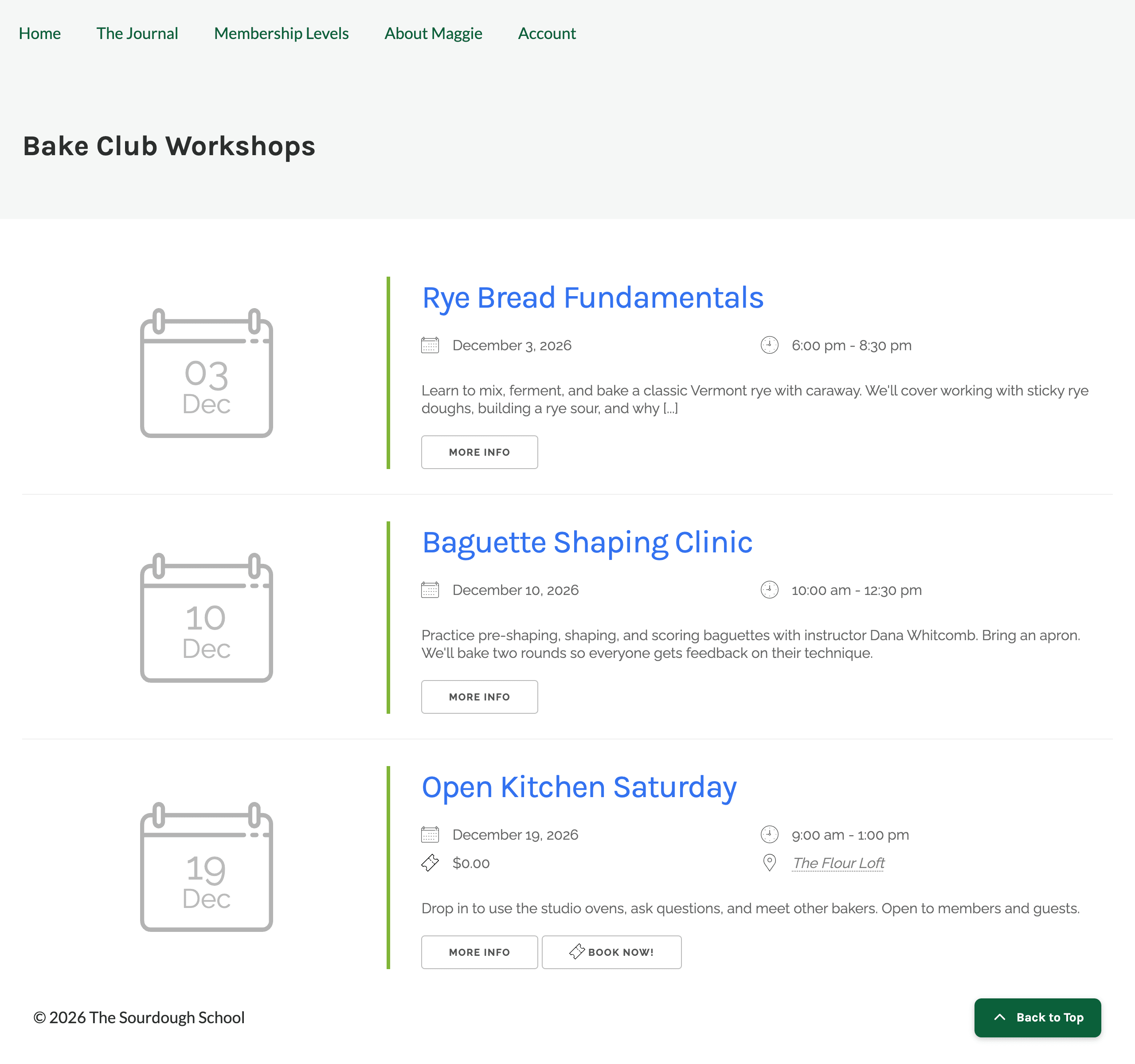
The event title, dates, and times still appear unless you hide restricted events completely with the Filter searches and archives? setting. In the example below, the two restricted workshops show their date, time, and excerpt, but not their location, price, or Book Now button.
In iCal feeds, the location, geographic coordinates, and organizer lines are also removed from restricted events.
Event lists filtered by location (such as a location’s upcoming events) always leave out restricted events for non-members, even when Filter searches and archives? is set to No. Otherwise, the list would reveal where a restricted event takes place.
Bookings
Non-members can’t book a restricted event. If someone submits a booking anyway, Events Manager rejects it with the error “You must be a member to access this event.” The booking form also won’t load in the background for non-members. Users who can manage other people’s bookings can still add bookings for anyone.
Booking emails and reminders aren’t changed. They only go to people who already booked the event.
REST API and Abilities
When a logged-in user without the required level requests a restricted event through the Events Manager REST API or its abilities for the WordPress Abilities API, the response leaves out:
- The event content, location, location type, owner, and booking details.
- Ticket availability, plus each ticket’s price and description.
- Booking requirements, including tickets, available spaces, and payment details.
Hide Restricted Events Completely
Set Filter searches and archives? to Yes under Memberships > Settings > Advanced to remove restricted events for non-members from Events Manager lists, searches, and the calendar. This includes calendar months and event lists Events Manager loads in the background, such as when a visitor moves to the next month.
Video: Members-Only Events for Events Manager
Get Support From Our Team of Experts
Have a question about how to use this feature? Our Support Page outlines three ways to get support.
Our Max plans include hands-on help customizing your membership site and implementing new features. Upgrade to PMPro Max now »
Last updated on November 12, 2026

