Restrict The Events Calendar events, Event Tickets RSVPs, and ticket sales by membership level. This page covers what changes for non-members on restricted event pages, in calendar views, in iCal exports and structured data, and in the REST API.
Set Up Members-Only Events
The integration loads automatically when The Events Calendar is active. If you also use Event Tickets, the Add On protects your RSVPs and tickets too. There’s nothing to configure in the Add On.
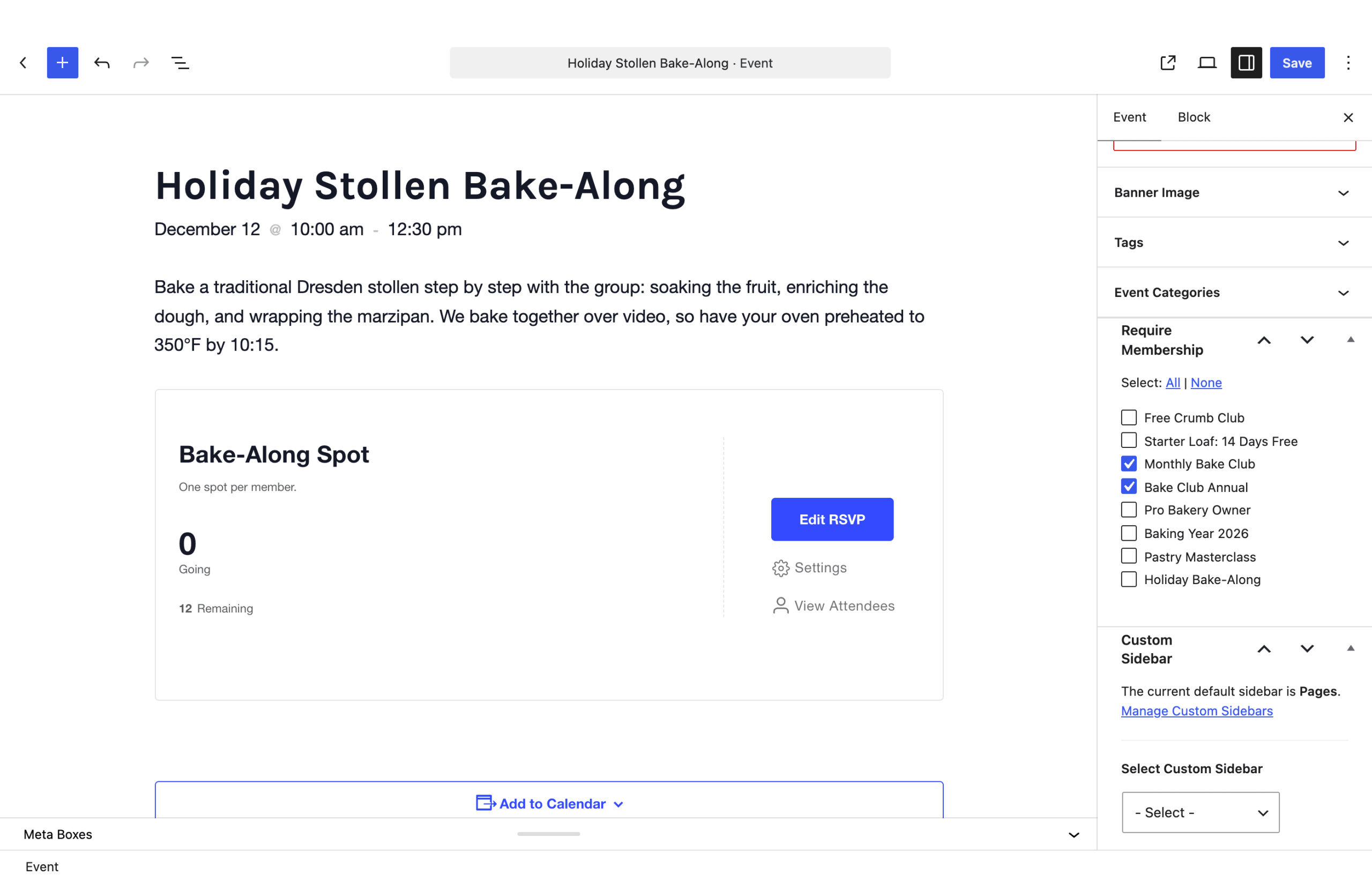
- Navigate to Events in the WordPress admin and edit an event, or add a new one.
- In the Require Membership box, check the membership levels that can access the event. In the block editor, the box is in the Event sidebar below the other event settings.
- Save or update the event.
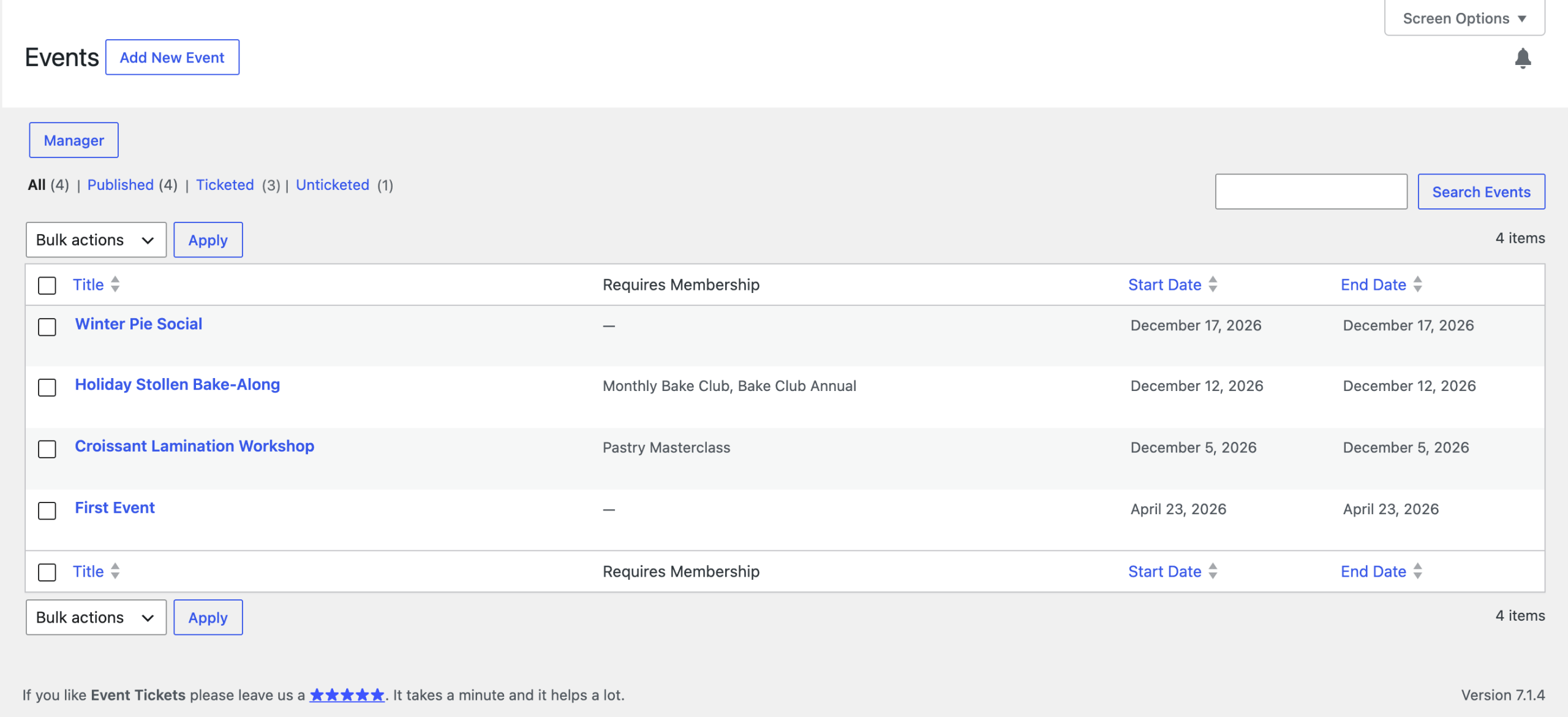
The Events admin list includes a Requires Membership column that shows the levels each event requires.
If you use Events Calendar Pro for recurring events, set the levels on the main recurring event. Every occurrence in the series uses those levels.
To decide whether non-members see restricted events in your calendar views, and whether they see excerpts, review the Paid Memberships Pro content settings.
The Restricted Event Page
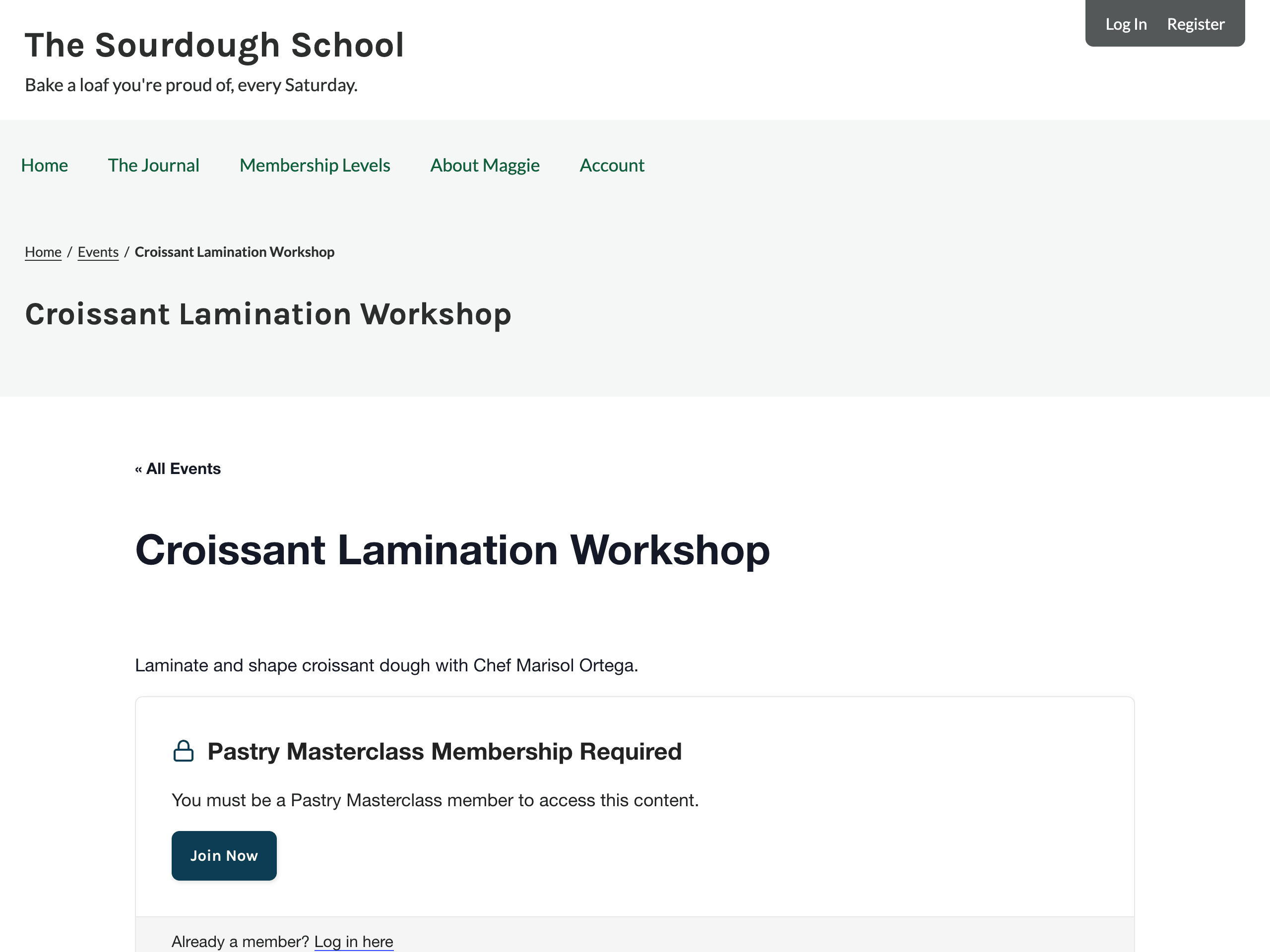
When a non-member opens a restricted event, they see the event title, the excerpt (if Show Excerpts to Non-Members? is set to Yes), and the membership required message. Paid Memberships Pro replaces the event content, and the Add On removes the parts of the page The Events Calendar adds around it:
- The event schedule details and cost.
- The event details sections, such as venue and organizer.
- The iCal and Google Calendar export links.
- The Event Tickets RSVP and ticket forms.
The result is the same whether the event was built with the block editor or the classic editor. In the block editor, the date, RSVP, venue, and other event blocks are part of the event content, so they’re replaced along with it. Restricted events that appear in a widget or list on another event’s page don’t affect that page.
What Non-Members Can’t See or Do
Restricted event details are hidden from non-members everywhere The Events Calendar and Event Tickets share them. Users who can edit the event, such as administrators, still see everything.
Calendar Views, Widgets, and Blocks
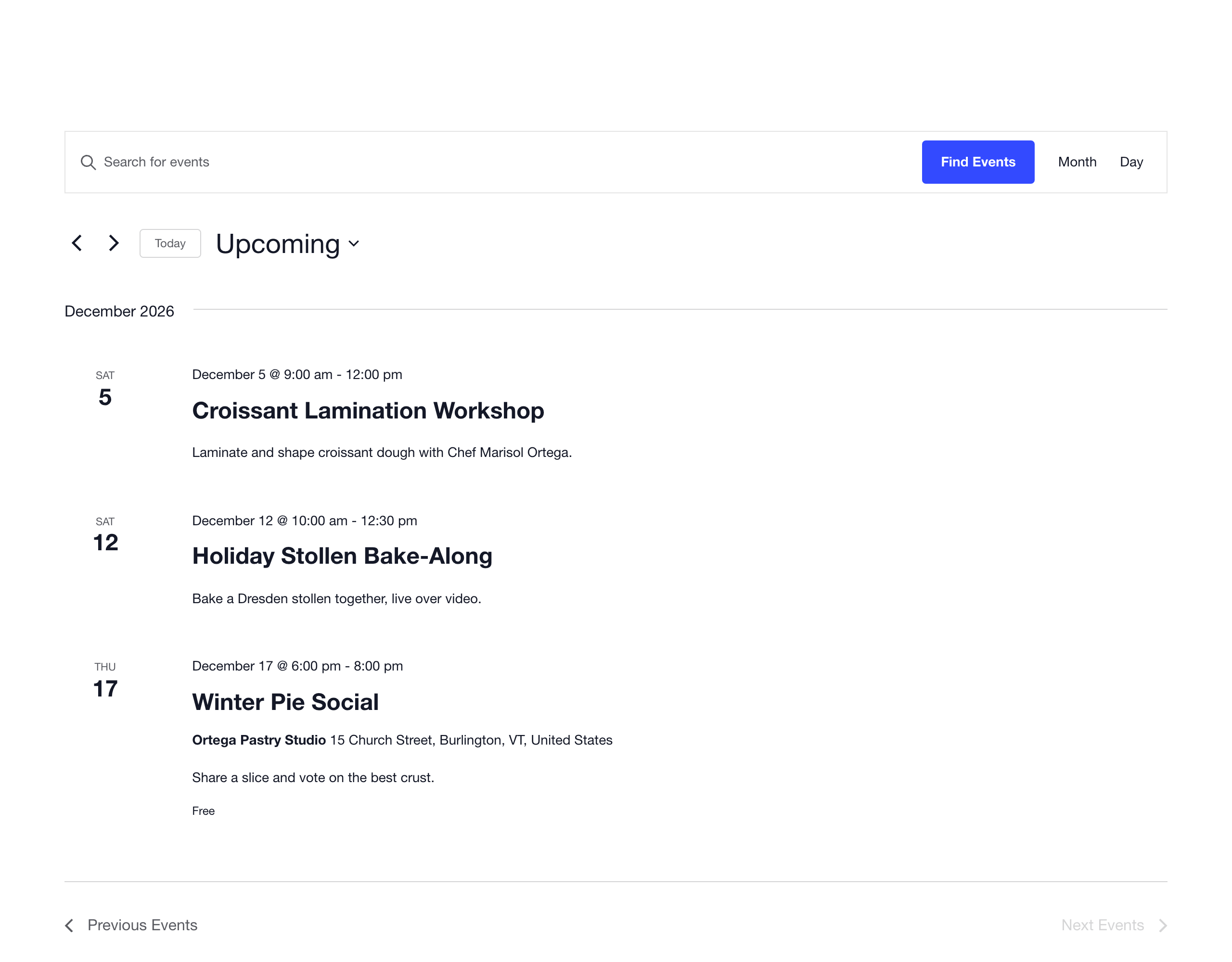
In the list, month, day, and other calendar views, plus widgets and blocks, restricted events show without their cost, venue, or organizer. The excerpt is shown only when Show Excerpts to Non-Members? is set to Yes. The event title and date still appear unless you hide restricted events completely.
The Events Calendar can cache the HTML of its calendar views. The Add On turns off that cache for logged-in visitors, so one member’s view of restricted events is never shown to another visitor.
iCal Exports
iCal exports and subscriptions leave out the description, location, map coordinates, and organizer of restricted events for non-members.
Structured Data
The event structured data (JSON-LD) that The Events Calendar adds for search engines leaves out the location, organizer, and ticket offers of restricted events. The description is removed too, unless Show Excerpts to Non-Members? is set to Yes.
REST API
When a non-member requests a restricted event through The Events Calendar REST API, the response leaves out the description, cost and cost details, website, venue, organizer, custom fields, virtual event URL, and structured data. The excerpt is removed unless Show Excerpts to Non-Members? is set to Yes.
The REST API also can’t be used to work out where a restricted event takes place:
- Event lists filtered by a venue or organizer always leave out restricted events for non-members.
- Venue and organizer lists filtered by a restricted event return a “You must be a member to access this event.” error for non-members.
When restricted events are removed from a REST API event list, the list’s total and page counts may still include them. This reveals how many restricted events match, but not which ones.
Event Tickets RSVPs and Ticket Sales
Non-members can’t RSVP or buy tickets for a restricted event, even if they submit the form directly or skip the event page. The Add On blocks:
- RSVPs submitted through the RSVP form or in the background.
- Tickets Commerce orders and RSVPs created through the Event Tickets REST API. Orders are blocked before any payment is taken.
- Ticket purchases through the legacy Tribe Commerce PayPal gateway.
Each shows the message “You must be a member to access this event.” The Event Tickets REST API also leaves out the description, cost, cost details, and attendees of tickets for restricted events.
Hide Restricted Events Completely
Set Filter searches and archives? to Yes under Memberships > Settings > Advanced to remove restricted events for non-members from:
- The Events Calendar views, including the event counts on each day of the month view.
- Event lists in widgets and other places that load events from The Events Calendar.
- Your site’s search results.
- The Events Calendar REST API event list.
Video: Members-Only Events for The Events Calendar
Get Support From Our Team of Experts
Have a question about how to use this feature? Our Support Page outlines three ways to get support.
Our Max plans include hands-on help customizing your membership site and implementing new features. Upgrade to PMPro Max now »
Last updated on November 12, 2026

