Restrict Sugar Calendar events and ticket sales by membership level. This page covers what changes for non-members on restricted event pages, in calendar and event list blocks, in event downloads, and at ticket checkout.
Set Up Members-Only Events
The integration loads automatically when Sugar Calendar is active. There’s nothing to configure in the Add On.
- Navigate to Sugar Calendar > Events in the WordPress admin and edit an event, or add a new one.
- In the Require Membership box in the sidebar, check the membership levels that can access the event.
- Click Update or Publish.
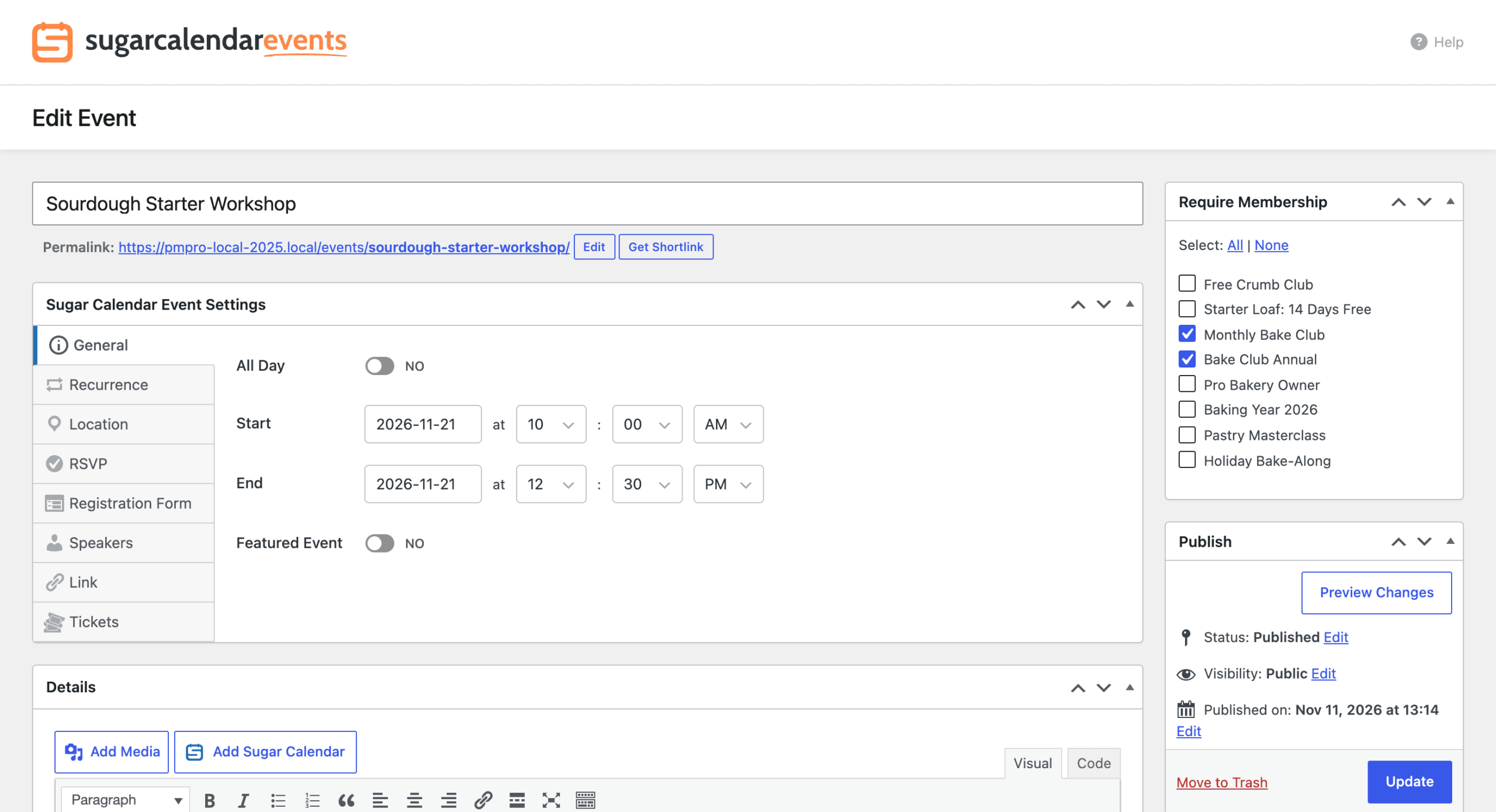
Recurring events in Sugar Calendar are a single event, so the levels you choose apply to every date in the series.
To decide whether non-members see restricted events in your calendars and event lists, and whether they see excerpts, review the Paid Memberships Pro content settings.
The Restricted Event Page
When a non-member opens a restricted event, Paid Memberships Pro replaces the event description with the membership required message. The Add On also removes:
- The event details shown above the description (date, time, location, and calendar).
- The event ticketing box and ticket checkout popup.
- The Google map of the event location.
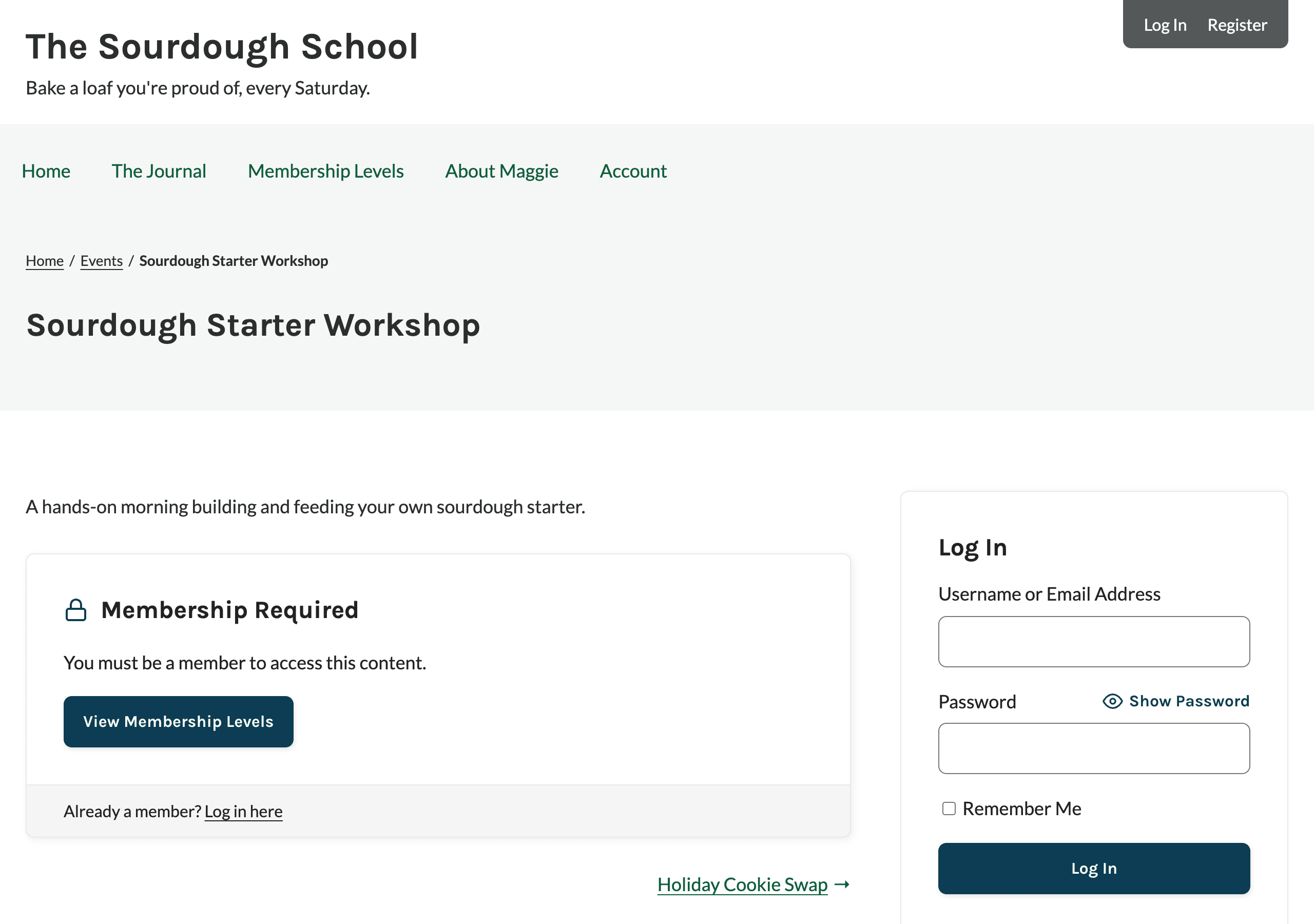
Developers can keep these details on the page with the pmpro_events_sc_hide_event_meta filter. Ticket purchases stay blocked for non-members either way.
What Non-Members Can’t See or Do
Restricted event details are hidden from non-members everywhere Sugar Calendar loads them. Users who can edit the event, such as administrators, still see everything.
- Calendar and Event List Blocks: Restricted events show without their description or location, including in the popover that opens when a visitor clicks an event in the calendar. The excerpt is shown only when Show Excerpts to Non-Members? is set to Yes.
- Event Downloads: iCal downloads and other places Sugar Calendar loads events leave out the description and location.
- Structured Data: Sugar Calendar doesn’t output event structured data for restricted events, since it includes the description, price, and join link.
- Abilities: Event data shared through Sugar Calendar’s abilities for the WordPress Abilities API leaves out the content, location, and venue. The excerpt is removed unless Show Excerpts to Non-Members? is set to Yes.
- Tickets: Non-members can’t look up ticket prices or check out for a restricted event, even by submitting the checkout form directly. They see the message “You must be a member to access this event.”
Hide Restricted Events Completely
Set Filter searches and archives? to Yes under Memberships > Settings > Advanced to remove restricted events for non-members from Sugar Calendar’s calendar and event list views. This includes calendar months and lists Sugar Calendar loads in the background, such as when a visitor moves to the next month. A restricted event’s own page still shows the membership required message.
Get Support From Our Team of Experts
Have a question about how to use this feature? Our Support Page outlines three ways to get support.
Our Max plans include hands-on help customizing your membership site and implementing new features. Upgrade to PMPro Max now »
Last updated on November 12, 2026

