Restrict any event to one or more membership levels from the event editor in your events plugin. Two Paid Memberships Pro content settings then control whether non-members see restricted events in your calendars and whether they see a short excerpt.
Supported Events Plugins
The Add On doesn’t have a settings page. When it loads, it checks which events plugins are active and turns on the matching integration automatically. It works with:
- Events Manager, including its built-in bookings. See Members-Only Events for Events Manager.
- The Events Calendar, with optional support for Event Tickets and recurring events from Events Calendar Pro. See Members-Only Events for The Events Calendar.
- Sugar Calendar, including its event ticketing. See Members-Only Events for Sugar Calendar.
- Timely All-in-One Event Calendar, versions before 3.0 only. See All-in-One Event Calendar below.
If you activate the Add On before any supported events plugin, you’ll see a notice that no supported events plugin was found. Activate your events plugin and the integration loads on the next page view.
Restrict an Event
The Add On adds the Paid Memberships Pro Require Membership box to the event editor of each supported events plugin. It works the same way it does on posts and pages.
- In your events plugin, edit an existing event or create a new one.
- In the Require Membership box in the sidebar, check each membership level that should have access. Use All or None to change every checkbox at once.
- Save or update the event.
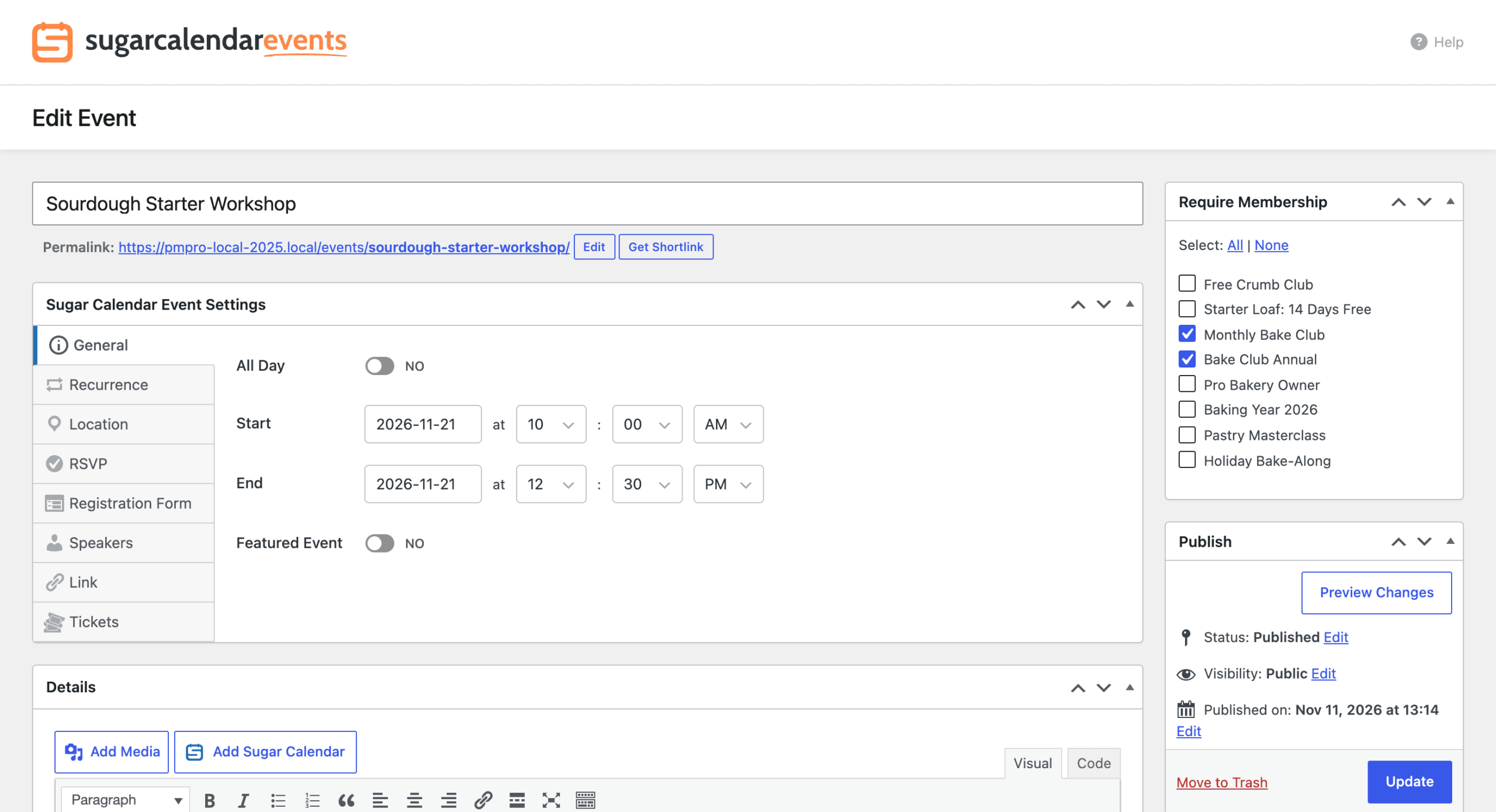
A member with any one of the checked levels can view the full event and register for it. Leave every box unchecked to keep the event public.
Recurring Events
Set the membership levels on the main event, not on individual dates. How each plugin handles the rest:
- Events Manager: When you save a recurring event, the Add On copies its required levels to every event in the series.
- The Events Calendar with Events Calendar Pro: Each occurrence uses the levels set on the main recurring event.
- Sugar Calendar: A recurring event is a single event in WordPress, so its levels apply to every date in the series.
See Which Events Are Restricted
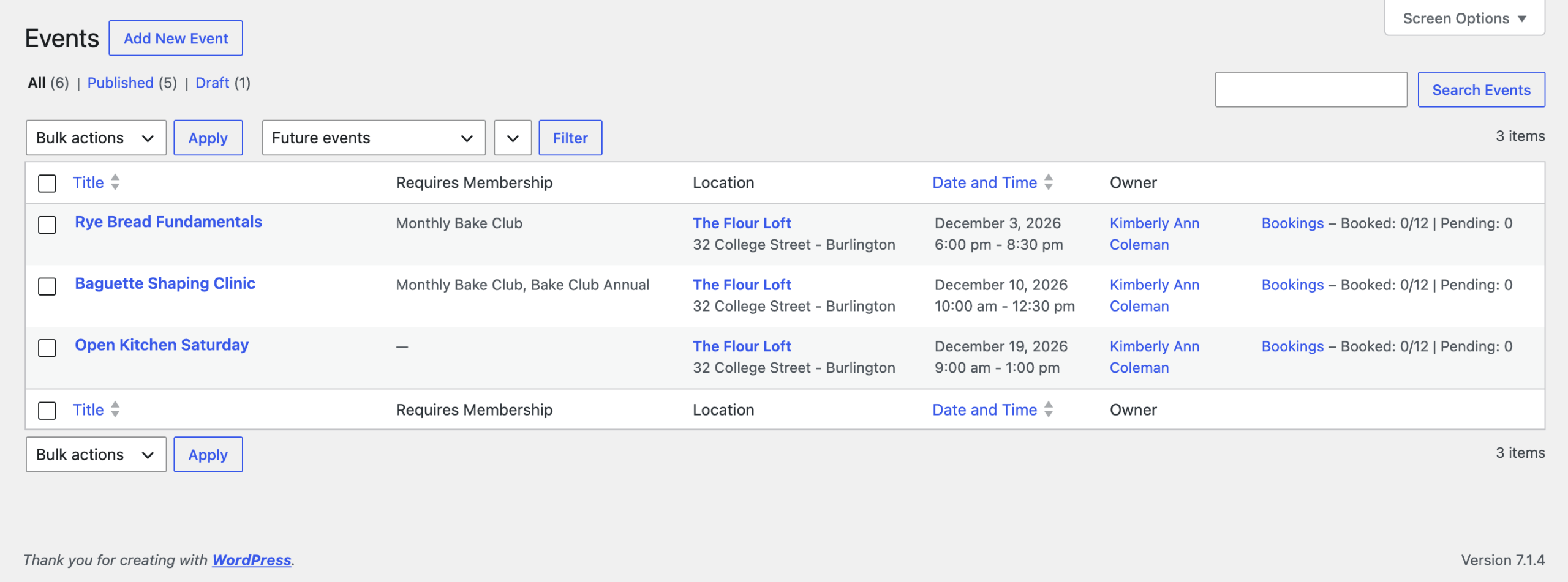
For Events Manager, The Events Calendar, and All-in-One Event Calendar, the Add On adds a Requires Membership column to the admin list of events. It shows the names of the levels each event requires, or a dash for public events. Sugar Calendar’s events list doesn’t include this column.
Control What Non-Members See
The Add On follows two Paid Memberships Pro settings. Navigate to Memberships > Settings > Advanced and find the Content Settings section. Learn more about these settings in the Advanced Settings documentation.
- Filter searches and archives?: Choose Yes to hide restricted events from non-members entirely. Restricted events are removed from your events plugin’s lists, calendar views, and event searches, including calendar months and pages it loads in the background. Choose No to keep restricted events visible as a teaser. Non-members see the event title and date, but the protected details are still hidden.
- Show Excerpts to Non-Members?: Choose Yes to show the event excerpt to non-members in lists, calendar popups, and on the restricted event page. Choose No to hide it. The full event description is never shown to non-members.
Click Save Settings. These settings apply to all of your restricted content, not just events.
What Non-Members See
When a visitor without the required level opens a restricted event, they see the Paid Memberships Pro membership required message instead of the event details. The event description, date and location details, and registration or ticket form are removed from the page. If Show Excerpts to Non-Members? is set to Yes, the excerpt appears above the message.
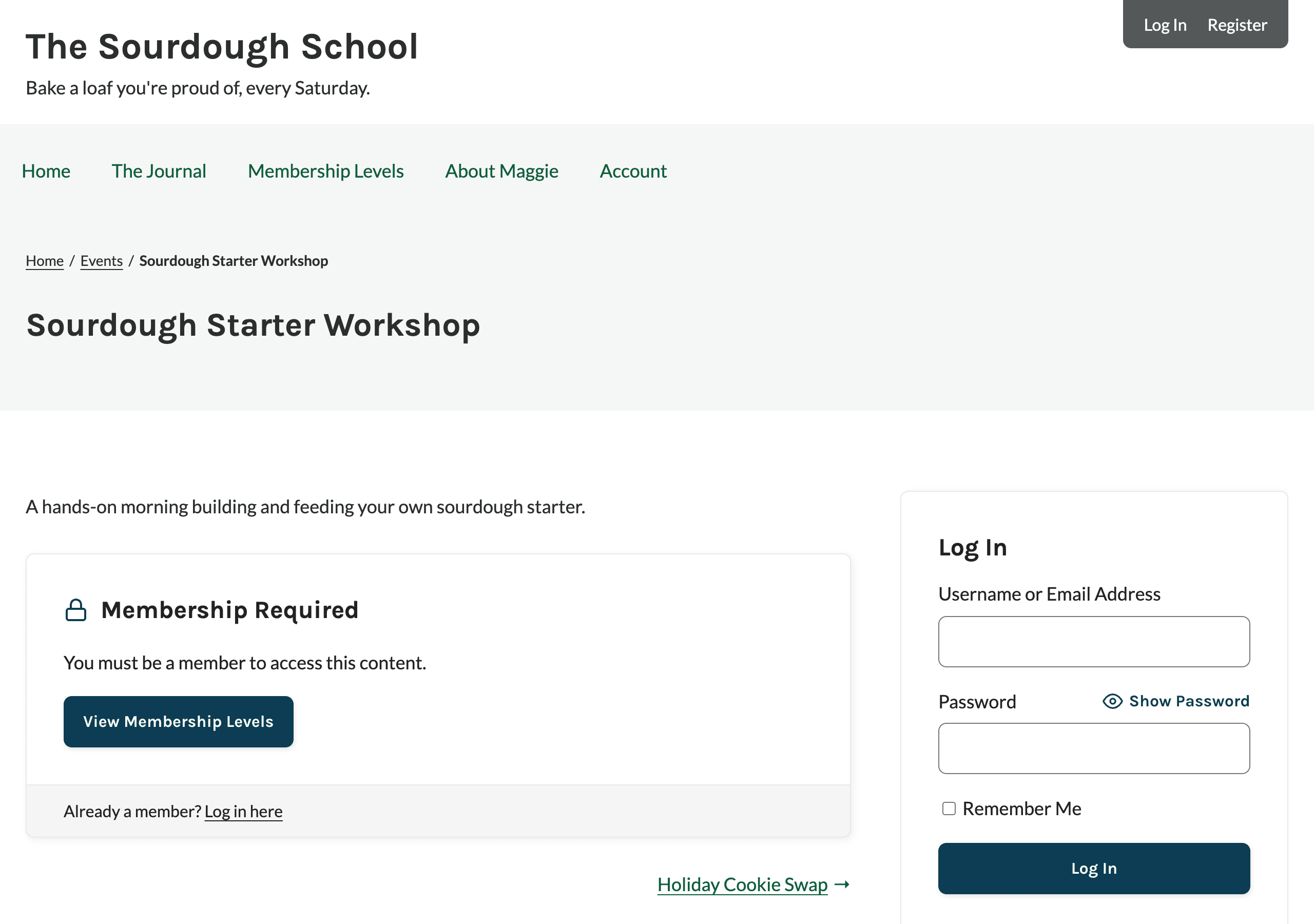
For Events Manager events, the Add On changes the message to refer to the event. When the event requires one level, it reads “You must be a [Level Name] member to access this event.” with a Join Now button that links to checkout for that level. When the event allows more than one level, it reads “You must be a member to access this event.” with a View Membership Levels button. Events from the other plugins show the standard message. Developers can extend the event wording to other plugins with the pmpro_events_supports_event_slug filter.
The details are hidden everywhere the events plugin shares them, not just on the event page. Depending on the plugin, that includes event lists, calendar popups, RSS and iCal feeds, search engine structured data, and REST API responses. Non-members also can’t book, RSVP, or buy tickets for a restricted event, even by submitting the form directly. Each plugin’s page lists exactly what’s covered.
All-in-One Event Calendar
The Add On includes a legacy integration for Timely All-in-One Event Calendar. It only loads for plugin versions before 3.0. If you run version 3.0 or later, restrict your event content with the content controls built into Paid Memberships Pro instead.
For versions before 3.0, the integration:
- Adds the Require Membership box to the event editor and the Requires Membership column to the events list.
- Replaces the venue on a restricted single event with “This content is for members only.” for non-members.
- Removes restricted events from the calendar views for non-members when Filter searches and archives? is set to Yes.
Frequently Asked Questions
Why do non-members still see restricted events in my calendar?
Restricted events stay in your lists and calendars unless Filter searches and archives? is set to Yes. With it set to No, non-members see the title and date as a teaser, but the event details stay hidden and they can’t register.
Can I show an event to everyone but only let members register?
Not with the settings alone. Restricting an event hides its details and blocks registration together. For The Events Calendar and Sugar Calendar, developers can use the filters on the Action and Filter Hooks page to show more of the event page to non-members. Registration, RSVPs, and ticket purchases stay blocked for non-members either way.
Can I restrict a whole category of events?
The Add On restricts events one at a time. If you use The Events Calendar, our code recipe to restrict The Events Calendar event categories by membership level adds the Require Membership checkboxes to event categories.
Get Support From Our Team of Experts
Have a question about how to use this feature? Our Support Page outlines three ways to get support.
Our Max plans include hands-on help customizing your membership site and implementing new features. Upgrade to PMPro Max now »
Last updated on November 12, 2026

