The report details various Membership-related stats including Signups and Cancellations (for all time, this year, this month, today).
The Membership Stats report provides a high-level view of key membership activity, including Signups and Cancellations for all time, this year, this month, and today.
The Membership Stats report widget offers a quick snapshot of these metrics, which you can expand to view signups and cancellations broken down by price point for the selected period.
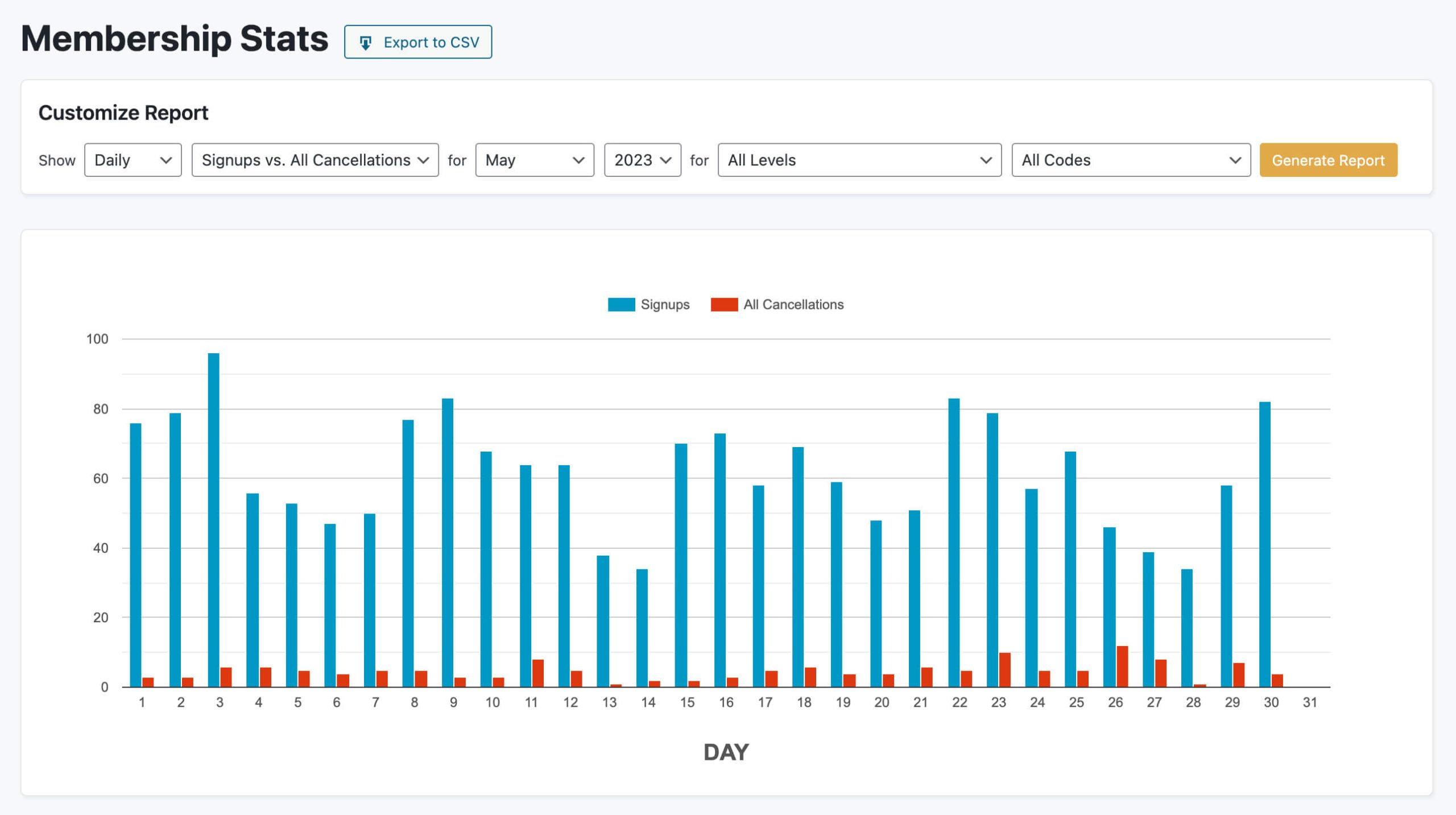
Click through to view the full report, where you’ll find filterable charts comparing Signups and Cancellations over time and by membership level.
Understanding Cancellation Data in the Membership Stats Report
When reviewing signup and cancellation trends, it’s helpful to understand the different types of membership endings that may be included in the data. Depending on the context, reports may distinguish between the following:
- Signups vs. All Cancellations: Includes all memberships that ended during the selected date range. This can include manual cancellations as well as memberships that ended due to expiration.
- Signups vs. Cancellations: Includes only memberships that were actively canceled by the member or an administrator (manual cancellations).
- Signups vs. Expirations: Includes only memberships that ended because they expired, meaning the membership reached its expiration date and was not renewed.
These distinctions can help you better interpret trends in member behavior and understand whether changes are driven by voluntary cancellations or natural expirations.
Get Support From Our Team of Experts
For more help with this PMPro feature, check out our Support Page with three ways to get support as a free or premium member.
Last updated on January 27, 2026

