The Memberships > Settings > Payments page controls the payment gateway settings for your Paid Memberships Pro site.
Configure Your Payment Gateway
If your membership site has paid membership levels, you need a payment gateway. If you have not chosen a payment gateway, click here to learn about the payment gateway options for PMPro.
From the WordPress dashboard, go to Memberships > Settings and select Payments. From here you can set up your payment gateway using the following settings:
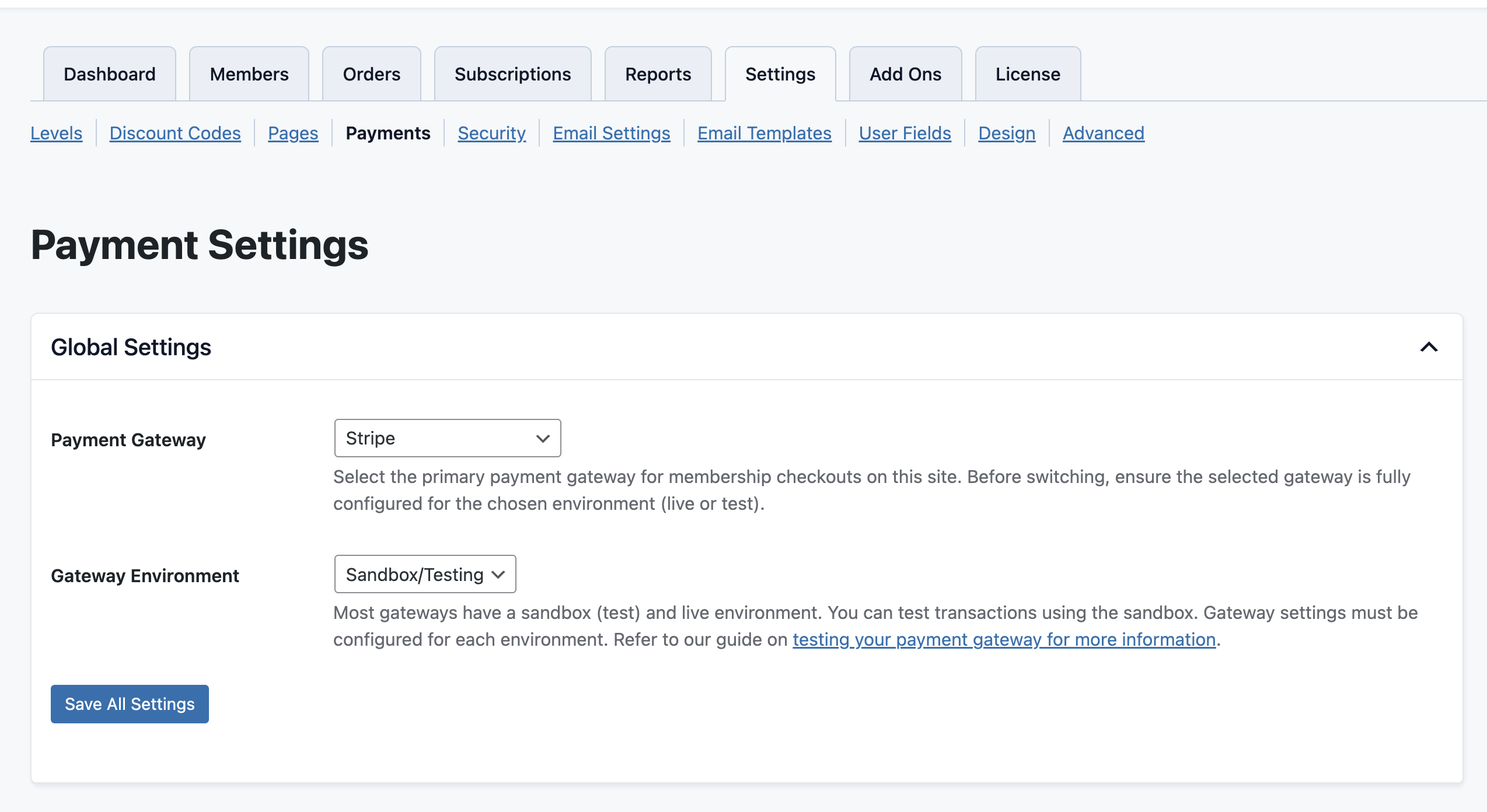
- Payment Gateway: Select one of the payment options available in the dropdown field. In the tutorial, we have chosen Stripe, which is free and quick to set up. Make sure to set up your gateway account before you do this step.
- Gateway setup varies based on which payment gateway you have chosen. Refer to the documentation for your chosen payment gateway as you complete this section.
- You may see additional fields on this screen, such as a webhook or an IPN URL you might need to reference for your gateway. Documentation on how to find and configure these settings can be found in our gateway documentation.
- Gateway Environment: Choose the test or live gateway. For this tutorial, we have selected Sandbox/Testing, but typically you want to set this to “Live”.
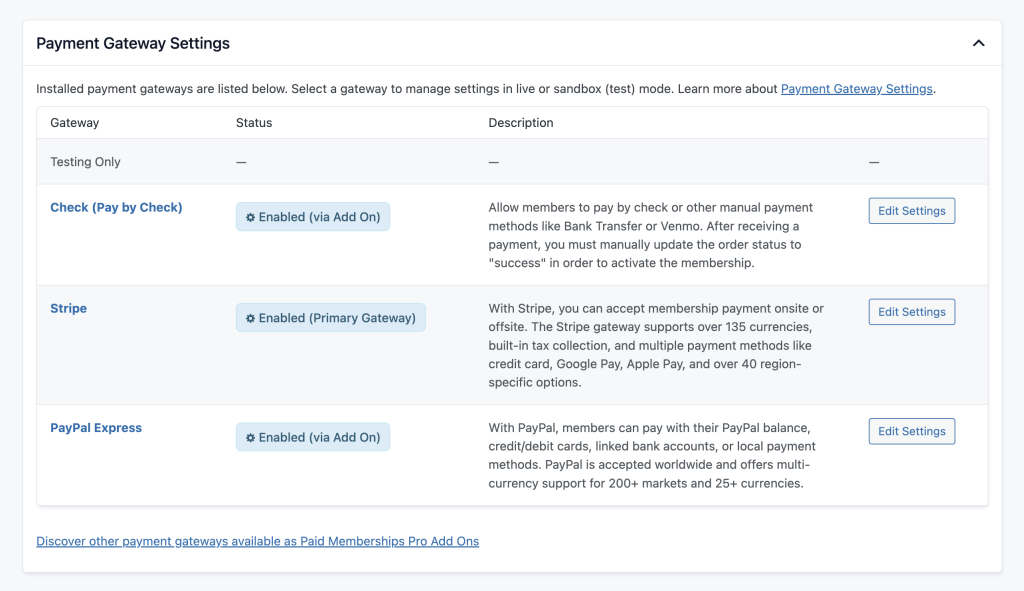
- Payment Gateway Settings: Select “Edit Settings” to view the specific fields for your chosen Gateway. Refer to our gateway documentation for specific settings.
- Currency & Sales Tax: Select your website currency in the dropdown field. For this example, we are not charging Sales Tax. Always check with your accountant or your regional tax office to see if tax is required and the tax rate for your memberships. Refer to our guide on methods to calculate and apply taxes if the base tax settings will not work for your needs.
- Save Settings.
Video: Payment Gateway Setup
Screenshot: Payment Gateway Settings
Global Settings
Payment Gateway Settings
Get Support From Our Team of Experts
Have a question about how to use this feature? Our Support Page outlines three ways to get support.
Our Max plans include hands-on help customizing your membership site and implementing new features. Upgrade to PMPro Max now »
Last updated on August 10, 2026
Was this article helpful?
YesNo

