Our Mailing Address (formerly Shipping Address) Add On allows you to capture the member’s mailing information at checkout. Take full control of the areas you mail to when using the Mailing Address Add On by allowing members to only have the ability to checkout of your membership site by using a valid zip code.
Do You Need This Recipe?
Use this recipe if your membership includes a physical component, such as a mailed newsletter, a welcome kit, or any product you ship to members, and you only mail to a limited set of zip codes. It blocks checkout for anyone whose mailing zip code is not on your approved list, so you never collect payment for an order you cannot fulfill.
This recipe is not the right fit if you need to validate zip codes against a large or changing list, verify real address data, or restrict by state, country, or delivery radius instead of exact zip code matches. Those cases call for a dedicated address validation service or a lookup against external data, not a hardcoded array.
Best Practices and Considerations
- This recipe requires the Mailing Address Add On installed and active, since it checks the mailing zip code field the Add On adds to checkout.
- Enter zip codes as quoted strings, not numbers. Some valid U.S. zip codes start with a leading zero (for example, Boston’s
02101), and PHP drops leading zeros from integers. - The check only runs when a member submits a mailing zip code. If you want to require the field outright, set that separately in the Mailing Address Add On’s settings.
- A short hardcoded list works well for a handful of zip codes. If you mail to dozens or hundreds of zip codes, maintain that list in a settings option or external data source instead of editing code every time it changes.
About the Code Recipe
It can be disheartening to receive a payment from a member who just purchased a membership from your site, only to realize their mailing address falls outside your mailing zones. Despite the notices and banners that you carefully placed around the site, warning potential members of the limited mailing areas, a purchase was made. It happens.
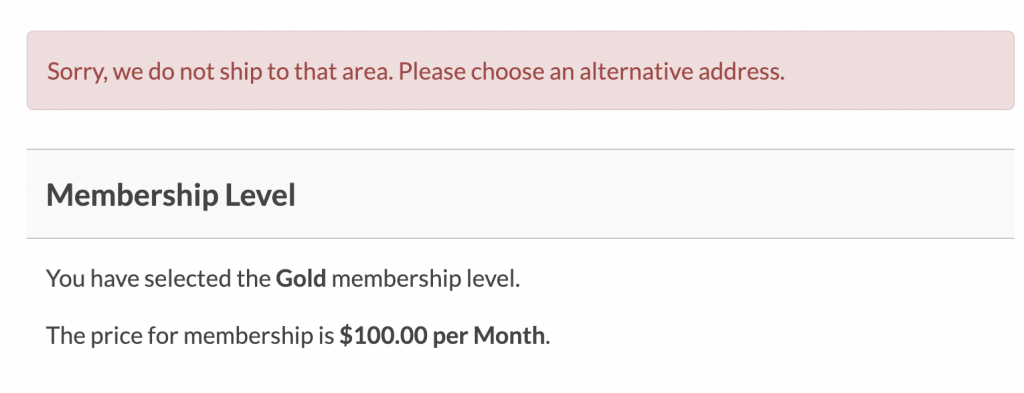
The code recipe below lets you set an array of valid zip codes your site will accept to process the order. If the user enters a zip code that is not valid, in other words you do not mail to that specific location, a warning banner will appear apologizing that you do not mail to that area and an alternative location should be selected. If the member enters a valid zip code, no warning is shown and the order is processed normally. You will need to edit the array of zip codes to match the zip codes of areas that you mail to.
Understanding the pmpro_registration_checks Hook
This recipe hooks into pmpro_registration_checks, a filter that runs while Paid Memberships Pro validates a checkout submission, before the member’s registration is finalized. Every function hooked to it receives the current pass or fail status as $pmpro_continue_registration and must return a boolean: true to let checkout continue, or false to block it.
Because other checks may run on the same filter, this recipe first checks whether $pmpro_continue_registration is already false. If so, it returns immediately without overwriting an error message from an earlier check. Otherwise, it compares the submitted zip code against your approved list, calls pmpro_setMessage() to display an error when the zip code is not valid, and returns the updated status.
The Code Recipe
Adding the Recipe to Your Website
You can add this recipe to your site by creating a custom plugin or using the Code Snippets plugin available for free in the WordPress repository. Read this companion article for step-by-step directions on either method.
How to Customize This Code Recipe
- Add your valid zip codes (line 23): Update the
$valid_zip_codesarray with the zip codes of the areas you mail to. Keep each one quoted as a string so codes with a leading zero are not stripped. - Change the error message (line 30): Edit the text passed to
pmpro_setMessage()to match your own wording, for example naming the regions you do mail to. - Restrict only certain membership levels: If only some of your membership levels include a mailed component, wrap the zip code check in a condition using
pmpro_hasMembershipLevel()so members at other levels are not affected.

Get Support From Our Team of Experts
Have a question about how to use this feature? Our Support Page outlines three ways to get support.
Our Max plans include hands-on help customizing your membership site and implementing new features. Upgrade to PMPro Max now »


