Members who are on the fence about renewing often need a nudge before their membership lapses. A discount code can work, but it puts the burden on the member to remember it and enter it correctly, and on you to promote it every renewal cycle.
This code recipe automatically charges a lower renewal price to members who already hold a level you choose without needing a discount code. You set the discounted price once per level, and it applies every time an existing member renews.
Do You Need This Recipe?
This recipe is a good fit if:
- You want to reward members for renewing a level they already have, without requiring a discount code at checkout.
- You are comfortable setting a specific renewal price yourself for each level, rather than a percentage-off discount.
- You do not need the discount limited to a specific window before a level expires. This recipe applies to any renewal checkout for a listed level, whether that happens well before, right at, or after the member’s expiration date.
- Your levels use manual renewals — members check out again when their membership expires. Because this recipe adjusts the price at checkout, it doesn’t change what members on a recurring subscription are billed, since those renewals are processed by the gateway without a checkout. [If you aren’t sure which model your levels use, start with the complete guide to renewals.]
If you would rather run a sitewide discount using a discount code, you do not need this recipe. Members reach that checkout from the Renew link on their Membership Account page, or from a renew membership button you place elsewhere on your site.
About the Code Recipe
This recipe uses two filters. The first, pmpro_checkout_level, runs on the level object during checkout, before PMPro calculates the price. The second, pmpro_level_cost_text, runs on the price text PMPro displays on the checkout page.
The recipe first checks the $discount_code global. If a discount code is already applied at checkout, it leaves the level untouched, so this recipe’s price and a discount code never stack.
It then checks pmpro_hasMembershipLevel( $level->id ) to see whether the member already holds the level they are checking out for. That is what limits the discount to renewals: a member buying the level for the first time does not have it yet, so the check fails, and they pay the regular price.
For a level listed in the $discounts array, the recipe sets initial_payment to the price you specify. For a level configured with an array instead of a flat number (level 4 in the snippet, as an example), it can update any property on the level object, not only price. The example changes expiration_number as well, so a renewing member also gets a different membership term.
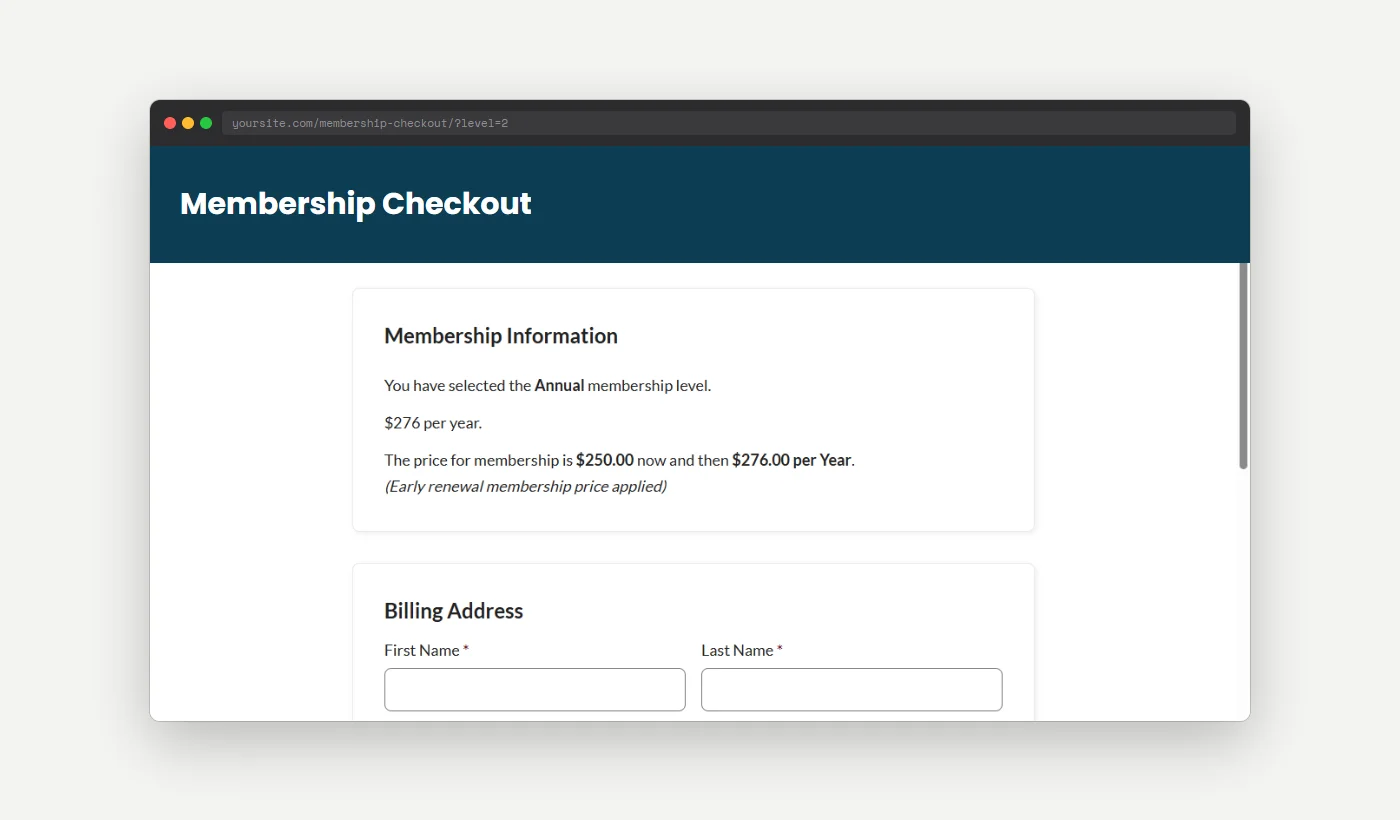
Finally, pmpro_level_cost_text appends “(Early renewal membership price applied)” after the price on checkout.
The Code Recipe
Adding the Recipe to Your Website
You can add this recipe to your site by creating a custom plugin or using the Code Snippets plugin available for free in the WordPress repository. Read this companion article for step-by-step directions on either method.
How To Customize This Code Recipe
- Set your discounted levels and prices (line 23): Update the
$discountsarray with the level IDs you want to offer a renewal price for, and the price to charge instead of that level’s regular price. - Change more than the price for a level (line 27): Use the array form shown for level
4to adjust other level properties in addition to price, such asexpiration_number, instead of onlyinitial_payment. - Edit the checkout message (line 54): You can change the text that displays after the price by updating the
(Early renewal membership price applied)text.

Get Support From Our Team of Experts
Have a question about how to use this feature? Our Support Page outlines three ways to get support.
Our Max plans include hands-on help customizing your membership site and implementing new features. Upgrade to PMPro Max now »


