You opened your email and there it is. Stripe is closing your account, freezing your balance, or pausing payouts pending a review. The first thing your brain does is run the math on the renewals that are about to fail. The second thing it does is panic.
Before you reply to Stripe, before you Google “Stripe alternatives,” and before you write a frantic post in our Slack: take a breath. This is not just a payment-processor problem, it’s a membership-site continuity problem. While the renewals may recover, your members’ trust will not, unless you act in the right order.
This post gives you the order to act in. It’s written for a Paid Memberships Pro site owner who just got the email, has active subscribers on Stripe, and needs to keep their membership business running while they sort out the rest.

Table of contents
- If You Just Got the Email, Do This First
- What Is Happening to Your Members Right Now
- Hold the Line on Existing Subscriptions
- Stand Up an Alternate Gateway for New Signups
- Email Your Affected Members
- Why Stripe Shut You Down
- How to Appeal to Stripe
- If Stripe Permanently Closes Your Account
- Prevent This from Happening Again
- Closing Thoughts
If You Just Got the Email, Do This First
Three actions, in this order. The rest of the post is detail on each of them.
- Do not reply to Stripe yet: Read the email twice. Note the specific reason cited. Is it chargebacks, a “high-risk” classification, a terms-of-service violation, or vague “unusual activity”? Different reasons need different appeals, and a hasty reply locks you into a story.
- Open your Paid Memberships Pro dashboard: Go to Memberships > Orders and Memberships > Subscriptions. Look at the last 48 hours. Are renewals already failing? Has anyone been moved to “Cancelled”? This is the work you are protecting.
- Decide your continuity move now: If you already have an alternate gateway like PayPal turned on for new signups, you can keep taking money while you sort the Stripe situation out. If you do not, that is the first thing to fix, even before you draft the appeal email.
If you only read this far, you have the right shape of the problem. Everything below is how to do each of those three things well.
What Is Happening to Your Members Right Now
When your Stripe account is paused or closed, your members are not immediately kicked out. Paid Memberships Pro does not automatically cancel anyone the moment a renewal fails. What actually happens depends on where each member is in their billing cycle.
For new visitors and signups, Stripe will reject the transaction at checkout. Your checkout page may load fine, but the payment intent never completes. From the visitor’s point of view, your site looks broken. They get an error and leave.
For active recurring members, scheduled renewals will fail at the gateway. Stripe attempts the charge, the charge is declined, and Stripe sends a webhook to your site reporting the failure. Paid Memberships Pro receives the webhook and creates an order with a status of “error” or “failed.” The member’s level stays active for now, but they are heading toward cancellation on the next failed attempt or two, depending on your Stripe dunning settings. For the full breakdown of what each status means, see Understanding the “Order Status” for Membership Site Orders.
The window between the first failed renewal and the member losing access is your runway. Use it.
Hold the Line on Existing Subscriptions
For your existing recurring subscribers, the subscription relationship lives at Stripe. What happens next depends on where each subscription is in its billing cycle and the status of your Stripe account’s closure.
The four moves below assume the closure has already started but not all of your members are gone yet.
If Stripe Hasn’t Already Cancelled All Your Subscriptions, Disconnect the Webhook Now
Your membership site communicates with Stripe via webhooks. If you disconnect the webhook now, you can mitigate the fallout for existing members in your site.
To disconnect, reverse the steps in the Stripe webhook setup documentation: go to your Stripe dashboard’s webhooks section and delete or pause the endpoint pointing at your site.
This buys you a window. It does not solve the underlying problem. Members are still not being billed, and you still need to either get them onto a working gateway or extend their membership manually. But for the next day or two, nobody loses access just because Stripe gave up.
If Stripe Has Already Cancelled Members, Restore Them in PMPro
Once a Stripe cancellation reaches your site, the PMPro membership is cancelled. That is not reversible from Stripe’s side. There are two paths to restore affected members:
- Bulk-add memberships with an expiration date: for members already moved to “cancelled” status, grant a new membership with an expiration date that matches their original renewal cycle. The PMPro Toolkit Add On makes this much faster than doing it one at a time in the admin.
- Import Members from CSV: if hundreds or thousands of members are affected, export the cancelled list, set the new level and expiration date in a spreadsheet, and re-import via the Import Members from CSV Add On.
Give Everyone a Free Extension Matched to Their Billing Cycle
The simplest member-facing policy is a free extension scaled to how often the member was paying:
- Monthly or annual subscribers: grant a free month
- Weekly subscribers: grant a free week
The point is to absorb the operational gap without making members feel punished. The extension length is what you announce in the re-subscribe email (covered in the next section) and what you implement technically via the bulk-add or CSV-import above.
Optionally, Suppress the Auto-Emails You Do Not Want PMPro Sending
If you would rather handle every member communication directly during this period, disable the noisy automatic emails so they do not fight your manual outreach:
- The cancellation email
- The expired-membership email
Both are controlled in Memberships > Settings > Email Settings (or via the per-level email overrides). Turn them back on once things have stabilized.
Related: Member Emails Documentation
One Honest Caveat
Everything above is forward-looking. Members who got cancelled before you disconnected the webhook or restored them by hand have already gotten the standard cancel email, and some will have already moved on. The goal is to keep the size of the loss small, not to undo what has already happened. If support has time, walking through the last 24 to 48 hours of orders to flag affected members is the highest-leverage cleanup pass you can do.
Stand Up an Alternate Gateway for New Signups
Here is the honest part of this story: you cannot magically transfer an existing Stripe subscription to another processor. When a member subscribes through Stripe, the recurring billing relationship lives at Stripe. If Stripe will not bill them, no other gateway can transparently take over that subscription. The card-on-file information is in Stripe’s vault, not on your server.
What you can do is the next best thing. You can turn on a second gateway so that:
- New signups can complete checkout today, while Stripe is still in review.
- Existing members can re-subscribe on the working gateway when you ask them to.
Paid Memberships Pro supports running a primary gateway plus a PayPal option at checkout, which is the fastest path for most sites. If you have ever read Offer Multiple Payment Methods to Increase Conversions, the same setup applies here. The post frames it as a conversion lift, but the same configuration is what saves you in a gateway emergency.
Picking the Right Alternate Gateway
There is no single right answer. Pick based on the kind of site you run and the kind of customers you have.
- PayPal is the most common choice and the easiest to set up. Many of your members already have a PayPal account, which lowers the friction of the re-subscribe ask. Use the PayPal Gateway Add On for Paid Memberships Pro to run it alongside your primary gateway.
- CCBill is the right pick if your content falls into a “high-risk” category. This includes adult, dating, supplements, certain coaching niches, and other industries that Stripe has historically been quick to drop. See the CCBill Add On for Paid Memberships Pro.
- Paystack is the right pick if you are based in or selling to Africa, particularly Nigeria, Ghana, South Africa, and Kenya. See the Paystack Gateway Add On for Paid Memberships Pro.
- Manual Payments is the right pick if your audience is offline-friendly. Associations, alumni groups, older demographics, and low-volume high-touch communities often prefer mailing a check or paying by Venmo or bank transfer. The Manual and Offline Payments Add On adds a manual-payment option alongside your primary card processor and works well as the “we have to keep collecting somehow” fallback during a gateway emergency.
If you are not sure which to pick, the Payment Gateway Comparison page lays out the trade-offs side by side. Do not overthink it. The point right now is to get any working alternate in place so you have somewhere to send re-subscribing members.
Once the alternate is configured, do a real $1 test purchase end to end. Catching a misconfigured webhook now is much easier than discovering it on a paying member tomorrow.
Email Your Affected Members
Your existing subscribers are protected (webhook disconnected, extensions applied, or both). You have a working alternate gateway. Now you need to tell the people whose renewals failed (or are about to) what is going on, and what you need them to do.
The message has three jobs:
- Acknowledge the problem honestly: Do not invent a reason, do not blame Stripe, and do not promise that “everything is fine.” Your members are adults. They have had a card declined before. You are asking them to update something.
- Reassure them about their access: Tell them what extension you have granted and through what date. If their content is going to keep working while they take action, say so plainly.
- Give them one action to take: That action is re-subscribing through the working gateway.
If you have implemented the Let Members Change the Payment Method for Their Active Subscription code recipe, your re-subscribe ask becomes much smoother. The recipe handles the “do not double-bill the member” problem for you: the new subscription starts on the original renewal date with no immediate charge. Without the recipe, you need to be more careful about timing, and you may need to issue a manual refund or a discount code to keep the math clean.
A short, direct template you can adapt:
Subject: Quick action needed to keep your [Site Name] membership active
Hi [First Name],
Our payment processor is reviewing our account and is temporarily unable to process new subscription charges. Your access to [Site Name] is unaffected through [date], so you are not going to lose any content.
To keep your membership active beyond that date, please re-subscribe using PayPal at the link below. There will be no double charge. Your new subscription will start on your original renewal date.
[Link to your Membership Account page or checkout]
Thank you for your patience. If you have any questions, just reply to this email.
That is it. Resist the urge to over-explain. Members who want to keep their membership will take the action. Members who do not, will not, and a longer email will not change that.
Why Stripe Shut You Down
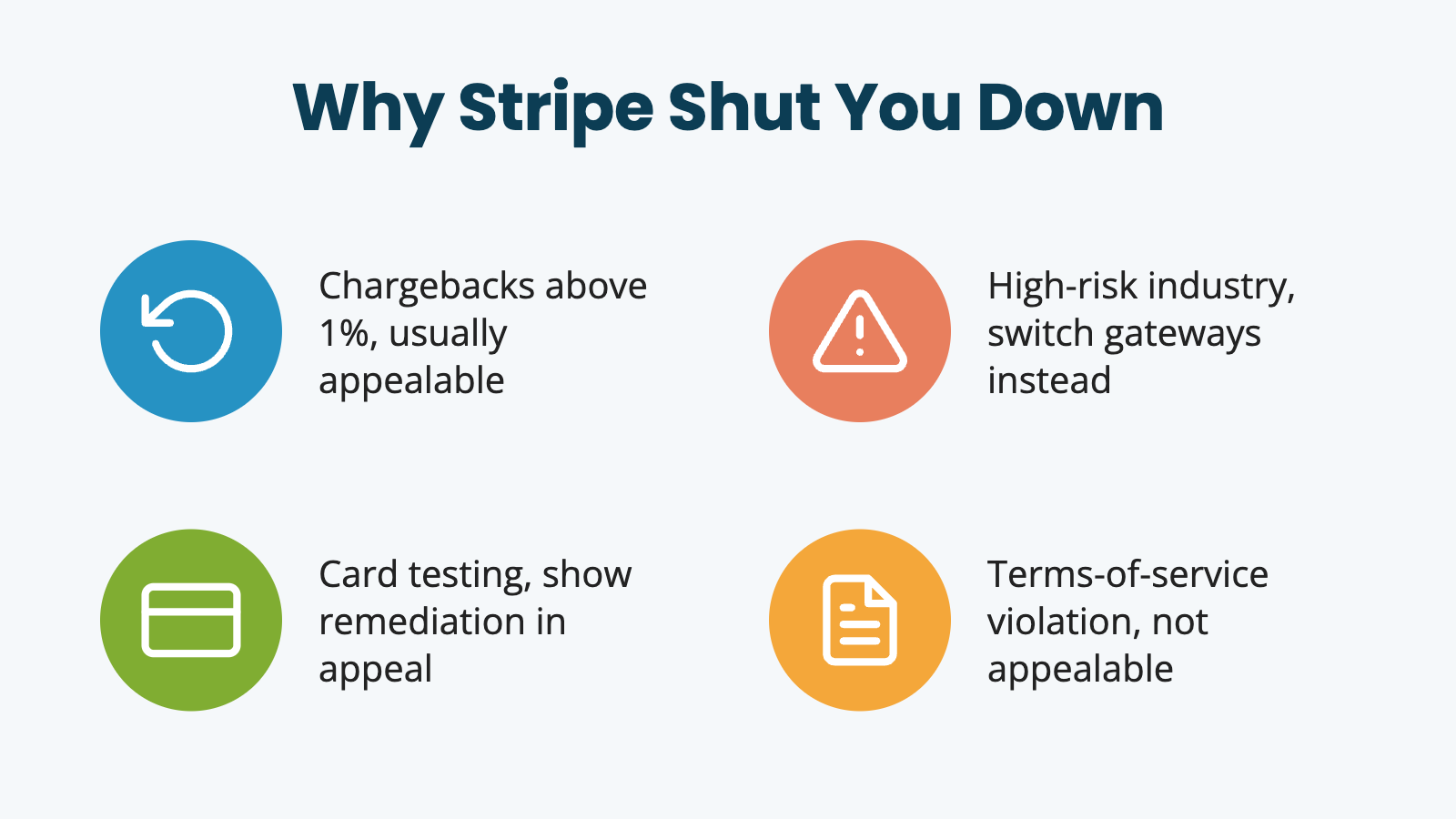
The reason Stripe cited in their email determines what kind of appeal you write. Four common buckets. Identify yours before drafting anything.
Chargebacks above 1%. The most common reason, and the most appealable. Stripe’s card-network agreements force action when a merchant’s dispute rate crosses 1%. Your appeal should focus on what you have changed since the disputed transactions: clearer billing descriptor, faster refund flow, easier cancellation.
High-risk industry classification. If Stripe has decided your category is high-risk (adult, certain coaching niches, supplements, CBD, gambling-adjacent), an appeal is unlikely to change their mind. The card networks set those rules and Stripe enforces them. Skip ahead to the alternate gateway section and pick a processor built for your industry.
Card testing or unusual activity. Attackers run thousands of stolen card numbers through your checkout to see which ones approve. Your authorization rate plummets, your decline volume spikes, and Stripe’s risk system flags you. Your appeal needs to show that you have hardened the checkout, not just that the activity was not yours. See Stripe Card Testing Attacks: How to Diagnose, Prevent, and Recover for the full playbook.
Terms-of-service violation. Restricted products, business misrepresentation on signup, mismatched bank-account name. Usually not appealable. If this is your bucket, the time is better spent on the next gateway than on the appeal email.
Identify your bucket before writing the appeal. Generic “please reconsider” emails fail. Specific appeals that name the cited reason and address it directly are the ones that get a second look.
How to Appeal to Stripe
Reply through the channel Stripe specified in the email. That is usually an in-dashboard appeal form or a reply to the support address in the original message. Sending a separate email to general support routes back to the same team and slows the review.
Gather these documents before you write the appeal:
- Business registration or DBA filing
- Recent bank statements (last three months)
- Sample customer authorizations or signup confirmations
- Your written refund policy
- For shippable products, delivery confirmations
- For digital products, sample receipts and access logs
Keep the email itself short. Open with your account ID and the exact reason Stripe cited. Reference the attached documents. Make one specific request. Skip the emotional language. Three templates follow, one per appealable bucket. For a terms-of-service closure, skip the appeal entirely and put your time into the next gateway instead.
1. Chargeback-Triggered Closure Template
Subject: Account [ID] appeal: chargeback rate review
Hello,
I am writing to appeal the closure of account [account ID], cited as “elevated chargeback rate” in your notice dated [date].
Attached are three months of recent transaction reports with the dispute outcomes for each. Since the cited disputes occurred, we have implemented a clearer billing descriptor (from [OldDescriptor] to [NewDescriptor]), a 24-hour refund window before any subscription renewal, and a more visible cancellation link in the member account area.
I am requesting a second review of the account, with the option to reinstate processing under a tighter chargeback threshold if needed.
Thank you for your time.
2. Card-Testing Flag Template
Subject: Account [ID] appeal: card testing remediation
Hello,
Account [account ID] was closed on [date] citing “unusual activity” consistent with card testing. We agree that activity was present on the account, and we have taken the following remediation steps since: rate limiting at the checkout page, hCaptcha on the payment form, IP-based blocklisting for the originating networks, and a manual review of all transactions in the affected window.
Attached are the access logs and the configuration changes from our hosting and CDN providers.
I am requesting a second review of the account once Stripe’s risk team has had a chance to confirm the remediation.
Thank you.
3. High-Risk Misclassification Template
Subject: Account [ID] appeal: category review
Hello,
Account [account ID] was closed on [date] citing classification as a high-risk business. Our business description on file may not accurately reflect our actual category. We sell [specific product or service], not [the category Stripe appears to have classified us under].
Attached is documentation of our actual product offering, three months of transaction history, and our chargeback rate over the period (which is [X]%, well under the 1% threshold).
I am requesting that Stripe re-review the business category and reinstate the account under the corrected classification.
Thank you.
A few things not to do while your appeal is in motion:
- Do not open a new Stripe account under a different business name or email to keep processing in the meantime. Stripe and the wider card-network ecosystem track merchant identities across accounts, and opening a sock-puppet account is the fastest way to end up on the MATCH list (see the next section).
- Do not argue: Reply once with your appeal, then wait. Follow-up emails every two days do not speed the review.
- Do not bulk-email your members asking them to call their banks and reverse their chargebacks. That communication can be used against you in the review.
If the appeal fails, you are not stuck. The whole point of getting an alternate gateway in place was to give you a future without Stripe. Many Paid Memberships Pro sites have made the switch permanent after a closure and never gone back.
If Stripe Permanently Closes Your Account
When the appeal is denied or you decide not to pursue one, three things become important to understand. (For some owners, this is also the moment when winding down the membership business becomes the more practical choice than rebuilding on a new processor.)
The 180-Day Fund Hold
Stripe’s terms allow them to hold your balance for up to 180 days after account closure. The hold exists so that pending chargebacks, refunds, and reversals can settle against the balance before any remainder is released. The exact duration is set by Stripe’s risk model, not by you, and the timeline is generally not negotiable.
Plan around this honestly. Do not count on the held funds arriving on a specific date. Your cash-flow plan should be alternate-gateway revenue going forward, plus whatever runway you have today, with the Stripe balance treated as a bonus whenever it lands.
The MATCH List
The Member Alert to Control High-Risk Merchants list, usually called MATCH, is the card-network database of merchants flagged for closure. Stripe is required to report certain closure reasons to MATCH. Once you are on the list, opening a new merchant account with any processor that checks MATCH (most major processors do) becomes substantially harder.
MATCH entries generally remain in place for five years. The list has a dispute process, but the realistic options are:
- Work with a payment-services consultant who has handled MATCH disputes before
- Pursue the dispute yourself through the card brands directly, with clear documentation that the original closure reason was incorrect
- Operate through a processor that explicitly serves MATCH-listed merchants while the entry ages out
A MATCH listing is not the end of your business. It is a constraint on which processors will work with you and on what terms.
What Happens to Existing Subscriptions
The card-on-file information for your existing Stripe subscriptions lives in Stripe’s vault, not on your site. Even with full data export, you cannot transparently move a tokenized card to another processor. The subscription relationship is at Stripe.
In practice, most of your existing members will need to manually re-subscribe through the working gateway. Some percentage of them will not. That is the cost of the incident, and pretending otherwise sets you up for disappointment. The extension you grant, the communication you send, and the re-subscribe ask you make are the three levers that determine how much of the existing book you keep. Pull all three and accept that the recovery rate is unlikely to be 100%.
Prevent This from Happening Again
Once the crisis is past, there are a few things worth doing in your calmer moments. None of these is a magic prevention. Stripe can still close an account for reasons outside your control. But each of these meaningfully reduces the chance of a repeat.
Run a second gateway in production at all times. If your only checkout option is Stripe, you have a single point of failure. Run PayPal or another option alongside it as part of your normal setup. New signups will self-select the method they prefer, and you will have a soft landing if something goes wrong with the primary.
Harden checkout against card-testing attacks. Card testing is one of the most common reasons Stripe shuts an account down. Attackers run thousands of stolen card numbers through your checkout to see which ones work, your account racks up declines and chargebacks, and Stripe’s risk system flags you. If you have not put rate limiting and CAPTCHA on your checkout, the card-testing playbook linked earlier is your next read.
Watch your dispute rate. Stripe starts taking action when your dispute rate approaches 1%, and they get aggressive past that. Most chargebacks on a membership site come from members who forgot they subscribed. Use a clear, recognizable billing descriptor, send a friendly receipt after every renewal, and make your cancellation process easy to find. The math is simple. Every refund you give a confused member is cheaper than the chargeback fee plus the dispute-rate impact.
Document your business clearly. Have a real terms-of-service page, a refund policy, and a contact page that a human can actually use. Stripe’s review team is looking at your site to confirm you are who you say you are. The less ambiguity you give them, the faster reviews resolve in your favor.
Re-read Stripe’s restricted-businesses list every year. It changes. The category that was fine in 2022 may be on the list now. If your content has drifted toward something Stripe is uncomfortable with, you want to know that on your own schedule, not theirs.
Closing Thoughts
A Stripe closure feels like a worst-case scenario when it hits, because the consequences arrive immediately and the resolution does not. But the playbook is not that complicated.
- Hold the line on existing subscriptions first. Disconnect the webhook if Stripe is still retrying, or restore and extend the members it has already cancelled.
- Stand up a second gateway so new signups and re-subscribers have somewhere to go.
- Communicate honestly and ask for one specific action. Appeal to Stripe in parallel, and plan for a fund hold while you wait.
If you are reading this a week into the problem rather than on day one, the plan is the same but compressed. Turn on the alternate gateway today, send the re-subscribe email today, and offer a partial refund or comp month to anyone who lost access during the gap.
The sites that survive this are the ones that did one boring thing in advance: they did not put all their billing on a single processor.
If your Stripe is working fine right now, add a second checkout option today. The post is framed around increasing conversions, but the same configuration is what saves you in a gateway emergency. Doing it today, while everything is calm, takes 30 minutes. Doing it during an account closure takes a weekend you do not have.
If you need help with the configuration, the bulk membership-extension steps, or the re-subscribe email, our support team can help.

Free Download: The AI-Powered Membership Site Blueprint
Download the free guide: Learn how to plan, build, and grow a membership site using AI as your strategic partner: from buyer persona to launch and beyond.