WELCOME TO THE HUB FOR
Paid Newsletters
Here you’ll find all of the best resources we have to help you sell a paid newsletter with WordPress and Paid Memberships Pro.
1. Choose Your Tools
Paid Memberships Pro integrates with several popular email marketing plugins and third-party services.
- MailPoet: If you prefer to create and send emails directly within your WordPress site, we recommend MailPoet. MailPoet is a free WordPress plugin that allows you to design email updates and newsletters, and automatically send them out to your subscribers. You can use MailPoet with Paid Memberships Pro to create segmented subscriber lists and sell memberships to a paid newsletter.
- Newsletter Glue: As an alternative to MailPoet, consider the premium Newsletter Glue plugin. They published a comprehensive guide on how to connect Newsletter Glue and PMPro to deliver paid newsletters within WordPress.
- Mailchimp or Kit (formerly ConvertKit): If you prefer to use a third-party Email Marketing Software (EMS), our favorites are Mailchimp or Kit. Refer to this guide on email marketing integrations for PMPro to see exactly which integrations you can use.
- Zapier: Remember that you can always use Zapier to connect your membership site with many other email marketing platforms and CRMs if your preferred platform isn’t listed.
2. Create Your Newsletter Site
This hub is focused on sites that use WordPress and Paid Memberships Pro to create and sell your paid newsletter. We recommend having a WordPress site whether your paid newsletter is the only feature of membership or if your paid newsletter is a component of a larger subscription website business.
Here’s how to create your newsletter site with WordPress and PMPro:
- Set Up Your WordPress website on your preferred hosting platform. We recommend PMPro Max.
- Download and Install Paid Memberships Pro
- Complete the PMPro Initial Setup
- Connect PMPro to your email marketing tool of choice (WordPress plugin or third-party EMS) from step 1 above.
Your WordPress site is the primary place subscribers can:
- Access premium newsletter content
- Manage their membership account
- View payment history and update billing information
- Update profile information like name, email address, opt-in email preferences, and any additional user fields you need to collect.
Your email tool of choice is where you as the admin can:
- Initiate new broadcasts, create sequences, and manage automations
- View reports on open rates, click throughs, and email deliverability
Looking for a specific Add On? You can now filter Add Ons on the Memberships > Add Ons Screen in the WordPress Admin by Use Case. Start typing the term, like “Newsletters”, and the corresponding Add Ons will populate for you.
Maintain a Healthy Subscriber List
The most important requirement for a paid newsletter is that you keep the subscriber’s membership level in sync with your email sending system.
Without a healthy subscriber list of properly tagged members, you may inadvertently send premium content to the people that are not paying you. Worse yet, you may find that you aren’t sending premium content to your paid subscribers.
Member Level Lists and Segmentation
- If you have multiple levels of membership, create a unique list or segment for each level. This includes your free and paid levels (if you offer both, which we recommend you do).
- When you distribute email, you can send to multiple segments or a single segment (membership level).
- Use a native PMPro integration for your email tool of choice (WordPress plugin or third-party EMS) so that members are automatically tagged, added to, or removed from their specific list or segment after checkout, cancellation, expiration, upgrade, and downgrade.
- If you are adding a paid newsletter to an existing membership site, be sure to perform a one-time import to update your email tool of choice with existing membership data. We have guides for how to do this for our integrations with Mailchimp, Kit, and MailPoet.
3. Write Your Newsletter
Newsletters can follow loads of different formats. So take a look at what you currently read and evaluate why you like it.
Now is the time to think about your brand direction, your personal or business voice, and the tone you want your emails to take. Decide how formal or informal you want to be.
When you’ve settled on the general direction of your newsletter, think about a target email length.
- How much content do you want to include in the email?
- How much content will be located in your membership site?
You have a lot more flexibility with email length and content protection through your WordPress membership site, as compared to other platforms that help you sell newsletters like Substack.
Membership sites allow you to curate focused email content that links to protected posts to keep reading. This approach has three key benefits:
- It’s less likely that your premium content is forwarded to non-subscribers without your consent.
- You’ll know exactly what people are interested in because they click on it.
- Your subscriber’s email software will more often deliver your content to the Inbox, not filtered into a promotions or spam folder, because readers directly interact with your email.
Open rates are an unreliable email KPI. Click throughs, however, give you loads of information about what is most valued by your subscribers.
As much as possible, direct people back to your membership site to read the full content.
You can certainly write custom newsletters directly in your email tool. Even if that’s just how you choose to get your paid newsletter started. Eventually, you’ll find that a paid newsletter lends itself very well to a hybrid approach, where the newsletter content is also archived within the WordPress site for members to revisit at any time.
This is especially helpful if you later decide to lock or unlock old posts as a way to offer immediate value to potential subscribers. Or to keep new subscribers from accessing upcoming content if you format your newsletter as a drip email campaign or sequence.
Here are a few tips for staying organized:
- Use categories and tags to organize content in your membership site. Most of the email tools in step 1 allow you to create automatic emails every time you publish content in a certain post category or tag. We recommend creating a specific post category for every unique membership level that receives your paid newsletter.
- Show post excerpts to non-members. On the Settings > Advanced screen in the Memberships admin area, be sure to check your setting for excerpts. This way, a portion of the email content is available to be read by that RSS feed and can populate emails for you.
4. Sell Your Newsletter
You may already have a prime target audience for your paid newsletter through one of the following groups:
- An existing audience that consumes your public website or blog, for free.
- Subscribers to a currently free newsletter
- Lots of followers on your favorite social media channel
- Your most engaged YouTube channel viewers and subscribers
This existing audience is the perfect group to start selling your paid newsletter to.
Starting From Scratch: Building a New Audience
The number one question we get when people start a membership site is how do you build an audience if you don’t have one.
This is a huge challenge that takes a multi-pronged attack plan.
First, it’s super hard to introduce yourself to potential subscribers if the only thing you offer is a paid product.
Consider starting a free blog first. Or create a free newsletter.
Starting with free gives people a taste of your content. And people who’ve had a taste are much more inclined to sign up for your paid product.
Newsletter Pricing Advice
Newsletter pricing is very dependent on your industry and your target audience. For some trade publications, a newsletter subscription could exceed $1,000 USD per month. For smaller creators, you might consider a paid newsletter of $5 USD or less per month.
The good news is that you own your platform, so the fees are significantly lower as compared to a hosted newsletter solution that charges 10% or more in service charges.
Other Ways to Monetize a Newsletter
There are other ways to monetize a newsletter outside of asking subscribers to pay.
Consider if you’d like to offer newsletter sponsorship. Just know that having sponsored content within a newsletter will make it very challenging to also ask subscribers for money.
Deliver the kind of newsletter experience you want, and trust that growing an audience of interested people is something you could monetize in many ways at any point.
Be open to experimenting.
5. Market Your Newsletter
Once your newsletter is ready to sell, link to it everywhere.
- Link directly to the landing page on your website that accepts signups and payment.
- Include links in your existing free newsletter
- Add a link to your newsletter landing page in all of your social media bios and descriptions
- Insert a prominent link in the main menu of your website or at the top right section of your site’s header area
- Add a signup form within your blog post content or in a sidebar
Go on Tour to Create Buzz
A great way to create interest in yourself as a creator and the content you create is through guest appearances.
- Find other people that have already attracted your target audience and immerse yourself in their network.
- Offer to create guest content for another creator’s website
- Pitch yourself as a guest for other people’s podcasts
- Prepare a video for another creator’s YouTube channel
The same strategies that work for marketing any membership site work for a paid newsletter. In this case, we more often see a paid newsletter sold by an individual creator. For this reason, paid newsletter marketing strategies are uniquely available to you as an individual. Embrace this quality and show your audience who you are.
Forwarded Email is a Marketing Opportunity
Earlier we talked about the benefit of the hybrid model, where the newsletter includes an excerpt of your content and the full value is delivered behind a member login.
Whether you share an excerpt or your full content in the newsletter, subscribers may forward your content to friends and colleagues. This is a huge marketing opportunity! Include a link at the bottom of your email with language like “Received this from a friend? Subscribe here!”.
- You can’t prevent people from sharing email.
- If your content is deeply private, only include a link to your gated content within your membership site.
- Include a sign up link within the paid newsletter footer so people that receive it from a friend know how to join.
Other Resources
- 10 Popular Pricing Models for Membership Sites: This post covers the different structures you might decide to use when pricing your paid newsletter.
- How to Name Your Membership Levels or Subscription Options: Not sure what to name your paid newsletter? This post should help spark your imagination.
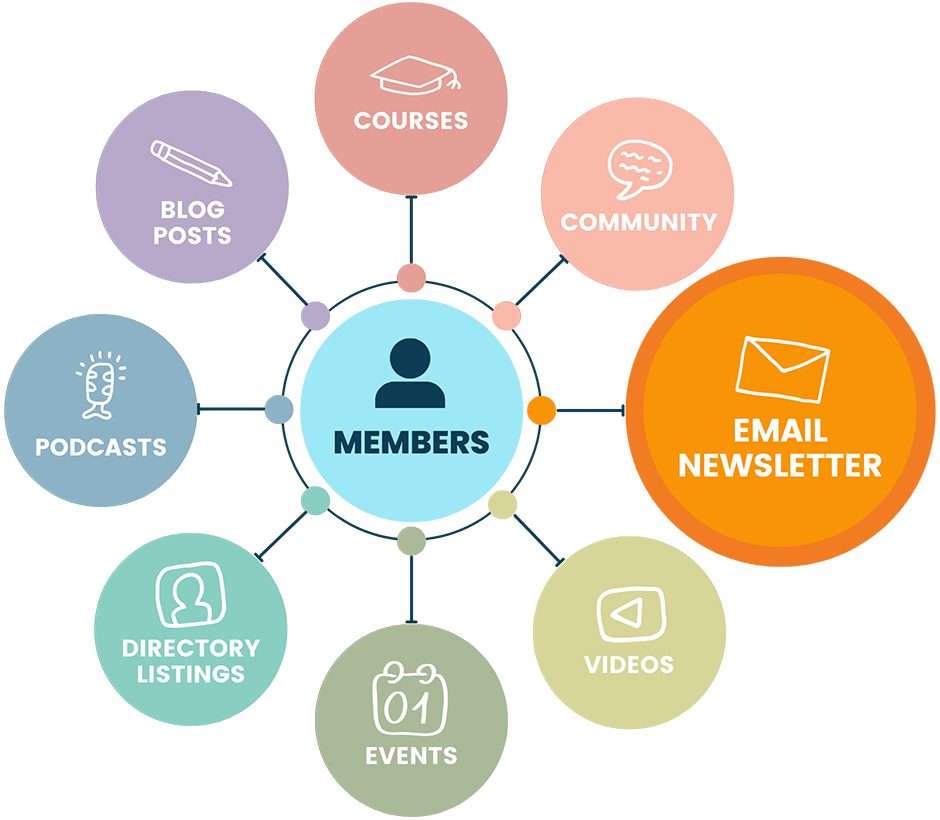
- Paid newsletters naturally evolve into a greater membership site. Consider adding a BuddyPress or BuddyBoss community or a course that features a deeper dive on your best performing newsletter content.
- How to Migrate Your Newsletter From Substack to PMPro: A step-by-step guide to moving your newsletter from Substack to PMPro, including how to bring your paid subscribers over without losing the people who pay you.
Click here to read our blog posts tagged with “Paid Newsletters”.

