Email is not dead. More people are publishing newsletters than ever, in part because platforms like Kit, Mailchimp, and beehiiv have made it almost effortless to start. But “easy to start” is not the same as “easy to grow.”
We invited newsletter growth specialist Dylan Redekop of Growth Currency and Growth In Reverse to roast member newsletters live during Open Office Hours. Members submitted their sites in advance, and Dylan walked through six of them in real time. He skipped opinions on length, voice, and images. Instead Dylan focused on the subscriber onboarding flow.
This post pairs Dylan’s framework with the real examples from the live session, so you can apply the same fixes to your own newsletter.
Table of contents
- Why Onboarding Is the Part You Can Actually Roast
- Open Office Hours: Roast My Newsletter
- The Traffic Light: A 3-Step Onboarding Flow
- Step 1: The Landing Page and the Three C’s
- Step 2: The “Almost There” Page (The Most Skipped Step)
- Step 3: The Welcome Email
- Single Opt-In, Double Opt-In, and a Sneaky Alternative
- What This Means for PMPro Membership Sites
- A Quick Recap
- Resources from Dylan Redekop
- Frequently Asked Questions
Why Onboarding Is the Part You Can Actually Roast
Most newsletter feedback gets stuck on subjective territory. Is the writing good? Are the images necessary? Is once a week the right cadence? What works for one audience flops for another. As Dylan put it, “There is so much nuance to that subjectivity.”
Onboarding is different. It is the bridge between a person discovering you and a person reading you. The mechanics of that bridge, the landing page, what loads after someone subscribes, what your welcome email asks them to do, can each be measured against a clear standard. Either they work or they do not.
Before we go any further, there is one prerequisite that beats every onboarding tactic in this post: your content has to be insanely valuable. No funnel can rescue a newsletter that does not earn the reader’s attention. Once your content is strong, the three steps below decide how many people stick around long enough to read it.
Open Office Hours: Roast My Newsletter
The Traffic Light: A 3-Step Onboarding Flow
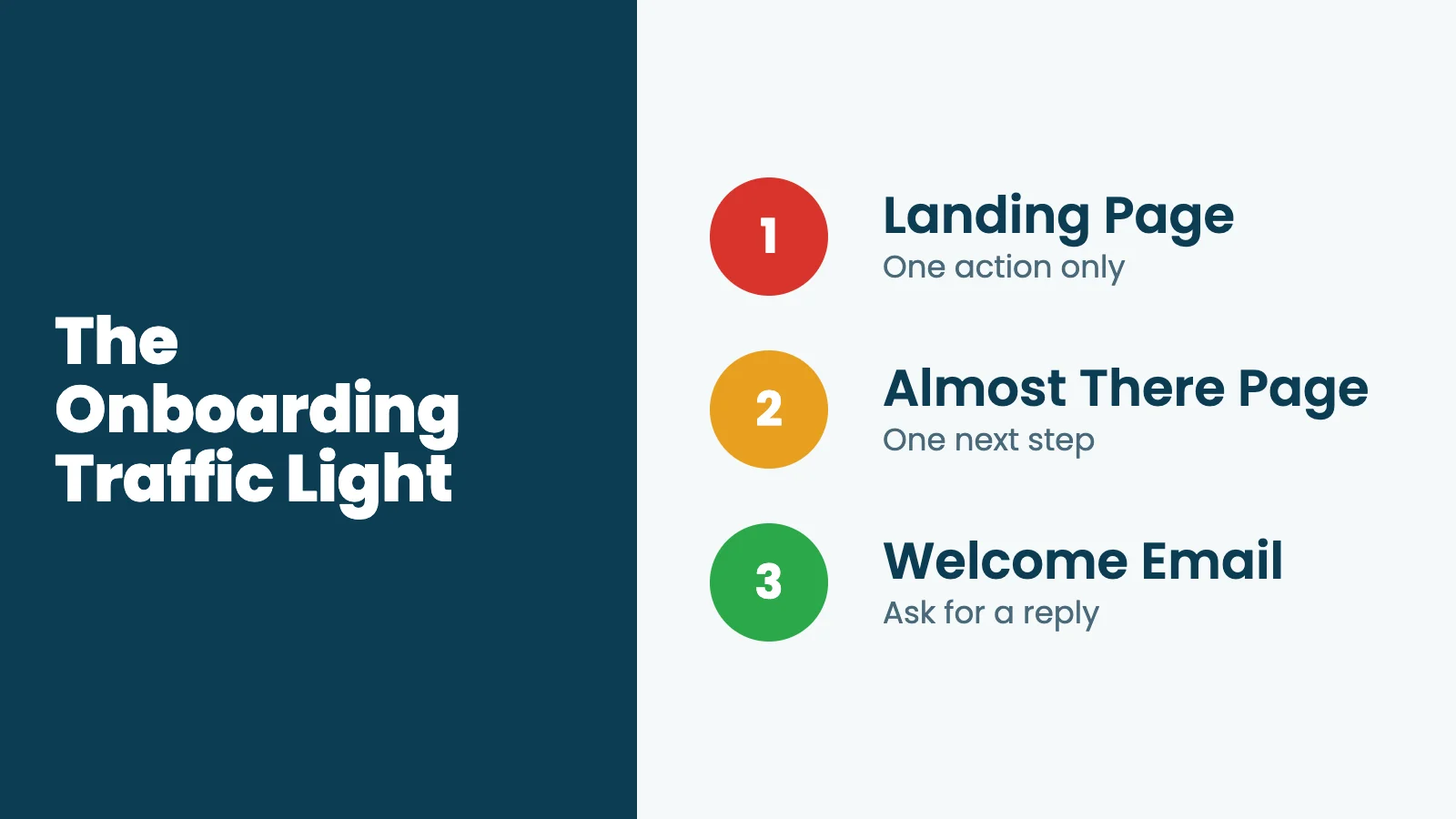
Dylan’s framework breaks newsletter onboarding into three stages, each with one job. He uses a traffic light to make it stick:
- Landing page (red): Stop the visitor in their tracks. One action only.
- Almost There page (yellow): Rev their excitement. Tell them what to do next.
- Welcome email (green): Go. One call to action, ideally a reply.
Each step exists for a reason. Skip one and the conversion drops, or the new subscriber loses momentum before your first real email lands. Most of the newsletters Dylan reviewed were missing at least one of these stages, and a few were missing two.
Step 1: The Landing Page and the Three C’s
Your landing page is where someone hands over their email address. Its only job is to make that decision feel obvious. That means minimizing distractions.
Many high-performing newsletters strip the nav menu and footer from their landing page, leaving just the headline, a value proposition, and the form. In digital marketing this layout is often called a “squeeze page,” and the principle is simple: do not give the visitor a way to wander off.
A footer signup link or a hero form on your homepage is not a landing page. As Dylan said during the roast of one site: “On their homepage I scrolled all the way to the bottom and noticed that the newsletter signup is there, but it is buried in the footer, and it is not clear, credible, or compelling.”
Which brings us to the test he uses on every landing page. The Three C’s.
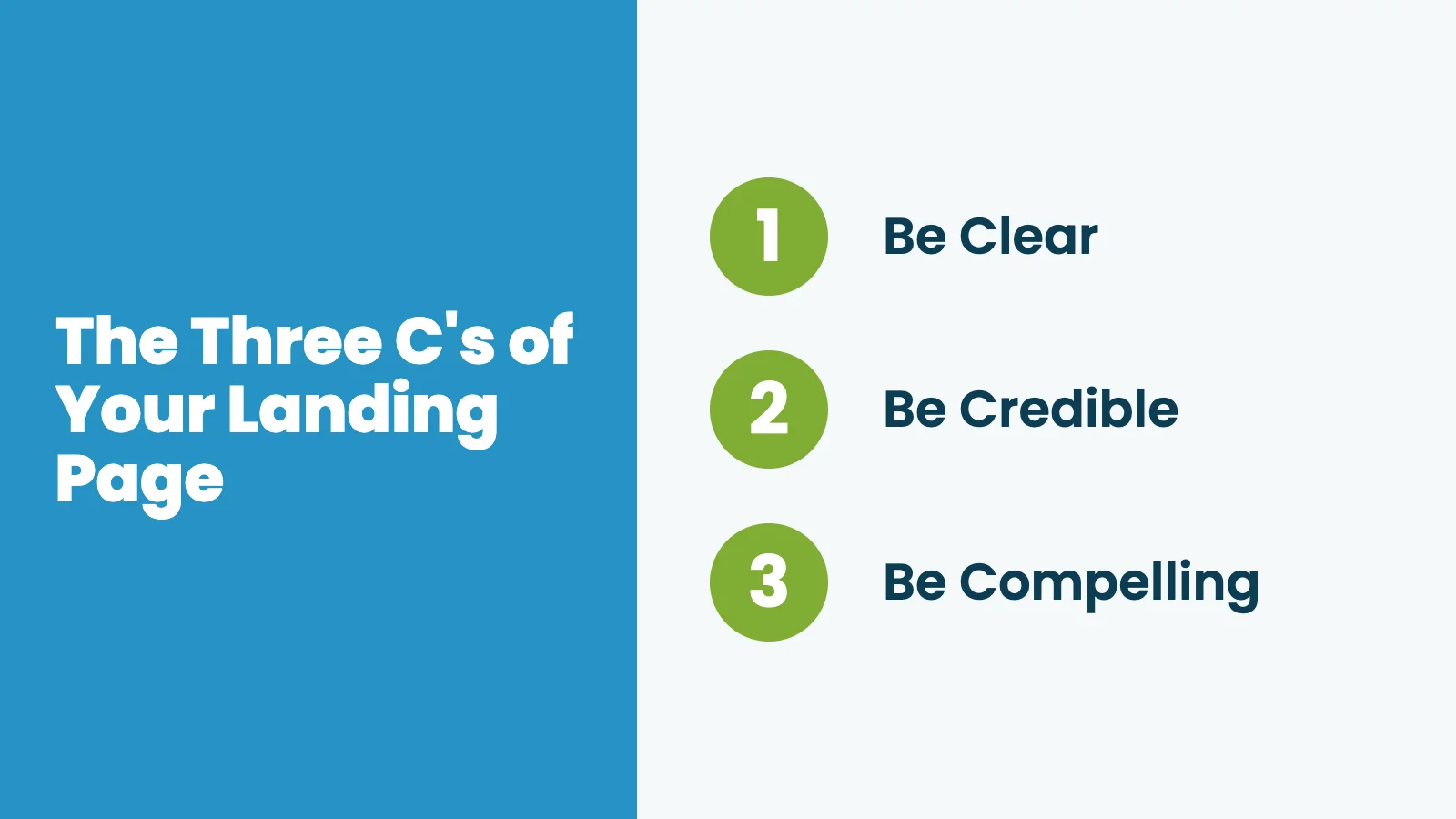
Be Clear
First impressions happen in a split second. If a visitor has to puzzle over your headline, they are gone. Clarity beats cleverness every time.
A clear headline tells the reader two things: what they will get, and how often they will get it. Sites like todaysworkout.co and learnwhywebuy.com nail this immediately. You know exactly what is showing up in your inbox.
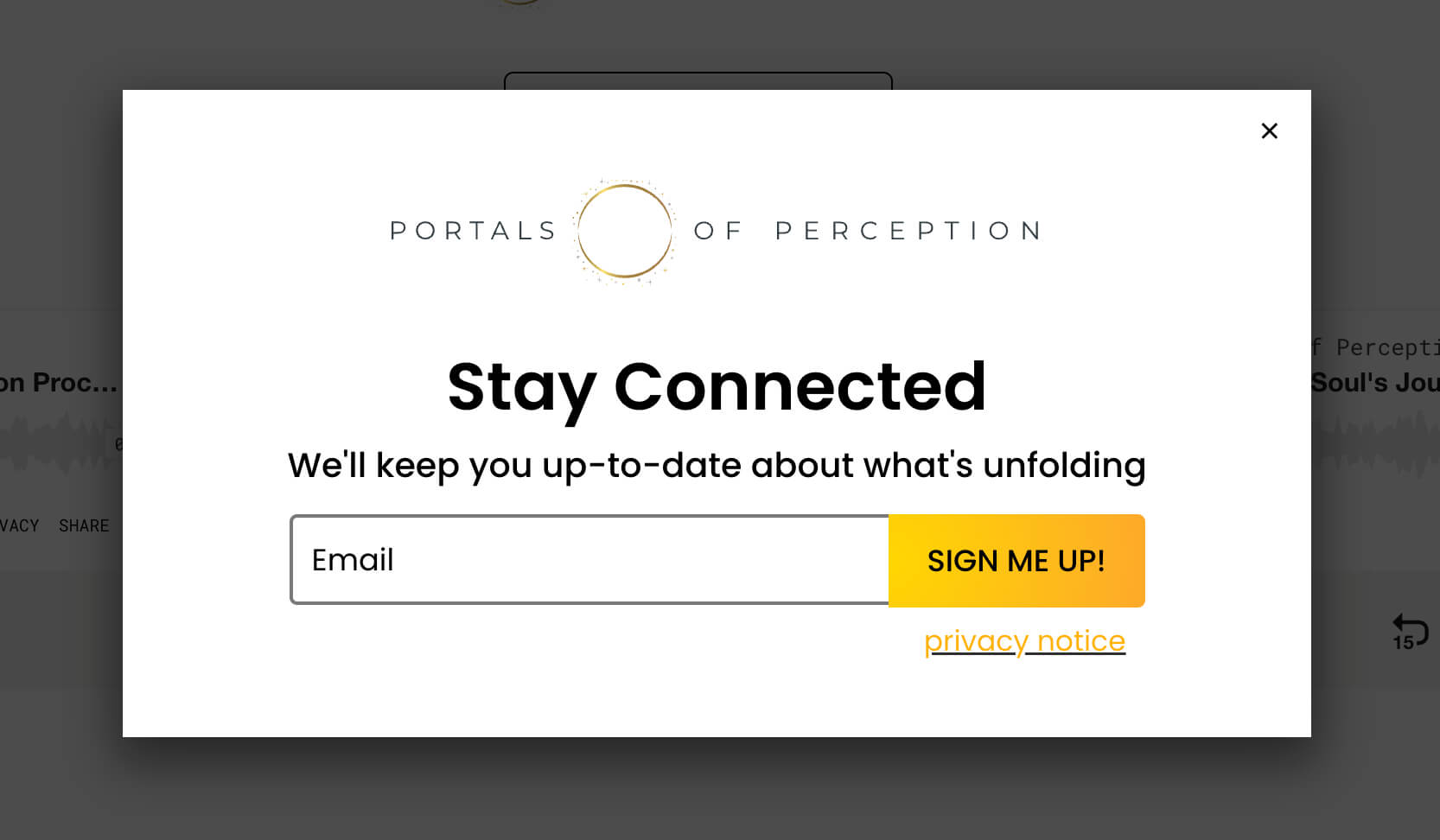
During the roast of “Portals of Perception,” the only signup copy was a popup that said: “Stay connected. Keep you up to date about what’s unfolding.” Dylan’s verdict: “Not very clear. Not very credible. Not very compelling.” There is nothing for the reader to grab onto.
Be Credible
Credibility is the part that answers “why should I believe you?” There are a few ways to build it on a landing page:
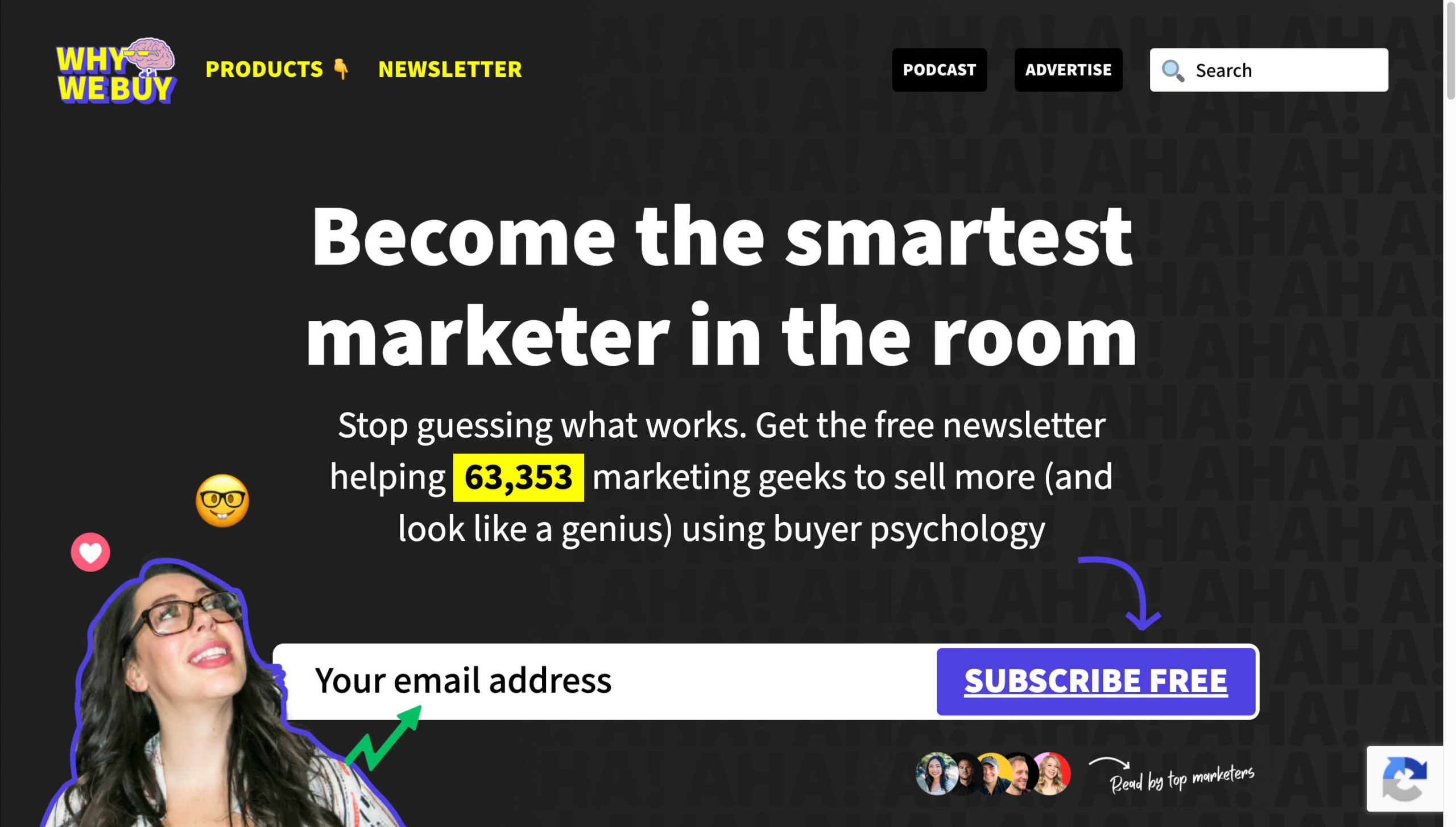
- Subscriber count with an exact number (“63,353 marketing geeks” is more believable than “60k+”)
- Social proof like recognizable testimonials or avatars of subscribers your reader knows
- Niche experience such as years in the field, hours of research, or work you have published before
Credibility does not require a huge list. If you have spent five years studying something, say so. If you have taught 500 students, say so. Time invested is its own kind of social proof.
Be Compelling
Being compelling is not “join my newsletter.” Being compelling is the reason someone would subscribe, also called your value proposition.
The Why We Buy newsletter uses the headline “Become the smartest marketer in the room.” That is a promise. It tells the reader what they get out of showing up. Whatever your topic, give the visitor a one-line reason that the next email matters to them.
Step 2: The “Almost There” Page (The Most Skipped Step)
After someone hits subscribe, most newsletters drop them onto a page that says something like “Success” or “Thank you for subscribing” and that is the end of the story. Dylan calls this “the default dead-end page of death.”
It is also the most-skipped step in newsletter onboarding, which makes it the easiest win on this list.
An “Almost There” page redirects new subscribers to a real page on your site that gives them one clear next action. The keyword is one. Pick the single action that matters most to your business and ask for that.
Good next actions include:
- Check your inbox for the welcome email (use a tease like “I’ve got a surprise for you”)
- Confirm your subscription
- Fill out a brief onboarding survey
- Read or watch one specific piece of your content
In the Castle Creek roast, Mark already had a strong version of this. His “almost there” page said “Welcome to my castle. You’re inside. Your gate is open.” It told the new subscriber what to check for in their inbox and previewed what was coming. Dylan’s only tweak was to trim the number of paths so the page pointed to one thing instead of several.
Most email service providers (ESPs) let you change the redirect URL on the success page in your form settings. It is a one-time change that lifts every new subscriber from now on.
Step 3: The Welcome Email
The welcome email is the green light, so the subscriber needs to know which direction to drive. Dylan recommends your welcome email do three things:
- Introduce yourself or your brand
- Set expectations for what you will send and how often
- Prompt one specific action
That is it. Welcome emails can be short or long, formal or casual. That part is up to you. What matters is that the reader walks away with one action item and a sense of anticipation for your first real edition.
Why a Reply Is the Strongest Call to Action
You can ask for a click. You can ask for a poll vote. You can ask for a survey. All of those work. But if you can make the welcome email’s call to action a reply, take it.
A reply early in the relationship is the strongest possible signal to Gmail, Outlook, and Apple Mail that your subscriber wants your emails. That signal pushes your future sends into the primary inbox instead of the Promotions tab or the spam folder. Replies are also the start of an actual conversation, which is the whole reason most of us send a newsletter in the first place.
A simple opening question works: “What brought you here today?” or “What’s one thing you’re trying to figure out about [topic]?” Read the replies. Sometimes they turn into the next edition.
Single Opt-In, Double Opt-In, and a Sneaky Alternative
One question came up repeatedly during the roast: should you use double opt-in?
If you are not sure what that means, here is the short version.
Single opt-in adds someone to your list the moment they hit subscribe. Simple, one step.
Double opt-in adds them only after they receive a confirmation email and click a button inside it. Some countries (Germany, for example) require this by law. Most do not.
The trade-off is real. Double opt-in protects your list quality and your sender reputation, but it costs you subscribers. Newsletter growth specialist Matt McGarry has seen newsletters lose up to 40% of potential subscribers to double opt-in. Dylan shared one example from the Growth In Reverse podcast where a newsletter had 43,000 confirmed subscribers and 55,000 unconfirmed ones who never clicked the link. That is more than half the list, lost to one extra step.
The sneaky alternative is what Dylan calls a False Double Opt-In. Use single opt-in to add the subscriber to your list immediately, then send a welcome email styled like a confirmation (“click here to start receiving the newsletter”). If they engage, great. If they never open it, an automation cleans them off the list weeks later. You get the deliverability protection of double opt-in without losing 40% of new subscribers at the door.
Choose your opt-in strategy with intention. There is no single right answer, but the default in your ESP is probably costing you more subscribers than you realize.
What This Means for PMPro Membership Sites
If you sell paid memberships and also publish a newsletter, you have an advantage most newsletter creators do not. Your membership signup is the opt-in.
When a member signs up for a free or paid level using Paid Memberships Pro, they are deliberately giving you their email so you can communicate with them. One of our email marketing integrations (for Kit, Mailchimp, MailPoet, AWeber, ActiveCampaign, and more) can sync that new member directly to your list with the right tags, so you do not need a separate confirmation step layered on top of checkout.
That makes the rest of the onboarding flow easier:
- Your “landing page” is your membership levels or free level page: Apply the Three C’s there. Make sure the page tells visitors what they get, why you are credible, and what the value of joining is.
- Your “Almost There” page is your PMPro confirmation page: Use it to point new members at one specific next step like a “Start Here” guide, a welcome video, or a survey that helps you segment them.
- Your welcome email runs from your ESP: PMPro completes the membership signup, the integration tags the new member, and your ESP sends a properly designed welcome that asks for a reply.
If you are running a free membership level as a lead magnet, this is even cleaner. The free level captures the email, the integration handles the sync, and you avoid the double opt-in friction entirely because the member already opted in by joining.
A Quick Recap
Whether you are growing a free newsletter, gating premium editions behind a paid level, or both, the same three steps decide how many subscribers actually stick:
- A landing page that is clear, credible, and compelling.
- An “Almost There” page that gives one specific next action.
- A welcome email that asks for one thing, ideally a reply.
Walk through your own flow this week. Sign up to your own newsletter from a private window and notice what happens at each step. If any of the three is missing or feels like a dead end, that is your first project for the weekend.
Connect a real email marketing platform to your membership site with one of our Kit, Mailchimp, or other email marketing integrations so the rest of your newsletter onboarding can do its job.
Resources from Dylan Redekop
Dylan shared these free resources during the session:
- The 10x Reply Guide: Growth Currency’s guide to getting more replies from your newsletter
- How to Set Up a False Double Opt-In: step-by-step setup for Kit and most major ESPs
- 5 Templates to Pitch Your Newsletter Better: Canva templates for your landing page copy and newsletter pitch
Frequently Asked Questions
It is the sequence a new subscriber moves through after they decide to sign up: the landing page where they enter their email, the page that loads after they hit subscribe, and the first email they receive from you. Each step has its own job.
Yes. A signup form in your site footer or homepage hero is fine to have, but it cannot be the only place to subscribe. A dedicated landing page with no distractions converts at much higher rates because the visitor has only one decision to make.
Double opt-in protects list quality but can cost you up to 40% of new subscribers. Single opt-in (or a “False Double Opt-In” that single-opts and then cleans up unengaged subscribers later) usually wins for most newsletters. Check your local regulations first. Countries like Germany legally require double opt-in.
Replies are the strongest deliverability signal you can give to Gmail, Outlook, and Apple Mail. A subscriber who replies to your welcome email is much more likely to receive your next email in their primary inbox instead of the Promotions tab or spam folder.
When a new member signs up for a free or paid level, they have already opted in. With one of the email marketing integrations for Paid Memberships Pro, the new member is synced to your ESP automatically, and you can apply the same landing page, redirect, and welcome email principles to the membership signup flow.

Free Download: The AI-Powered Membership Site Blueprint
Download the free guide: Learn how to plan, build, and grow a membership site using AI as your strategic partner: from buyer persona to launch and beyond.