Page load speed shapes three things that matter to membership site owners: user experience, search ranking, and conversions. When the site you depend on for recurring revenue is slow, every laggy dashboard and delayed checkout becomes friction between you and a paying member.
The good news is that most performance work has clear, high-leverage fixes. The harder truth is that the work itself is real, and there is a point where it makes more sense to pay someone else to handle it. This guide walks both paths, in priority order.
Why Your Site Speed Matters
Speed affects three things you care about as a site owner. Faster pages reduce bounce rates and feel more trustworthy. Faster pages rank better, because Google uses Core Web Vitals as a ranking signal. Faster checkout pages convert more visitors into members.
The highest-leverage fixes are also the most foundational. Once your hosting, caching, and images are in shape, every other choice you make benefits from that work.
The Five Metrics Worth Knowing
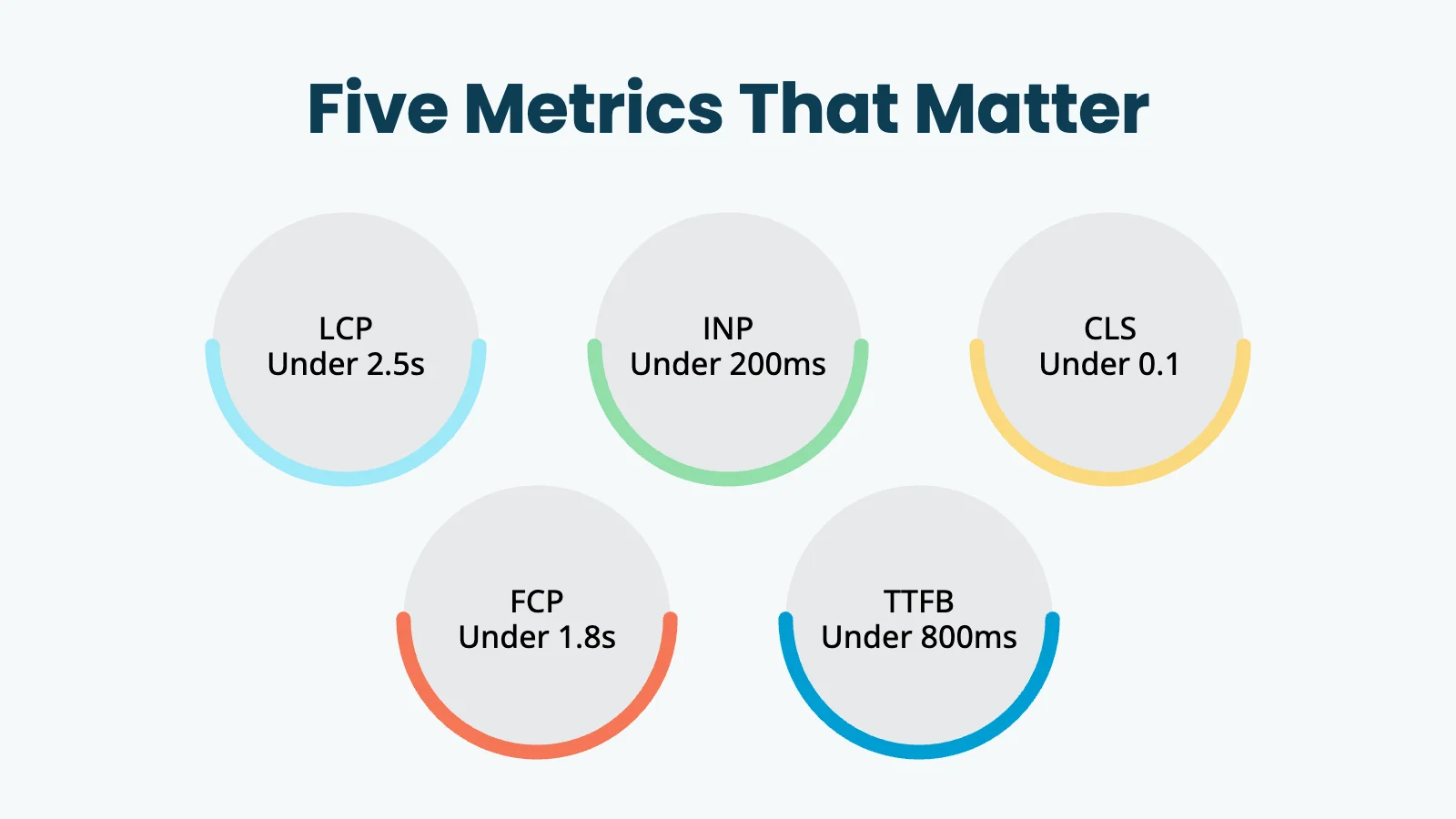
Tools throw a lot of metrics at you. Most of them are noise. These five are the ones that actually move your search ranking, conversion rate, and member experience.
LCP, Largest Contentful Paint (Core Web Vital). The time until the largest element on the page (usually a hero image or a big block of text) finishes loading. This is the metric that captures “the page feels loaded.” Target: under 2.5 seconds. Most LCP problems trace back to images or slow server response.
INP, Interaction to Next Paint (Core Web Vital). When a member clicks, taps, or types, how long until the page reacts? Target: under 200 milliseconds. INP replaced First Input Delay (FID) in March 2024. If a performance guide still leads with FID, treat it with caution.
CLS, Cumulative Layout Shift (Core Web Vital). How much does your layout jump around while loading? You have felt high CLS yourself, when you try to tap a button and an ad shoves it down the page at the last second. Target: under 0.1. Common causes are images without dimensions, late-loading fonts, and third-party scripts.
FCP, First Contentful Paint. The time until any content renders. Not a Core Web Vital, but useful as a “the page is starting” signal. Target: under 1.8 seconds. FCP usually improves automatically when you fix LCP.
TTFB, Time to First Byte. The time between the browser asking for a page and getting the first byte back from your server. Essentially, how fast your server is. Target: under 800 milliseconds. TTFB is mostly a hosting issue, which is why hosting sits at the top of the work list.
How to Measure Where You Actually Are
Three tools cover everything you need. Start with one canonical report, then dig into details only when you have a specific problem to solve.
Google PageSpeed Insights (pagespeed.web.dev) is the canonical Core Web Vitals report, and it is free. Run it on the URLs that matter most: your homepage, your highest-traffic blog posts, your checkout page, and your member dashboard. PageSpeed Insights shows “field data” (real visitor performance over the past 28 days) and “lab data” (a single synthetic test). Field data is what Google uses for ranking. Lab data is useful for measuring the impact of changes you make.
Google Search Console, Core Web Vitals report. Once your site has enough traffic, Search Console buckets your pages as “Good,” “Needs Improvement,” or “Poor.” Check this monthly to catch regressions across your whole site, not just the pages you remember to test.
GTMetrix or WebPageTest are diagnostic tools for when something is slow and you need to know why. Use these after PageSpeed Insights tells you which page to investigate.
The Work, in Priority Order
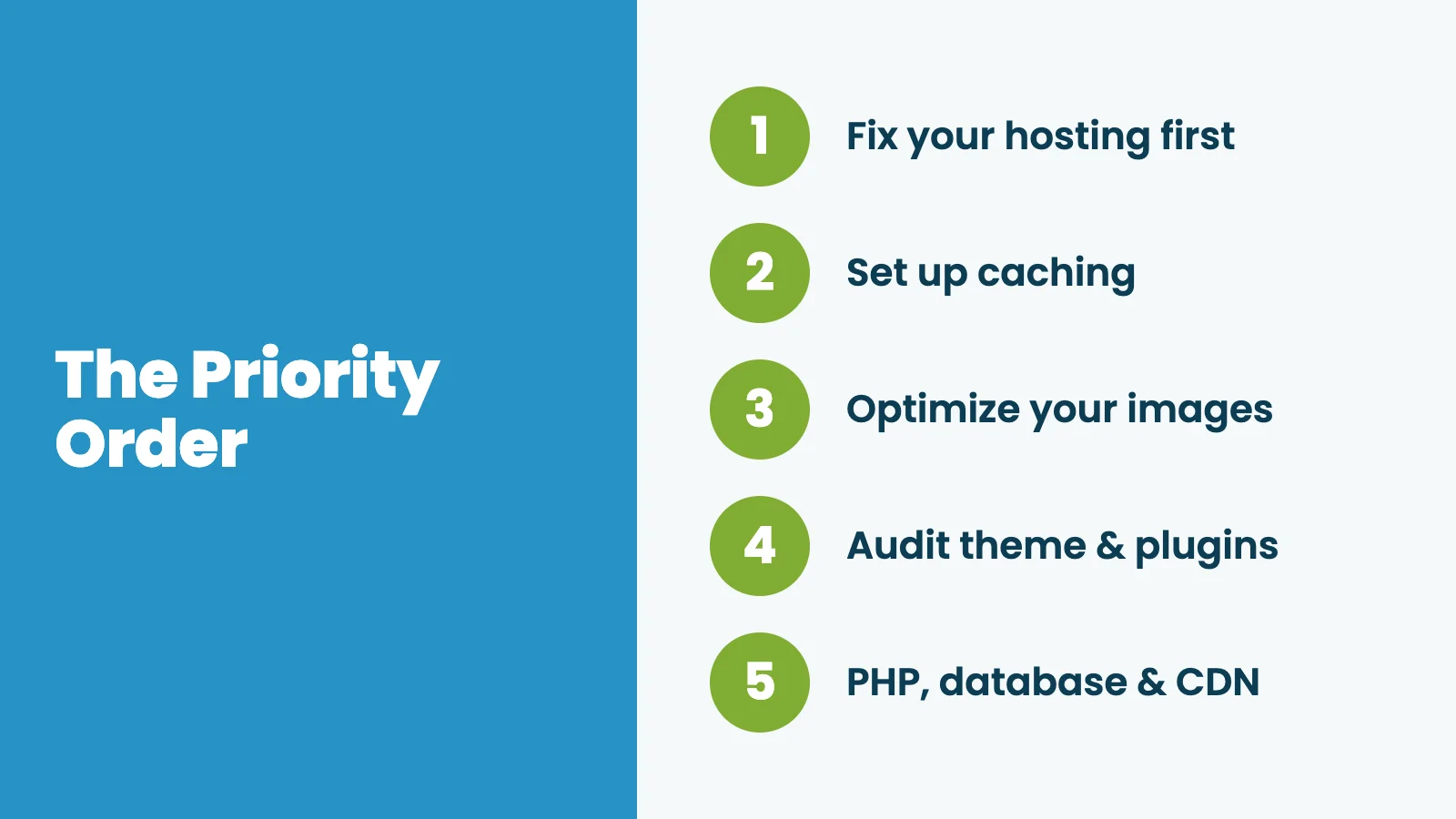
The biggest mistake site owners make is doing the work in the wrong order. Image compression on a slow host is sanding the deck of a sinking boat. Here is the order to work in, top to bottom.
1. Fix Your Hosting First
The single highest-leverage performance change for most membership sites is moving to better hosting. Bad hosting puts a hard ceiling on every other optimization. You can perfect your images, theme, and code, and still have a slow site because your server takes a second and a half to respond to every request.
What to look for in a host:
- Server location near your audience: A US audience served from a US data center beats the same site served from Europe. International audiences benefit from a content delivery network (CDN).
- Modern hardware and software: Solid-state storage, PHP 8.x or newer, enough memory for your traffic, and LiteSpeed, Nginx, or properly-configured Apache.
- Headroom for traffic spikes: Shared hosting works for very small sites. Growing membership sites usually need a VPS or managed WordPress hosting designed for logged-in traffic.
- A host that understands membership sites specifically: Generic WordPress hosts often cache too aggressively and break member-facing pages.
Honest framing: Most hosting plans under $10 per month are too cheap to deliver good performance for a membership site. The realistic floor for serious membership sites is $30 or more per month, and managed WordPress hosting in the $50 to $150 range is where most growing sites belong. We cover the providers we actually recommend in our best web hosting for membership sites guide. If you want to roll your own, our high-performance hosting setup guide walks through configuring a DigitalOcean droplet from scratch.
2. Set Up Caching the Right Way
Caching is the second-biggest lever, and it is mostly free if you set it up correctly. The catch is that membership sites need caching configured differently from blogs and brochure sites.
What caching does for a membership site is serve a stored version of public pages to non-logged-in visitors (typically a big share of your traffic), while letting logged-in members get fresh, personalized content. Done right, your marketing pages load almost instantly while member dashboards stay accurate.
The common failure mode is caching everything aggressively and accidentally serving one user’s logged-in dashboard to a different visitor. That is a real, embarrassing outage, not a theoretical one.
- Use a reputable page caching plugin (W3 Total Cache, WP Rocket, LiteSpeed Cache) or your host’s built-in cache.
- Exclude PMPro’s member-area URLs from caching so logged-in users always get fresh content.
- Follow the Paid Memberships Pro caching documentation for the specific URL patterns to exclude. Do not improvise these. The patterns matter.
If you are not comfortable configuring this yourself, this is exactly the point at which managed hosting starts to pay for itself.
3. Optimize Your Images
Images are the most common source of LCP problems, and they are the easiest fix on this list.
- Use modern formats: WebP for most use cases, AVIF where supported. Both are dramatically smaller than JPEG at equivalent quality.
- Right-size before you upload: A hero image displayed at 1200×600 does not need to be uploaded at 4000×2000.
- Trust responsive image markup: WordPress generates this automatically when you upload at appropriate dimensions.
- Let WordPress lazy-load: Lazy loading is on by default since WordPress 5.5. Make sure your theme or plugins do not override it.
- Compress in bulk: Plugins like ShortPixel, Imagify, and Smush handle batch compression and automatic optimization on new uploads.
A note on advice from older guides: DPI is a print concept and does not apply to web images. The “100 KB hard cap” rule is also obsolete now that responsive markup serves different sizes to different devices. If a guide tells you to set images to 72 DPI, it is dated.
4. Audit Your Theme and Plugins
Themes and plugins are where well-intentioned sites accidentally tank their performance.
Themes. The heaviest performance cost from a theme is usually a bundled page builder loading CSS and JavaScript for features you do not use. Lightweight, performance-oriented themes such as Astra, GeneratePress, Blocksy, or the default WordPress block themes outperform feature-rich themes by a wide margin. Our own Memberlite theme is built specifically for membership sites and stays out of the way of performance.
Plugins. The number of plugins is not the problem. The quality is. A site with 30 well-coded plugins easily outperforms a site with 10 bloated ones. Your job is to find the slow ones.
- Query Monitor (free) shows which plugins are making the most database queries on each page load.
- GTMetrix’s waterfall view shows which plugins are loading the most CSS or JavaScript on the front end.
- Deactivate plugins you are not actively using. Replace the slow ones where you can. Some plugins are non-negotiable. Some are habits you can break.
5. PHP, the Database, and a CDN
The remaining work is less dramatic, but worth doing once the larger items are solved.
- PHP 8.x or newer: Older PHP versions are noticeably slower and increasingly insecure. Your host should be on a current major version.
- Database maintenance: WordPress databases accumulate cruft over time: expired transients, post revisions, spam comments. A plugin like WP-Optimize handles cleanup. Quarterly is reasonable.
- A content delivery network (CDN): Services like Cloudflare or BunnyCDN cache static assets at edge locations close to your visitors. Cloudflare’s free tier covers most small and mid-sized sites. A CDN is especially valuable for international audiences.
These three sit at the bottom of the list because the gains are smaller. They matter once the upstream items (hosting, caching, images, theme, plugins) are solved.
The PMPro Max Alternative
If you have read this far and your honest reaction is “I do not want to spend my time doing any of this,” PMPro Max is the alternative. PMPro Max is managed hosting built specifically for Paid Memberships Pro sites. We handle the hosting, the server configuration, the caching setup, the security work, and most of the performance optimization this post describes.
What you get with PMPro Max:
- Your own dedicated DigitalOcean droplet, no noisy neighbors.
- Redis object caching and smart page caching at the server level, configured for PMPro out of the box. No caching plugin needed.
- Cloudflare CDN, DNS, DDoS protection, and SSL all configured and managed for you.
- WebP image optimization at the server level. No image plugin needed.
- Your annual Paid Memberships Pro Plus license is included.
Max handles the infrastructure layer. Your content, your member experience, and your strategy are still yours.
Max is a fit if your time is more valuable than the cost difference, or if you would rather think about your business than your server. It is not a fit if you enjoy the technical work and already have a developer, or if you are running a very small site where DIY hosting works fine.
Special Considerations for Large Membership Sites
Membership sites carry performance challenges that generic WordPress sites do not.
- Uncached content is unavoidable: Member dashboards, account pages, and gated content all have to be served fresh to the logged-in user. Plan hosting capacity with that load in mind, not just total traffic.
- Webhook and API traffic adds load: Stripe webhooks, PayPal IPN, email syncs, and Zapier automations all hit your server independently of human visitors. A site with thousands of active members has substantial background traffic around the clock.
- Video content is expensive to self-host: Use a third-party host like Vimeo, Wistia, or Bunny Stream, and embed. Our guide on how to sell videos online to members only covers the trade-offs.
- Admin reports can slow down: Large member databases make some reports slower to generate. That affects you as the admin, not your members.
For sites approaching tens of thousands of active members, the work shifts from speed optimization to architectural scaling, which is a different conversation. Most PMPro sites do not reach that scale, and the work above is sufficient.
A Note on What Stopped Mattering
Performance advice goes stale. A few things have changed since this post was originally written in 2023:
- FID is no longer a Core Web Vital: Google replaced it with INP in March 2024. If a performance guide still leads with FID, treat the rest of it with caution.
- Several Lighthouse metrics were retired, including First Meaningful Paint, First CPU Idle, and Estimated Input Latency. Do not optimize for metrics that are no longer measured.
- “72 DPI” advice does not apply: DPI is a print concept. For web images, responsive markup and modern formats matter, not DPI.
- CentOS-based hosting stacks: The CentOS project effectively ended in 2021. Older guides recommending CentOS specifically are dated.
The principle that does not change: measure what matters, fix the highest-leverage items first, and get help when the work is no longer worth your time.
Bringing It All Together
Performance optimization is real work with real payoff. Most of the gains come from a small number of high-impact fixes: hosting, caching, and images. Many membership sites can move from slow to fast without becoming web performance experts.
Most of the time, the harder decision isn’t which optimization to tackle next but whether to keep doing this work yourself or hand it off to people whose full-time job is doing it well, and only you can make that call for your business.
For pre-publish work that complements performance, see our technical SEO guide for membership sites and our broader guide to SEO for membership websites. If you would rather hand the infrastructure work off entirely, PMPro Max is built for that.
Frequently Asked Questions
LCP, INP, and CLS are the three Google uses for ranking, and all three apply to membership sites. TTFB is the underlying server-response metric and is heavily influenced by your hosting.
Not necessarily. If your host’s caching is configured correctly for Paid Memberships Pro, a separate caching plugin can actually conflict with it. Check the PMPro caching documentation before stacking caches.
Not by itself. Plugin quality matters more than plugin count. Use Query Monitor and your speed test waterfall to find the actual culprits.

Free Download: The AI-Powered Membership Site Blueprint
Download the free guide: Learn how to plan, build, and grow a membership site using AI as your strategic partner: from buyer persona to launch and beyond.