If you are using the Classic Editor, want to place the Membership Card in a template file, or want to insert it into a page using a page builder, you can use the shortcode.
Table of contents
Shortcode Attributes
Using the [pmpro_membership_card] shortcode, customize your Membership Card with the following attributes:
- print_size: Specifies which size options are available in the print window.
- Values: small, medium, large, or all.
- Example:
[pmpro_membership_card print_size="small"](Forces a wallet-sized card).
- qr_code: Determines if the QR code should be displayed.
- Values: true or false.
- qr_data: Specifies the data returned when the QR code is scanned.
- Values: email, ID, level, or other.
- elements: You can use the elements attribute to customize the data displayed on the card. Separate fields within the shortcode with a semicolon
;.
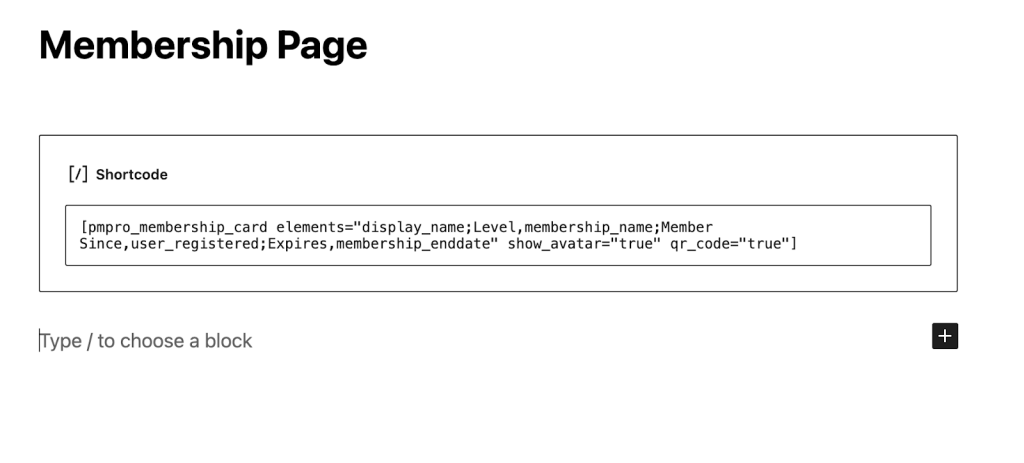
[pmpro_membership_card elements="display_name;Level,membership_name;Member Since,user_registered;Expires,membership_enddate" show_avatar="true" qr_code="true"]
Available Element Fields
You can display standard user data or custom fields on your card. Here are the predefined elements you can use:
- site_logo: Displays the site logo (No label required).
- featured_image: Displays the featured image of the post/page (No label required).
- display_name: The member’s WordPress display name.
- membership_name: The name of the member’s active level(s).
- membership_startdate: The date the user joined.
- membership_enddate: The date the membership expires.
- pmpro_mailing_address: The member’s mailing address.
- next_payment_date: The member’s next payment date for their active subscription, if available.
- membership_enddate_or_next_payment_date: The member’s next payment date or current membership level’s enddate, if available.
- user_email: The member’s email address.
- user_login: The member’s username.
Note: Any other elements will try to automatically get the user_meta and assume it’s the user meta key. For custom user fields, use the field’s name. For example, Company Name,company where “company” is the field’s name which the User Fields settings.
Get Support From Our Team of Experts
Have a question about how to use this feature? Our Support Page outlines three ways to get support.
Our Max plans include hands-on help customizing your membership site and implementing new features. Upgrade to PMPro Max now »
Last updated on July 22, 2026

