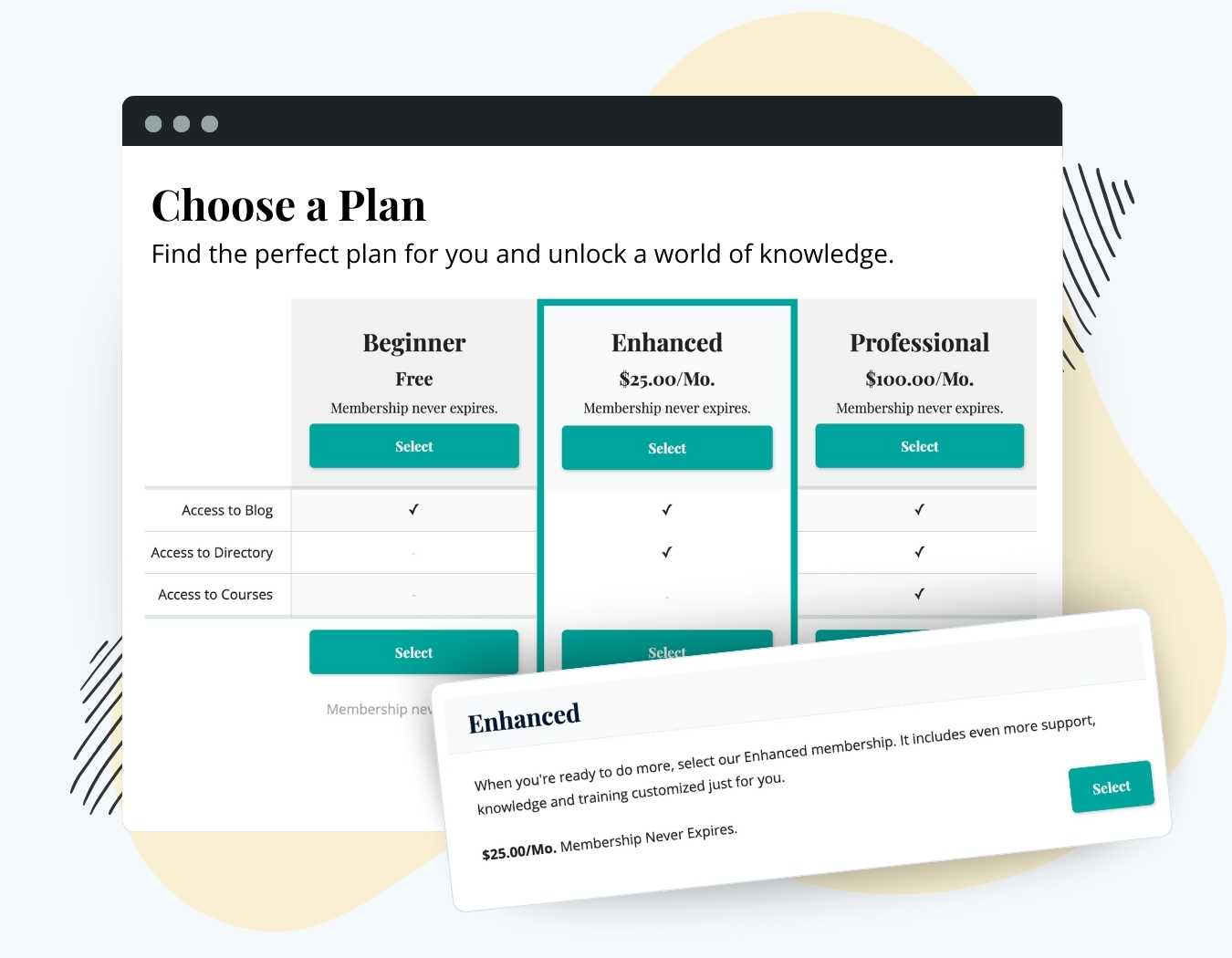
Your Membership Levels page is where visitors decide which plan to join. Paid Memberships Pro lists your levels there with a price and a checkout button. The Advanced Levels Page Add On gives you a block and shortcode with more control over that page: choose a layout, pick which levels appear and in what order, feature one level, and decide how prices, descriptions, and buttons display.
Use it to build a pricing page with three plans side by side, a comparison table that shows what each level includes, or a short pricing table on a landing page. The Advanced Levels Page Add On is included with the Standard and Max plans.
Key Features
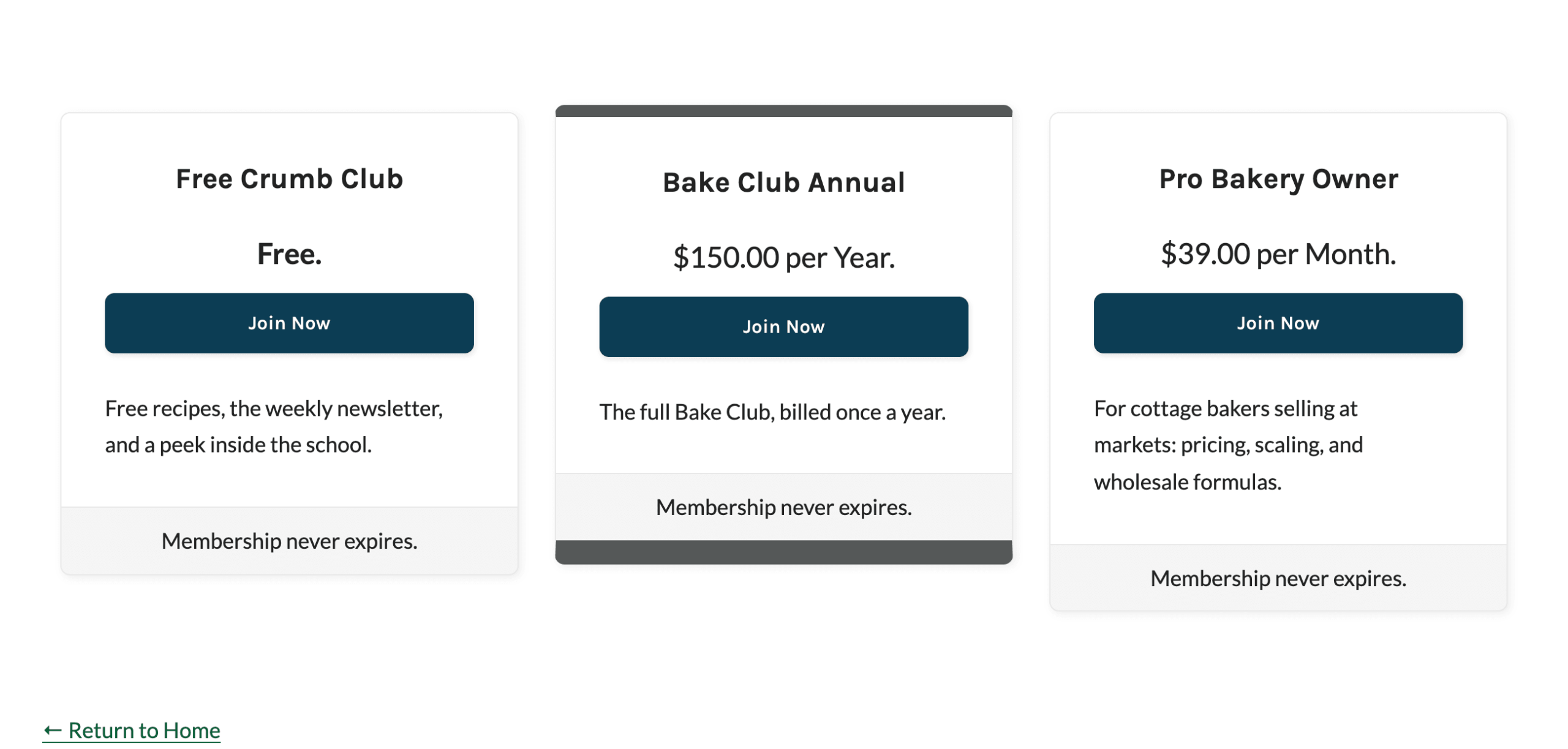
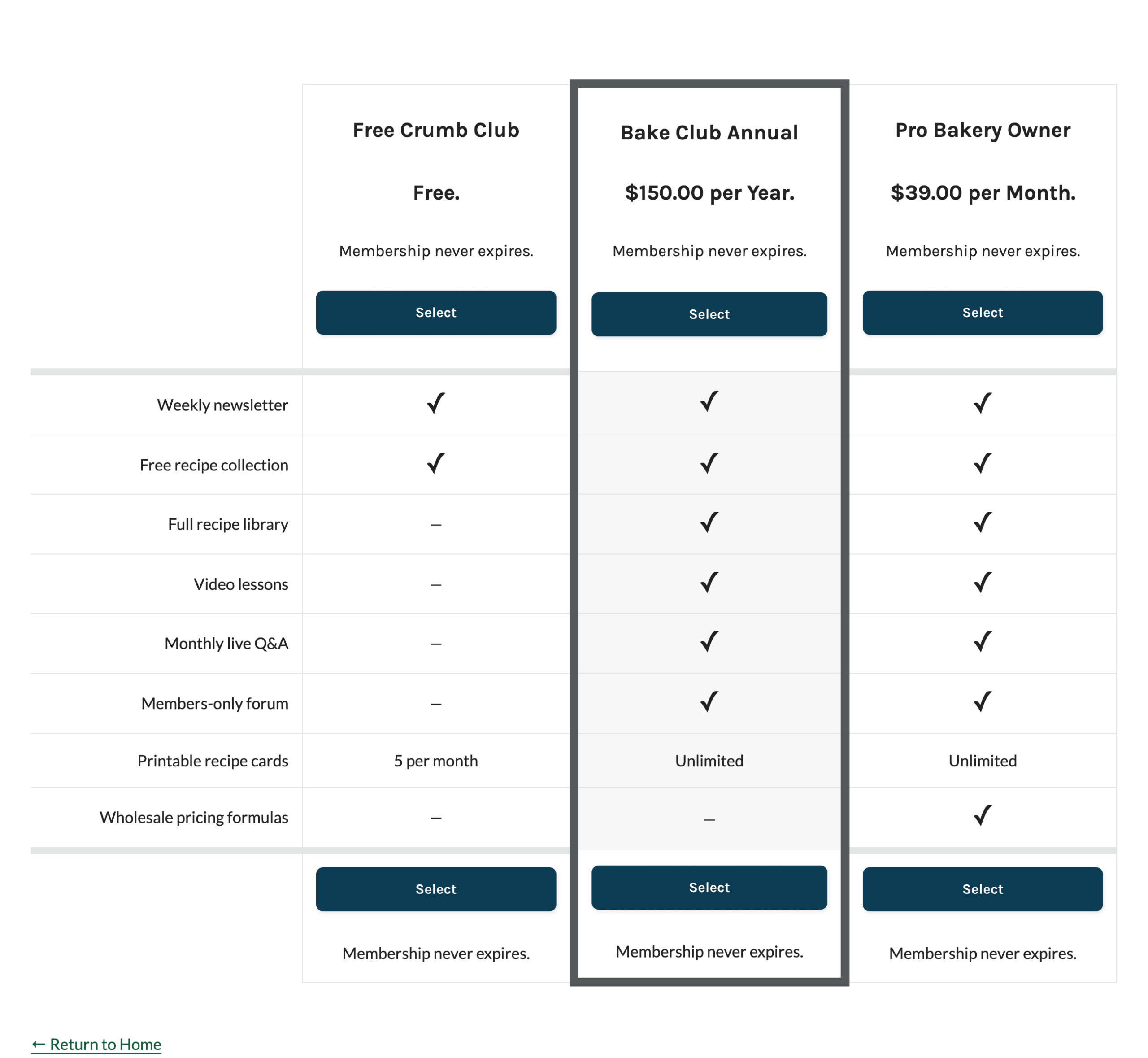
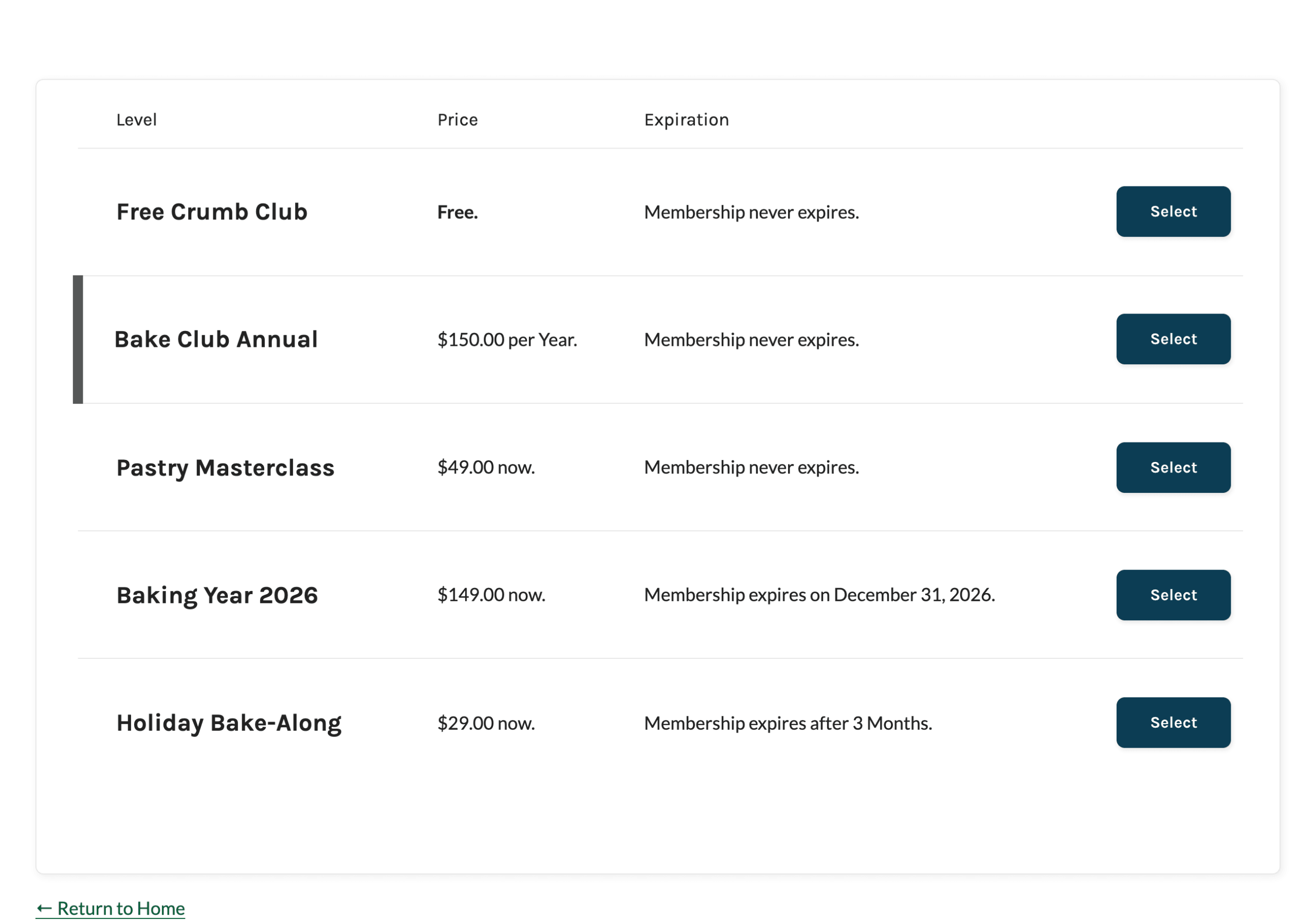
- Six Layouts: Display levels as stacked cards, in 2, 3, or 4 columns, in a table, or in a comparison table.
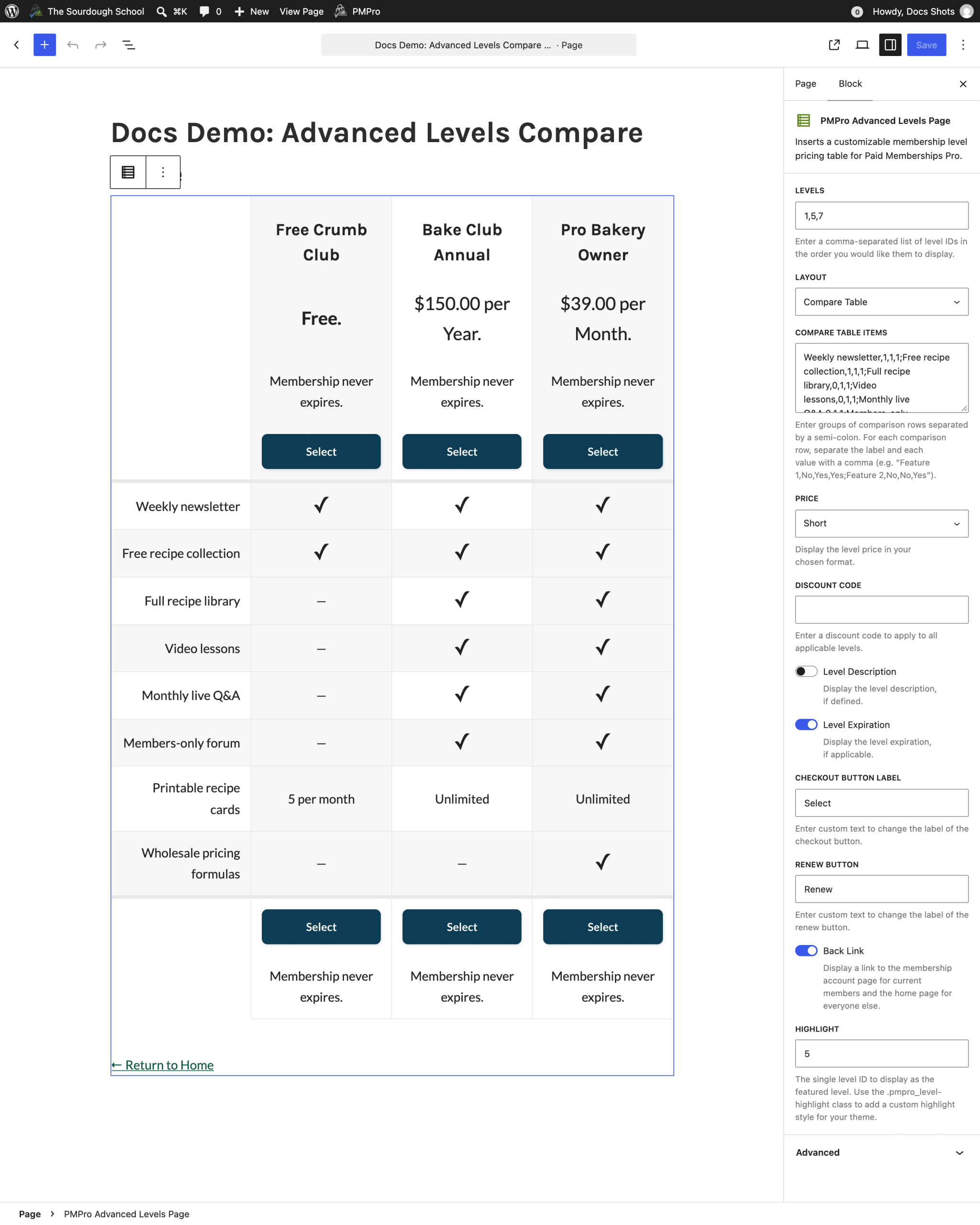
- Feature Comparison Table: Add rows that show a checkmark, a dash, or your own text for each level. On small screens, the table switches to stacked cards that list each level’s features.
- Choose Your Levels: Show all levels or only the ones you list, in the order you set.
- Highlight a Level: Feature the plan you want most members to pick with a CSS class your theme can style. Memberlite styles it for you.
- Price Display Options: Show a short price, the full price sentence, or no price at all.
- Discount Code Pricing: Show discounted prices on the levels page and carry the code through to checkout. Works from a block setting, a shortcode attribute, or the page URL.
- Custom Button Text: Change the checkout and renew button labels. Members see a button that links to their account for levels they already have.
- Block or Shortcode: Use the block in the editor or the shortcode in any page builder, on any page or post.
- Developer Hooks: Add content before or after each level, add columns to the table layout, and filter comparison rows.
Try a Demo: View the PMPro demo site or launch a free private demo now.
Screenshots
Every premium Add On comes with your Standard or Max plan. Standard includes expert support for a site you host yourself. Max adds managed hosting, transactional email, security, backups, free migration, and monthly credits for development and design.

